



Regular expressions
Fenom has long supported regex for data processing. Since 1.3.0 regex is supported:
- In task configuration for record selector
- In source fields
This gives more flexible record selection from the source.
Example
Example of using regex in xParser for a tricky structure.
Given
Need to parse a site with unusual record structure. CSS or XPath couldn't match it. Example:
html
<div class=content>
  <p>
    <h2>Some header</h2>
    Section description text
  <p>
    18.01.10 <a href="http://domain.zone/link1.html">Record 1</a>
    <br>Record 1 description
  <p>
    24.12.09 <a href="http://domain.zone/link2.html">Record 2</a><br>
    Record 2 description
  <p>
    23.12.09 <a href="http://domain.zone/link3.html">Record 3</a>
    <br>Record 3 description
  <p>
    22.12.09 <a href="http://domain.zone/link4.html">Record 4</a><br>
    Record 4 description
  ...
</div>
Challenges
- Records not in separate containers. Solved with regex!
<p>tags in each record are opened but not closed. Handled by xParser internally!<br>can be right after link or on next line. Solved with regex!
xParser below 1.3.0 couldn't handle this.
Record selection
Create a task as usual. For record selector in configuration, choose syntax: CSS, XPath, or RegExp. We need regex.
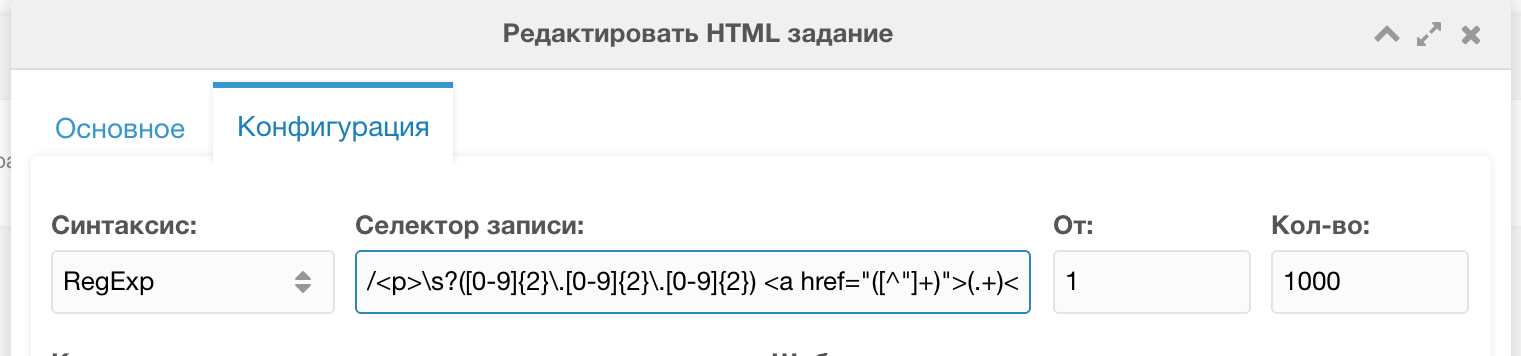
Regex for selecting records from this structure:
php
/<p>\s?([0-9]{2}\.[0-9]{2}\.[0-9]{2}) <a href="([^"]+)">(.+)<\/a>\s?<br>\s?(.*)\s?<\/p>/uiThis extracts each record on the page. There were about 100.
Source fields
Parse source fields with regex:
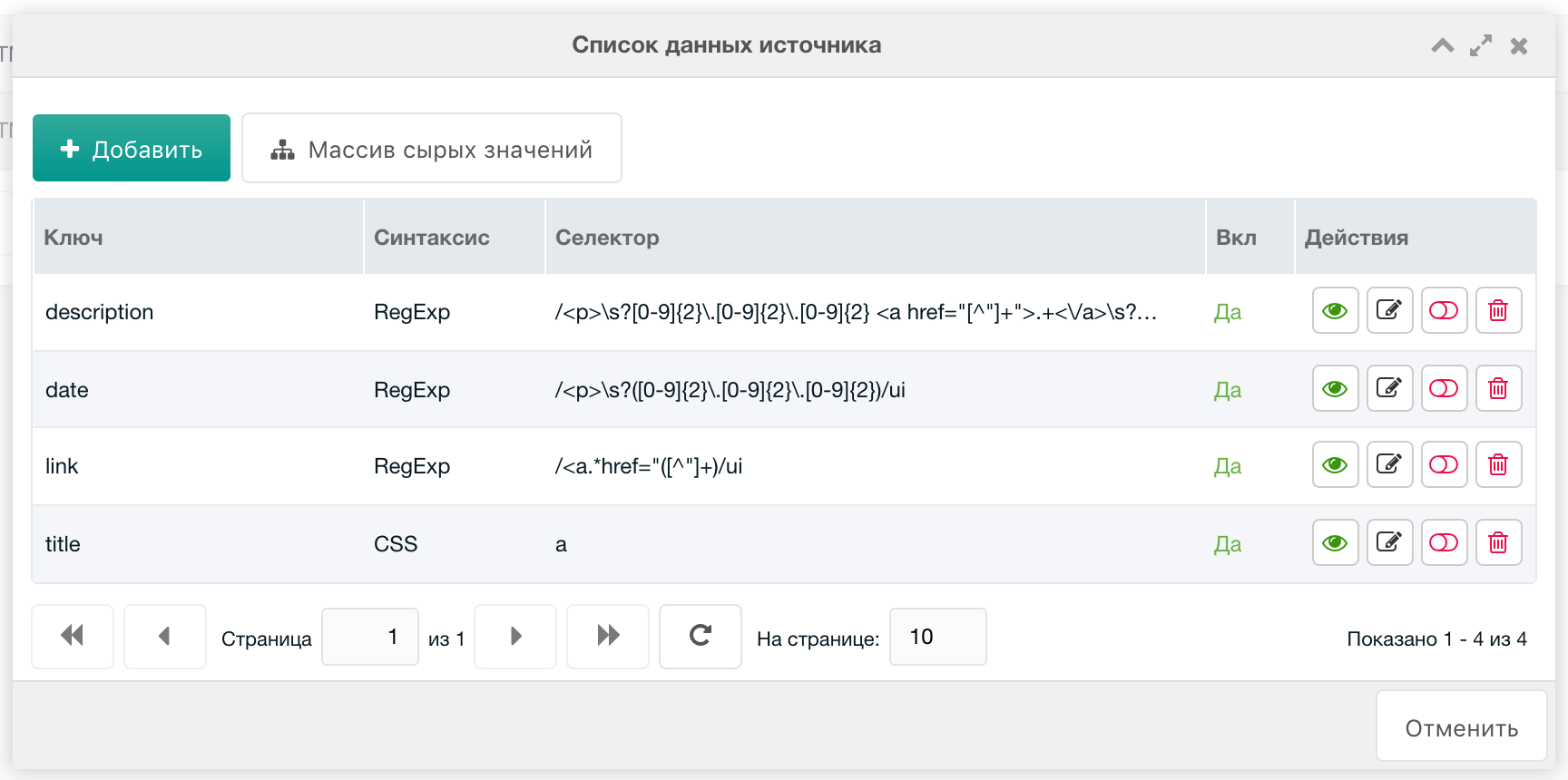
Link
- Syntax =
RegExp - Key =
link - Selector:
/<a.*href="([^"]+)/ui
Date
- Syntax =
RegExp - Key =
date - Selector =
/<p>\s?([0-9]{2}\.[0-9]{2}\.[0-9]{2})/ui
Description
- Syntax =
RegExp - Key =
description - Selector =
/<p>\s?[0-9]{2}\.[0-9]{2}\.[0-9]{2} <a href="[^"]+">.+<\/a>\s?<br>\s?(.*)\s?<\/p>/ui
Summary
Regex can parse even very complex structures. It's worth learning regex basics.