



TVTable
TVTable is a TV parameter displayed as a table where you can change both the number of rows and columns.
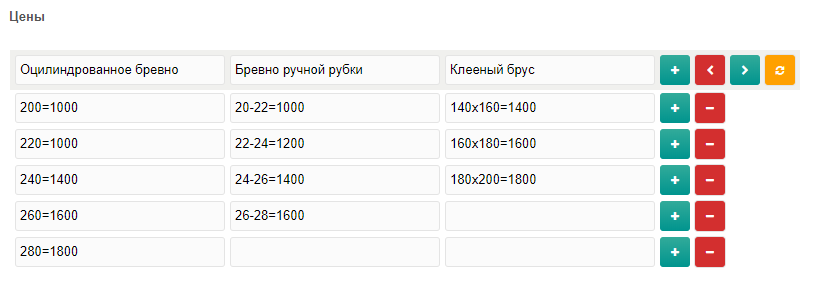
Usage
To use the component after installation, create a TV and on the Input options tab set Input type to Table. This input type has the following parameters:
Number of columns
Controls the exact number of columns. Leave empty if you want an unlimited number.
Note
Takes precedence over Maximum number of columns. Existing data is not changed; if current data has more columns than the limit, users can remove columns down to the limit; if fewer, missing columns are added on next edit.
Number of rows
Same as above, but for rows.
Note
Takes precedence over Maximum number of rows. Existing data is not changed; if current data has more rows than the limit, users can remove rows; if fewer, missing rows are added on next edit.
Maximum number of columns
Maximum allowed number of columns. Leave empty for no limit.
Note
Existing data is not changed; if current data has more columns than the limit, users can remove columns down to the limit.
Maximum number of rows
Same as above, but for rows.
Note
Existing data is not changed; if current data has more rows than the limit, users can remove rows down to the limit.
Column headers
List of column headers separated by double pipe ||. The TVTable snippet parameter displayHeaders controls their output.

Default header Optional
This value is used for empty headers.
Field width in pixels
Minimum value: 20.
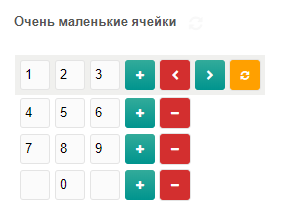
Row sorting
Allow sorting rows by drag and drop.
TVTable snippet
Parameters:
| Name | Default | Description |
|---|---|---|
| id | Current resource | Resource ID |
| tv | TV ID or name to output | |
| input | Pass the value directly (e.g. from a form) | |
| tableClass | CSS class for <table> | |
| headClass | CSS class for <thead> | |
| bodyClass | CSS class for <tbody> | |
| head | 1 | Whether to output <thead> |
| displayHeaders | 0 | Output column headers from the TV input options |
| wrapperTpl | @INLINE <table class="[[+classname]]">[[+table]]</table> | Chunk for the whole table |
| thTpl | @INLINE <th>[[+val]]</th> | Chunk for a header cell |
| trTpl | @INLINE <tr>[[+cells]]</tr> | Chunk for a table row |
| tdTpl | @INLINE <td>[[+val]]</td> | Chunk for a table cell |
| getX | Get row by index. Also: first, last | |
| getY | Get column by index. Also: first, last |
Подсказка
If both getX and getY are set, you get a single value, not a table.
System settings
tvtable_clear_button
- Type:
boolean - Default:
No
Show a clear-table button. If Yes, each table has a clear button.
tvtable_remove_confirm
- Type:
boolean - Default:
Yes
If Yes, confirm before removing rows, columns, or clearing the table.