


Yandex.Money
The component works with the P2P scheme. That is, receiving payment to a wallet without concluding a separate agreement with Yandex.
To accept payments via Yandex.Money you need to first register in this system and register an application. When registering it, in the Redirect uri field you need to specify http://YOUR.SITE/assets/components/minishop2/payment/yandexmoney.php — this is the address of the script that will ensure interaction with the payment system.
MODX Settings
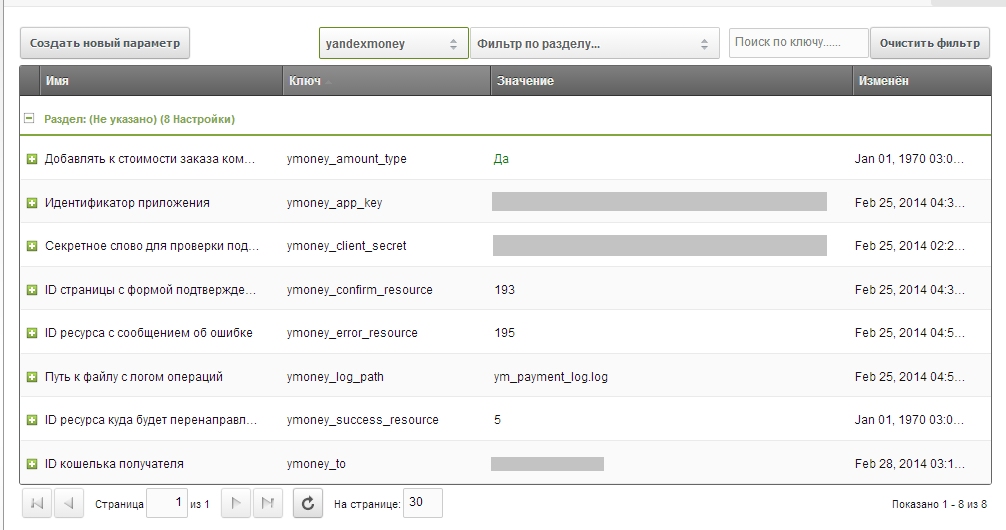
After registering the application, in its settings you receive the data for work, which need to be entered in MODX system settings. In addition, you can specify who the system commission will be charged from — the sender or the payment recipient (Add commission to order cost by default from sender).
Next you need to create several resources:
- payment confirmation page
- page with error message
- page with successful payment message (you can use the cart page so the customer sees their placed order after payment).
Their ids also need to be specified in system settings.
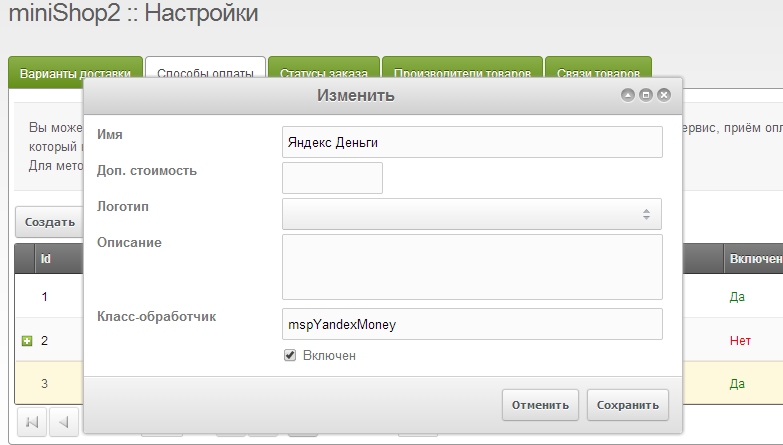
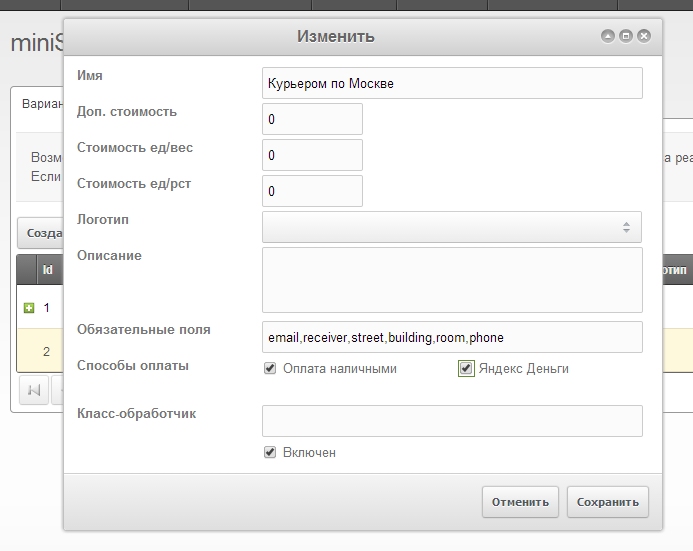
You also need to enable the new payment method and assign it to delivery.
Payment confirmation page
Here you can show the user payment information. To continue payment the user needs to submit a form that contains the complite_payment field with any value that cannot be interpreted as false. Use the mspYandexMoneyConfirm snippet to output payment information.
Page with error message
If an error occurs at any stage of the payment operation, the user will be redirected to this page. Here you can inform the user that something went wrong, ask them to check if they have sufficient funds or contact the administrator. The mspYandexMoneyErrors snippet allows you to get more information about the error.