


miniShop2
Flexible and fast e-commerce component for MODX Revolution

Available since version 4.2.2.
Interface for the reworked built-in import script (built-in since 2.1.4). Imports new products into the catalog or updates existing ones from a CSV file.
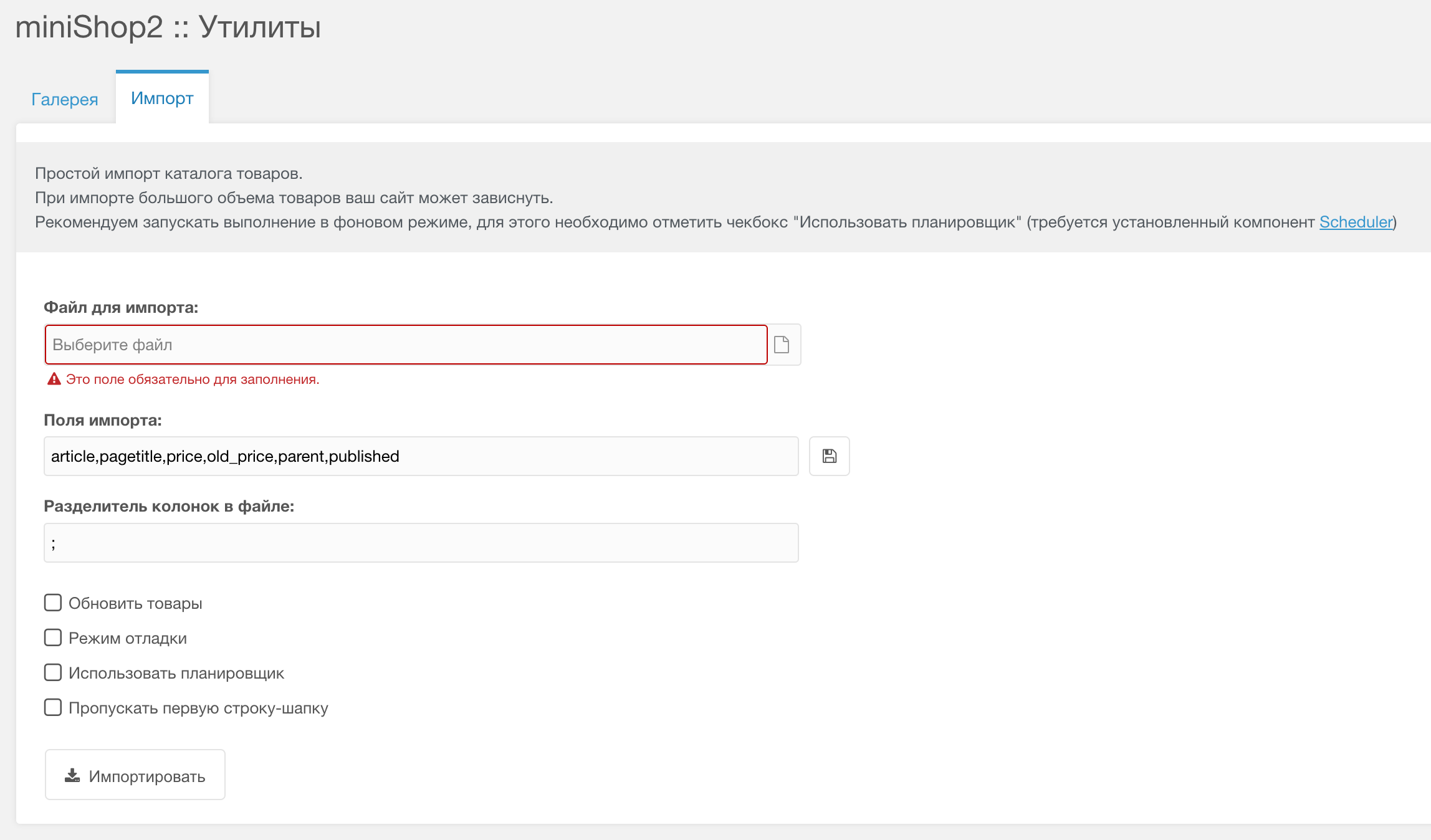
Import file (only CSV is supported)
Import fields, comma-separated
Информация
Field parent is required
You can save fields to system settings via the icon next to the field.
Внимание
System settings are cached; clear the cache to use previously saved settings.
If you do not need to save, you can leave the cache as is.
You can use not only resource fields but also:
size,size,size,color,color.gallery,gallery,gallery.tv1,tv2,tv3.Column delimiter in file. Can be saved for reuse.
Update products — when enabled, a field appears for the unique key used to update existing products.
Debug mode — stop after the first row.
Use scheduler — requires Scheduler.
Skip first row (header)
Подсказка
For large files, use the scheduler; browser execution is limited by server settings (often 30 seconds).