


ms3OptionsColor
Swatches for miniShop3 options: HEX, patterns, images, and RAL Classic
- MODX 3
- PHP 8.2
- miniShop3
- Vue 3

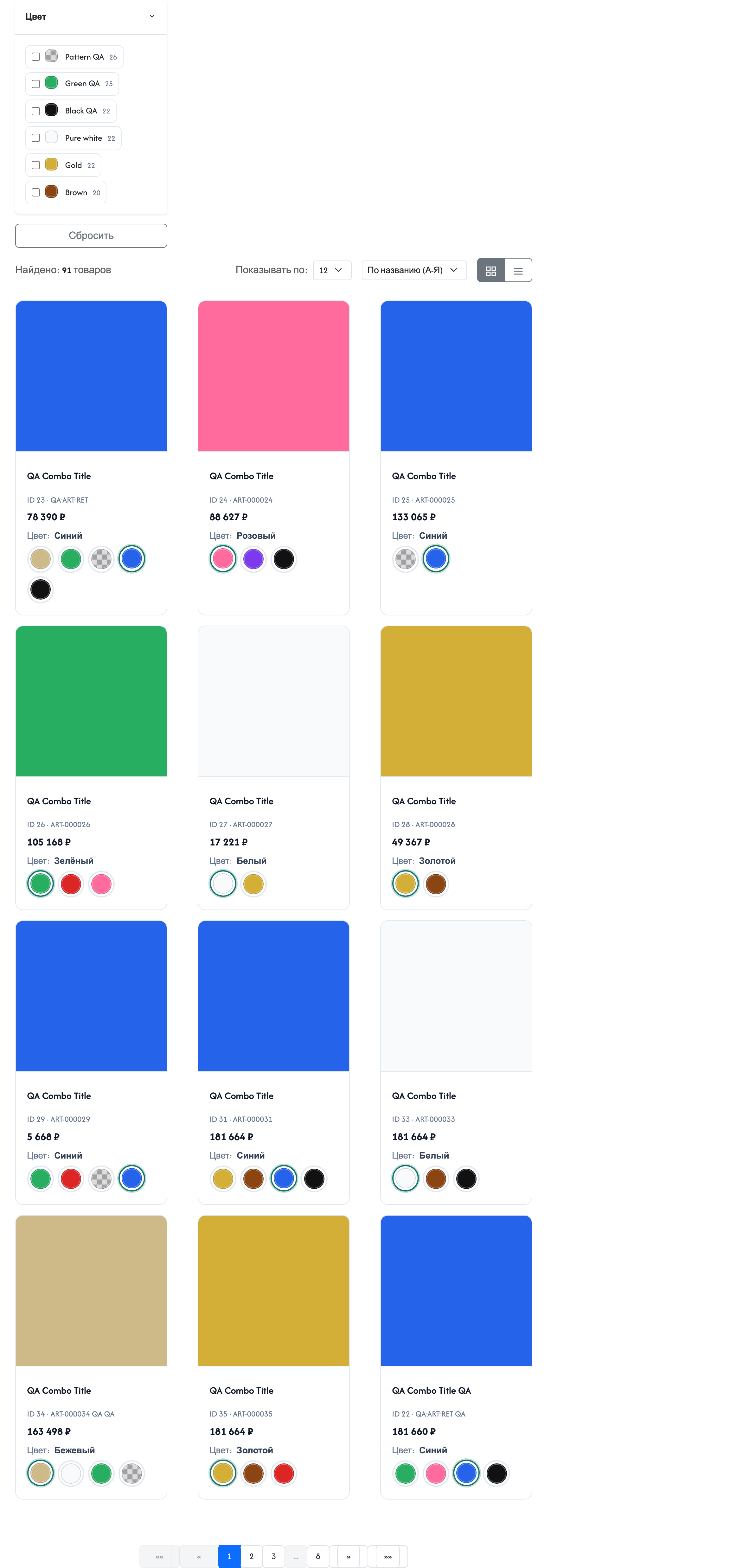
With ms3OptionsColor you assign a color, pattern, or RAL to miniShop3 option values. Swatches appear on the storefront, in select, in filters, and in the cart. The dictionary is shared: one option_key + value pair for the whole catalog. Assign color=Синий once, and the same swatch appears on every product with that value.
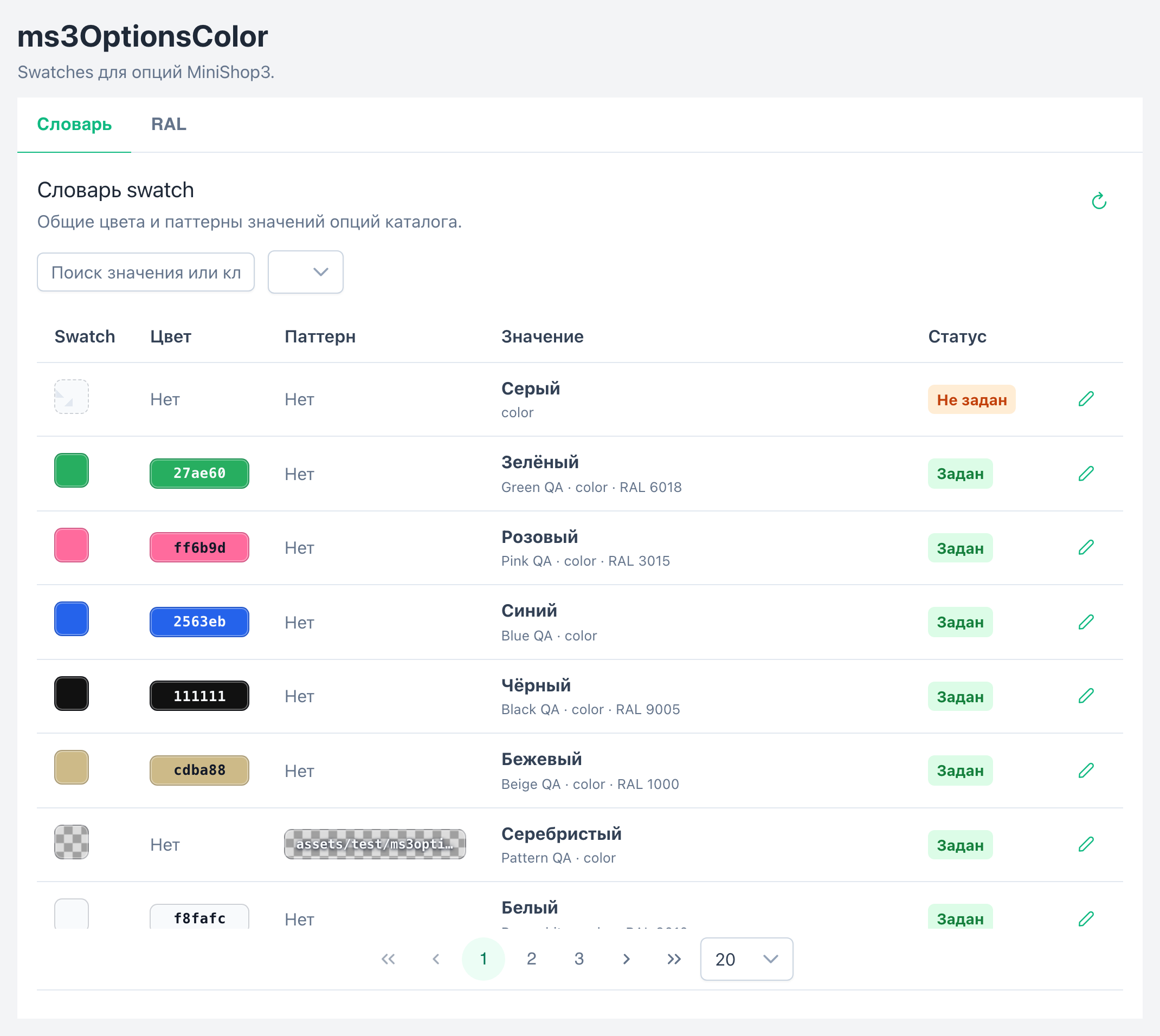
CMP on Vue 3 and PrimeVue (VueTools): Dictionary and RAL tabs. Search by key and value, status filter, HEX / pattern / RAL dialog.
On the product card the Swatches tab sits next to Product properties. Set option values first, then assign swatches. On option chips the script draws a color square.
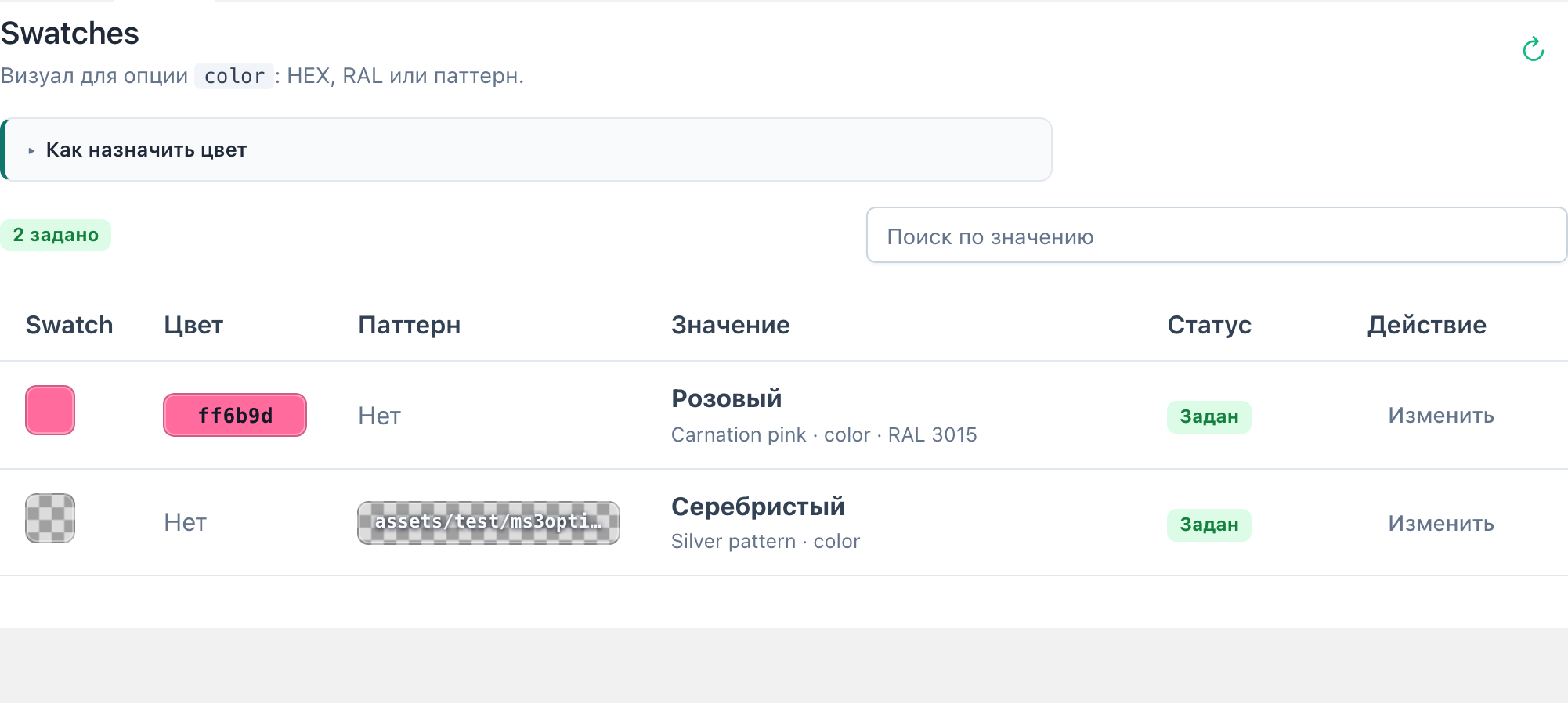
Snippet ms3OptionsColor and Fenom chunks. Storefront CSS loads automatically when ms3optionscolor_frontend_css is enabled. Select with swatch works via Select2 or a plain <select>.

Filter type ms3oc draws swatches from the dictionary. The package does not change the built-in colors type. With ms3variants, catalog variants can show colors from the dictionary.
| Component | Version |
|---|---|
| MODX Revolution | ≥ 3.0.3 |
| miniShop3 | ≥ 1.0.0 |
| VueTools | ≥ 1.1.2-pl |
| pdoTools | 3.x |
| PHP | ≥ 8.2 |
| mFilter | optional, for ms3oc filter type |
| ms3variants | optional: variant colors in the catalog |
msproduct_save (same as saving a miniShop3 product). The package does not create its own ACL keys.The package prepares the dictionary and RAL Classic database, the manager section, and the plugin: product tab, storefront, filter.
| Type | Name | Purpose |
|---|---|---|
| Snippet | ms3OptionsColor | Swatches, option for select, return=data |
| Plugin | ms3OptionsColor | Product tab, storefront CSS, mFilter, variant colors in the catalog |
| Chunks | tplMs3OptionsColor* | Storefront, select, cart, mFilter |
| Menu | ms3OptionsColor | Dictionary and RAL CMP |
| Task | Section |
|---|---|
| First swatch in 15 minutes | Quick start |
ms3optionscolor_* keys | System settings |
| Select, cart, CSS/JS | Frontend |
| Snippet parameters and chunks | Snippets |
Catalog filter ms3oc | mFilter |
| Variant colors in the catalog | ms3variants |
| CMP and product tab | Manager overview |
| Flows A–I with screenshots | Flows |
| Dictionary and plugin events | Events |
| Common errors | FAQ |