Platron
To accept payments via Platron you need to first register your store in this system.
Platron setup
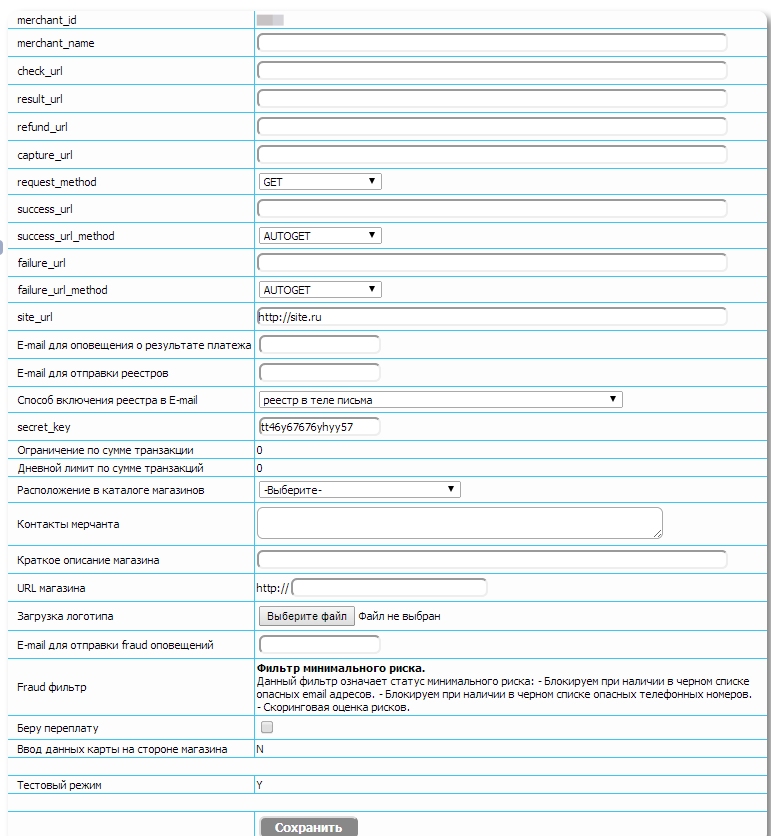
In Platron store settings specify:
- secret_key — payment password, used to verify payment notification authenticity.
- site_url — store site URL for showing the buyer a link to return to the store after invoice creation.
- You can also set success_url_method and failure_url_method to AUTOGET so Platron redirects the user to the store on successful payment or error.

MODX setup
In MODX configure these parameters (in miniShop2 namespace "Payments" section):
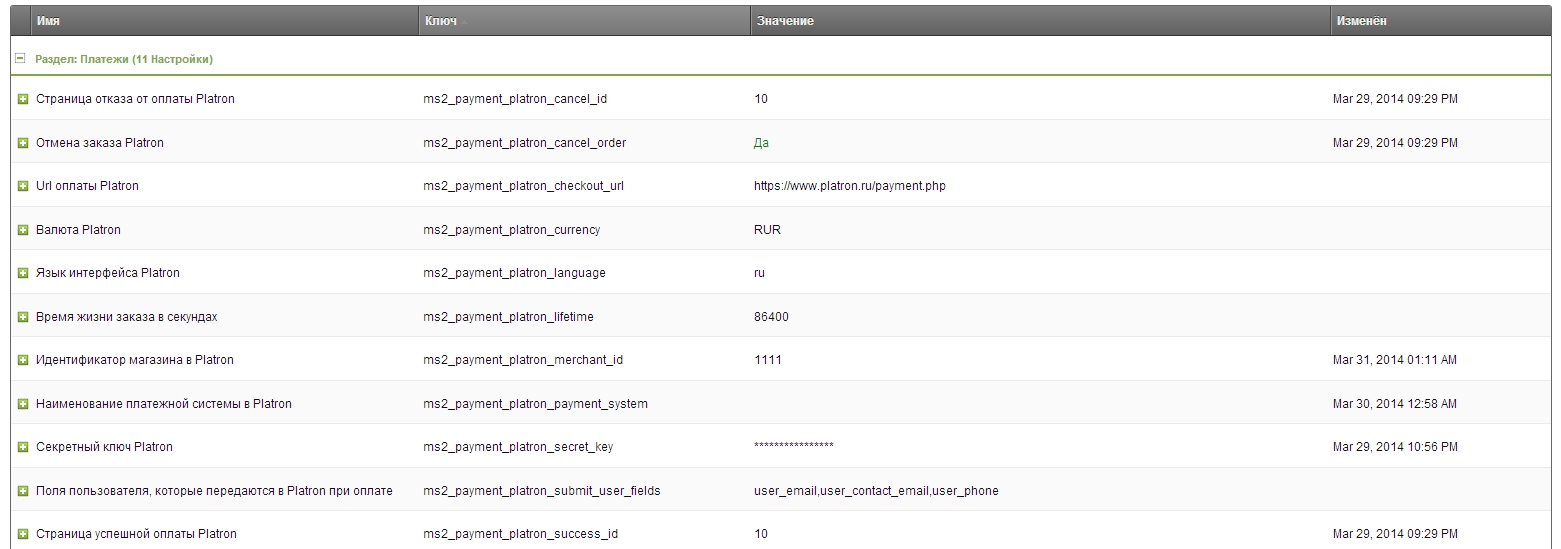
- Store ID in Platron — get it from Platron dashboard, marchant_id parameter
- Platron secret key — the secret key entered in Platron store settings in item 1
- Platron success page and Platron failure page — MODX resource ids for success and cancellation respectively. Recommended to use cart pages so the buyer sees their order after returning. If empty, user is redirected to the home page.
Additional options
- Order lifetime in seconds - time (seconds) within which payment must be completed, otherwise Platron will reject the payment. Min: 300 (5 min). Max: 604800 (7 days).
- Payment system name in Platron. Optional. If set, this payment method is offered directly, skipping the selection screen. Values in Platron docs.
- User fields sent to Platron — Platron requires contact data. Specify which user properties to send. If the store doesn't require phone or Email, leave needed fields empty; Platron will prompt on the payment page. Possible values: user_email (only for Money@mail.ru), contact_user_email (transaction notifications), user_phone (required for Russia, must start with 79).

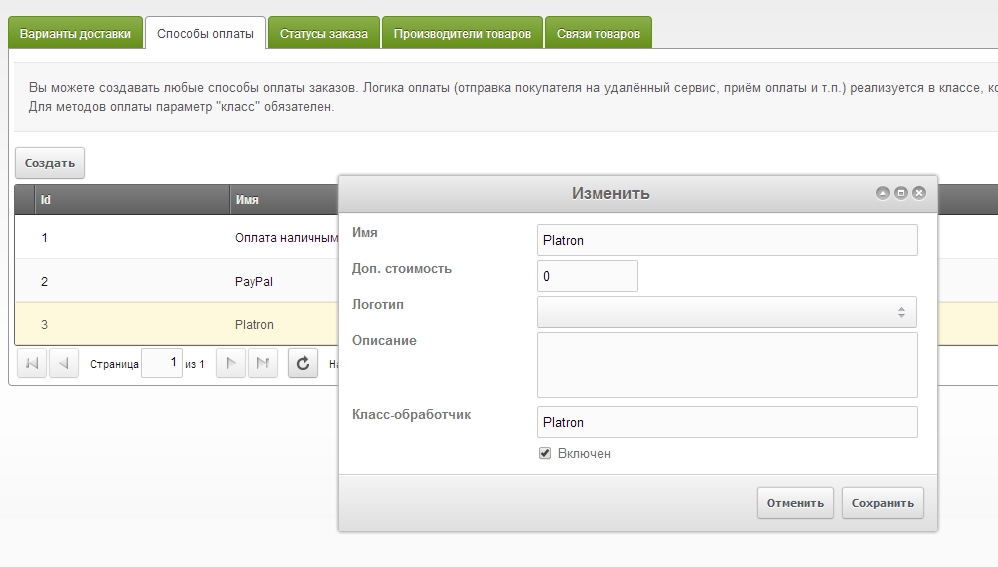
Also enable the new payment method and assign it in delivery options.