



msCategoryOptions
The component implements additional product options functionality depending on the product category.
You can try the package before buying on modhost.pro.
Quick start
You need MODX 2.3 or higher and PHP 5.4 or higher.
Features
- Works with miniShop2
- Ready-made list of categories, options and their values
Installation
- Add our repository
- Install pdoTools — database and output library, required by many components
- Install miniShop2 — shop that provides orders and payments
- Install msCategoryOptions and enable it for the needed products via the
working_templatessetting
You can try the package on modhost.pro; these add-ons can be selected when creating a site.
Description
The msCategoryOptions component allows you to extend product options depending on the category.
Specify the product category; options for that category will be available on the resource tab.
For example, if you select the TV product category, the Category options tab will load that category's options with descriptions and possible values.
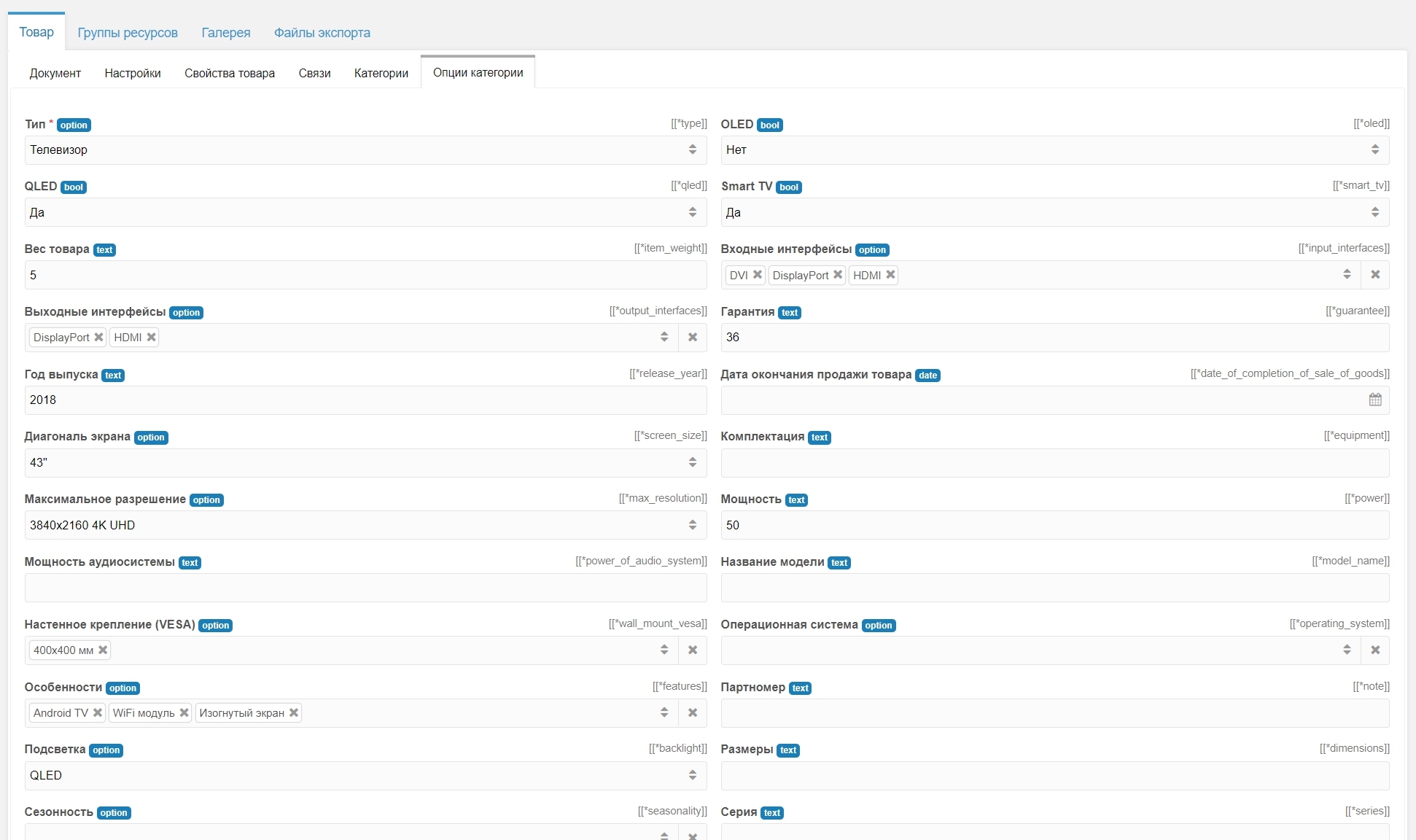
All available categories and their options are in the repository. Currently available product categories:
- Automotive
- Antiques
- Pharmacy
- Home appliances
- Haberdashery and jewelry
- Home
- Kids and moms
- Stationery
- Beauty and health
- Footwear
- Clothing
- Food
- Media products
- Printed books
- Repair and construction
- Sports and recreation
- Pet supplies
- Hobbies and crafts
- Electronics
- 18+
Option structure
caption— titleunit— unit of measuredescription— short descriptiontype— typerequired— flag indicating the option is requiredcollection— flag indicating the option is a set of valuesoption— array of preset option values
Option files use YAML format; names may contain characters /[^a-zA-Z0-9_,-~]/ and Cyrillic (Unicode U+0400–U+04FF)
Example for Season option:
yaml
caption: Season
unit: ''
description: 'Specify product seasonality'
key: season
type: option
required: false
collection: false
option:
  - Spring
  - Demi-season
  - All-season
  - Winter
  - Summer
  - All seasons
  - Autumn
Option types
text— textint— integerfloat— decimalbool— booleanoption— select from options
Snippet for outputting options msCategoryOptions
Parameters
| Parameter | Default | Description |
|---|---|---|
| tpl | tpl.msProductOptions | Output chunk |
| product | Product ID. If empty, current document ID is used. | |
| onlyOptions | Comma-separated list of options to show only. | |
| ignoreOptions | Comma-separated list of options to hide. | |
| sortOptions | Comma-separated order of options for output. | |
| limit | Maximum number of options. |
Output
The snippet works with Fenom chunks and passes a single variable options — array of option variants. To see all placeholders, use an empty chunk:
modx
<pre>
  [[msCategoryOptions?
    &options=`type,features`
    &tpl=``
  ]]
</pre>
Output
php
Array
(
  [options] => Array
    (
      [type] => Array
        (
          [path] => Electronics/TV/Television/Type.yml
          [depth] => 3
          [title] => Type
          [import] => /Electronics/TV/Type.yml
          [caption] => Type
          [unit] =>
          [description] => Choose the most suitable type from the list. Ask "What is it?" to determine.
          [key] => type
          [type] => option
          [required] => 1
          [collection] =>
          [option] => Array
            (
              [0] => Car TV
              [1] => Plasma panel
              [2] => Portable TV
              [3] => Television
            )

          [value] => Array
            (
              [0] => Television
            )

        )

      [features] => Array
        (
          [path] => Electronics/TV/Television/Features.yml
          [depth] => 3
          [title] => Features
          [import] => /Electronics/TV/Features.yml
          [caption] => Features
          [unit] =>
          [description] => Device features
          [key] => features
          [type] => option
          [required] =>
          [collection] => 1
          [option] => Array
            (
              [0] => Android TV
              [1] => HDR
              [2] => Smart TV
              [3] => WiFi module
              [4] => Curved screen
              [5] => 3D support
              [6] => iTunes support
              [7] => Gesture control
            )

          [value] => Array
            (
              [0] => Android TV
              [1] => WiFi module
              [2] => Curved screen
            )

        )

    )

)
Compatibility
Options are stored in the native product table msProductOption with prefix co_. Keep this in mind when using other add-ons.
Category tree
The category tree is presented as a folder archive: folders are categories, yml files are category options.
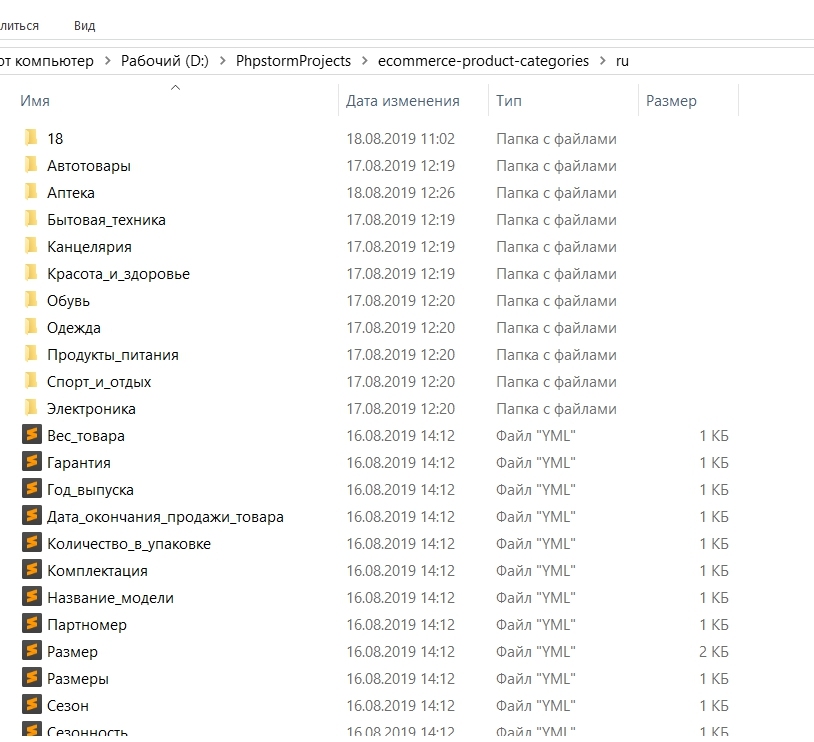
You can extract it, make changes, and upload it back.