



mixedImage
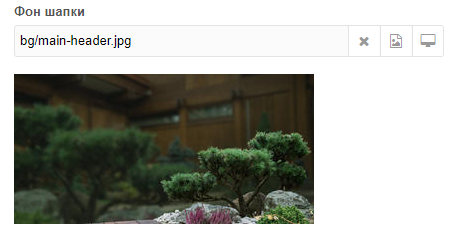
Adds a new TV type: mixed file upload.
- Pick file from file manager
- Pick file from computer, bypassing file manager
- Image and video preview (HTML5 video player)
- Physical file deletion when clearing the field
- Resize via phpthumb on image upload
- Upload by URL
- Drag-and-drop
System settings
| Name | Default | Description |
|---|---|---|
| Upload only when editing | Yes | Allow uploads only when editing the resource |
| File transliteration | No | Avoid issues with Cyrillic file names on some hosts |
| {rand} placeholder length | 6 | Used when TV field uses {rand} as filename prefix |
TV field settings
| Setting | Default | Description |
|---|---|---|
| Save path | - | Subfolder path (relative to media source root) |
| Filename prefix | - | Prefix when saving. Options: {id}, {pid}, {alias}, {context}, {tid}, {uid}, {rand}, {t}, {y}, {m}, {d}, {h}, {i}, {s}. Multiple allowed |
| Accepted MIME types | - | Restrict by MIME, e.g. image/jpeg, image/png, application/pdf |
| Use prefix as filename | No | Replace uploaded filename with prefix |
| Show preview | Yes | Thumbnail for images, video player for mp4 |
| Delete file | No | Physically delete file when clearing the field |
| Image resize params | - | Phpthumb params on upload, e.g. w=200&h=200&zc=1. Watermark: fltr=wmt|Hello|60|C|ff0000| or fltr=wmi|/assets/wt.png|C| |
| Button list | clear,manager,pc | Values: clear, manager, pc, url |
Buttons
| Name | Description |
|---|---|
clear | Clear field. If Delete file is Yes, file is removed from server |
manager | Pick file from media manager |
pc | Pick file from user's computer, bypassing MODX file manager |
url | Upload file by URL |
Placeholders
| Name | Description |
|---|---|
{id} | Resource ID |
{pid} | Parent resource ID |
{alias} | Resource alias |
{palias} | Parent alias |
{context} | Context key |
{tid} | TV ID |
{uid} | User ID |
{rand} | Random string (length in system settings) |
{t} | Timestamp |
{y} | Year |
{m} | Month |
{d} | Day |
{h} | Hour |
{i} | Minute |
{s} | Second |