



msSetInCart
The component adds support for buying product sets.
Package setup
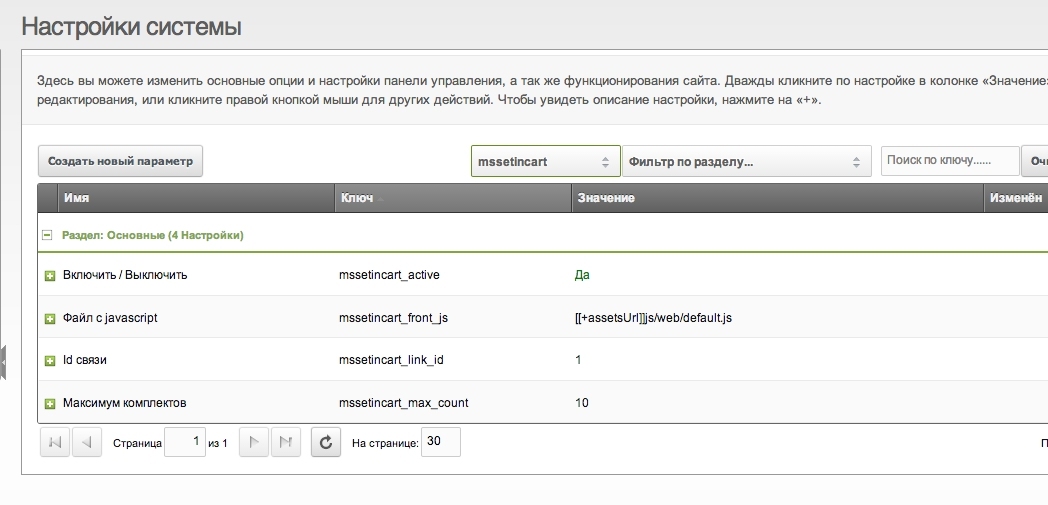
- Product link id (configured in miniShop2)
- Max sets — maximum sets that can be added at once
- Enable / disable the package
- Frontend JS file path
Output setup
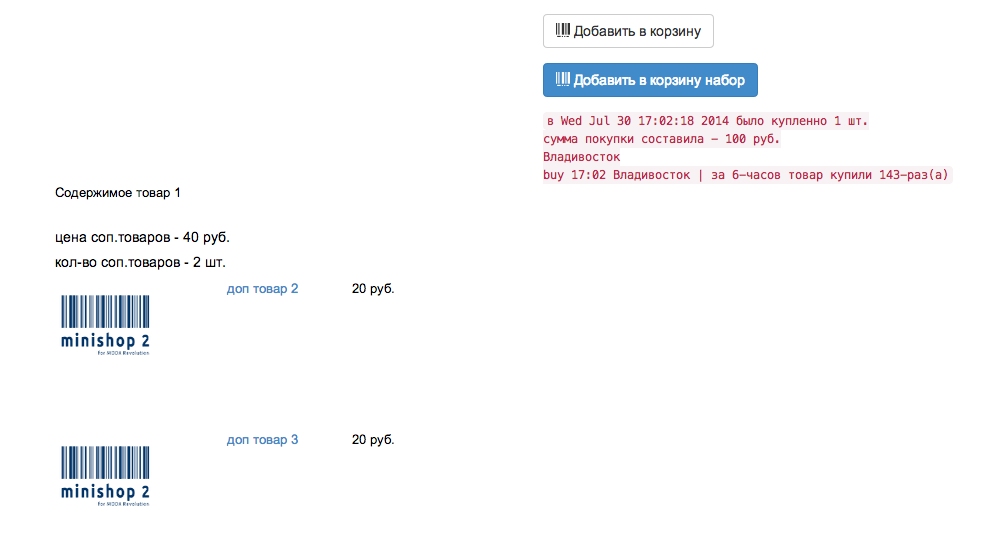
- Add a "Buy set" button to the product template
Example: add button
modx
<!-- standard add to cart button -->
<div class="form-group">
  <div class="col-sm-3">
    <button type="submit" class="btn btn-default" name="ms2_action" value="cart/add">
      <i class="glyphicon glyphicon-barcode"></i> [[%ms2_frontend_add_to_cart]]
    </button>
  </div>
</div>
<!-- /standard add to cart button -->

<!-- buy set button -->
[[!+mssetincart.total_cost:is=`0`:then=``:else=`
<div class="form-group">
  <div class="col-sm-3">
    <button type="submit" class="btn btn-primary" name="ms2_action_set" value="cart/addset">
      <i class="glyphicon glyphicon-barcode"></i> [[%ms2_frontend_add_to_cart]] set
    </button>
  </div>
</div>
<!-- /buy set button -->
`]]
Available placeholders
[[!+mssetincart.total_cost]]— total cost of linked products[[!+mssetincart.total_count]]— total count of linked products
Output linked products with msProducts
modx
<div class="row">
  <div class="span5 col-md-3">
    <h5>linked products cost - [[!+mssetincart.total_cost]]</h5>
    <h5>linked products count - [[!+mssetincart.total_count]]</h5>
  </div>

  <div class="span5 col-md-10">
    [[!msProducts?
      &tpl=`tpl.msProducts.row.mini`
      &parents=`0`
      &link=`1`
      &master=`[[*id]]`
    ]]
  </div>
</div>