
Skip to content
  1. Extras
  2. msNewPrice

msNewPrice

The component adds new and promotional prices for MiniShop2 products.

Module settings

Edit settings under System settings, filter msnewprice.
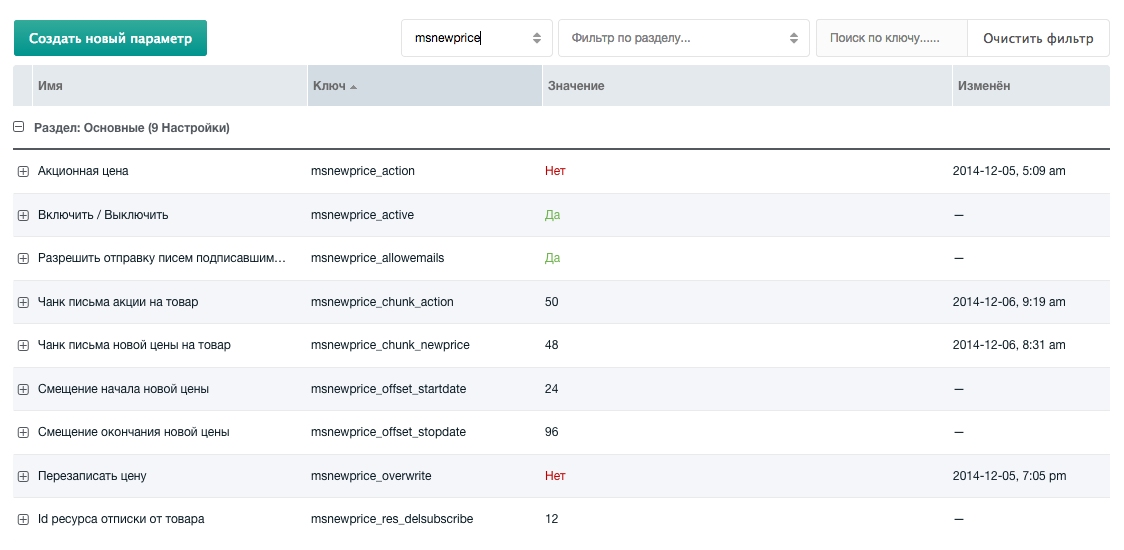
Module settings

  • New product price — enable / disable
  • Promotional price — enable / disable (default on product page)
  • Overwrite price — enable / disable (default on product page)
  • Allow sending emails to subscribed users — enable / disable
  • New price start offset — hours from current time
  • New price end offset — hours from current time
  • Promotional email chunk
  • Promotional email chunk
  • New price email chunk
  • Unsubscribe resource ID

New price tab

After enabling the module, the MiniShop product resource gets a New price tab.
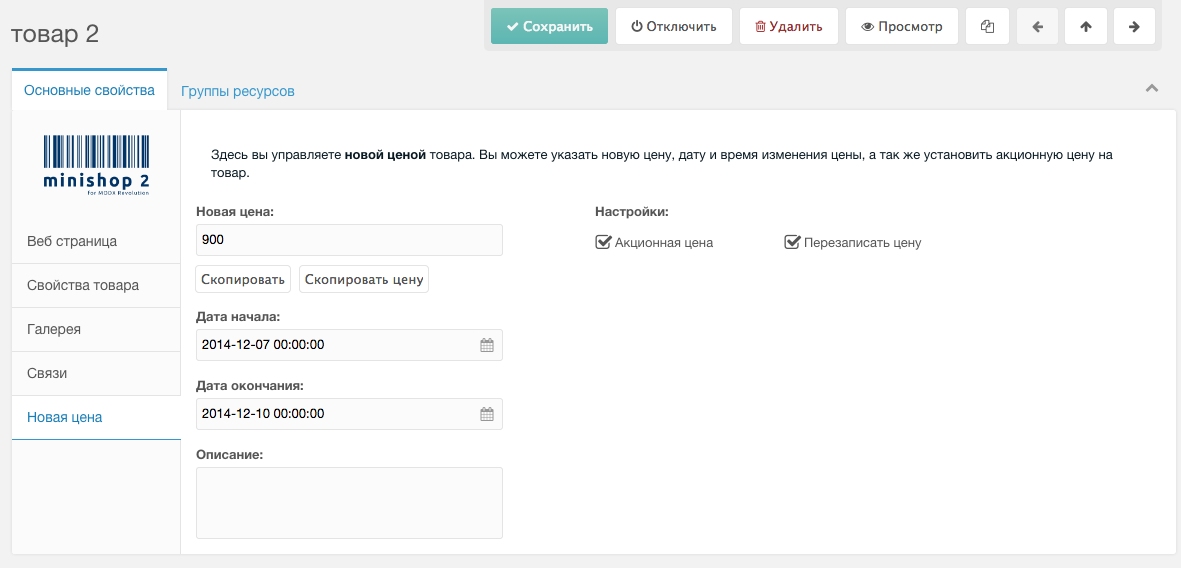
New price tab

Set the new price, validity period, and promotion description.

Promotional price

Set the new price and start/end dates. During that period the promotional price applies. Option Overwrite price — after the promotion the product's [[+price]] is updated to the promotional price.

New price

For scheduled price changes. Set the new price and start date. On that date the product's [[+price]] is overwritten.

Watch product

Authorized users can subscribe to a product.

Users can subscribe and unsubscribe. The package includes a script to queue emails when new or promotional price starts—subscribed users get a price-change email. A mailing script is also included (run via cron). You can also subscribe to resources and adapt mailing for other events.

msNewPrice snippet

Outputs promotion info, price and dates, and subscription block.

Parameters:

  • product — Product ID. If empty, current document id.
  • returnNewPrice — Set "yes" to return only the new price (no chunk).
  • dateFormat — Date format.
  • showSubscribe — Show subscription block or not.
  • tplOuter — Wrapper chunk.
  • tplStockInfo — Chunk for promotional price info.
  • tplNoStockInfo — Chunk for new price info.
  • tplSubscribe — Chunk for subscription links.

msNewPriceDelSubscribe snippet

Unsubscribes the user from the mailing.

Parameters:
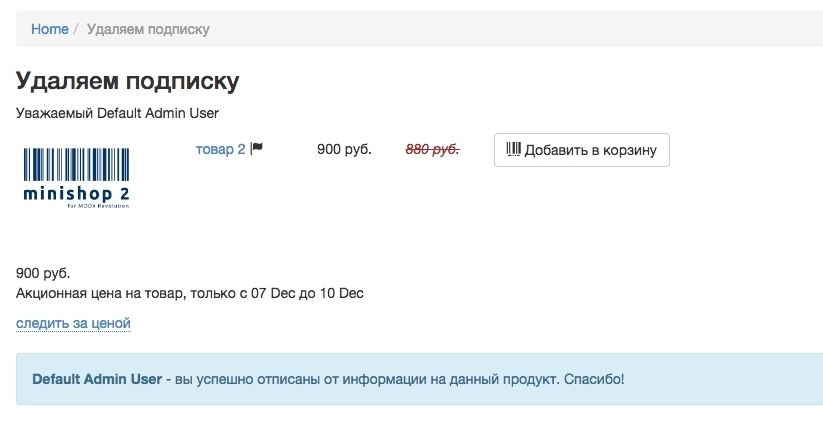
  • resSnippet — Snippet for product info output.
  • delSubscribe — Remove product subscription.
  • tplUserInfo — Chunk for user info.
  • tplNoUserInfo — Chunk when user is not logged in (unsubscribe not possible).
  • tplNotYourResource — Chunk when trying to unsubscribe another user's resource.

Important

  • Replacing product price with the new one
  • Building emails for users
  • Sending emails

All of the above require cron. Scripts are in core/components/msnewprice/cron/