


SEO Domains
Add extra domains for the site without contexts, with Yandex Webmaster integration

SEO Domains adds extra domains and subdomains for the site, with import from XLSX and automatic addition to Yandex Webmaster.
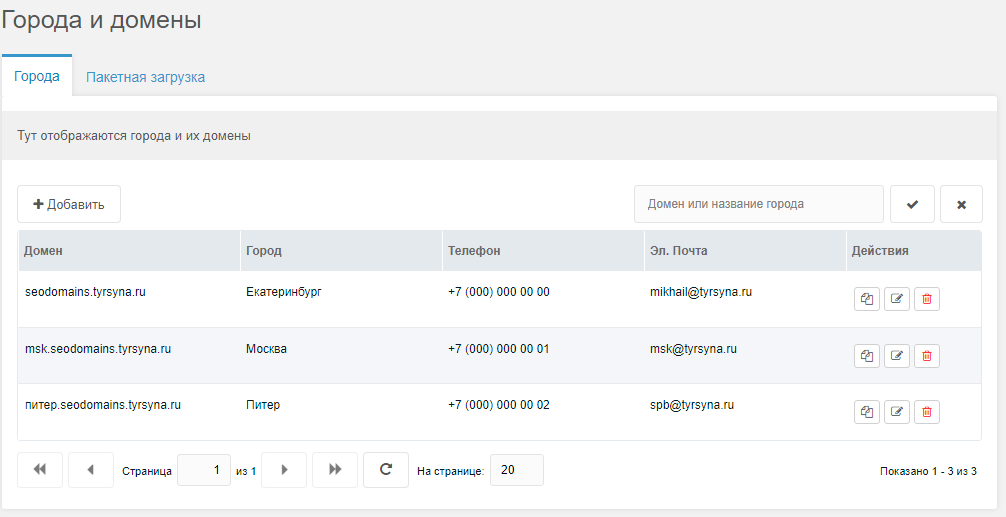
To add a domain go to Applications -> Cities and domains, click Add, fill in the fields
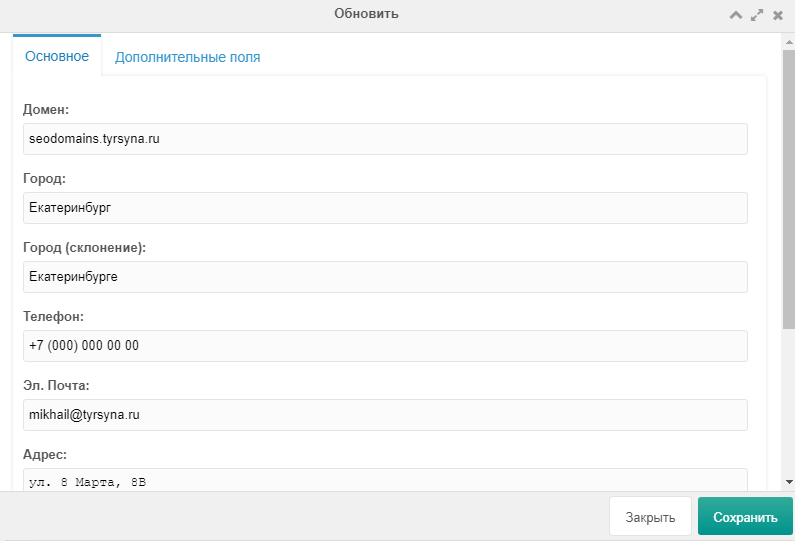
To add an extra field for a domain, go to Additional fields tab, click Add, enter the key (available via placeholder, e.g. [[!+sd.price_1]]) and other fields.
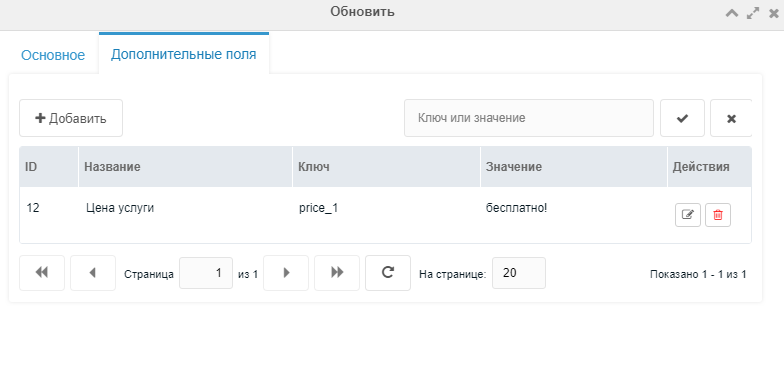
[[!+sd.domain]] — Domain[[!+sd.city]] — City[[!+sd.city_r]] — City (declension)[[!+sd.phone]] — Phone[[!+sd.email]] — E-mail[[!+sd.address]] — Address[[!+sd.address_full]] — Full address[[!+sd.coordinats]] — CoordinatesAfter installation each resource has a new "Cities and domains" tab.
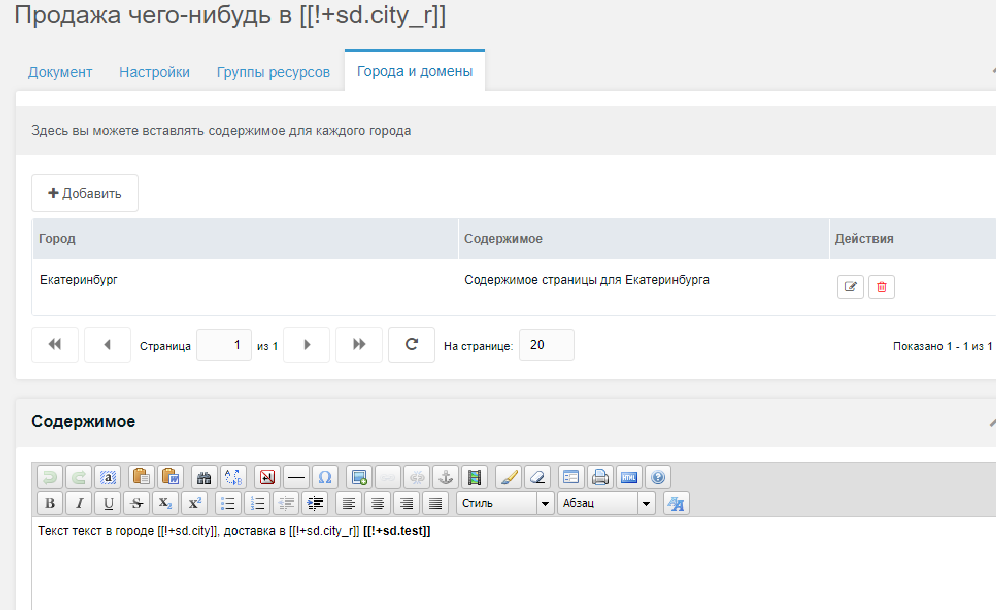
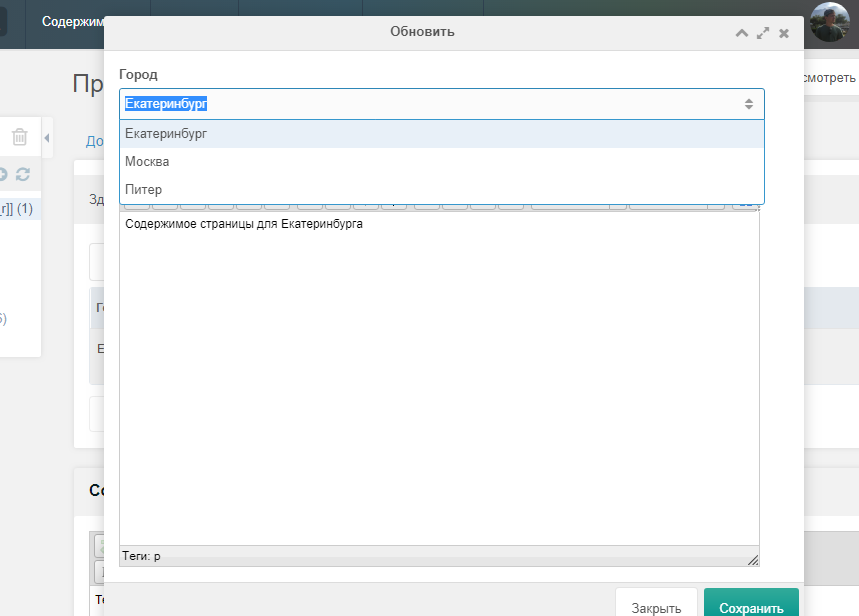
After adding content the content placeholder is replaced with the correct content based on the domain.
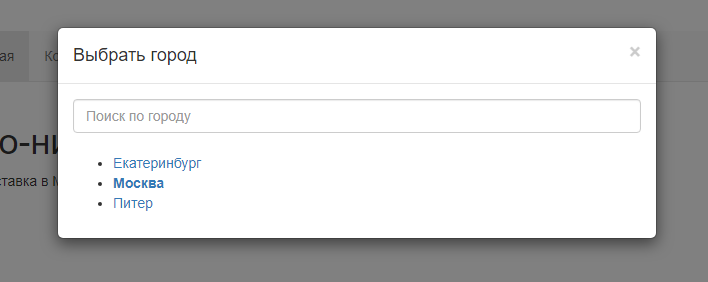
Call snippet SeoDomainsList where needed.
[[SeoDomainsList?
  &tpl=`SeoDomains.City.tpl`
  &sortby=`city`
  &sortdir=`ASC`
  &activeClass=`active`
  &limit=`10`
  &showLog=`0`
]]{'SeoDomainsList' | snippet: [
'tpl' => 'SeoDomains.City.tpl',
'sortby' => 'city',
'sortdir' => 'ASC',
'activeClass' => 'active',
'limit' => 10,
'showLog' => 0,
]}
Register an app at https://oauth.yandex.ru/, select "Adding sites to Yandex Webmaster, getting indexing status". After getting ID, go to https://oauth.yandex.ru/authorize?response_type=token&client_id=ID, copy token and save it in app settings under key seodomains_token.
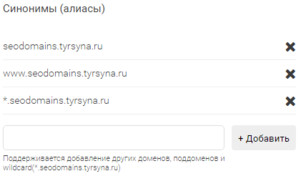
Add a wildcard subdomain to Site aliases (e.g. *.seodomains.tyrsyna.ru). Non-existent domains redirect to the main domain from settings (seodomains_main_host).
seodomains_city_fields — Table fieldsseodomains_cyrillic_domain — Set Yes for Cyrillic domainsseodomains_html_parent — Parent of HTML resources for domain verificationseodomains_main_host — Main hostseodomains_phx_prefix — Placeholder prefixseodomains_token — Yandex OAuth tokenExample is in assets/components/seodomains/import
Open the example in assets/components/seodomains/import, find Additional fields row, insert JSON array:
[
  {"name":"Your field name (optional)","key":"Your extra field key","value":"Its value"},
  {"name":"Your 2nd field name (optional)","key":"Your 2nd extra field key","value":"Its value"}
]