



plAffiliates
Component main features plAffiliates
- Creating branches and fields for them
- Output order management for branches and their fields
- Multilingual via package Polylang
- Geolocation binding to branches
- Output on Google and Yandex maps: branch markers and info
- Find nearest branch on map by visitor geolocation
- Multi-regional (by country/city) via subdomains
- Automatic visitor redirect based on their geolocation to the branch subdomain
- Product inventory tracking per branch
- Output products (by stock) for specific branch only
- Create SEO fields per branch, bound to MODX templates
- Create robots.txt per branch
- Create sitemap.xml per branch, with only branch products (by stock)
Video overview

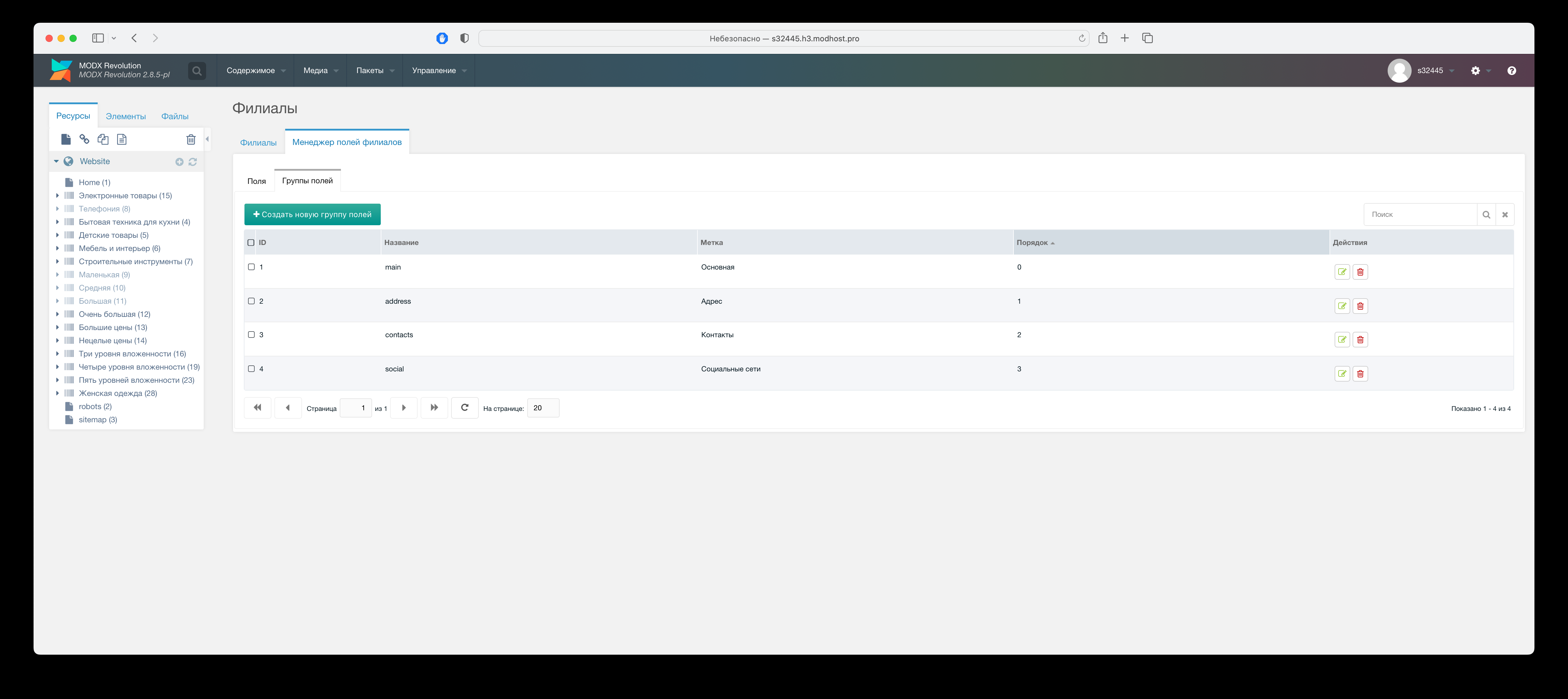
Creating field groups for branches
On "Packages" -> "Branches" -> "Branch field manager" tab you can create field groups, which lets you in various snippets, get fields by group name, and use separate chunks per field group.
Out of the box: main field group list.
Creating branch fields
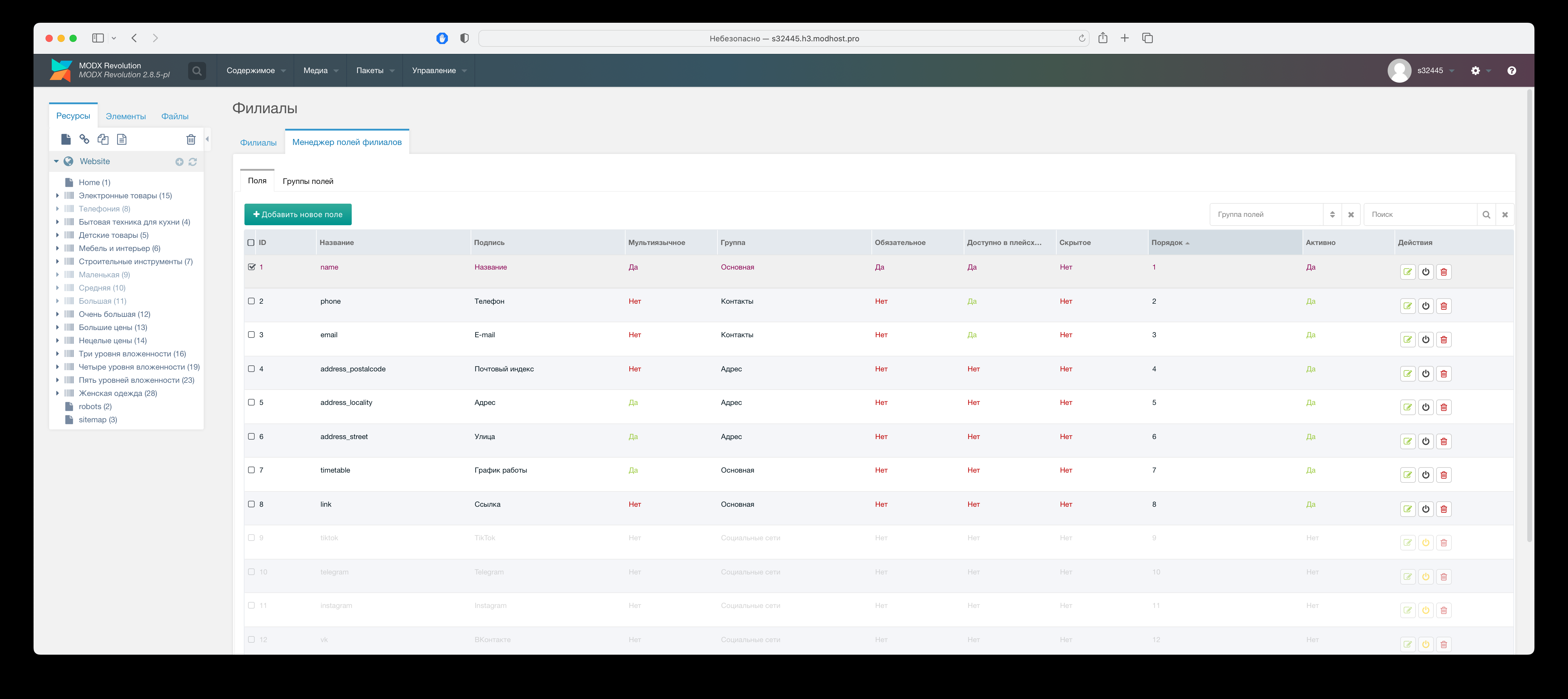
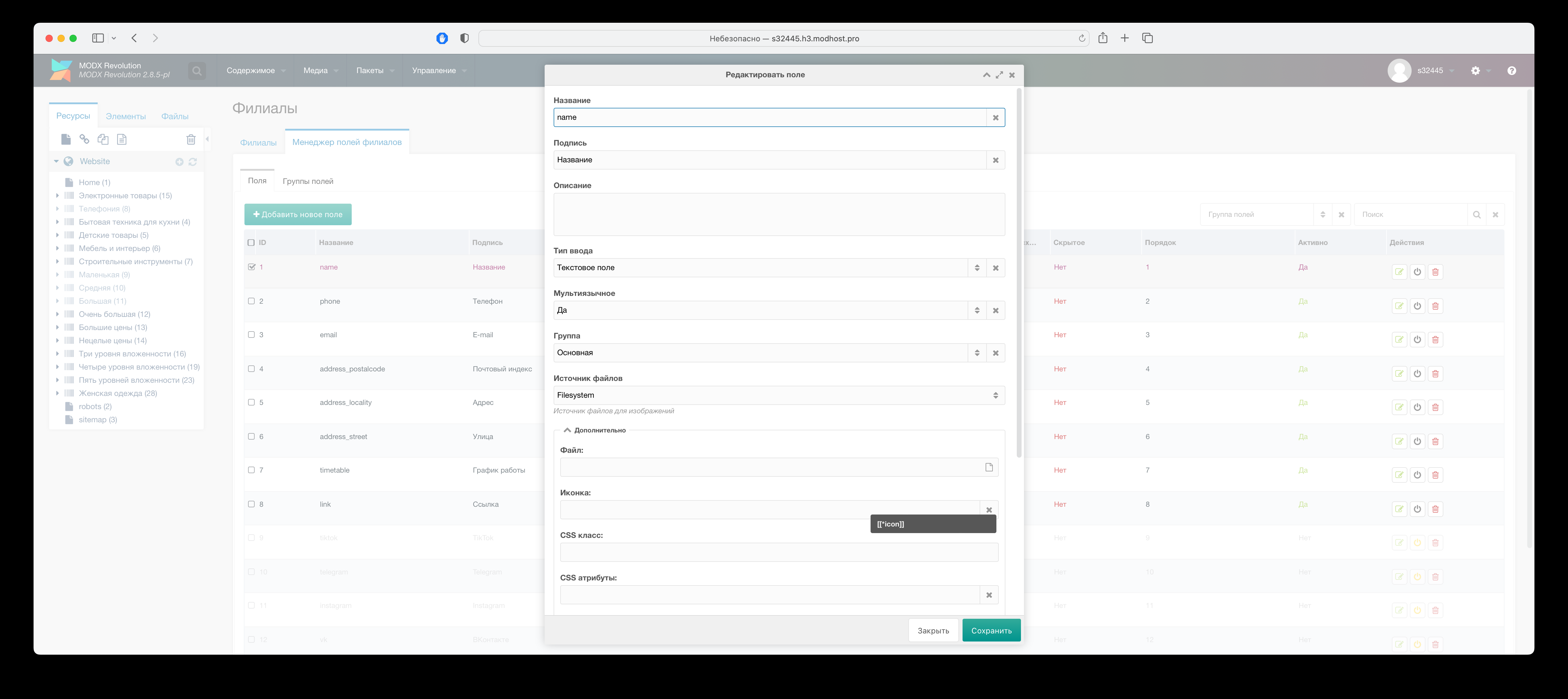
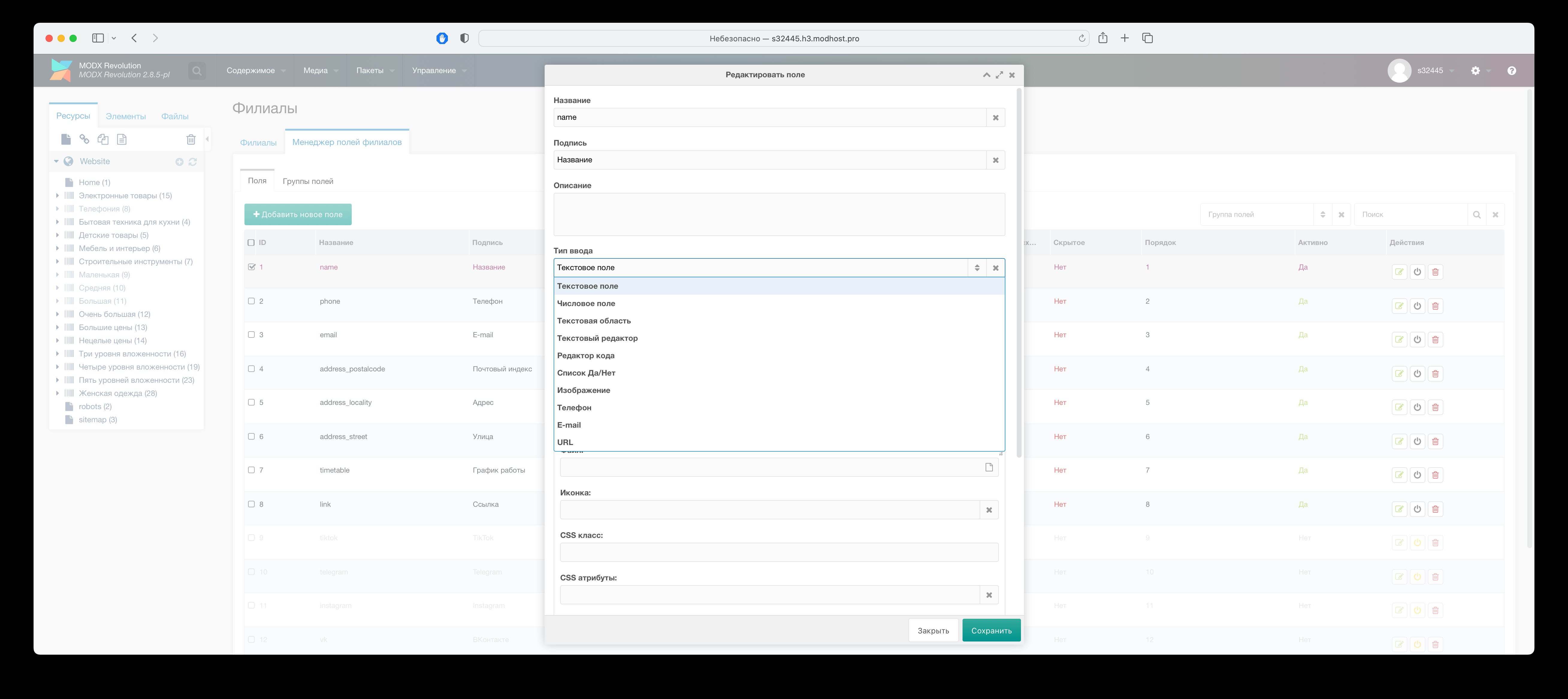
On "Packages" -> "Branches" -> "Branch field manager" tab create branch fields you need, setting params for each, for input type and styling.
Note
"Multilingual" param creates field, that accepts values in multiple languages if package is installed Polylang.
Out of the box: main field list. You can remove or disable unneeded fields.
Drag fields to reorder.
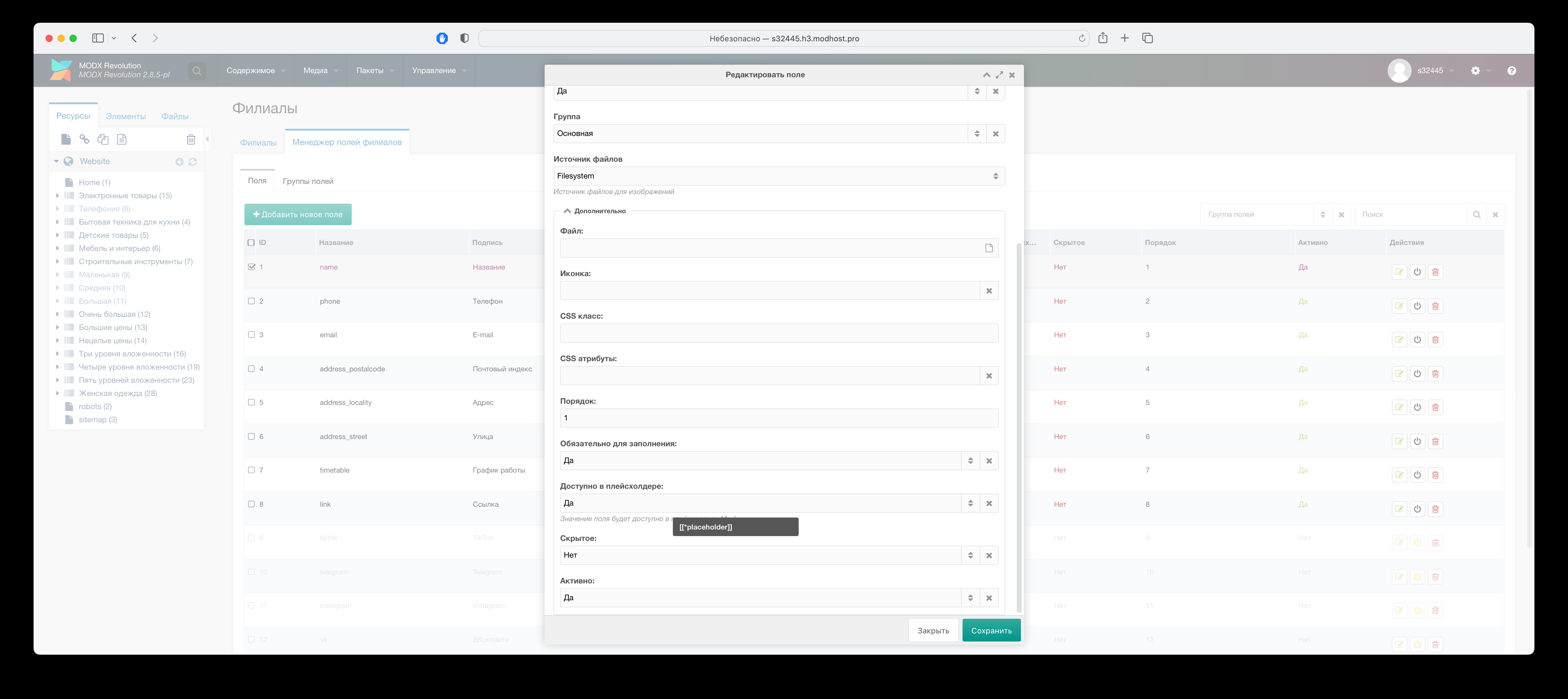
Creating branches
On "Packages" -> "Branches" tab create and manage branch data.
When creating branch only one required field "Label", internal branch name, not shown outside admin, plus fields in section "Additional". All fields you created are available when editing branch.
Branch field values are processed by Fenom, so MODX placeholders and tags work. For example, in field "Link" you can specify link to branch info page like this:
modx
[[~ID-page]]Drag branches to reorder.
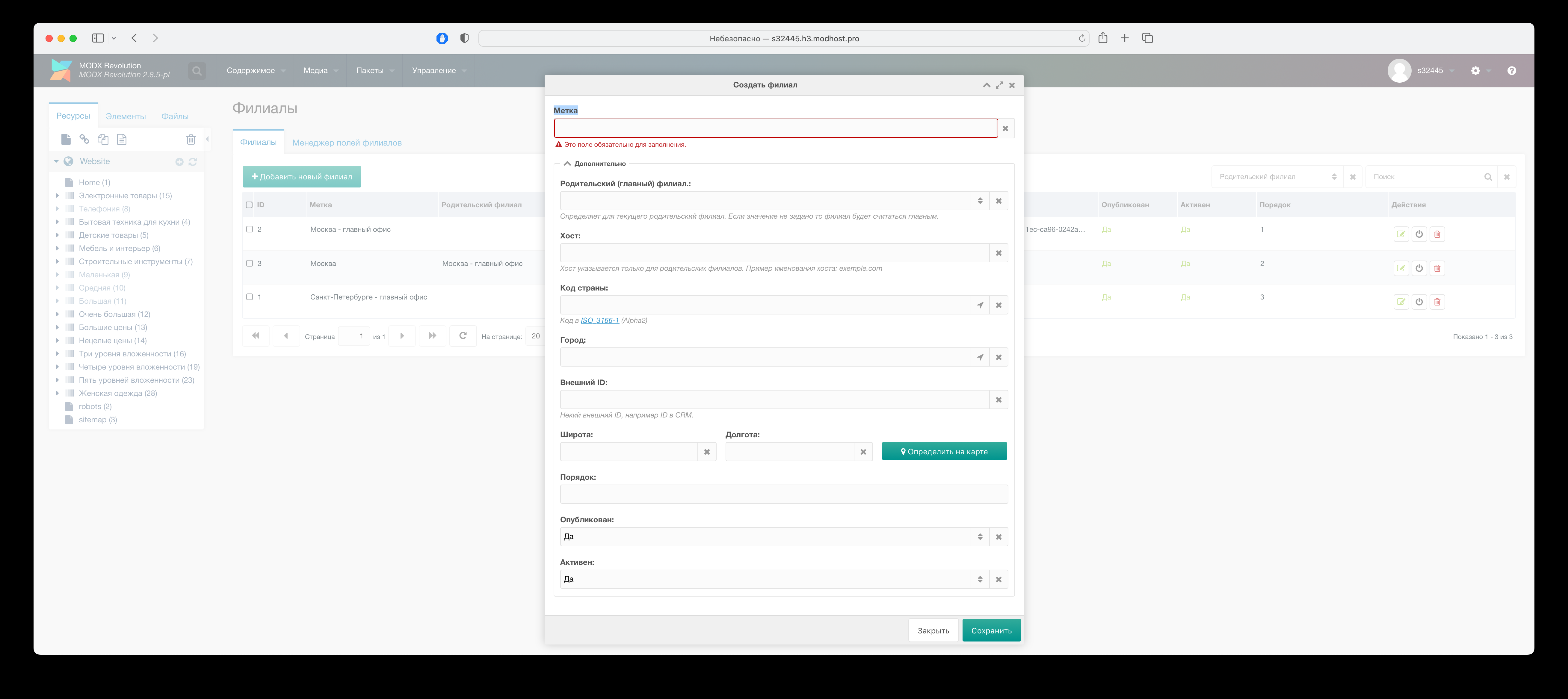
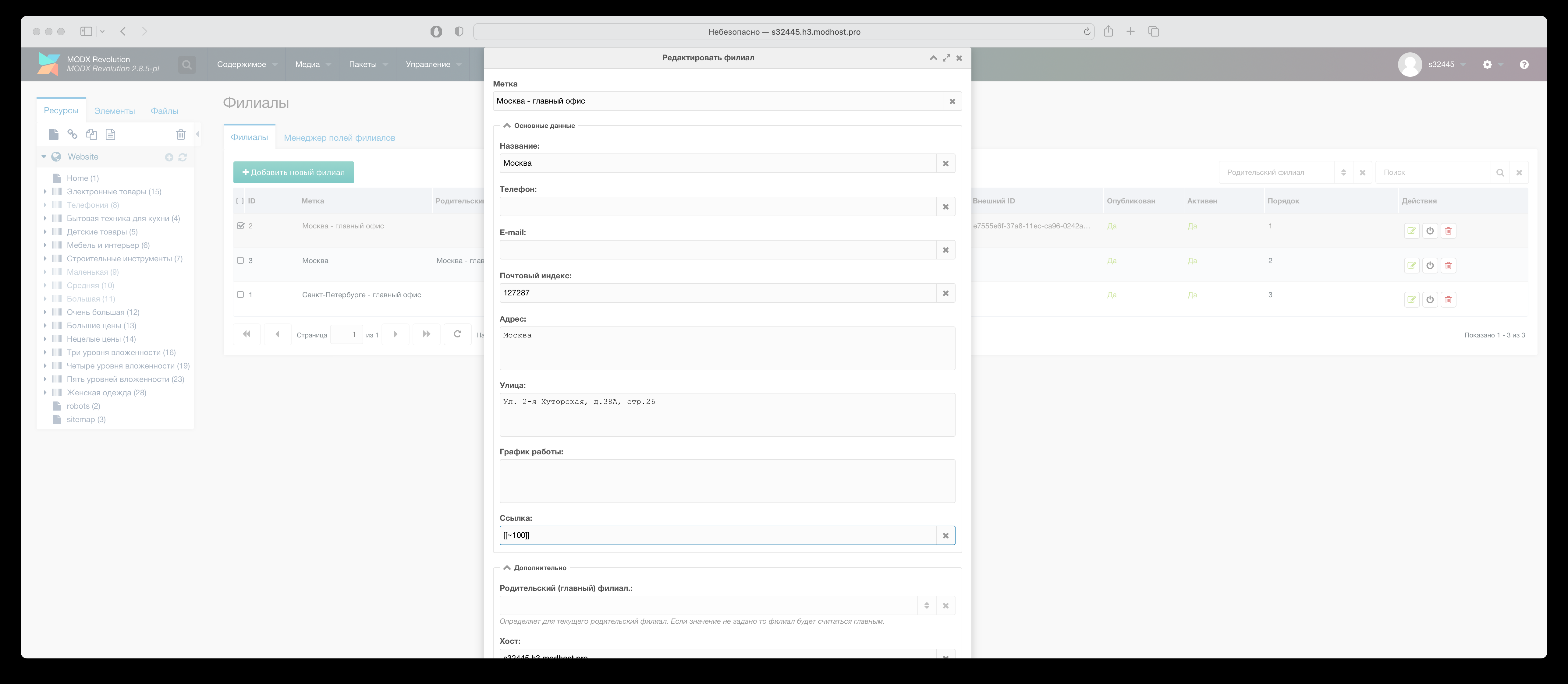
Branch inventory management
Via admin panel
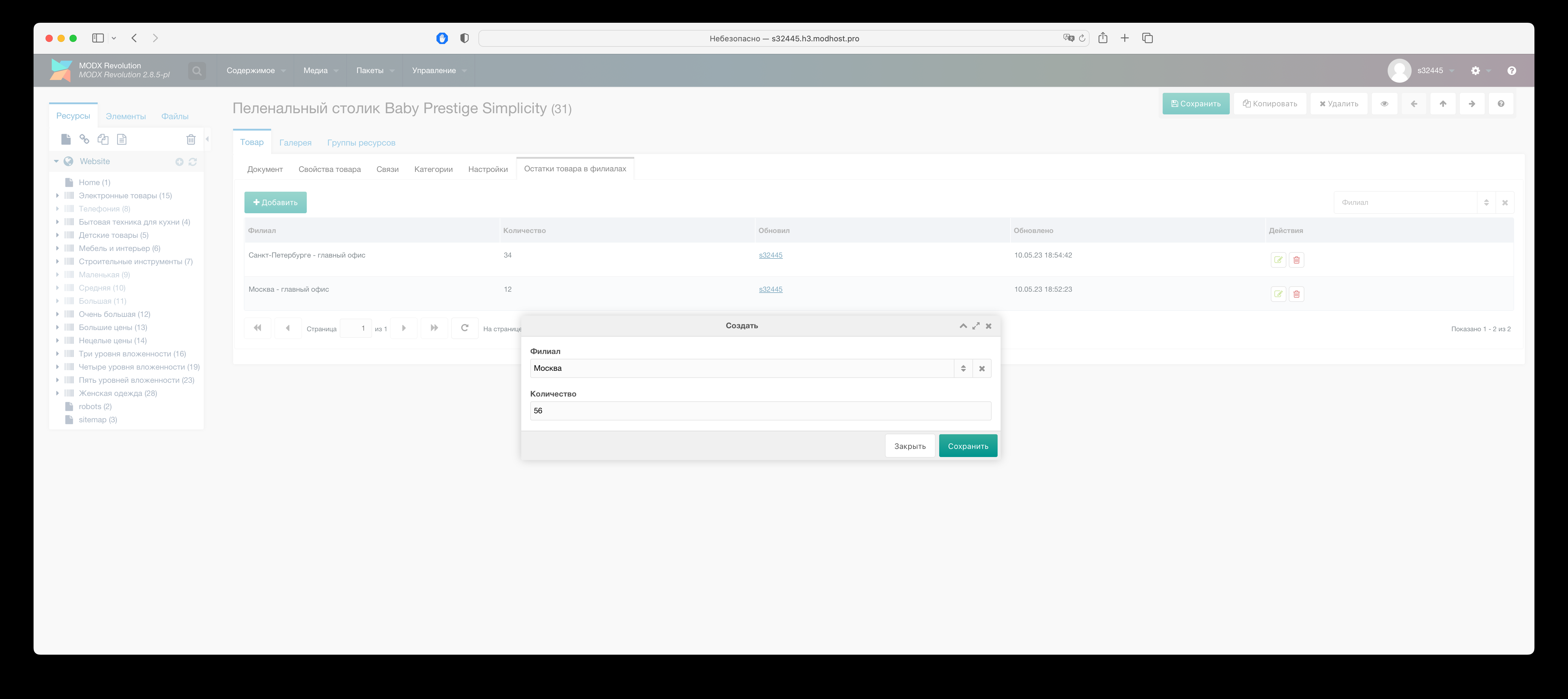
Add remaining stock per branch on page "Packages" -> "Branches" -> "Product stock in branches", or in product card tab "Product stock in branches"
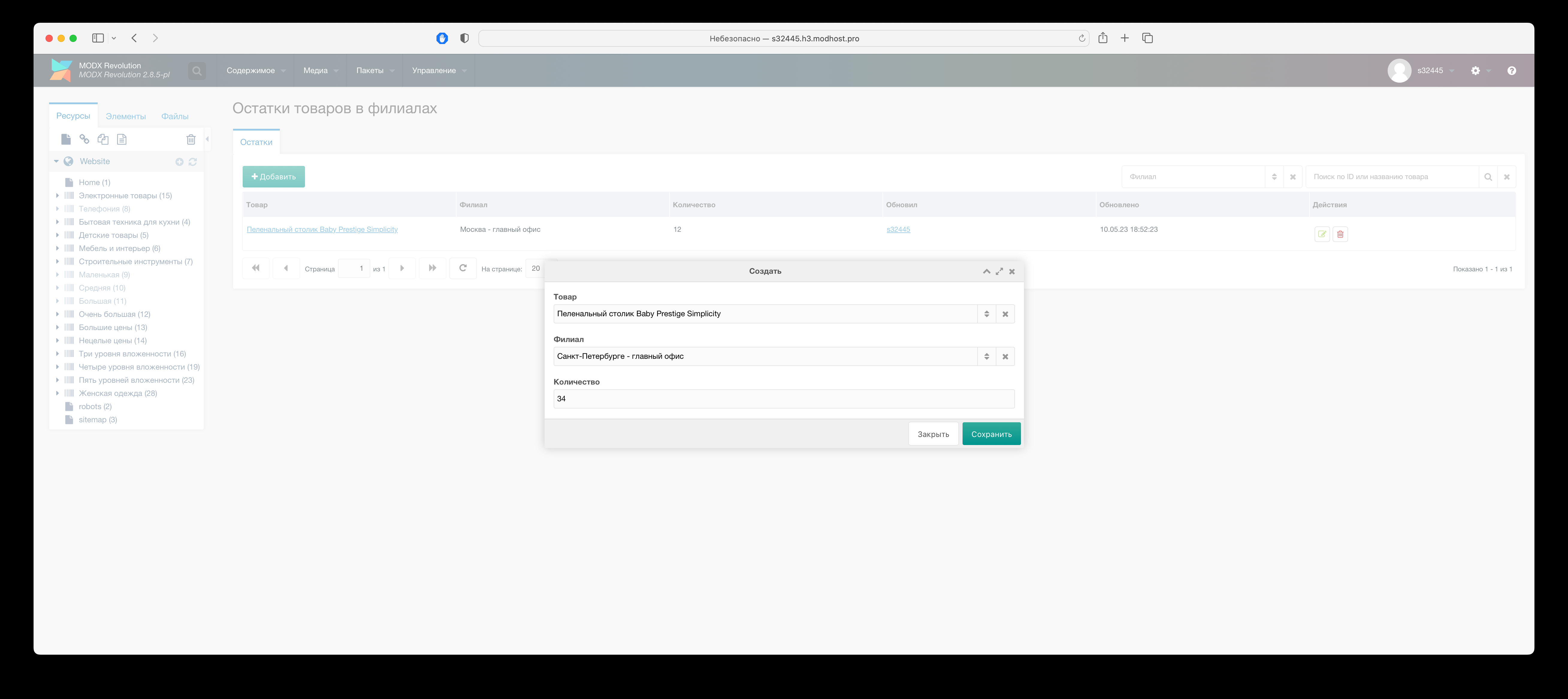
Via script
Functions exist for programmatic add/update of branch stock.
php
/** @var PlAffiliate $plaffiliate */
$plaffiliate = $modx->getService('plaffiliates', 'PlAffiliate');
/** @var PlAffiliateTools $tools */
$tools = $plaffiliate->getTools();
$count = 24;
$productId = 12;
$guid = 'e7555e6f-37a8-11ec-ca96-0242ac120005'
// Getting branch ID for external ID, e.g. ID in ERP/CRM. Set for branch via "External ID" field
$affiliateId =  $tools->getAffiliateIdByGuid($guid);
// Add/update branch product stock
$tools->setAffiliateProductRemain($affiliateId, $productId, $count);
// Branch product stock
$remain = $tools->getAffiliateProductRemain($affiliateId, $productId);
// Total product stock across branches
$remain = $tools->getAllAffiliateProductRemain($productId);
// Reset product stock in all branches
$tools->resetAllAffiliateProductRemain($productId);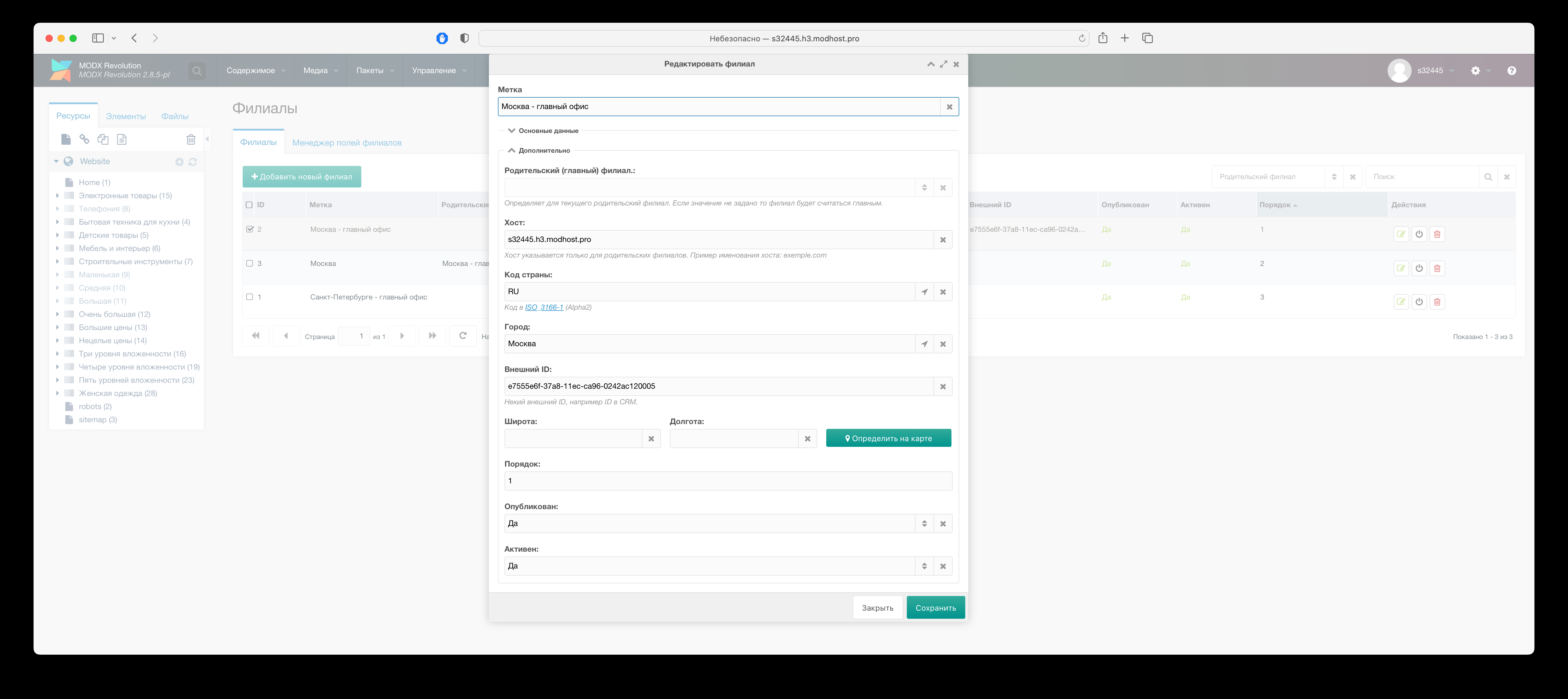
Note
If you don't plan to use stock and want to hide "Product stock in branches" tab from product card, disable option "Show product stock tab" in component system settings.
Product stock check on purchase
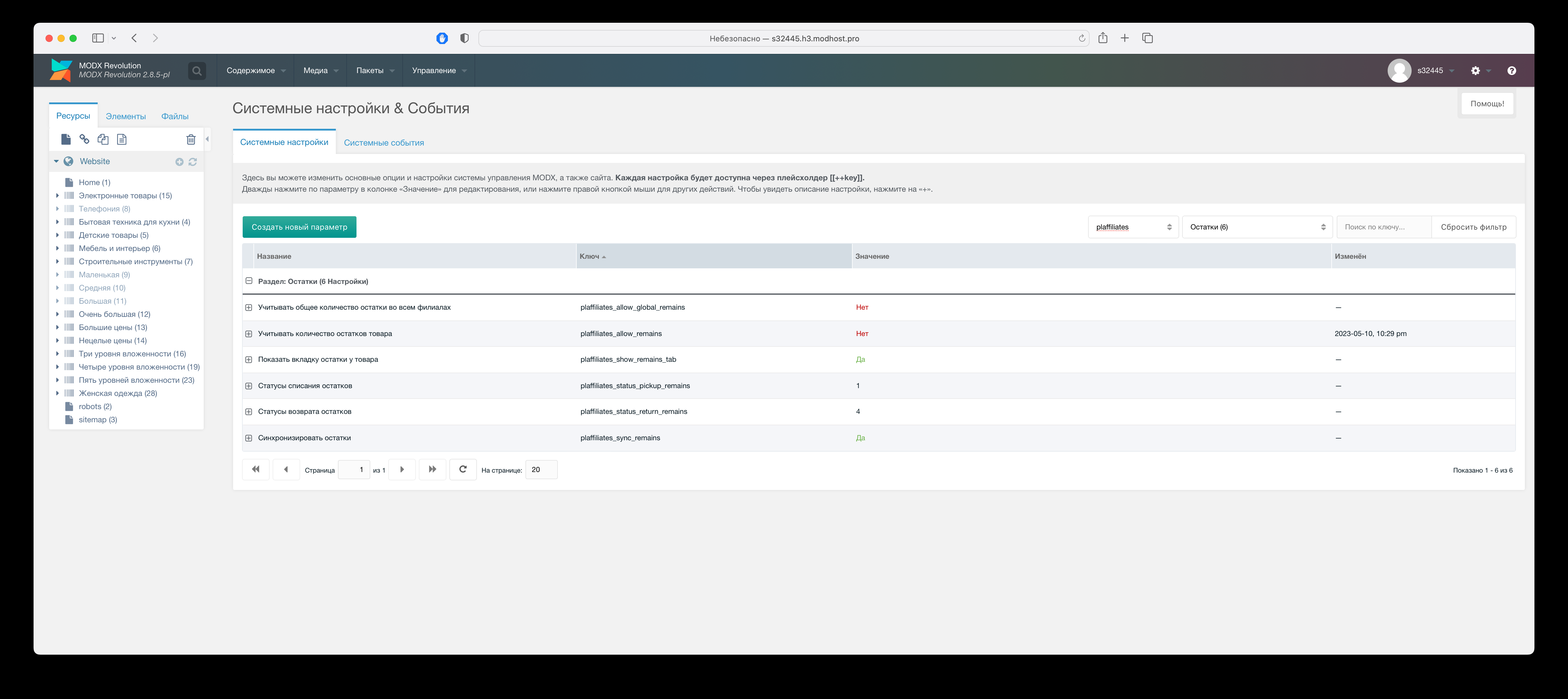
Enable option "Consider product stock" in component system settings. Then on add to cart or quantity change, available stock is checked; if none or insufficient, warning is shown and product cannot be added.
Stock check runs in current branch. For total stock across branches enable "Consider total stock in all branches"; in that case stock sync on purchase/return is disabled.
For stock sync on purchase/return enable "Synchronize stock".
Order statuses for stock sync on pickup/return in system settings:
- Stock pickup statuses (
plaffiliates_status_pickup_remains) - Stock return statuses (
plaffiliates_status_return_remains)
Creating SEO fields for branches
In component menu, click "SEO" on page tab "SEO Fields" to create fields.
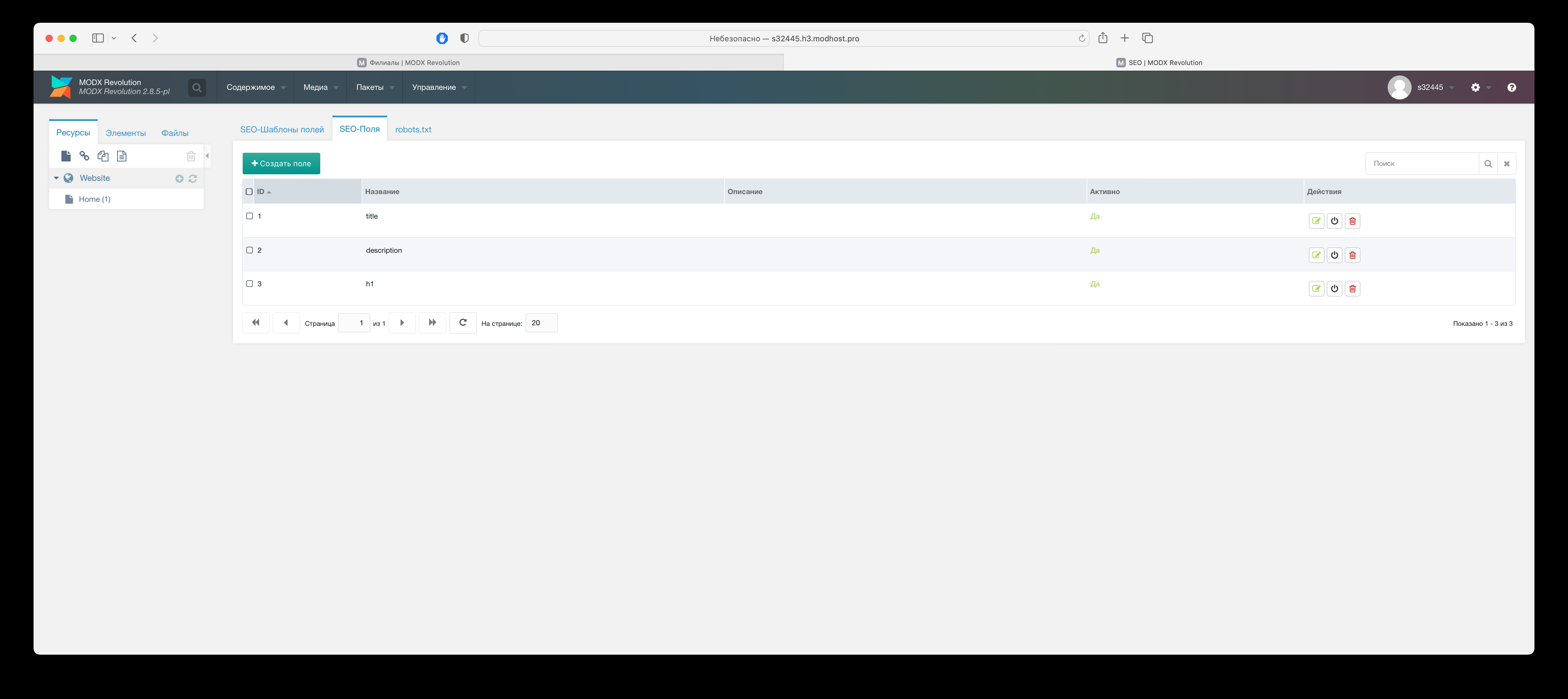
On tab "SEO Field templates" set values for fields, linking them to branch and MODX template. Field value is processed by Fenom.
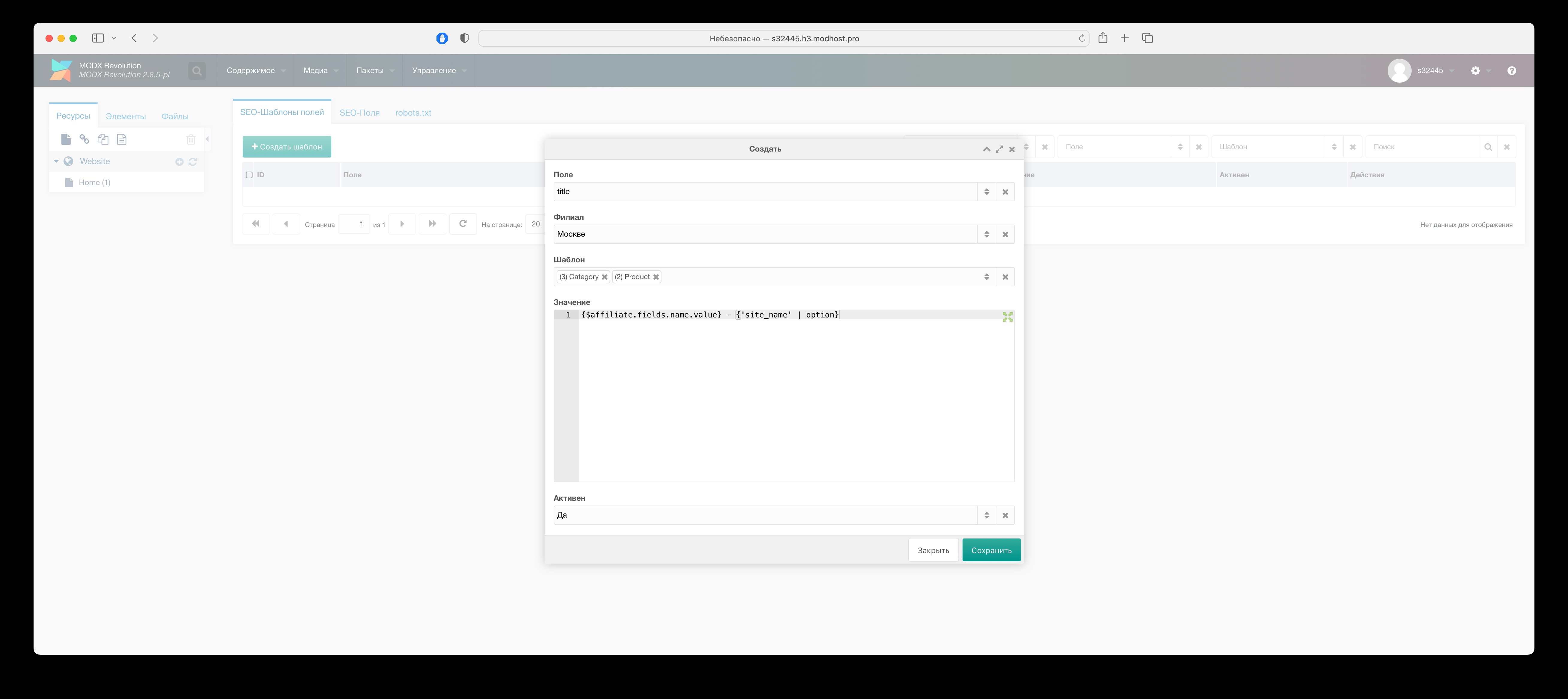
To expose SEO fields via MODX placeholders:
- Enable "Enable SEO field placeholders" in component system settings
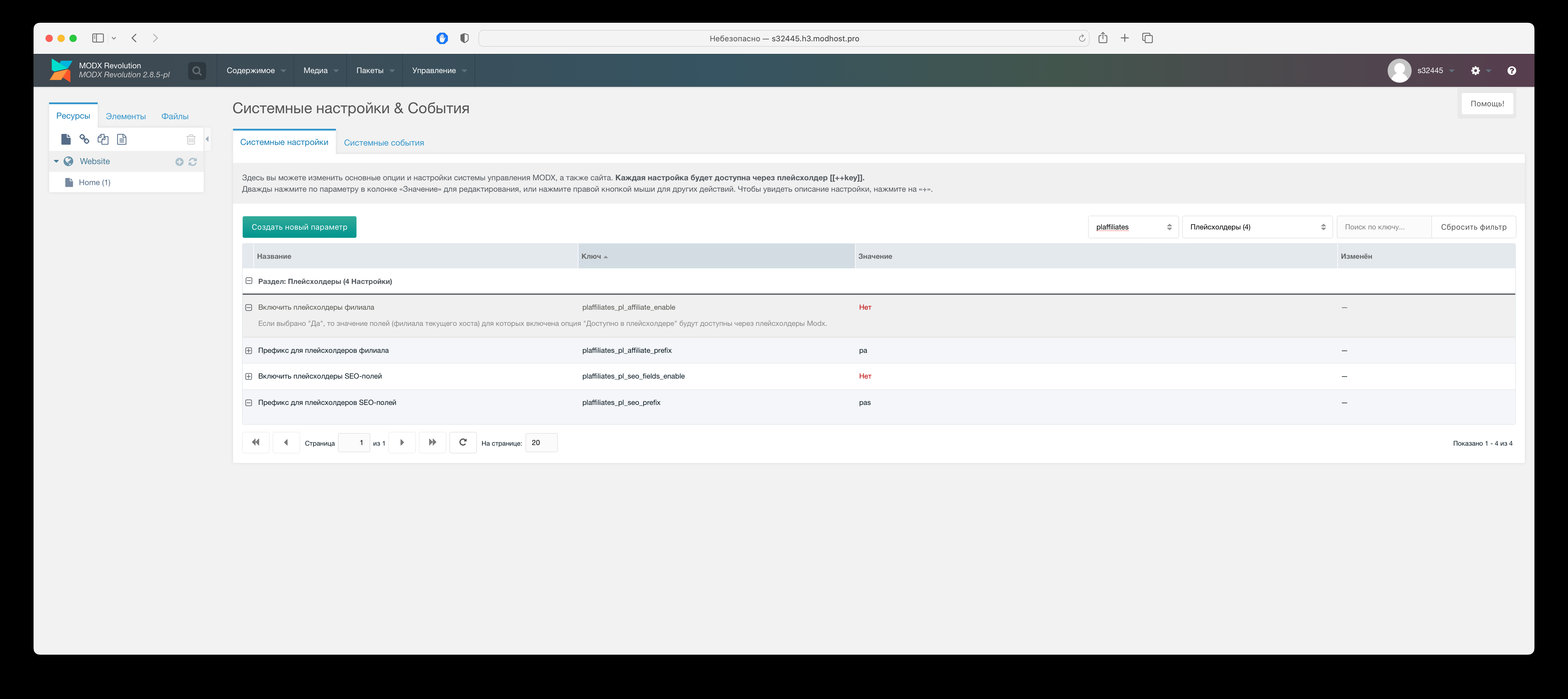
- Optionally change field prefix in "Prefix for SEO field placeholders" (default pas)
SEO placeholder usage example
modx
h1: [[!+pas.h1]]
title: [[!+pas.title]]
fenom
h1: {$_modx->getPlaceholder('pas.h1')}
title: {$_modx->getPlaceholder('pas.title')
Creating robots.txt for branches
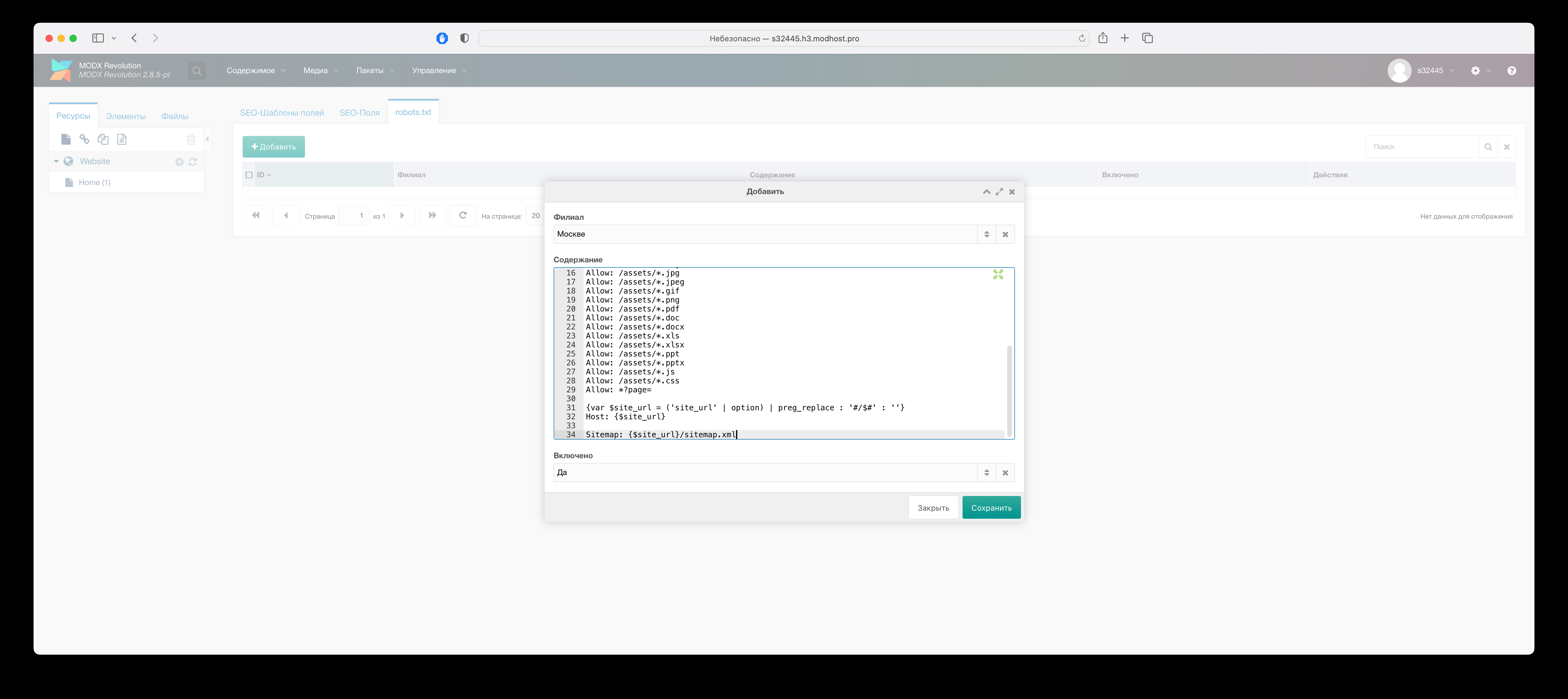
In component menu, click "SEO" on opened page tab "robots.txt" to create robots.txt content for the branch.
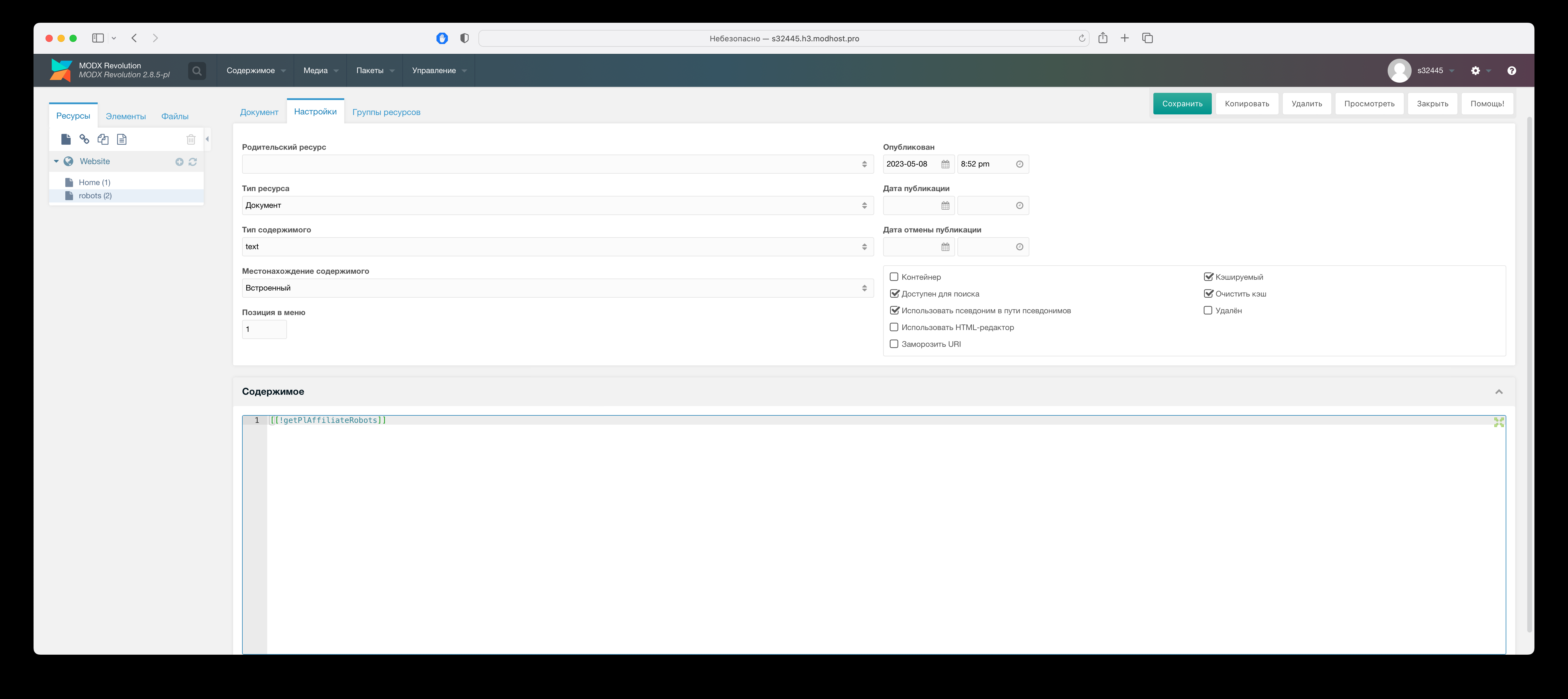
Create document named robots with "Content type" = "text", "Template" = "(empty template)", "Content" = snippet call getPlAffiliateRobots
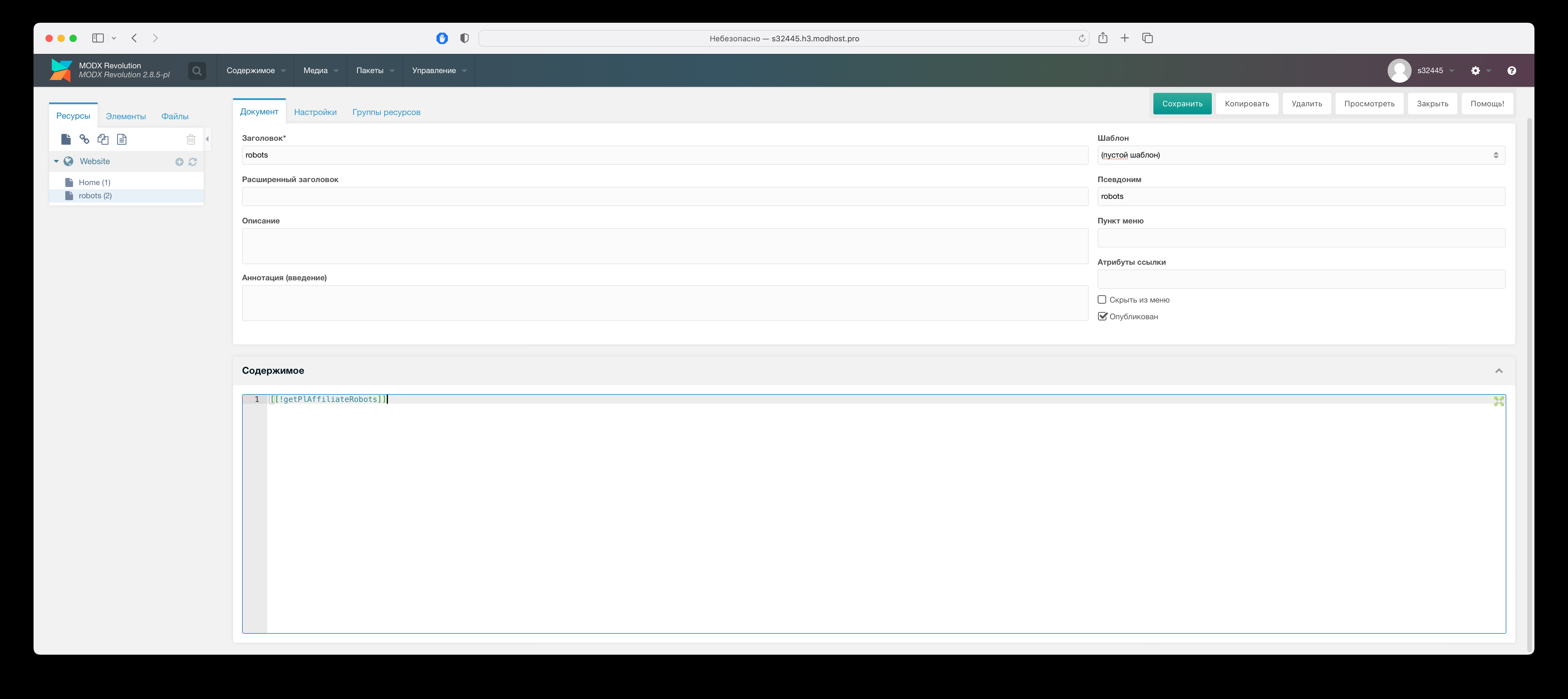
If robots.txt is not created for branch, snippet getPlAffiliateRobots returns default from chunk "tpl.plAffiliates.robots.default"
Note
Branch list shows only parent branches with "Host" field filled.
Important!
Site root must not have robots.txt file
Creating sitemap.xml for branches
Create document named sitemap with "Content type" = "XML", "Template" = "(empty)", "Content" = snippet call getPlAffiliateSitemap
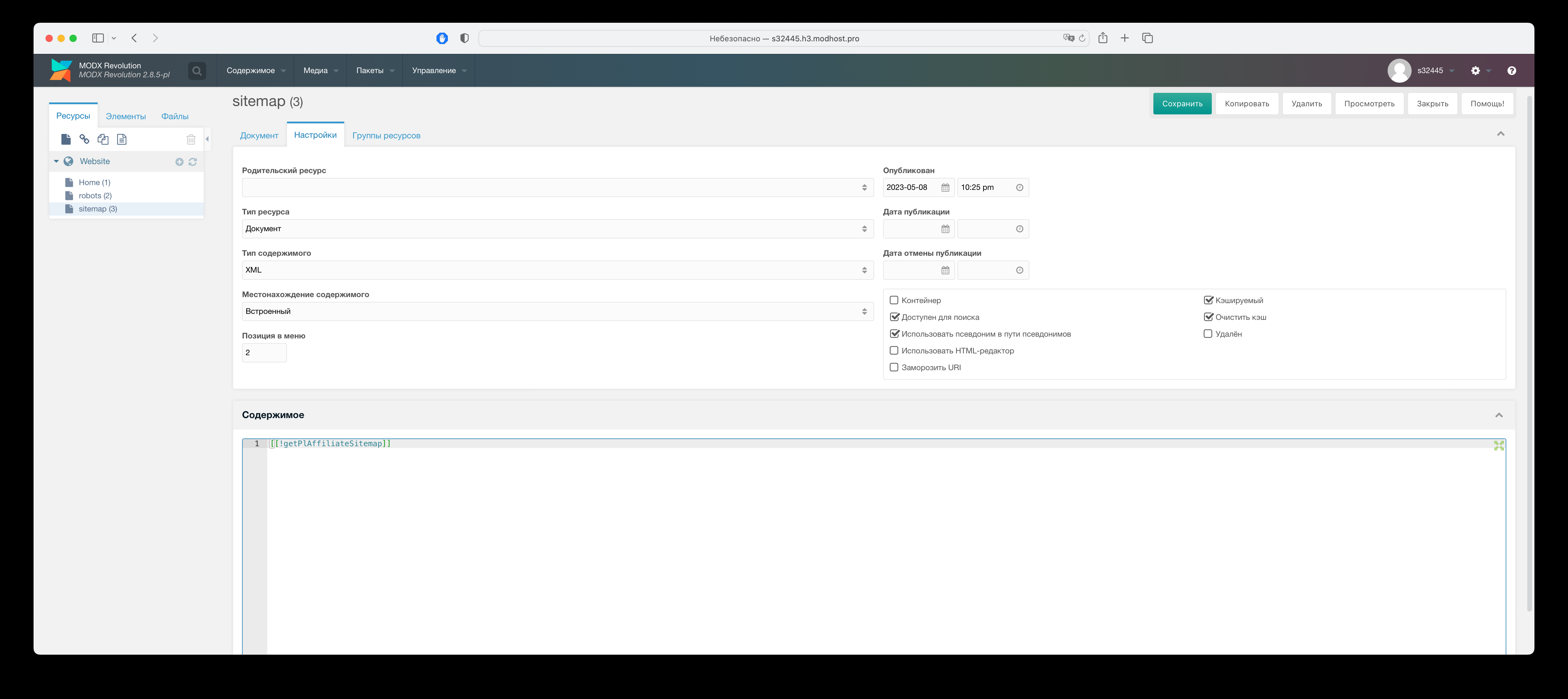
Important!
Site root must not have sitemap.txt file
Main settings
Map service settings
In component system settings section "Map", option "Map class" specify map provider class.
Available values:
PlAffiliateYaMapProvider- Yandex Maps (default)PlAffiliateGMapProvider- Google Maps
Note
For Google Maps get API key and set in option "API Key Google Maps"
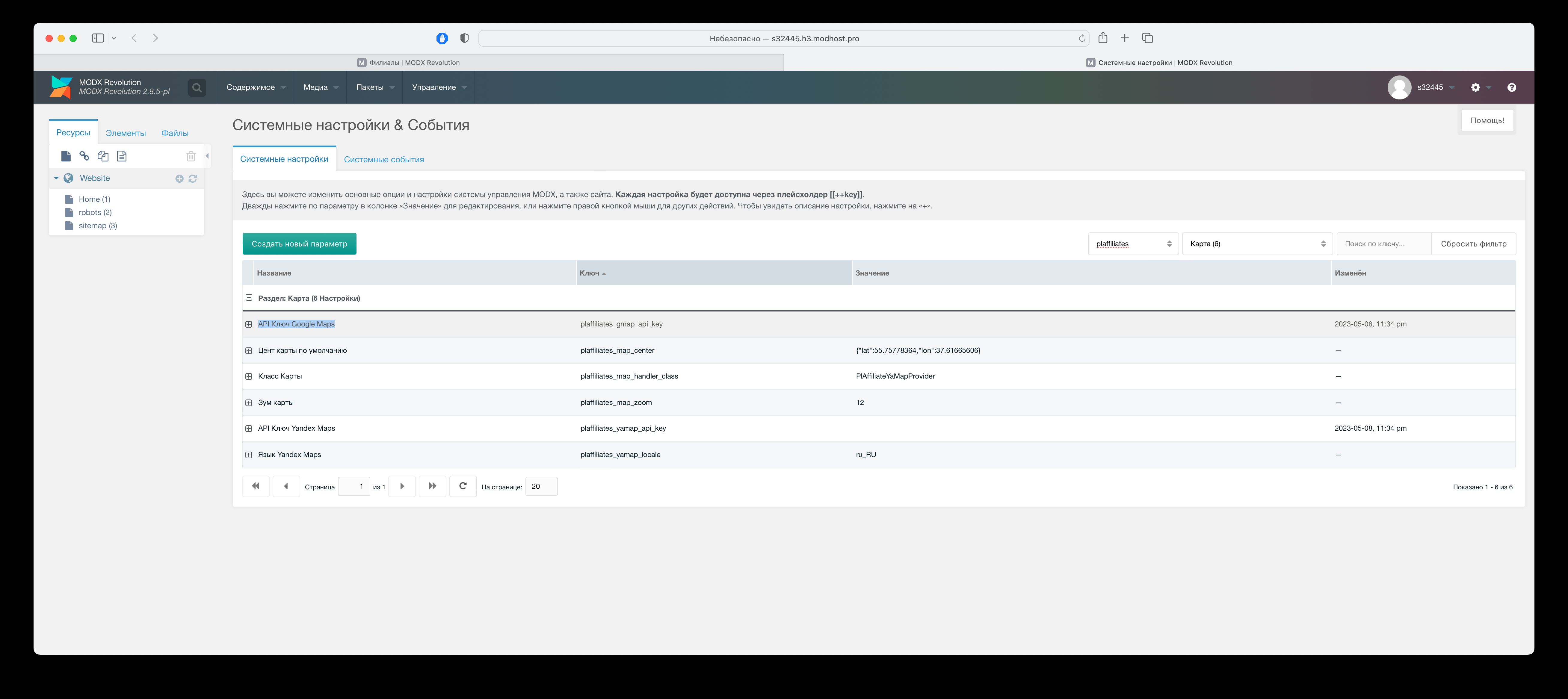
Branch geolocation settings
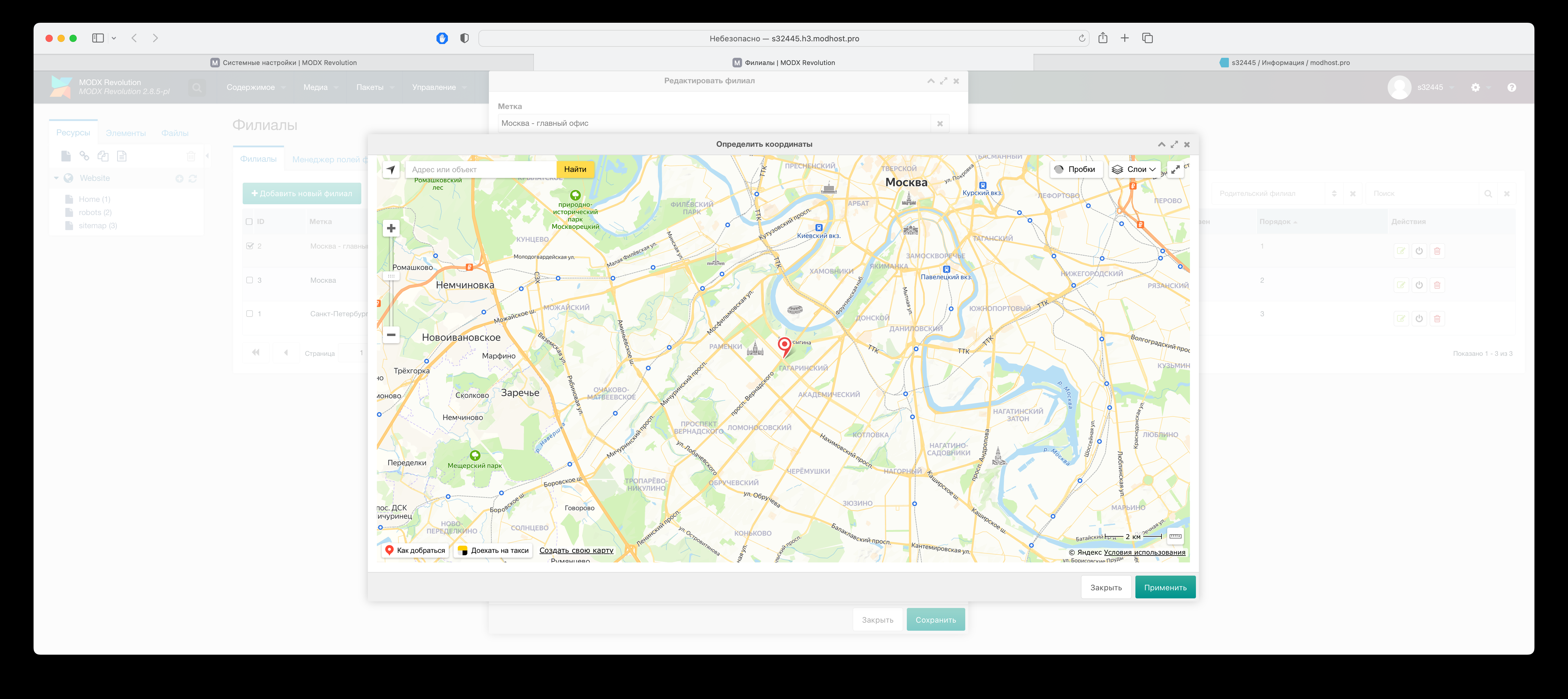
After map service is configured, set branch geolocation.
Specify latitude and longitude of branch office for snippet getPlAffiliateMap to show it on map and find nearest.
Enter coordinates manually or by dragging marker on map. Click "Locate on map" to open map.
To move marker quickly: hold SHIFT and left-click on map; add Alt to center map.
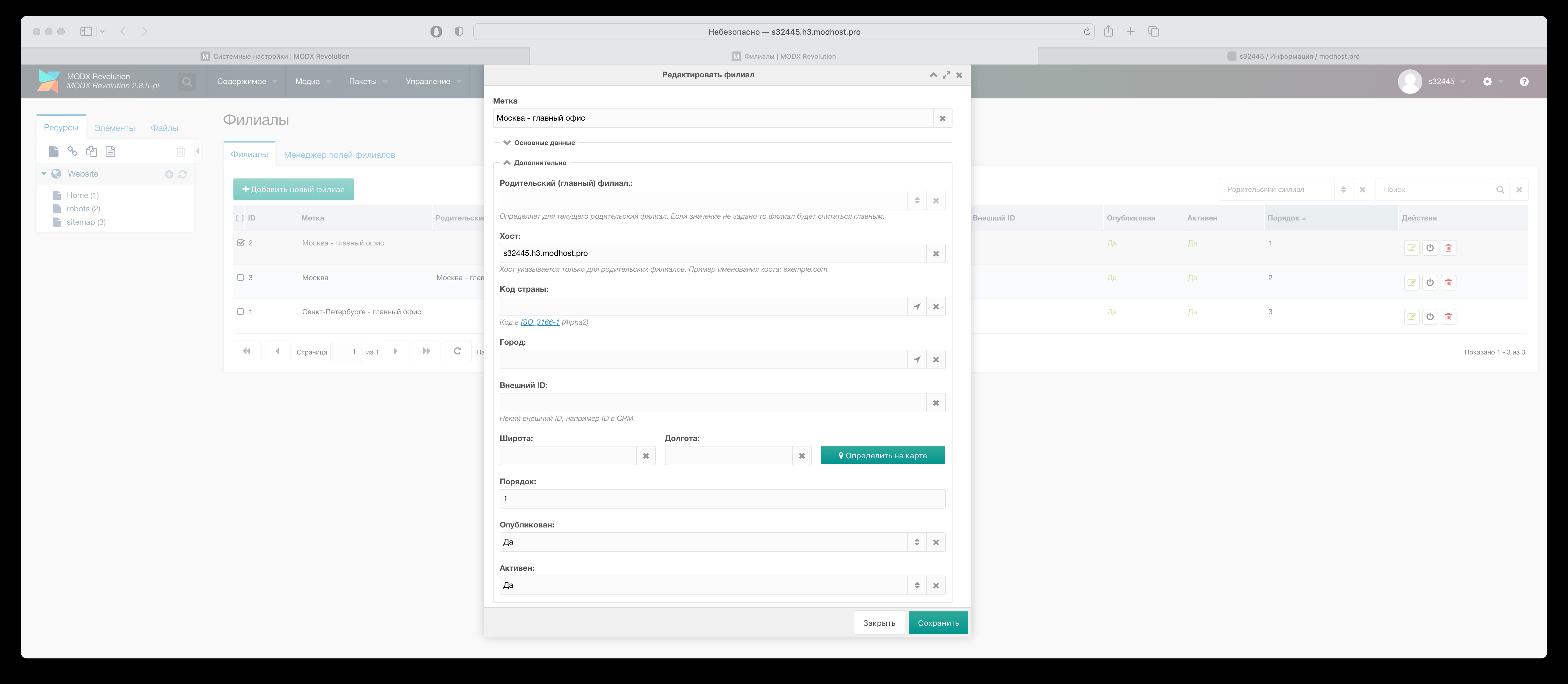
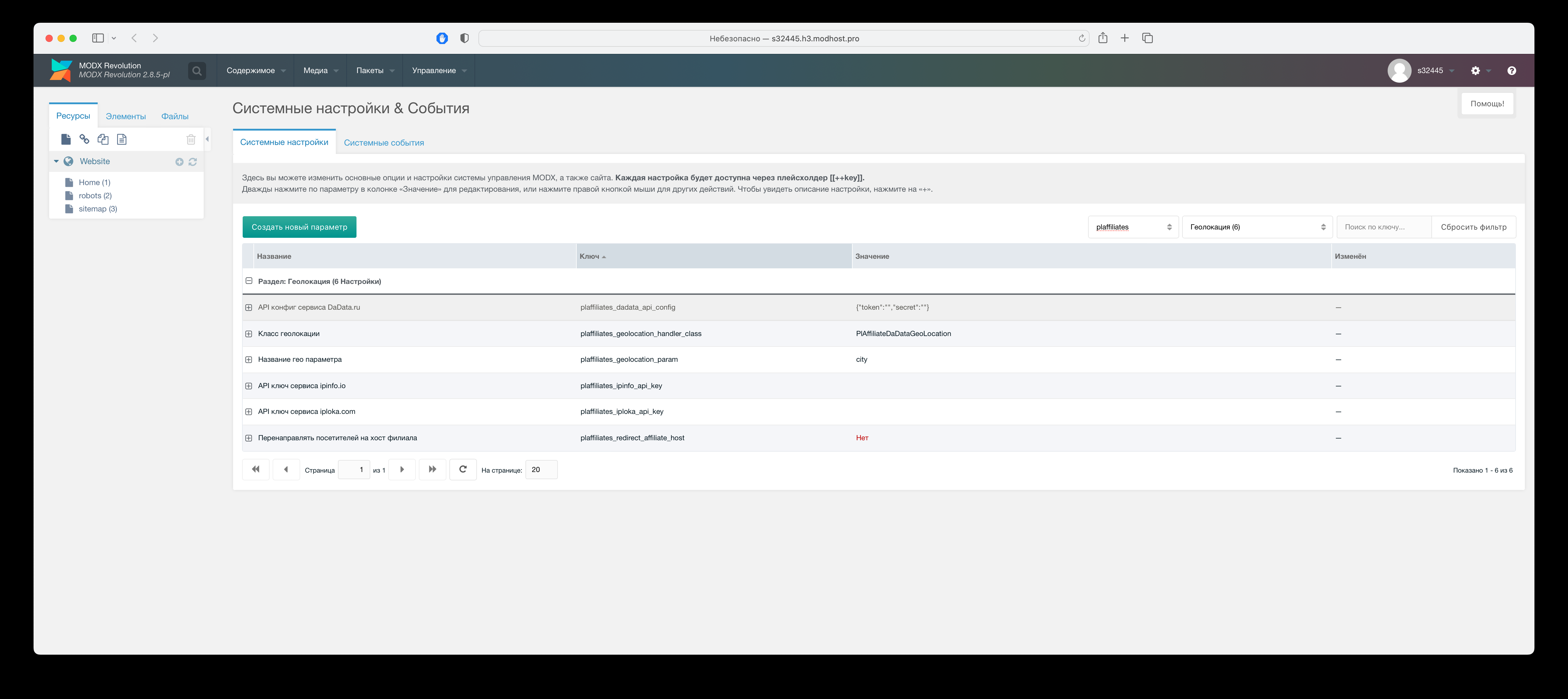
User IP geolocation service settings
Enable service in component system settings section "Geolocation": fill API key/config of chosen service (obtained after registration) and its handler class.
Out of the box available free services:
- API config of DaData.ru
- PlAffiliateDaDataGeoLocation
- API key of ipinfo.io
- PlAffiliateIpInfoGeoLocation
- API key of iploka.com
- PlAffiliateIpLokaGeoLocation
Auto-redirect visitors to branch subdomains
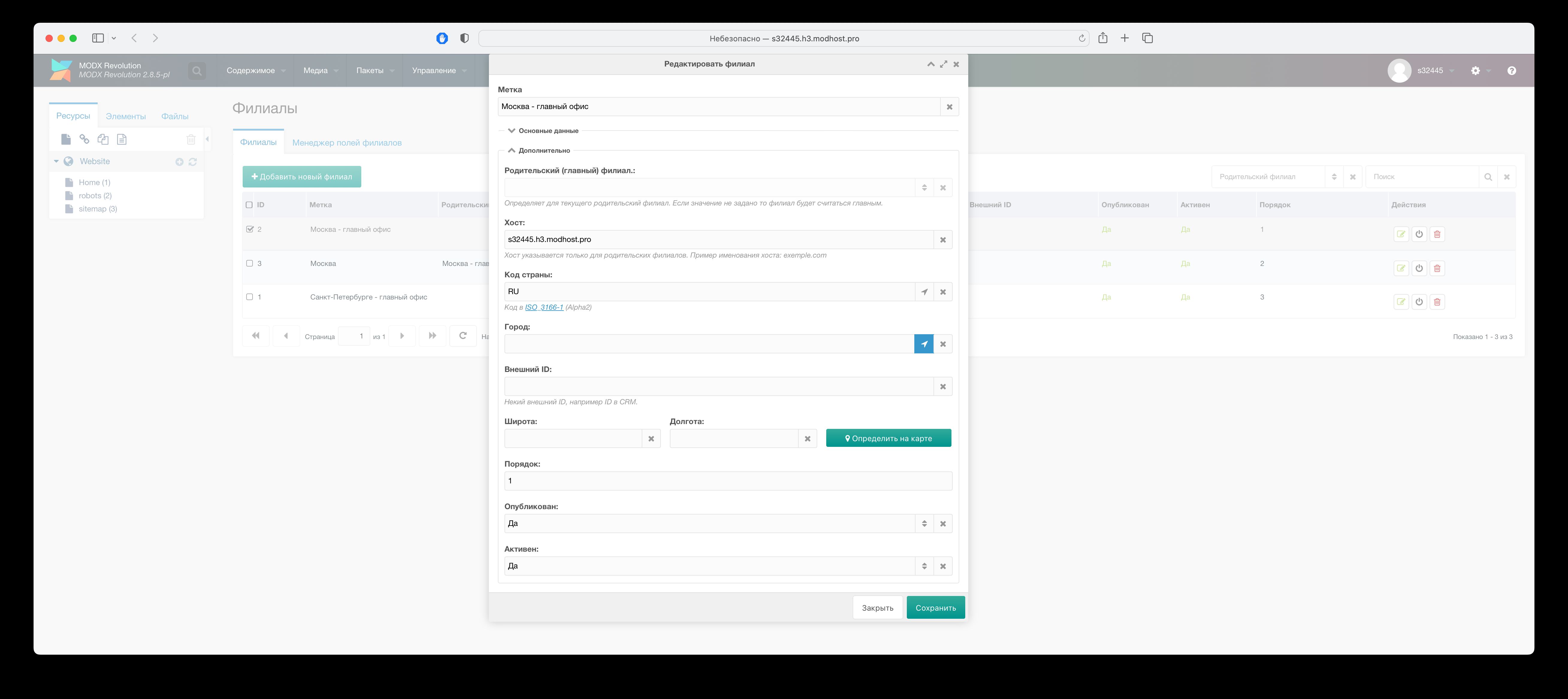
For auto-redirect by visitor geodata to branch subdomains, for each "parent" branch fill:
- Field "Host" = subdomain to redirect to
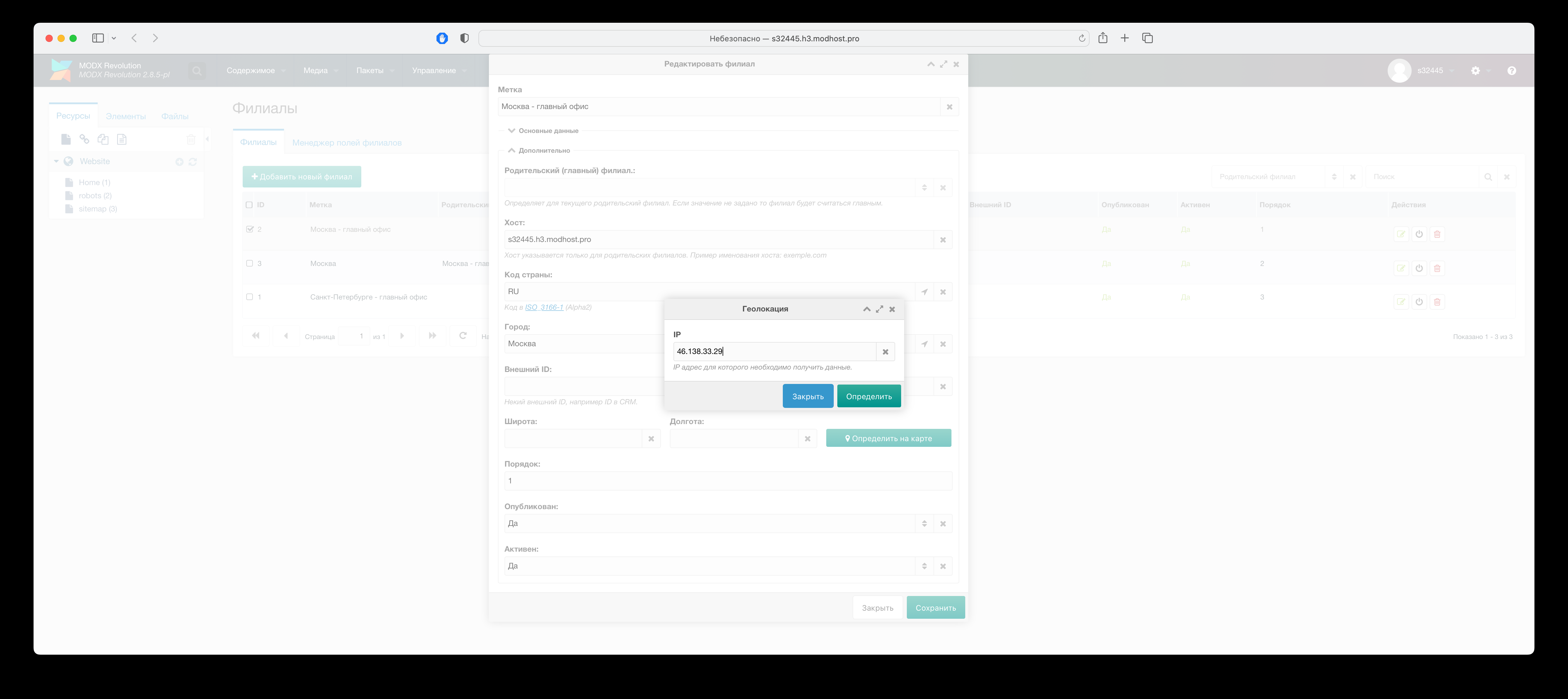
- Via chosen geolocation service get data for "Country" and "City" fields
Parent branch = branch without parent. Same city cannot have more than one parent branch. To get geolocation for matching fields, click button with compass icon and in dialog specify any IP of city where branch is; default is your IP.
City IP can be obtained e.g. at ip.osnova.news
Important!
If at some point you decide to change geodata service, then after switching you must redo field "City", as each provider may name it differently.
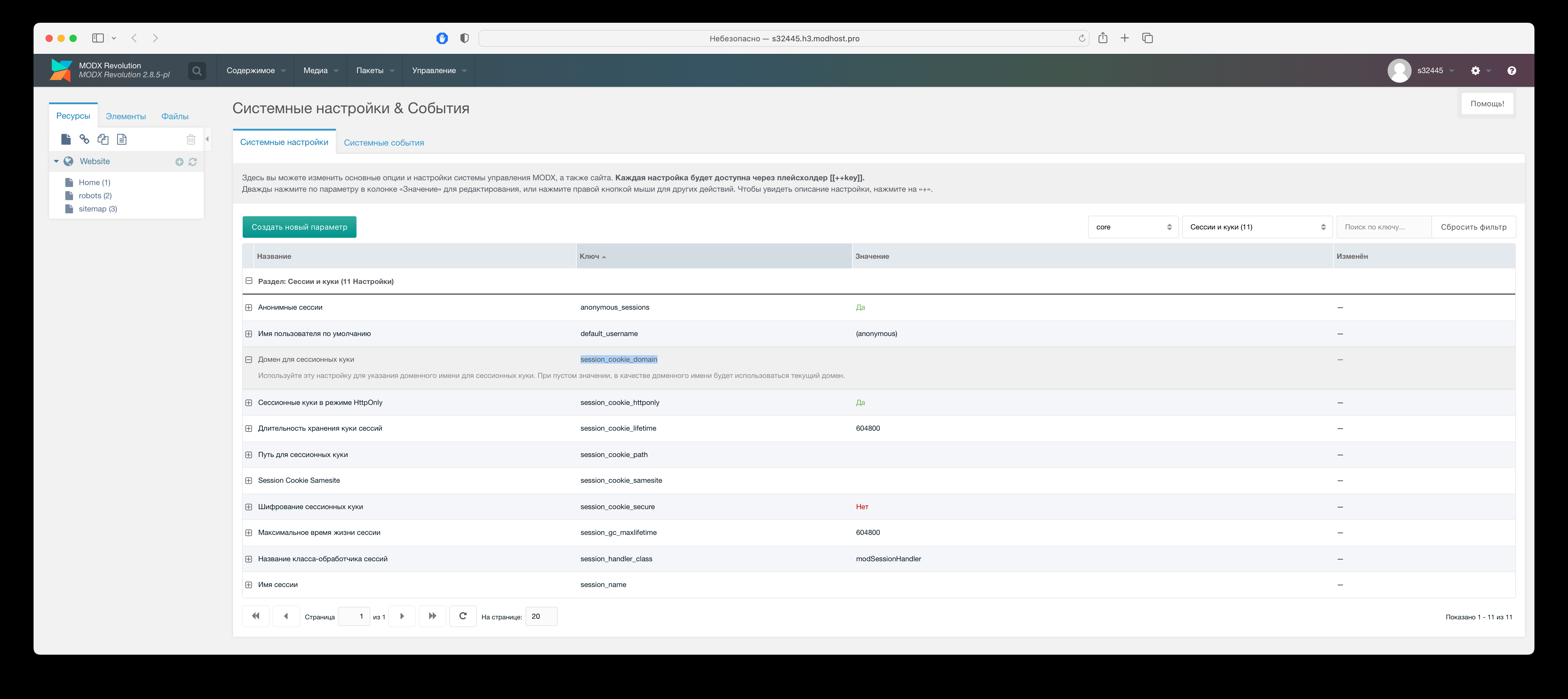
After required info is filled in for branches in component system settings component, enable option "Redirect visitors to branch host", as well as in ModX system settings in option "Domain for session cookies" (session_cookie_domain) specify your main domain.
Note
Redirect will occur via 302 redirect only once per site session.
Adding info about current selected branch to MODX placeholders
For branch info about current selected branch to be available via MODX placeholders, required:
- In component system settings component enable option "Enable branch placeholders"
- To change field prefix in system option component "Prefix for branch placeholders" by default used pa
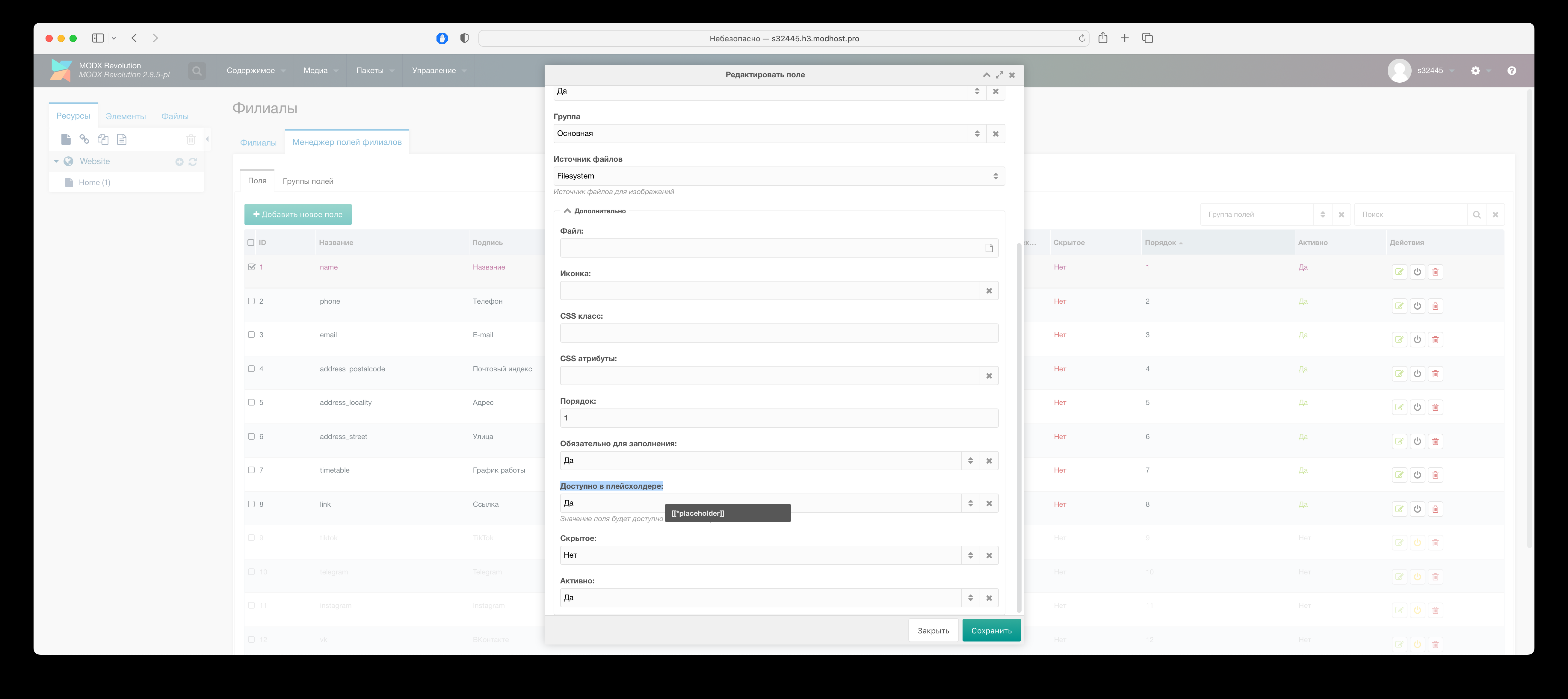
- For branch fields, which should be available via MODX placeholders, required in branch field manager enable option "Available in placeholder"
Usage example branch placeholders
modx
id: [[!+pa.id]]
Name: [[!+pa.name]]
Phone: [[!+pa.phone]]
E-mail: [[!+pa.email]]
fenom
id: {$_modx->getPlaceholder('pa.id')}
Name: {$_modx->getPlaceholder('pa.name')
Phone: {$_modx->getPlaceholder('pa.phone')
E-mail: {$_modx->getPlaceholder('pa.email')
Snippets
getPlAffiliates - Output list branches
Parameters:
| Name | Description |
|---|---|
affiliates | List ID branches, via comma. Default output all published branches. |
city | Name city branches, to return. |
onlyParent | Return only parent branches. |
parents | List ID parent branches via comma, descendants which to return. |
includeParent | Enable output of parent sections. Useful when specifying more than one «parents». |
published | Only published. Default: 1 |
onlyFields | Name fields branch, via comma, to output. |
ignoreFields | Name fields branch, via comma, not to output. |
fieldGroups | Names of field groups, via comma, to output. |
sortby | Sort field. Default: rank. |
sortdir | Sort direction. Default: ASC. |
limit | Max number of results. Default: 0 |
offset | Number of results to skip. Required use with &limit. Default: 0 |
tpl | Chunk name for output. If not set, resource fields will be printed to screen. Default: tpl.plAffiliates |
tplGroups | Name chunks, via comma, for field groups. Format: group_name:chunk_name |
tplWrapper | Wrapper chunk for all results. Accepts one placeholder: [[+output]]. |
Call example snippet with parameter tplGroups.
modx
[[getPlAffiliates?
  &tplGroups=`address:affiliates.group.address,contacts:affiliates.group.contacts`
]]
fenom
{$_modx->runSnippet('getPlAffiliates', [
  'tplGroups' => 'address:affiliates.group.address,contacts:affiliates.group.contacts',
])}
Note
Field group processed in group chunk will be available in main chunk (tpl) under group name and have sort order of first field from group.
getPlAffiliateField - Returns value fields branch
Parameters:
| Name | Description |
|---|---|
field | Name fields. Default id |
affiliateId | ID branch. Default current, determined by host. |
getPlAffiliateMap - Output list branches on map
Parameters:
| Name | Description |
|---|---|
affiliates | List ID branches, via comma. Default output all published branches. |
city | Name city branch, to return. |
onlyParent | Return only parent branches. |
parents | List ID parent branches, via comma, descendants which to return. |
includeParent | Enable output of parent sections. Useful when specifying more than one «parents». |
published | Only published. Default: 1 |
onlyFields | Name fields branch, via comma, to output. |
ignoreFields | Name fields branch, via comma, not to output. |
fieldGroups | Names of field groups, via comma, to output. |
limit | Max number of results. Default: 0 |
offset | Number of results to skip. Required use with &limit. Default: 0 |
provider | Map provider map. Default: the one set in system option component "Class Map". Allowed values: PlAffiliateYaMapProvider; PlAffiliateGMapProvider. |
zoom | Map zoom map |
markerIcon | Marker icon marker. Default: /assets/components/plaffiliates/images/map/marker.svg |
markerSize | Marker size. Example: 67,81 |
markerAnchor | Marker anchor. Example: 30,81 |
mapCenter | Map center coordinates of map in the format JSON string: {"lat": 55.76,"lon": 37.64}. Default if map has only 1 marker, then map center set relative to its coordinates, if several, then so all can be displayed. |
tpl | Chunk name for output. If not set, resource fields will be printed to screen. Default: tpl.plAffiliates.map |
tplGroups | Name chunks, via comma, for field groups. Format: group_name:chunk_name |
tplWrapper | Wrapper chunk for all results. Accepts one placeholder: [[+output]]. |
tplMarkerHint | Chunk for hint marker map. Default: @INLINE {$fields.name.value} |
tplMarkerInfo | Chunk for info window marker map. Default: tpl.plAffiliates.marker.info |
cssClass | CSS Class for map container |
css | Link to css. Default: {assets_url}components/plaffiliates/css/web/map.css |
Note
If map has more than one branch, then search button for nearest branch by visitor geodata.
getPlAffiliatesLinks - Output list links for switch/redirect on subdomain branch
Parameters:
| Name | Description |
|---|---|
affiliates | List ID branches, via comma. Default output all published branches. |
city | Name city branch, to return. |
onlyParent | Return only parent branches. |
parents | List ID parent branches, via comma, descendants which to return. |
includeParent | Enable output of parent sections. Useful when specifying more than one «parents». |
published | Only published. Default: 1 |
onlyFields | Name fields branch, via comma, to output. |
ignoreFields | Name fields branch, via comma, not to output. |
fieldGroups | Names of field groups, via comma, to output. |
sortby | Sort field. Default: rank. |
sortdir | Sort direction. Default: ASC. |
limit | Max number of results. Default: 0 |
offset | Number of results to skip. Required use with &limit. Default: 0 |
tpl | Chunk name for output. If not set, resource fields will be printed to screen. Default: tpl.plAffiliates.links |
tplGroups | Name chunks, via comma, for field groups. Format: group_name:chunk_name |
tplWrapper | Wrapper chunk for all results. Accepts one placeholder: [[+output]]. |
js | Link to js. Default: {assets_url}components/plaffiliates/js/web/switch.js |
getPlAffiliateRemains - Output list branches with quantity remaining product in each
Parameters:
| Name | Description |
|---|---|
pid | ID product stock to display. Default ID resource, in which is called snippet. |
showZeroRemain | Show branches with zero stock. Default 1. |
affiliates | List ID branches, via comma. Default output all published branches. |
city | Name city branch, to return. |
onlyParent | Return only parent branches. |
parents | List ID parent branches, via comma, descendants which to return. |
includeParent | Enable output of parent sections. Useful when specifying more than one «parents». |
published | Only published. Default: 1 |
onlyFields | Name fields branch, via comma, to output. |
ignoreFields | Name fields branch, via comma, not to output. |
fieldGroups | Names of field groups, via comma, to output. |
sortby | Sort field. Default: rank. |
sortdir | Sort direction. Default: ASC. |
limit | Max number of results. Default: 0 |
offset | Number of results to skip. Required use with &limit. Default: 0 |
tpl | Chunk name for output. If not set, resource fields will be printed to screen. Default: tpl.plAffiliates.remains |
tplGroups | Name chunks, via comma, for field groups. Format: group_name:chunk_name |
tplWrapper | Wrapper chunk for all results. Accepts one placeholder: [[+output]]. |
getPlAffiliateProducts - Output list products with stock in branch
Snippet is wrapper over over snippet msProducts, so contains all its parameters plus following own.
Parameters:
| Name | Description |
|---|---|
affiliateId | ID branch. Default current, determined by host. |
element | Name snippet for product output. Default msProducts. |
Note
In tpl chunk available field "affiliate_remain", containing value of product stock.
getPlAffiliateSitemap - Sitemap generation for search engines for current branch
Product list will include only those, that have stock.
Snippet is wrapper over over snippet pdoSitemap, so contains all its parameters plus following own.
Parameters:
| Name | Description |
|---|---|
affiliateId | ID branch. Default current, determined by host. |
getPlAffiliateRobots - Output content of file robots.txt for current branch
Parameters:
| Name | Description |
|---|---|
affiliateId | ID branch. Default current, determined by host. |
tplDefault | Chunk with default value. Default: tpl.plAffiliates.robots.default |
System events
plaffiliateOnManagerCustomCssJs - Loading plAffiliates scripts plAffiliates
Parameters:
| Name | Description |
|---|---|
controller | Controller instance |
page | Page identifier. Available values: affiliates; remains; seo |
plaffiliateOnPrepareMapMarker - Preparing data for creating marker branch on map
Parameters:
| Name | Description |
|---|---|
tools | Instance of class PlAffiliateTools |
place | Array with data for marker |
affiliate | Array with data branch |
Plugin example changing icon, hint text and hint and info window marker for branch with ID 5
php
<?php
/**
 * @var modX $modx
 * @var PlAffiliateTools $tools
 * @var array $place
 * @var array $affiliate
 */
switch ($modx->event->name) {
  case 'plaffiliateOnPrepareMapMarker':
    if ($affiliate['id'] == 5) {
      $params = & $modx->event->params;
      $params['place']['hint'] = 'New hint text';
      $params['place']['info'] = $tools->getPdoTools()->getChunk('@INLINE ({$id}) - {$fields.name.value}', $affiliate);
      $params['place']['marker'] = array(
        'icon' => '/assets/components/plaffiliates/images/map/marker_green.svg',
        //'size' => '67,81',
        //'anchor' => '30,81',
      );
    }
    break;
}