



mspPayU
Getting started
Download mspPayU from the MODX Simple Dream add-on store.
To accept PayU payments you must first apply for registration.
You can get integration help from technical support, the developer in Minsk, or PayU technical support; they are very responsive. PayU also has detailed documentation on their system.
PayU setup
Important
Use only the test environment to verify payments.
Basic store–PayU integration flow
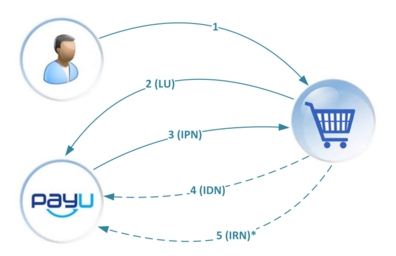
- Customer visits your site and builds a cart.
- Customer goes to PayU to pay.
- PayU notifies your site of successful payment; your site confirms receipt.
- Your site requests payment confirmation from PayU; PayU responds.
- Optional refund: your site requests cancellation from PayU. (not yet supported in this module)
In short: your site builds an LU request with payment data and sends it to PayU; PayU validates and processes it, then calls your callback URL to report the result.
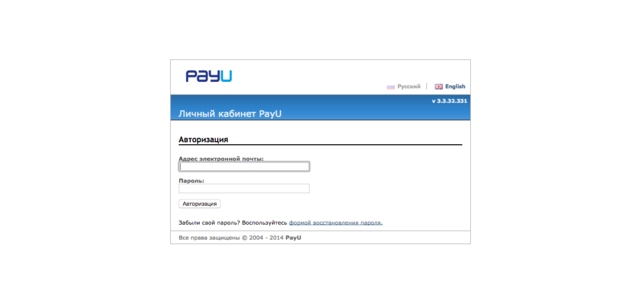
In PayU it is important to set the URL where IPN notifications from PayU will be sent. Configure this in the PayU dashboard at https://secure.payu.ru/cpanel/ipn_settings.php.
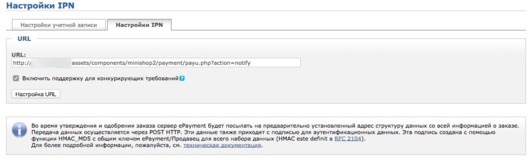
URL format: http://site.ru/assets/components/minishop2/payment/payu.php?action=notify, where site.ru is your site.
Installation and MODX setup
During installation you need to enter your PayU credentials to start using the payment system in MODX.

- Merchant ID — store (merchant) ID from registration.
- Secret key — issued at registration.
You can skip this step and fill the data later in system settings. After installation enable the payment method in miniShop2 settings and add it to the delivery methods that should support PayU.
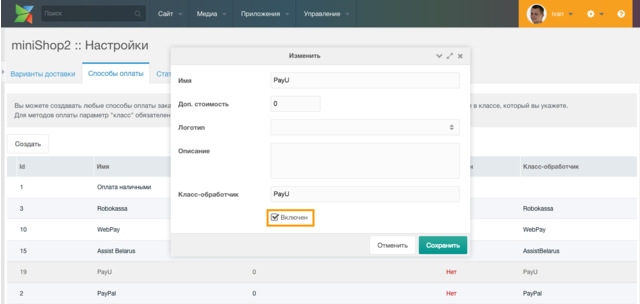

To switch from test to live, set ms2_payment_payu_developer_mode from "Yes" to "No".
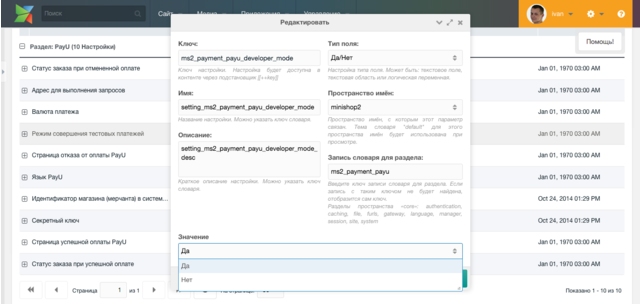
System settings reference
| Key | Name | Default | Description |
|---|---|---|---|
| ms2_payment_payu_merchant_id | Store (merchant) ID in PayU | Unique merchant (store) identifier. It is created when you register in PayU and sent to you by email. | |
| ms2_payment_payu_secret_key | Secret key | Random character sequence issued at registration. Used to build the signature and to verify payments. | |
| ms2_payment_payu_checkout_url | Checkout request URL | https://secure.payu.ru/order/lu.php | URL where the user is sent to complete payment. |
| ms2_payment_payu_developer_mode | Test payment mode | Yes | When "Yes", all payment requests are sent to the PayU test payment environment. |
| ms2_payment_payu_currency | Payment currency | RUB | Three-letter currency code per ISO 4217. |
| ms2_payment_payu_language | PayU language | RU | Two-letter language code for the PayU payment page. |
| ms2_payment_payu_success_id | PayU success page | 0 | User is sent to this resource after successful payment. Recommended: cart page ID to show the order. |
| ms2_payment_payu_failure_id | PayU failure page | 0 | User is sent to this resource on failed or cancelled payment. Recommended: cart page ID to show the order. |
| ms2_payment_payu_success_payment_id | Order status on successful payment | 2 | This status is set on the order after successful payment. Statuses are edited in miniShop2 settings. |
| ms2_payment_payu_cancel_payment_id | Order status on cancelled payment | 4 | This status is set on the order when payment is cancelled. Statuses are edited in miniShop2 settings. |