

msYmarket
Component for exporting miniShop2 catalog to YML format for Yandex.Market
Go to System Settings and select filter "yandexmarket" to edit script settings.
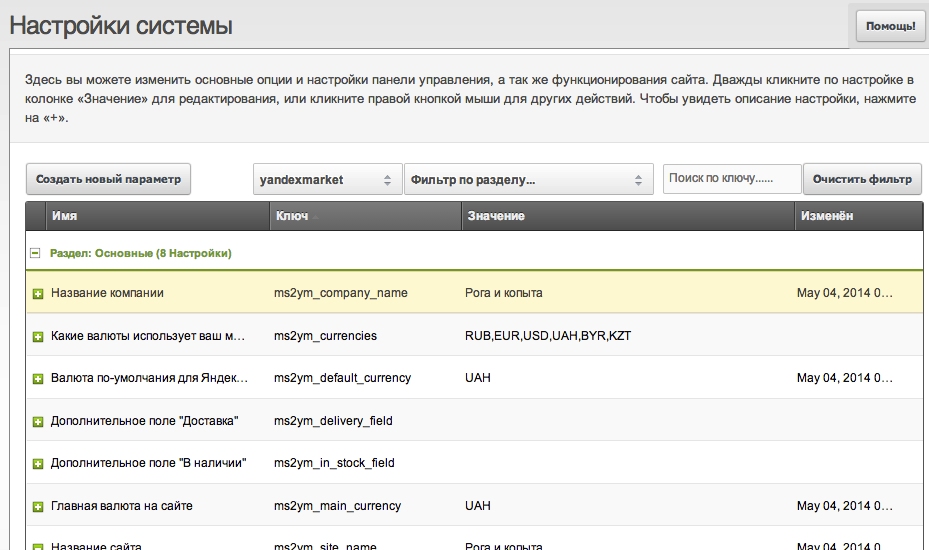
Available settings:
All options can be combined; format is the same for main fields and TV. The only tag always in the offer section is url — it's built into the class. Other fields can be added/removed, so the component works with any e-commerce modules or without them. Synthetic field vendor stores the vendor name (if minishop2 is installed).
Full use with other e-commerce modules is supported. Category selection for export in the admin tree is currently supported only for minishop2. For other setups, export covers all categories per the template filter.
price=>price;pagetitle=>name
Result:
<price>0.00</price>
<name>test 2222</name>
param fields
price=>param.Price;pagetitle=>name
Result: param fields with custom attributes
weight=>param.Weight:unit="kg":type="Gross";pagetitle=>name
Result:
<param name="Weight" unit="kg" type="Gross">5.00</param>
<name>test 2222</name>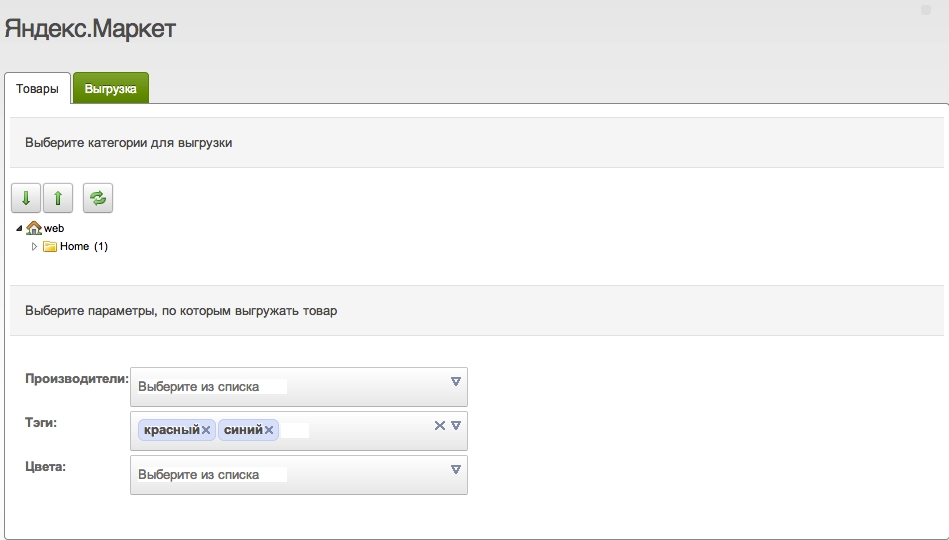
Select any product categories to export. Check the categories (child categories are checked automatically). If none selected, all categories are included.
Filter the selection with the parameters above. By default products are not filtered.
The second tab Export is used for export.
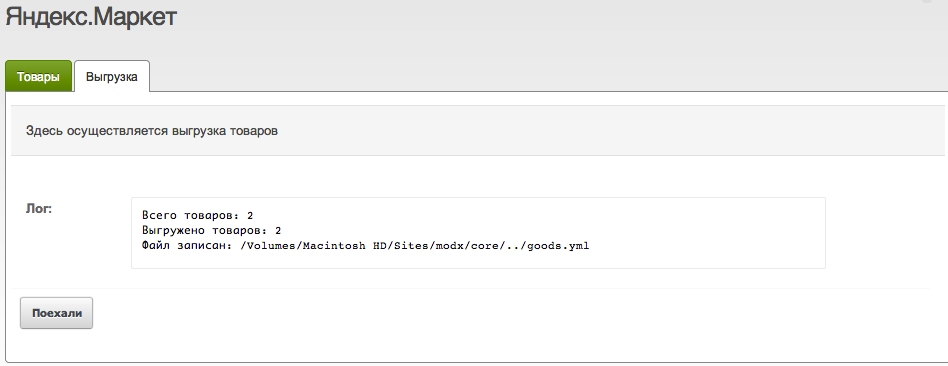
On this tab you can view the export log:
<?xml version="1.0" encoding="utf-8"?>
<!DOCTYPE yml_catalog SYSTEM "shops.dtd">
<yml_catalog date="2014-05-04 21:38">
  <shop>
    <name>Company Name</name>
    <company>Company Name</company>
    <url>http://modx/</url>
    <currencies>
      <currency id="RUB" rate="CBRF" />
      <currency id="EUR" rate="CBRF" />
      <currency id="USD" rate="CBRF" />
      <currency id="UAH" rate="1" />
      <currency id="BYR" rate="CBRF" />
      <currency id="KZT" rate="CBRF" />
    </currencies>
    <categories>
      <category id="2">Clothing</category>
      <category id="4">Footwear</category>
      <category id="8" parentId="2">T-shirts</category>
      <category id="9" parentId="2">Shirts</category>
      <category id="10" parentId="2">Jackets</category>
      <category id="11" parentId="2">Coats</category>
      <category id="12" parentId="4">Sneakers</category>
      <category id="13" parentId="4">Shoes</category>
      <category id="14" parentId="4">Sandals</category>
      <category id="15">Underwear</category>
    </categories>
    <offers>
      <offer id="5" available="true">
        <url>http://modx/index.php?id=5</url>
        <price>0.00</price>
        <currencyId>UAH</currencyId>
        <categoryId>4</categoryId>
        <picture>http://modx/</picture>
        <delivery>true</delivery>
        <name>Swimming goggles</name>
        <description></description>
      </offer>
      <offer id="3" available="true">
        <url>http://modx/index.php?id=3</url>
        <price>200.00</price>
        <currencyId>UAH</currencyId>
        <categoryId>2</categoryId>
        <picture>http://modx/</picture>
        <delivery>true</delivery>
        <name>test 2222</name>
        <description></description>
      </offer>
    </offers>
  </shop>
</yml_catalog>