



ABTest
Description
The ABTest package helps test marketing hypotheses by showing visitors one of several configured template variants at random. You can use external tools (not included) to track goals per variant and then decide which template performs best.
Setup
After installation, a new menu item Packages / ABTest appears in the Manager.
Go to the interface:
Creating a group and template links
Example: test light vs dark theme and see which gets more "Contact" clicks. You have 2 versions (light and dark) of the home page, contacts page, and about page. In the component that is one group with 3 links; each link has 2 templates (light and dark).
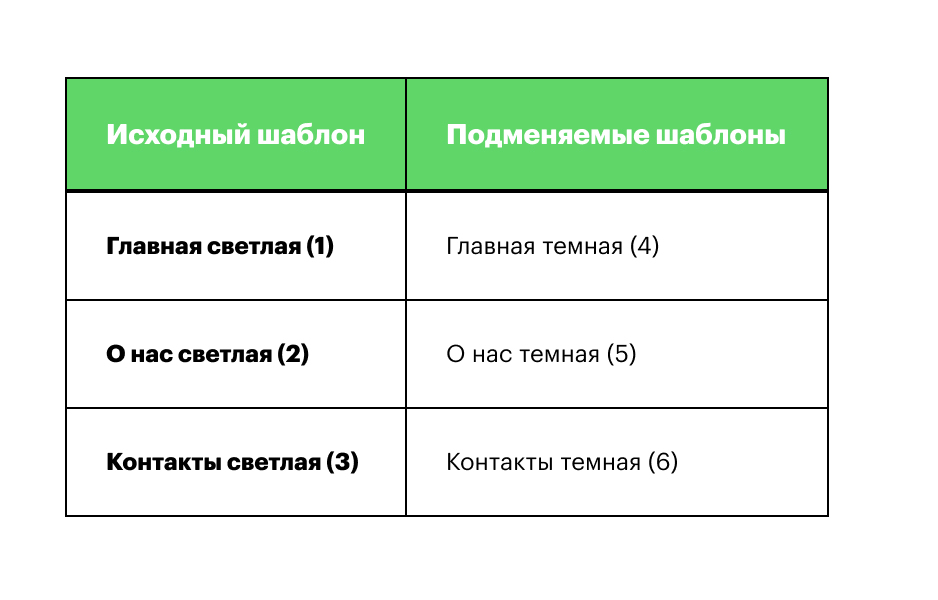
- Create group "Testing dark and light theme". Check "Active" and save.
- Inside the group create:
- First link for the home page. Base template: the one currently used by the resource (e.g. "Home (1)"). Substitute templates: array of IDs or single ID, e.g. [4]. Check "Active" and save.
- Second link for the "About" page. Base: "About (2)", substitutes: [5]. Check "Active" and save.
- Third link for "Contacts". Base: "Contacts (3)", substitutes: [6]. Check "Active" and save.
- In your light templates, when the user clicks "Contact" you send goal "feedback-light"; in dark templates send "feedback-dark" (you configure this in your template code).
Setup is done.
When a visitor hits a page whose template is in the group, they are assigned one of the substitute templates at random. That assignment is stored:
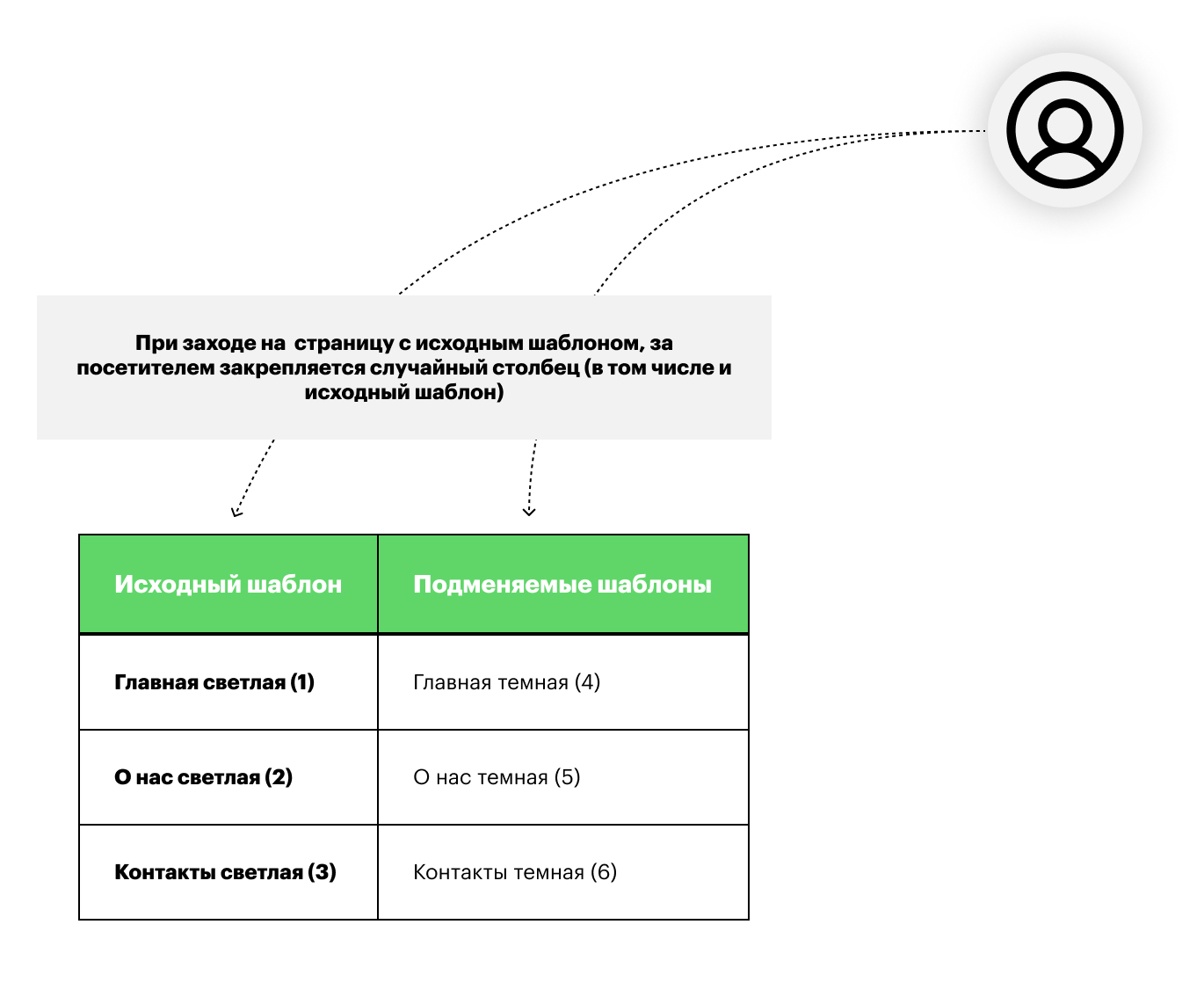
Example: if the user lands on a page with template 2, they get either template 2 or 5 with equal probability. Say they get 5 — they are assigned index 2 in that pair. From then on, for any page in this group they always see the template at index 2 in each link — i.e. they always see the dark version and generate "feedback-dark" goals.
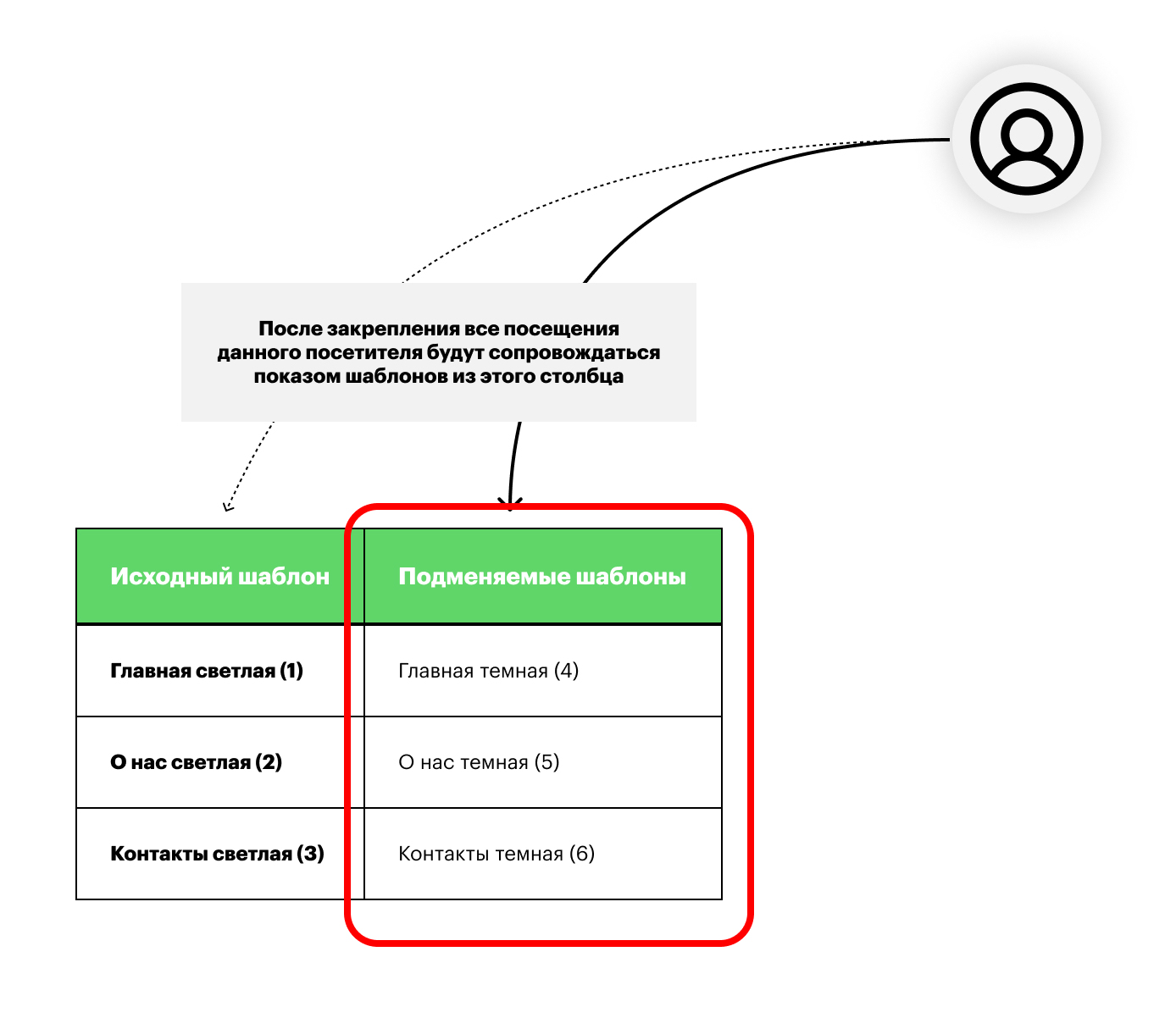
If they were assigned the light version, they always see light pages and generate "feedback-light" goals.