


miniShop2
Flexible and fast e-commerce component for MODX Revolution

A miniShop2 product extends the standard MODX resource class. It has its own manager interface and an extended set of properties.
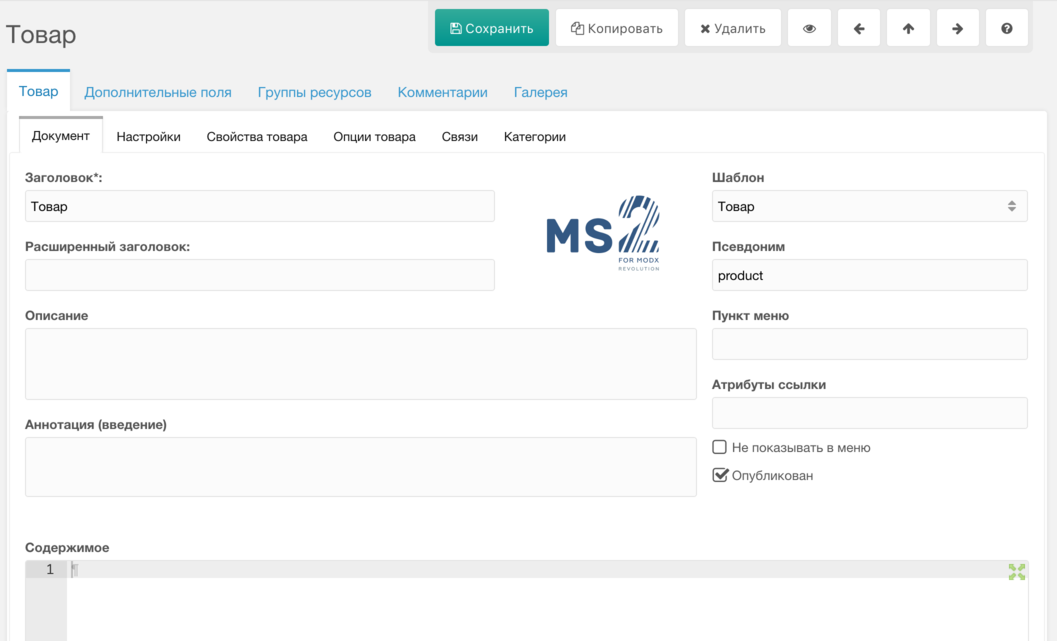
When creating a product you can only save or cancel.
When editing, buttons are added for view on site, duplicate, and navigate to previous/next product (if any).
The product inherits and extends the standard MODX resource panel. Because it has many properties, they are grouped in separate tabs.
First come standard resource properties:

Then resource settings:
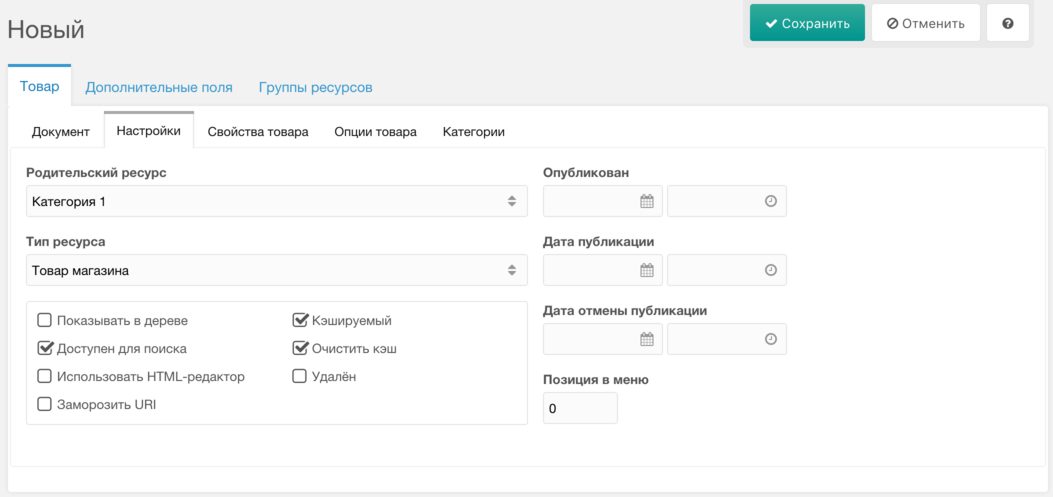
Note: the "Container" checkbox is replaced by "Show in menu". Products cannot be containers; use categories for that. Products are hidden from the menu by default for faster tree loading; you can show specific ones with this toggle.
This toggle’s default for new products is set by ms2_product_show_in_tree_default.
A dedicated tab with extra product fields: price, SKU, weight, vendor, etc. Product properties are required and shared by all products.
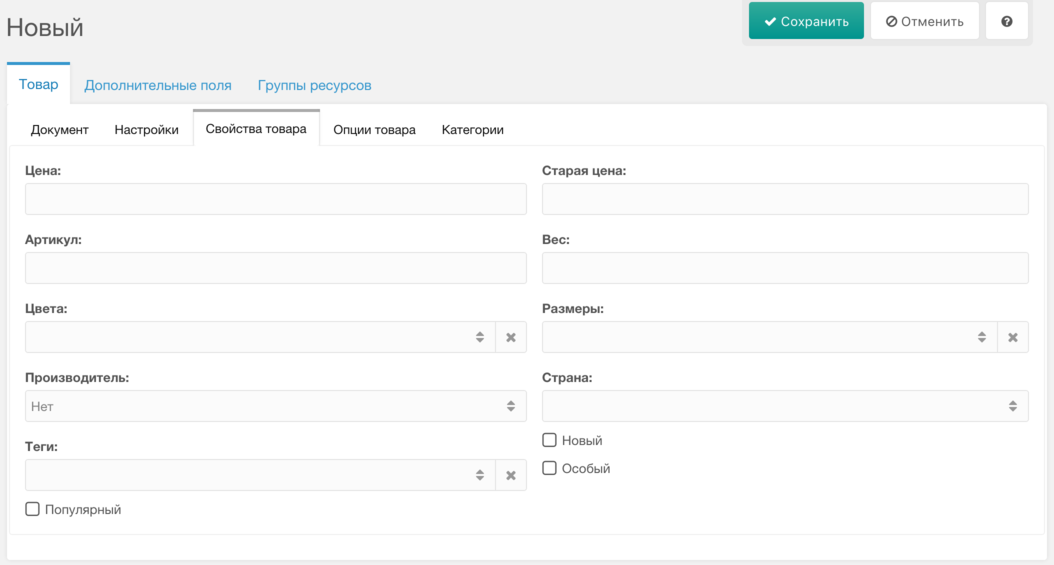
Fields and order are set in ms2_product_extra_fields. Default fields:
Available properties can only be changed via product plugins. The tab can be hidden with ms2_product_tab_extra.
Unlimited list of options inherited from the category; values can differ per product.
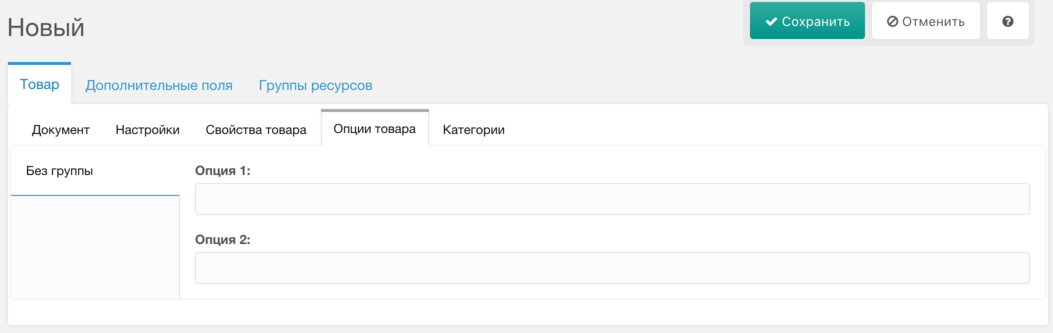
Options are created in store settings and assigned in category settings. If the category has no options, this tab is hidden. You can force-hide it with ms2_product_tab_options.
See settings for more on product options.
This tab appears only when editing a product (needs product id).
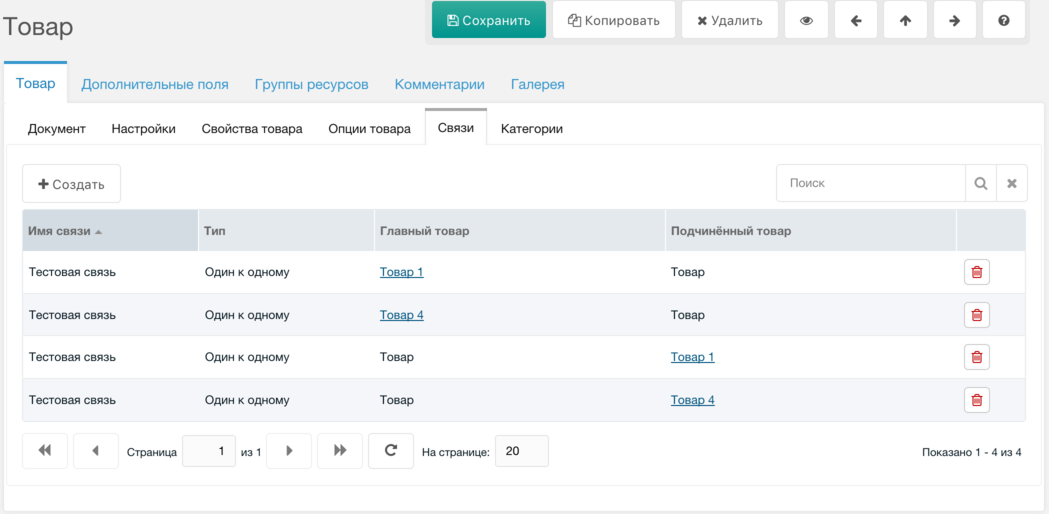
Link types are defined in store settings. Tab can be disabled with ms2_product_tab_links.
A product can belong to several categories. It must have one main category (parent) and can have extra ones on this tab.
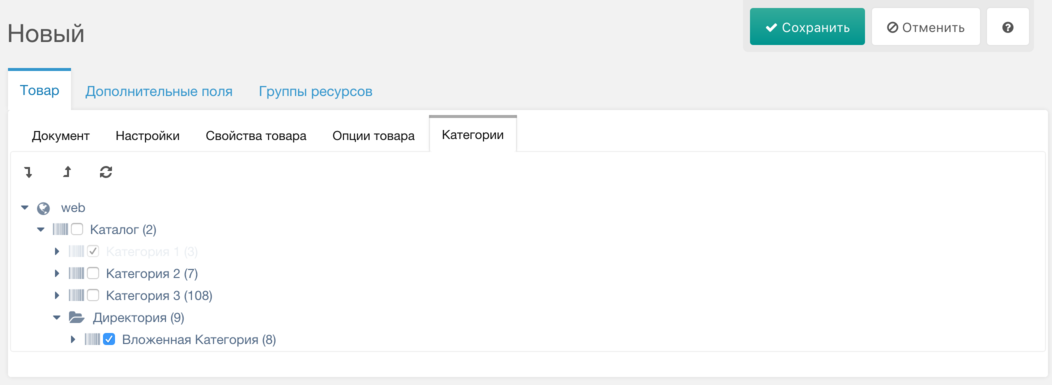
Save the product after changing categories. The main category from the tree cannot be removed.
This tab is shown only if Tickets is installed and ms2_product_show_comments is on.
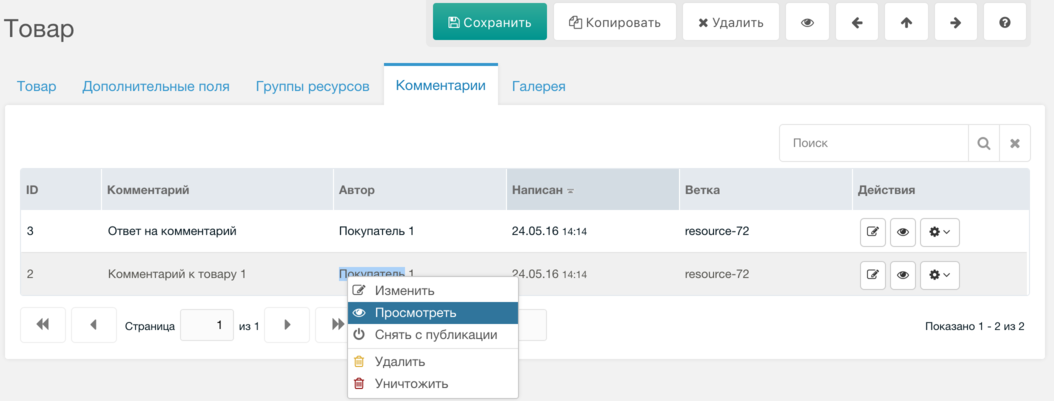
To allow comments on product pages, call snippet TicketComments there.
When duplicating a product, the following are copied:
Gallery files are not copied because that can be slow (e.g. with remote sources like Amazon S3) and may hit timeouts.