



Product catalog
The catalog is the main store page that displays a list of products from a category.
For SPA or a mobile client without msProducts use the public Web API: GET /api/v1/product/list, GET /api/v1/category/list / tree, GET /api/v1/product/filters. The catalog response goes through ProductCatalogService with a field allowlist. See Web API: catalog.
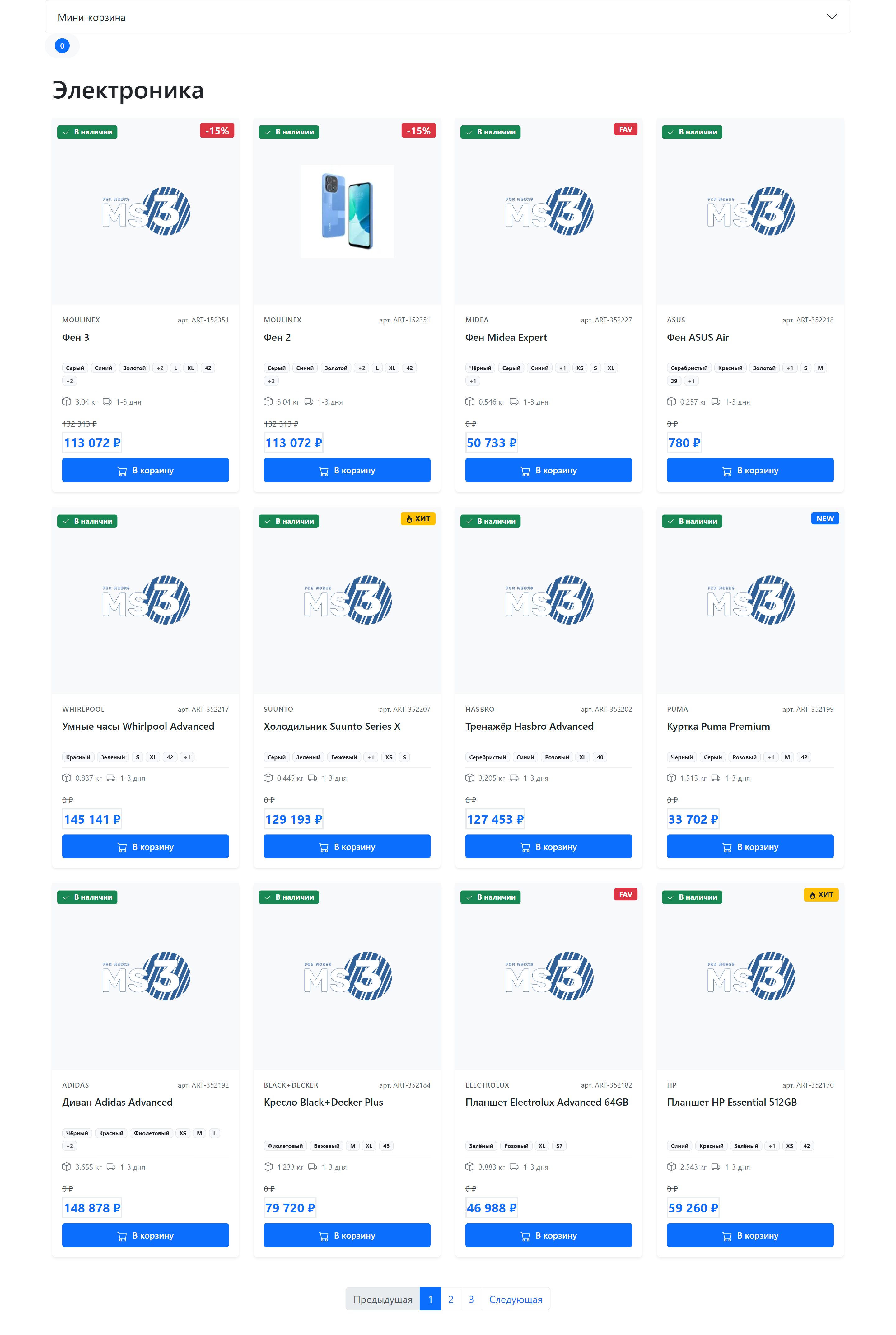
Catalog structure
| Component | File | Purpose |
|---|---|---|
| Category template | elements/templates/catalog.tpl | Page layout, msProducts snippet call |
| Product card chunk | elements/chunks/ms3_products_row.tpl | Appearance of a single product in the grid |
Category template
Path: core/components/minishop3/elements/templates/catalog.tpl
The template extends the base template (base.tpl) and contains:
fenom
{extends 'file:templates/base.tpl'}
{block 'pagecontent'}
    <div class="container py-4">
        <main>
            {* Category title *}
            <div class="page-header mb-4">
                <h1>{$_modx->resource.pagetitle}</h1>
                {if $_modx->resource.introtext}
                    <p class="lead text-muted">{$_modx->resource.introtext}</p>
                {/if}
            </div>

            {* Bootstrap Grid product list *}
            <div class="row">
                {* msProducts snippet call *}
                {'!msProducts'|snippet:[
                    'tpl' => 'tpl.msProducts.row',
                    'includeThumbs' => 'small,medium',
                    'includeVendorFields' => 'name,logo',
                    'formatPrices' => 1,
                    'withCurrency' => 1,
                    'limit' => 12,
                    'showLog' => 0,
                    'sortby' => 'menuindex',
                    'sortdir' => 'ASC',
                    'includeTVs' => '',
                    'showZeroPrice' => 0,
                ]}
            </div>
        </main>
    </div>
{/block}
Further down the file there is a commented-out pagination markup sample — the working pdoPage variant is described at the end of this page.
Key call parameters
| Parameter | Value | Purpose |
|---|---|---|
tpl | tpl.msProducts.row | Product card chunk |
includeThumbs | small,medium | Load image thumbnails |
includeVendorFields | name,logo | Include vendor data |
withCurrency | 1 | Add the currency symbol to {$price_formatted} and {$old_price_formatted} |
showZeroPrice | 0 | Hide products with no price |
msProducts has no formatPrices parameter (it belongs to msOrderTotal). The demo catalog.tpl still passes it, and the snippet silently ignores it (issue #818).
The stock card chunk prints the raw {$price}. For a formatted price use {$price_formatted} together with withCurrency. The {$weight_formatted} field is always filled and does not depend on withCurrency.
More on parameters
See the full parameter list in the msProducts snippet documentation.
Product card
Path: core/components/minishop3/elements/chunks/ms3_products_row.tpl
Chunk name in DB: tpl.msProducts.row
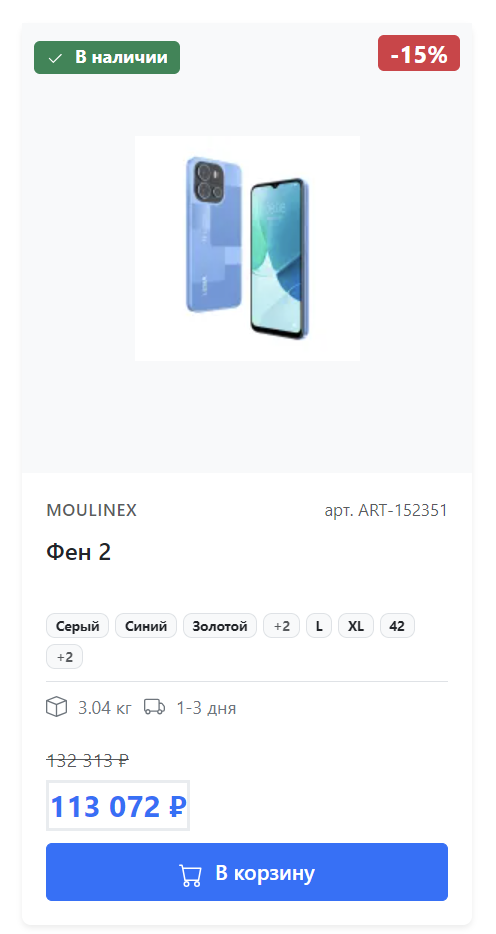
The card is built on Bootstrap 5.
Card elements
- Image that scales smoothly on hover (
transform: scale(1.05)), with thems3_small.pngplaceholder when there is no thumbnail - Status badges: in stock, discount, NEW, POPULAR, favorite
- Product info: vendor, SKU, name
- Product options: color, size (first 3 + count of others)
- Price: old and current, as the raw
{$old_price}and{$price}values - Weight and delivery time:
{$weight}kg whenweight > 0, plus a hardcoded "1-3 days" caption - Cart buttons: two forms with state switching
There is no separate "Quick view" overlay in the chunk: the .product-overlay rules are still in default.css, but the element itself is gone from the markup.
Badges and labels
| Badge | Condition in the chunk | Position |
|---|---|---|
| In stock / On order | {$weight > 0} | Top left |
| Discount (-XX%) | {$discount > 0} | Top right |
| NEW | {$new} | Top right |
| POPULAR | {$popular} | Top right |
| FAV | {$favorite} | Top right |
Availability based on weight
In the stock chunk the availability badge looks at weight, not at the stock value. itemprop="availability" is always InStock. See issue #813.
The {$discount} percentage is calculated by the msProducts loop when old_price > price.
Cart button states
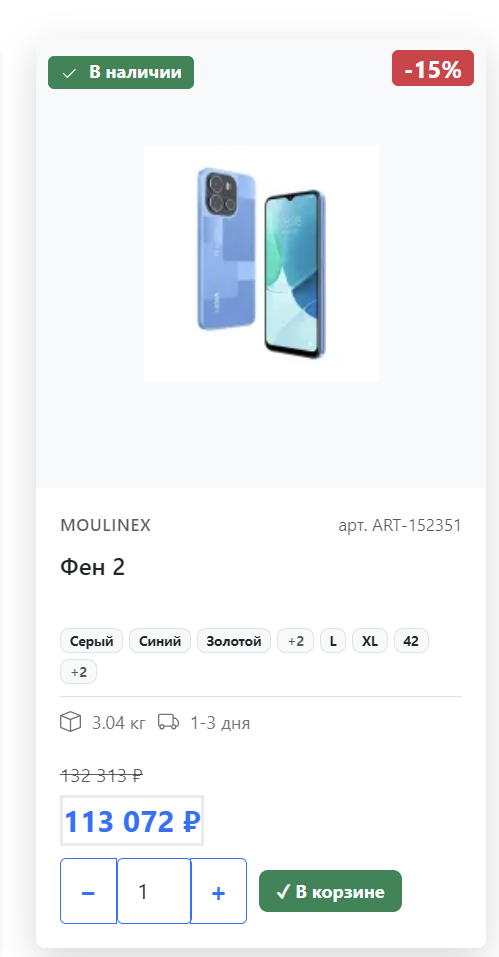
The card contains two forms:
"Add" state — product not in cart:
html
<form method="post" class="ms3_form ms3-add-to-cart" data-cart-state="add" data-ms3-form>
    <input type="hidden" name="id" value="{$id}">
    <input type="hidden" name="count" value="1">
    <input type="hidden" name="ms3_action" value="cart/add">
    <button type="submit">Add to cart</button>
</form>
"In cart" state — product already added:
html
<form method="post" class="ms3_form ms3-cart-controls" data-cart-state="change" data-ms3-form>
    <input type="hidden" name="product_key" value="">
    <input type="hidden" name="ms3_action" value="cart/change">
    <button class="dec-qty" data-ms3-qty="dec">−</button>
    <input name="count" value="1" data-ms3-qty="input">
    <button class="inc-qty" data-ms3-qty="inc">+</button>
    <span>✓ In cart</span>
</form>
Both forms are present in the markup at the same time, and the ProductCardUI JavaScript module controls which one is visible through the data-cart-state attribute. Switching fires on the ms3:cart:updated event. The action comes from the hidden ms3_action field: cart/add and cart/change. The script fills the product_key field once the product is in the cart.
Schema.org microdata
The card includes markup for search engines:
html
<div class="card ..." itemtype="http://schema.org/Product" itemscope>
    <meta itemprop="description" content="{$description ?: $pagetitle}">
    <meta itemprop="name" content="{$pagetitle}">

    {if $thumb?}
        <img itemprop="image" src="{$thumb}" alt="{$pagetitle}">
    {/if}

    <div class="card-body ..." itemtype="http://schema.org/Offer" itemprop="offers" itemscope>
        <meta itemprop="price" content="{$price}">
        <meta itemprop="priceCurrency" content="RUB">
        <link itemprop="availability" href="http://schema.org/InStock"/>
        <link itemprop="url" href="{$id | url : ['scheme' => 'full']}"/>
    </div>
</div>
In the stock markup description falls back to pagetitle when the description is empty, and itemprop="image" is only emitted when a thumbnail exists: a product showing the placeholder contributes no image to the microdata. The priceCurrency value is hardcoded as RUB.
Responsive grid
Cards use Bootstrap Grid with responsive classes:
html
<div class="col-12 col-sm-6 col-md-4 col-lg-3">| Screen | Products per row |
|---|---|
| < 576px (mobile) | 1 |
| ≥ 576px (sm) | 2 |
| ≥ 768px (md) | 3 |
| ≥ 992px (lg) | 4 |
Customization
Changing the category template
- Copy
catalog.tplto your theme - Adjust msProducts call parameters
- Assign the template to categories in the Manager
Changing the product card
- Create your own chunk, e.g.
tpl.myProducts.row - Specify it in the call:
'tpl' => 'tpl.myProducts.row'
Adding filters
To filter products, use the mFilter2 component or add where and optionFilters parameters:
fenom
{'!msProducts' | snippet : [
    'tpl' => 'tpl.msProducts.row',
    'where' => ['Data.vendor_id' => 5],
    'optionFilters' => ['color' => 'red']
]}
Pagination
For paged navigation, wrap the call in pdoPage:
fenom
{'!pdoPage' | snippet : [
    'element' => 'msProducts',
    'tpl' => 'tpl.msProducts.row',
    'limit' => 12
]}

<nav class="mt-4">
    {'page.nav' | placeholder}
</nav>