



mSocialFB
The module implements posting to Facebook social network based on the mSocial extension.
Install mSocialFB (mSocial installs automatically if not present).
Register on Facebook and log in.
App Manager is here, go there.
Create an application (enter name, select category).

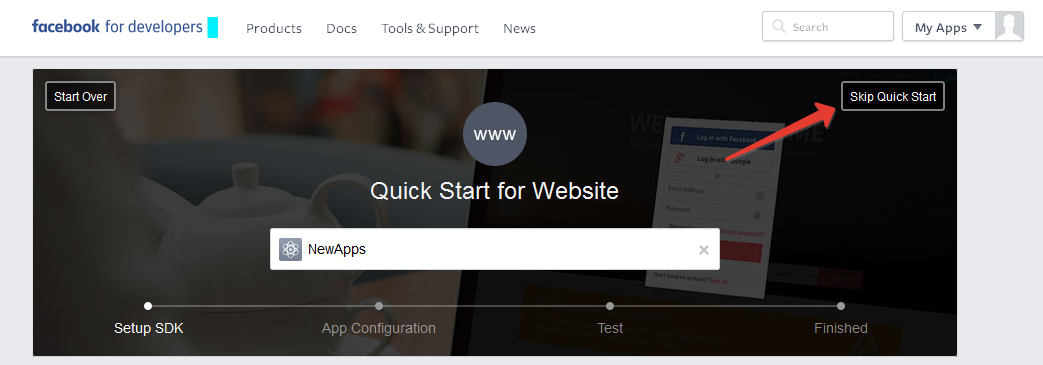
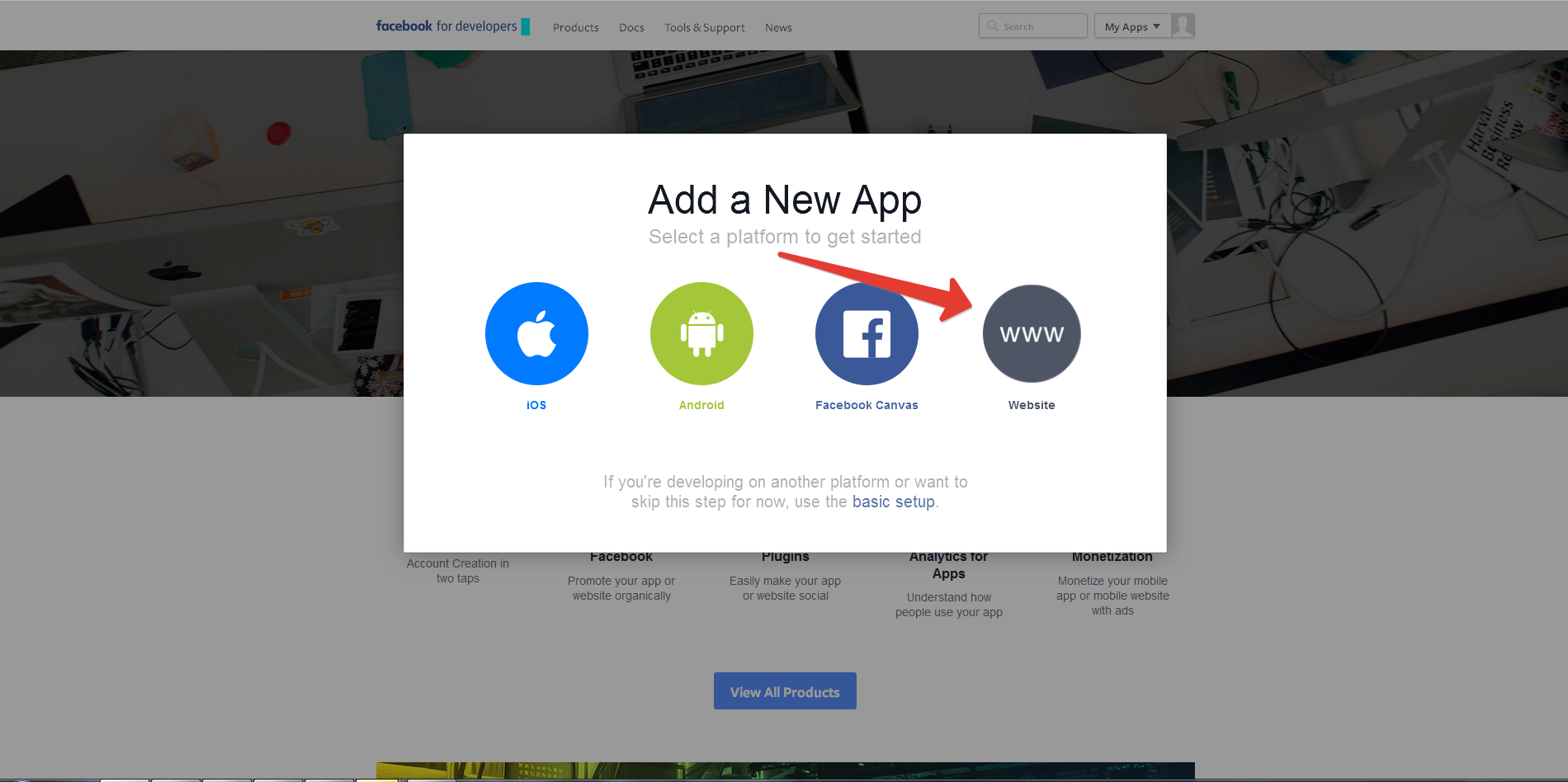
Skip the quick start.
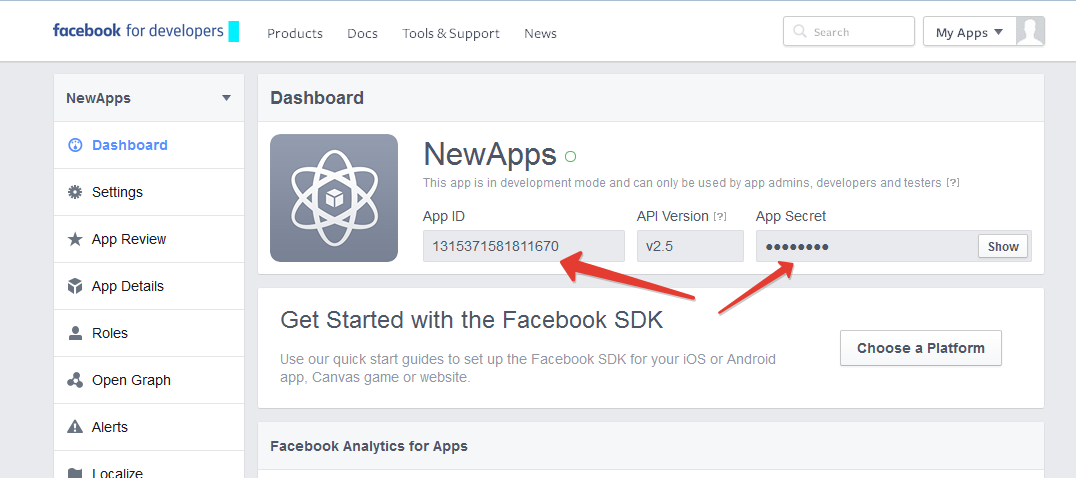
Copy App ID and App Secret.
Go to Graph API Explorer where we can create a token.
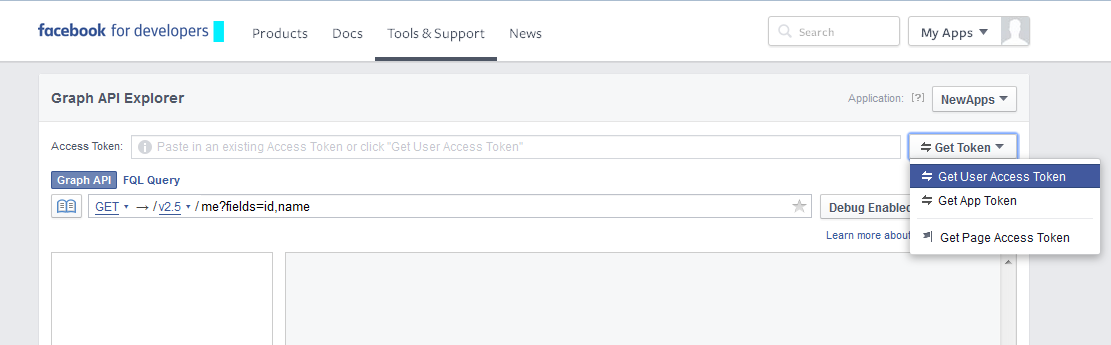
Select our app and click Get User Access Token.
Select the required permissions and confirm them.
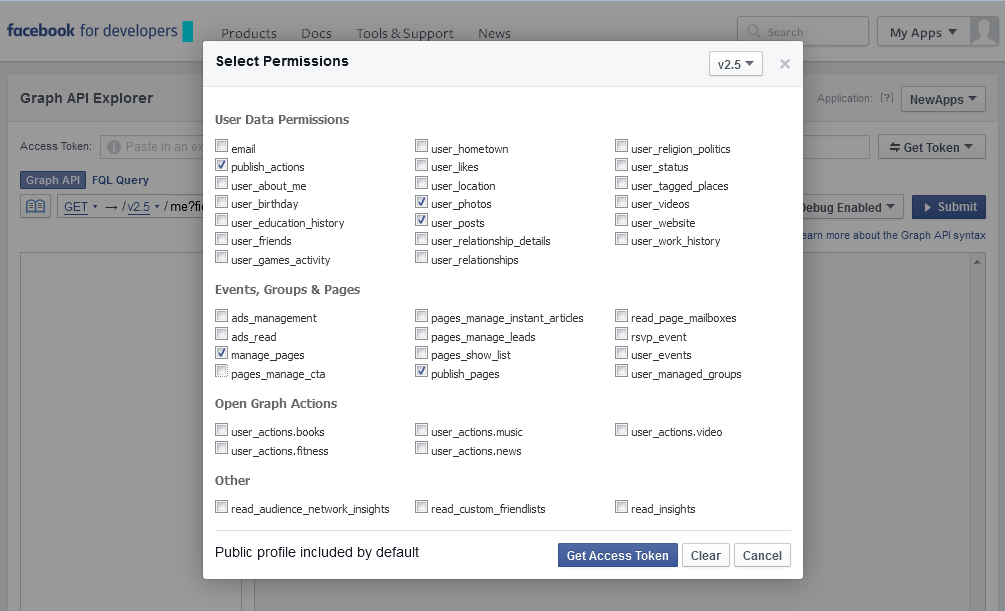
Copy the received token.
Replace the fields in the URL with ours:
https://graph.facebook.com/oauth/access_token?client_id={App ID}&client_secret={App Secret}&grant_type=fb_exchange_token&%20fb_exchange_token={token}and open the resulting link in any browser.Copy the resulting token (note: at the end of the string there is
&expires=5183999, do not copy it).Great, we have the token (in the future I will add a feature for dynamic token retrieval, but for now it has to be done manually).
For posting we need the page id where we will post; with groups and pages it's simple — the id is in the URL. However, with a user page it's not that simple. The id that appears in the search bar is not the one we need. To get it we need the same Graph API Explorer. Go there. Select GET method and enter
mein the field. Execute. We get our id, which will be the user page identifier.
System settings
| Name | Default | Description |
|---|---|---|
| msocial_fb_at | Access Token for Facebook. | |
| msocial_fb_id | Profile, group, or page id. | |
| msocial_fb_tp | tpl.msocial.fb | Chunk template for posting to Facebook. |
| msocial_fb_lk | 0 | Whether to include resource link. |
Module contents
TVs
- fbPost — TV for tracking posting to Facebook.
Chunks
- tpl.msocial.fb — template for posting to Facebook.
Информация
In the chunk you can use all document fields as well as TV fields
Attached image info for Facebook
For images to load correctly they must be present in the message body as
html
<img src="path to image"/>For example you can insert images into the content field body using TinyMCE editor. The image path should be in the form files/mSocial.jpg.
Facebook supports the following formats: PNG, JPEG, WEBP and GIF.