



msBulkEditor
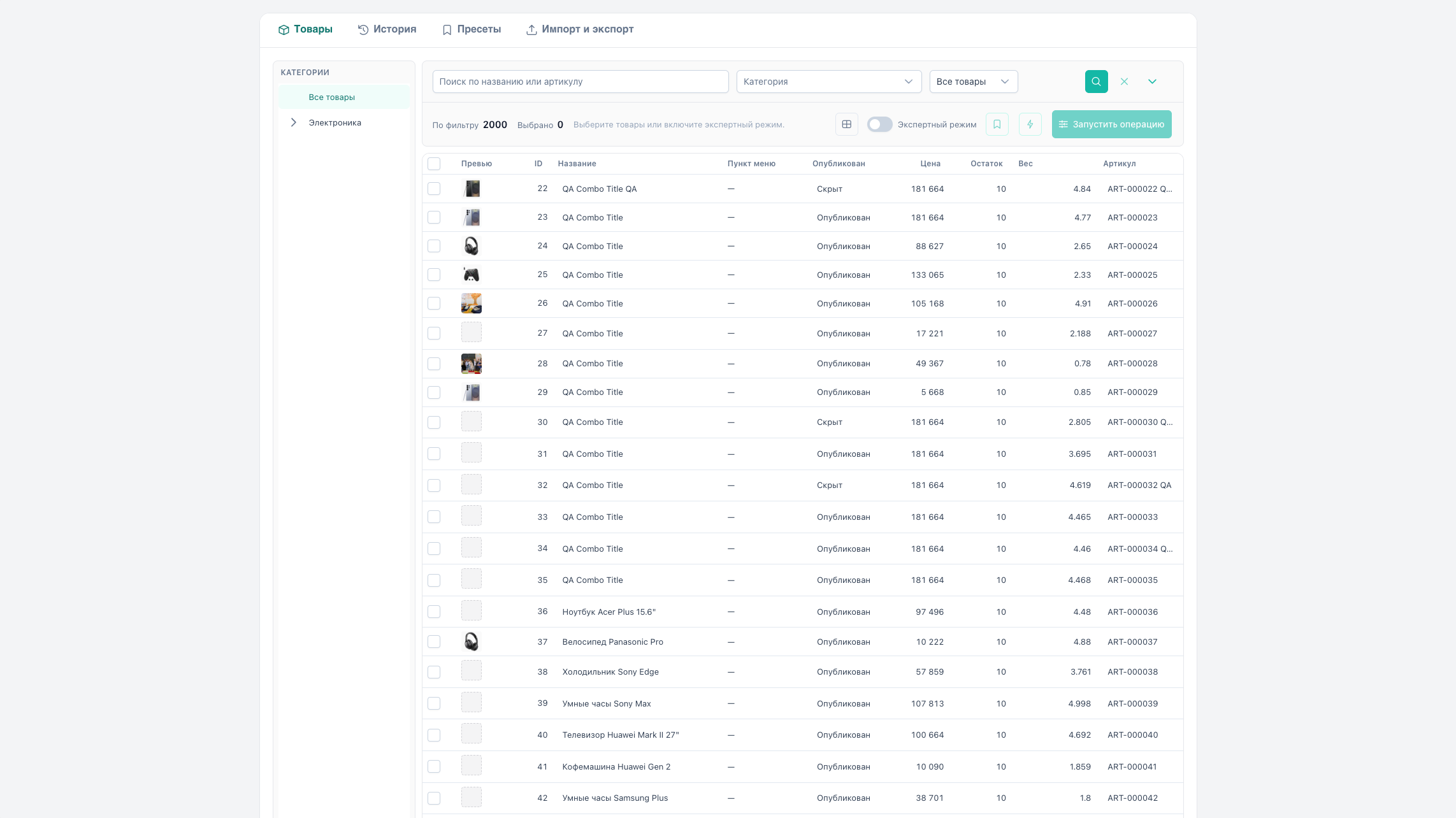
msBulkEditor is an extra for MODX Revolution 3 and MiniShop3: bulk product editing in the manager. Catalog filters, before/after preview, chunked apply, history with rollback, presets, CSV/XLSX.
Works with MiniShop3 products (msProduct). Regular MODX resources (non-products) are not edited here.
Start here: Quick start.
Minimal path
- Install MODX 3, MiniShop3, VueTools.
- Install msBulkEditor, clear the cache.
- Assign
msbulkeditor_viewandmsbulkeditor_editto manager policies. - Open Extras → msBulkEditor or
manager/?a=index&namespace=msbulkeditor. - Select products → Run operation → Preview → Apply.
Quick links
| Need | Document |
|---|---|
| Install and run the first operation | Quick start |
Feature list and fieldType | Features |
msbulkeditor_* keys and permissions | System settings |
| Step-by-step flows A–J | Flows |
| Grid, filters, expert mode | Products grid |
| Preview, apply, progress | Preview and apply |
| Rollback | History |
| CSV/XLSX | Import and export |
| Plugin events | MODX events |
| Troubleshooting | FAQ |
Features
- Products grid — category tree, filters, KPI, TV/option columns, expert mode
- 21 operation types — price, stock, TV, options, categories, SEO, boolean, dates, links, variants, utilities
- Quick actions — fixed toolbar items without choosing a type in Select
- Inline — cell edits through the same preview/apply pipeline
- Preview — summary and diff table, exclude rows before apply
- History — full and selective rollback
- Presets — saved JSON operations from the tab or toolbar
- Import / export — CSV and XLSX (OpenSpout)
More: Features.
Requirements
| Requirement | Version |
|---|---|
| MODX Revolution | 3.0+ |
| PHP | 8.2+ |
| MiniShop3 | 1.0+ |
VueTools (modxpro-vue-core) | 1.0+ |
Dependencies
- MiniShop3 —
msProduct, prices, stock, options - VueTools — Vue 3 SPA in the manager. Without it the UI will not load
Optional
- ms3Variants — variant column and
variantoperations - Scheduler — history cleanup
- OpenSpout (in package vendor) — XLSX read/write
Installation
- Connect ModStore if you install from the catalog.
- Extras → Installer → Download Extras — msBulkEditor → Download → Install.
- Ensure MiniShop3 and VueTools are installed.
- Assign manager permissions — see Settings.
- Manage → Clear Cache.
After install you get namespace msbulkeditor, manager menu, msbulkeditor_* permissions, tables msbe_*, and system settings in area msbulkeditor.
Terms
| Term | Meaning |
|---|---|
| fieldType | Bulk operation type (price, tv, option, …) |
| preview | Before/after calculation without writing to the DB |
| apply | Persist changes in chunks (msbulkeditor_chunk_size) |
| expert mode | Operate on all products matching the filter, not only checked rows |
| preset | Saved JSON fieldType + parameters |
| binding wizard | Dialog to bind TV/option to template or category when gaps exist |