Export
Settings
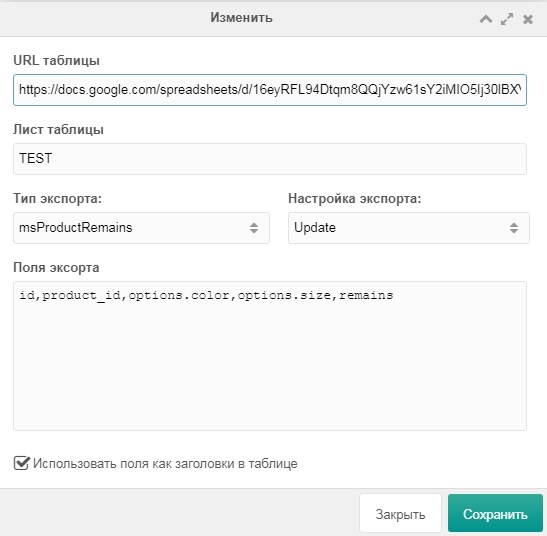
URL table
Google Sheet URL where data will be exported.
Sheet
Sheet name in the Google Sheet.
Export type
- modResource (resources)
- msCategory (minishop2 categories)
- msProduct (minishop2 products)
- msOrder (minishop2 orders)
- msVendor (minishop2 vendors)
- modUser (users)
- msClient (minishop2 customers)
- msOptionsPrice2 (minishop2 options)
- msProductRemains (minishop2 product stock)
Export settings
- Append (add new data to existing)
- Update (replace table data)
*Lists are comma-separated
System events
Before formatting: gsOnBeforeExportValues
After: gsOnExportValues
These events have 2 parameters:
- values – data to export
- range – sheet name where data will be exported
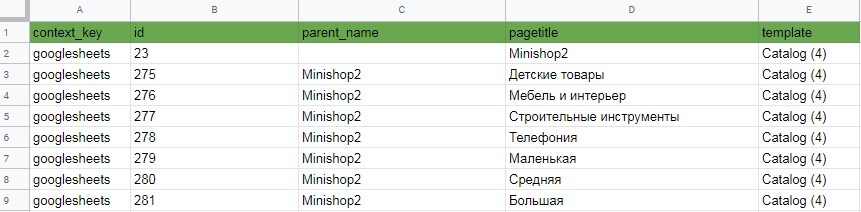
You can change data in these events. For example, we added a template field that outputs template id; we want it as Template name (id).
Implementation:
php
<?php
if ($modx->event->name == 'gsOnBeforeExportValues') {
  $modx->event->params['values'] = array_map(function ($value) use (&$modx) {
    if (!empty($value['template'])) {
      // Get the template we need
      if ($template = $modx->getObject('modTemplate', $value['template'])) {
        $value['template'] = $template->get('templatename') . ' (' . $value['template'] . ')';
      }
    }
    return $value;
  }, $values);
}
Result: