



Statuses
Create / Edit status
A status can be created for the class content, client, subscription
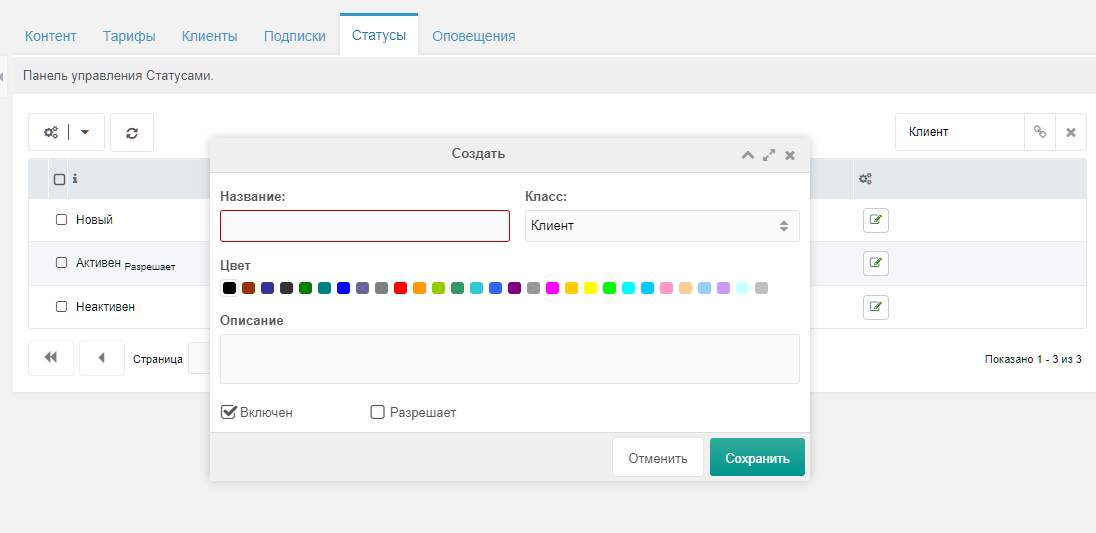
To create a status you must set a name and choose a class. Set the active and allowed flags. Default statuses:
new— set when creatingactive— indicates activeinactive— indicates inactive
You can add your own statuses to implement custom component logic. Entities that have an allowed status can access content; otherwise access is denied.
Changing status
You can change a status from the site manager or via a handler. Example of automatic status changes via cron is in core/components/payandsee/cron/:
{1.php}— selects subscriptions expiring in less than 3 days and sets their status to Expiring soon{2.php}— selects expired subscriptions and sets their status to inactive