



Resource
The Manager is available for a resource as a separate tab; it only appears when editing a resource, because it requires a resource ID that does not exist when the resource is first created. In the working_templates setting, specify the resource template IDs to use, comma-separated.
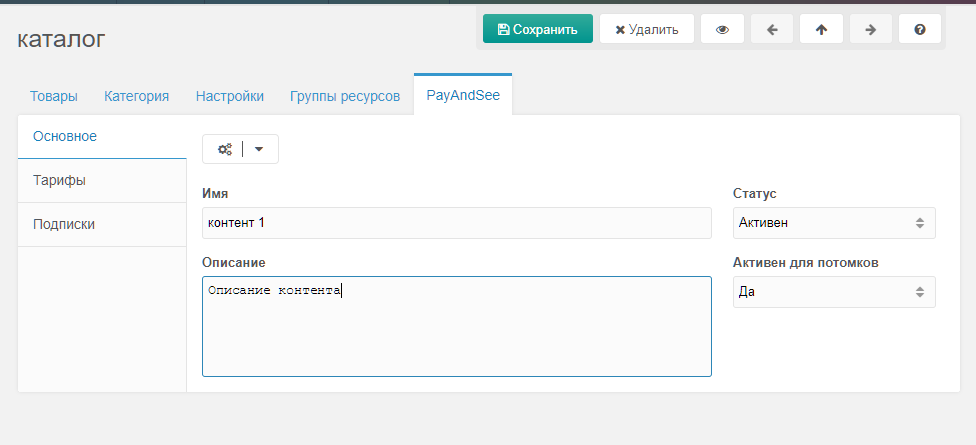
Main
Tab that lists the main content properties: name, description, status, etc. Actions: create/edit/delete content.
Note: the Active for children setting applies to resources inside this one.
Rates
Tab that lists content rates. Actions: create/edit/delete rate.
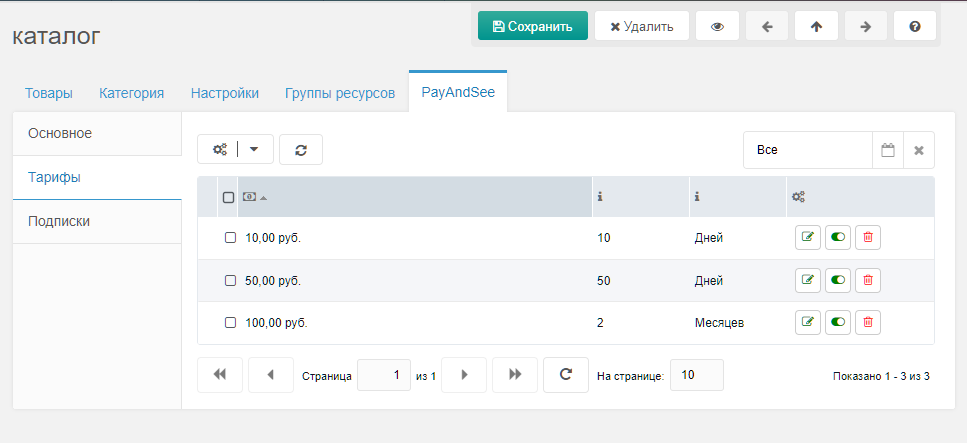
The set and order of fields on this tab is controlled by the system setting grid_rate_fields. Available by default:
cost— subscription cost, number with up to 2 decimal placesterm_value— subscription period value, integerterm_unit— subscription period unity / m / d / h / iy— yearm— monthd— dayh— houri— minute
Subscriptions
Tab that lists content subscriptions. Actions: create/edit/delete subscription.
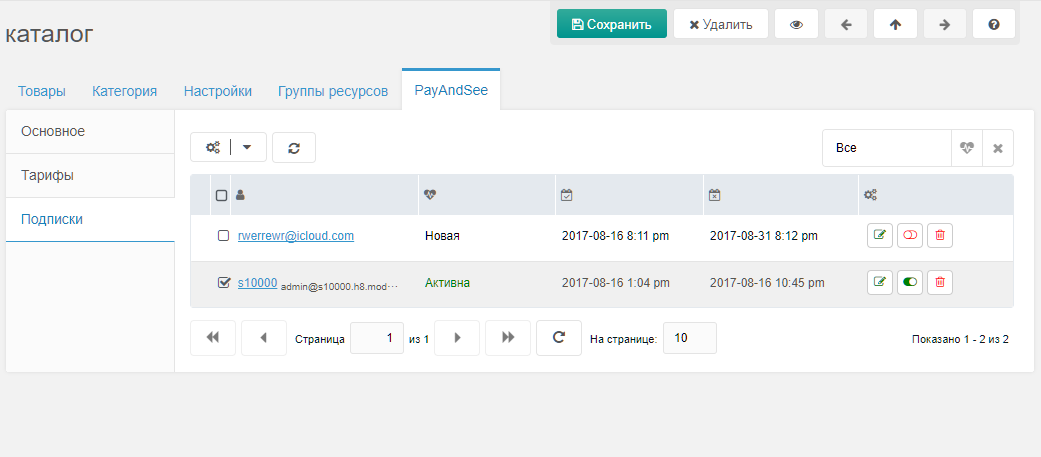
The set and order of fields on this tab is controlled by the system setting grid_subscription_fields.