


Usage cases
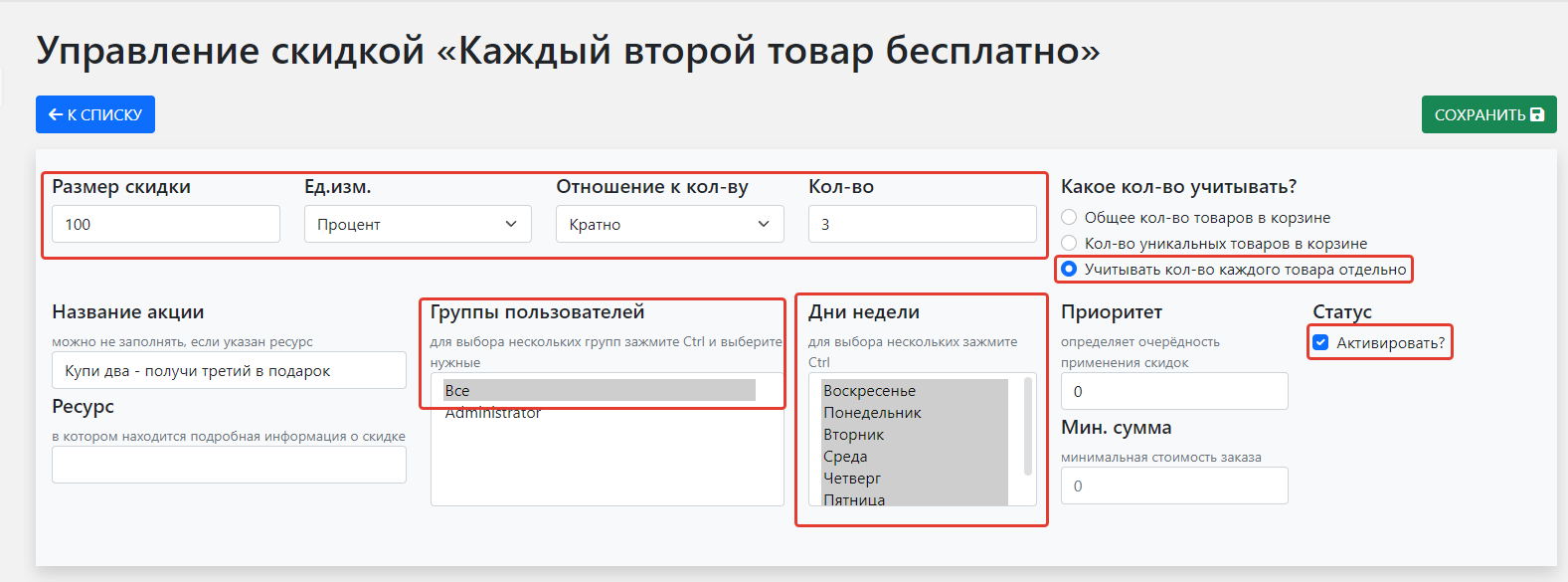
"Buy two — get third free" promotion
When ordering more than two of one product, the third is free; the customer must add it themselves.
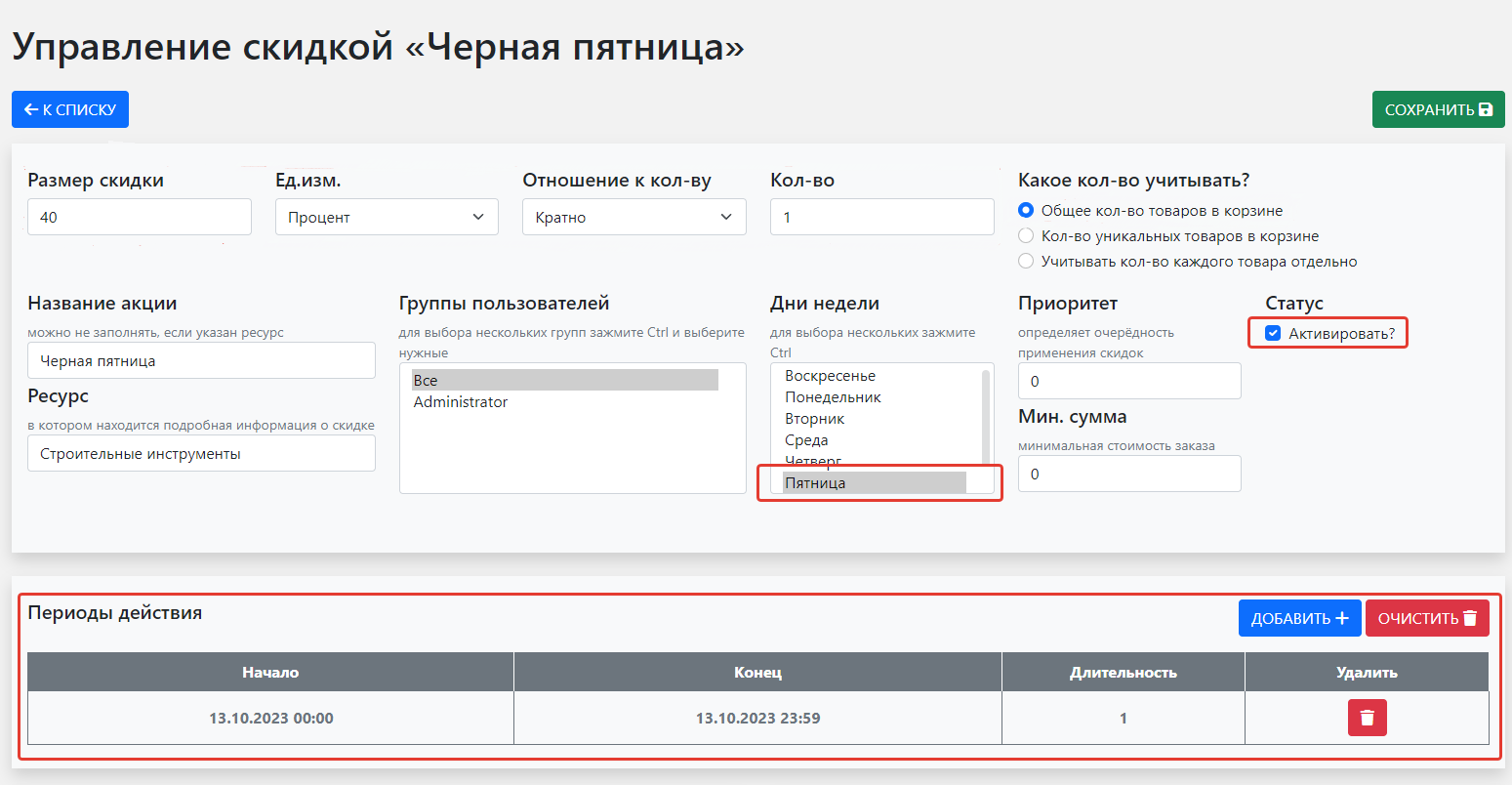
"Black Friday" promotion
Discount on all products for one day on a specific weekday.
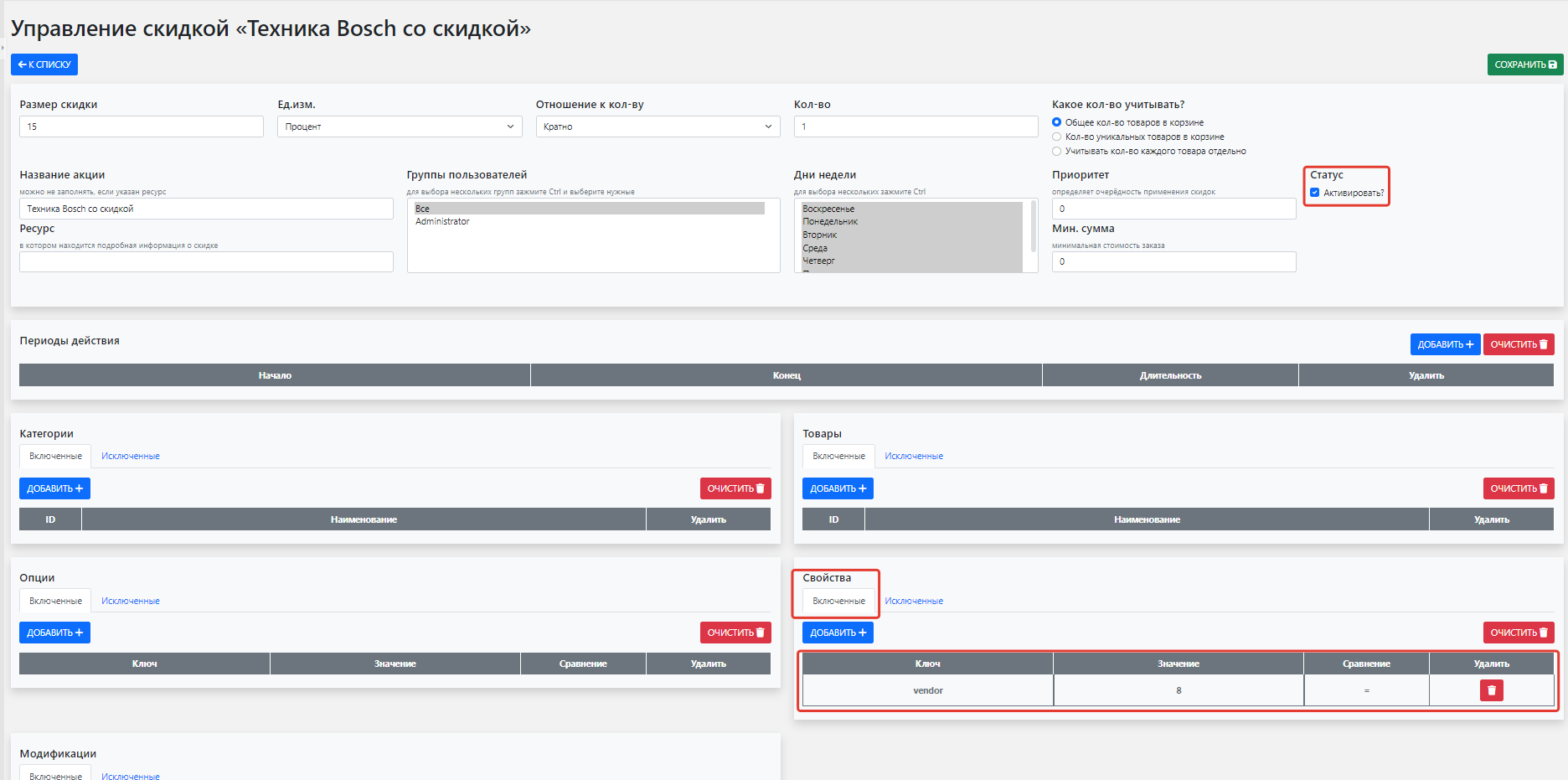
"Bosch appliances discount" promotion
Discount on all products from one vendor.
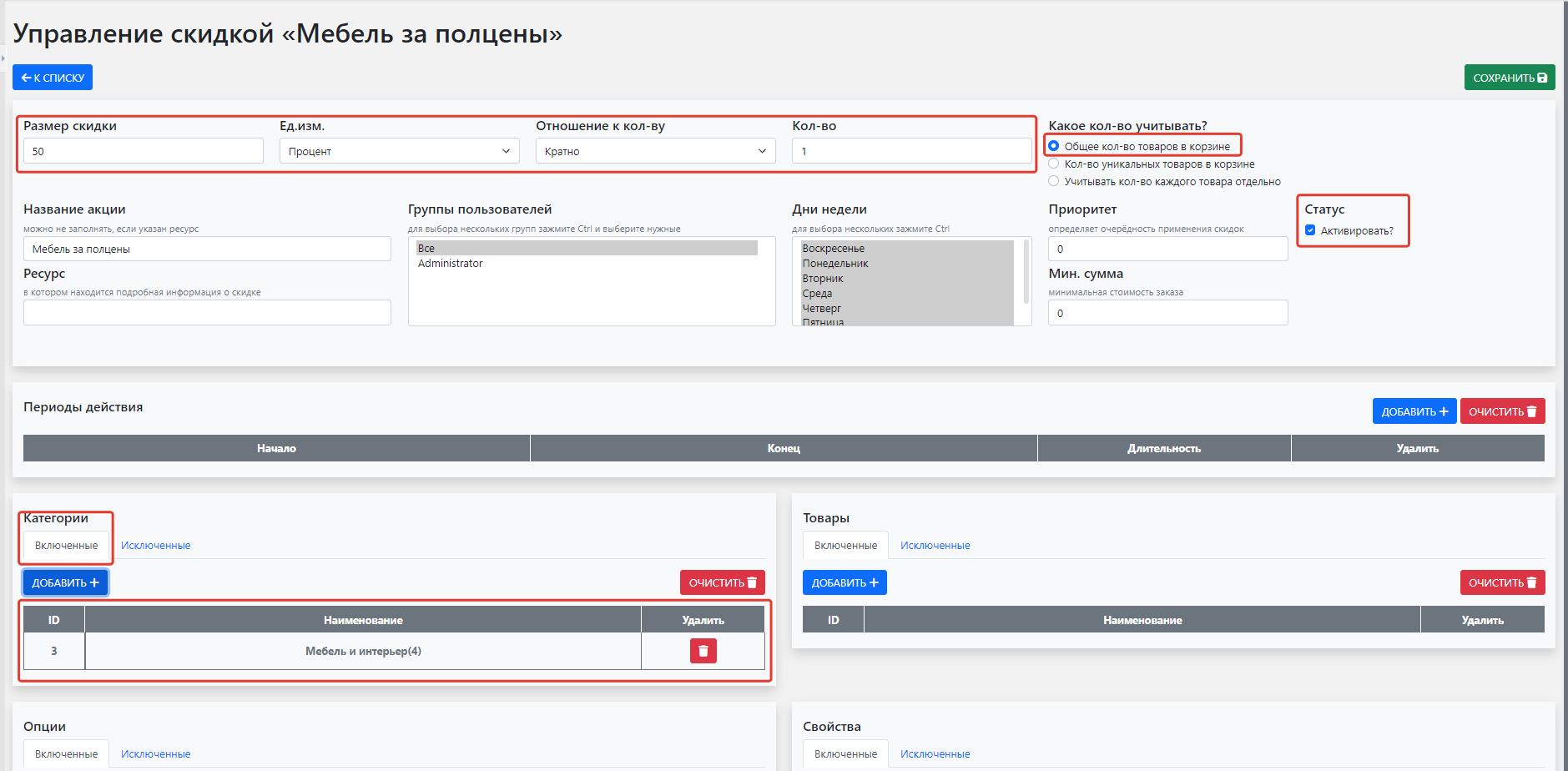
"Furniture at half price" promotion
Discount on a specific product category.
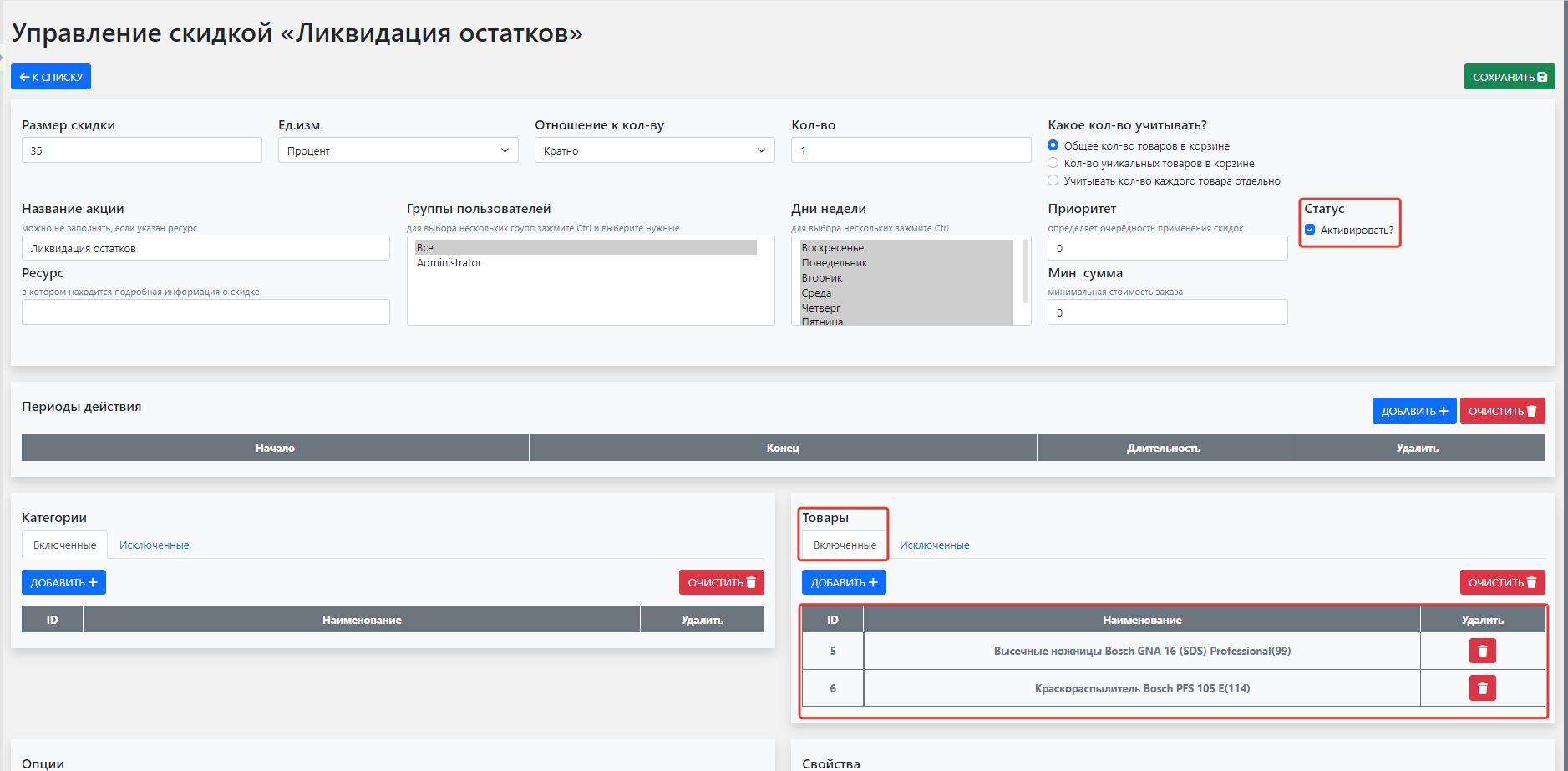
"Clearance" promotion
Discount on specific products.
"Register and save" promotion
Discount for registered and logged-in users only.

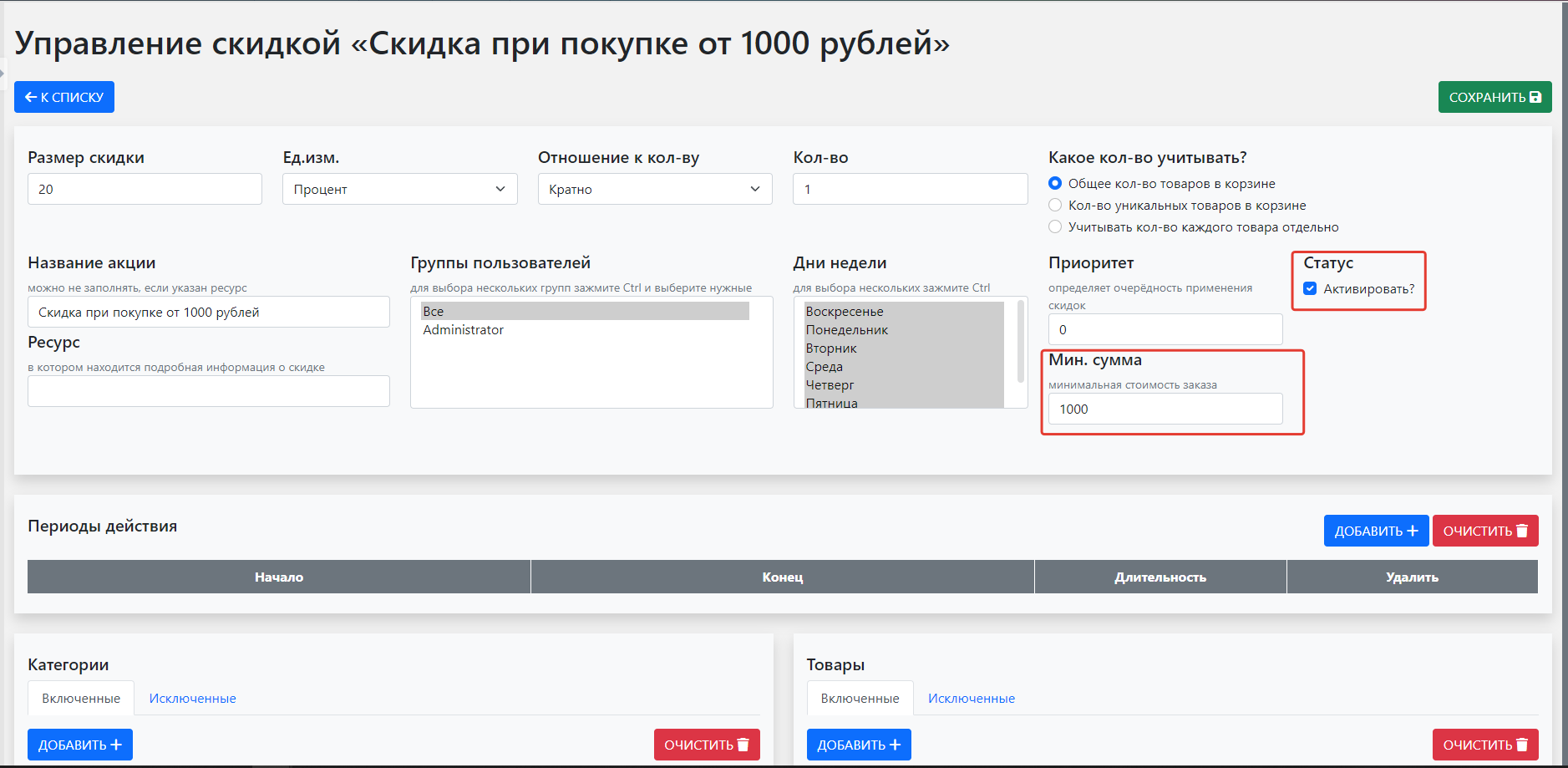
"Order over 1000" discount promotion
Discount with minimum order amount.
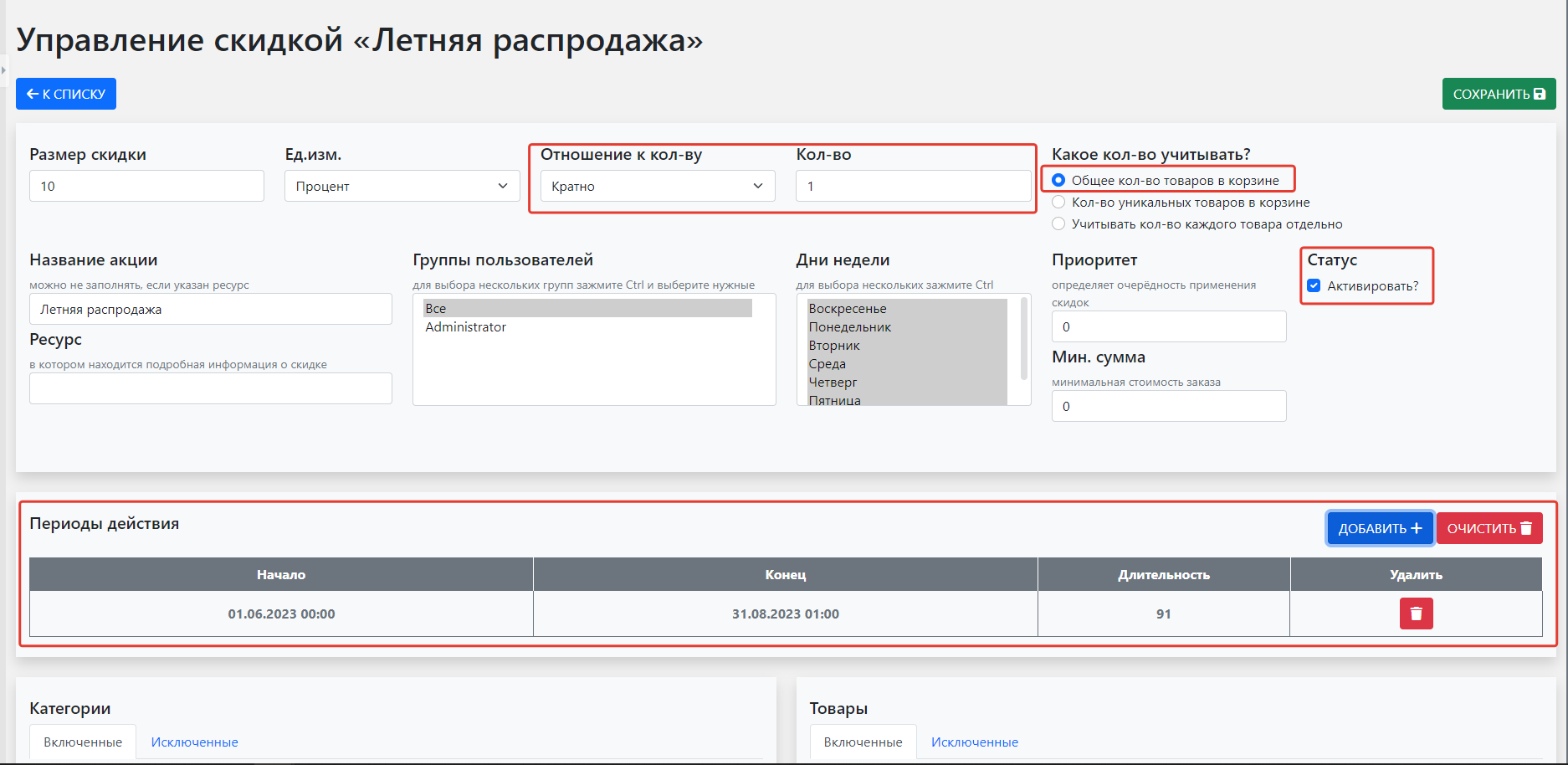
"Summer sale" promotion
Discount on all products for a specific period.
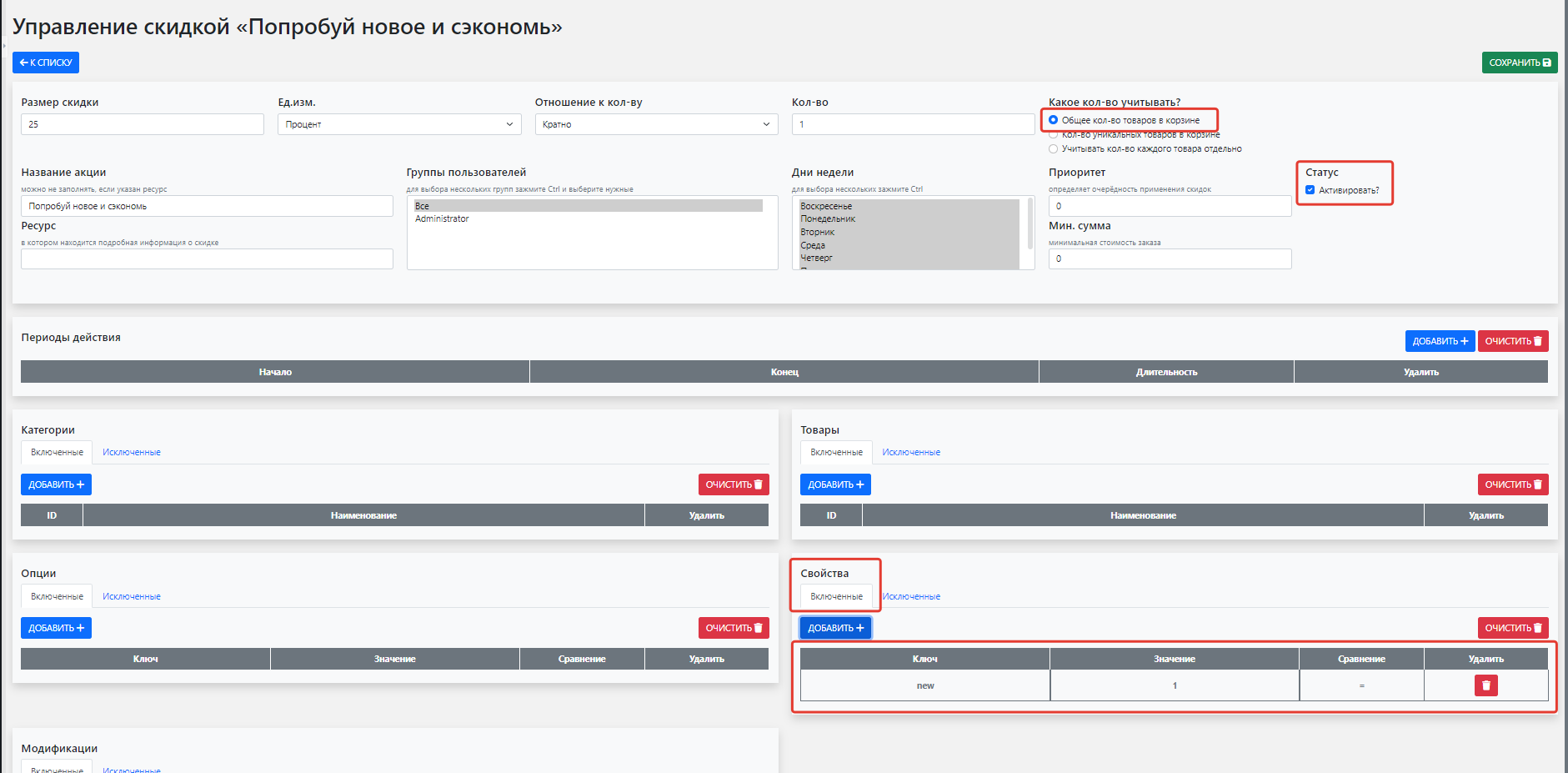
"Try new and save" promotion
Discount on products with active "New" property.
Promo codes
There is no built-in promo code feature, but you can add one. Below is one implementation.
Create a new option
promocode.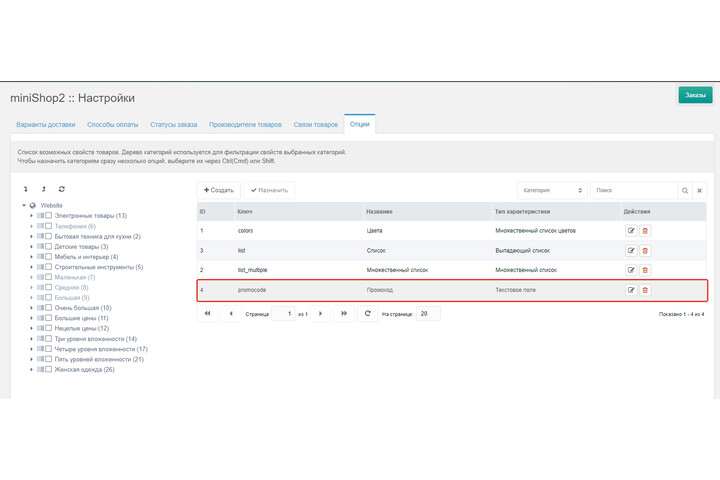
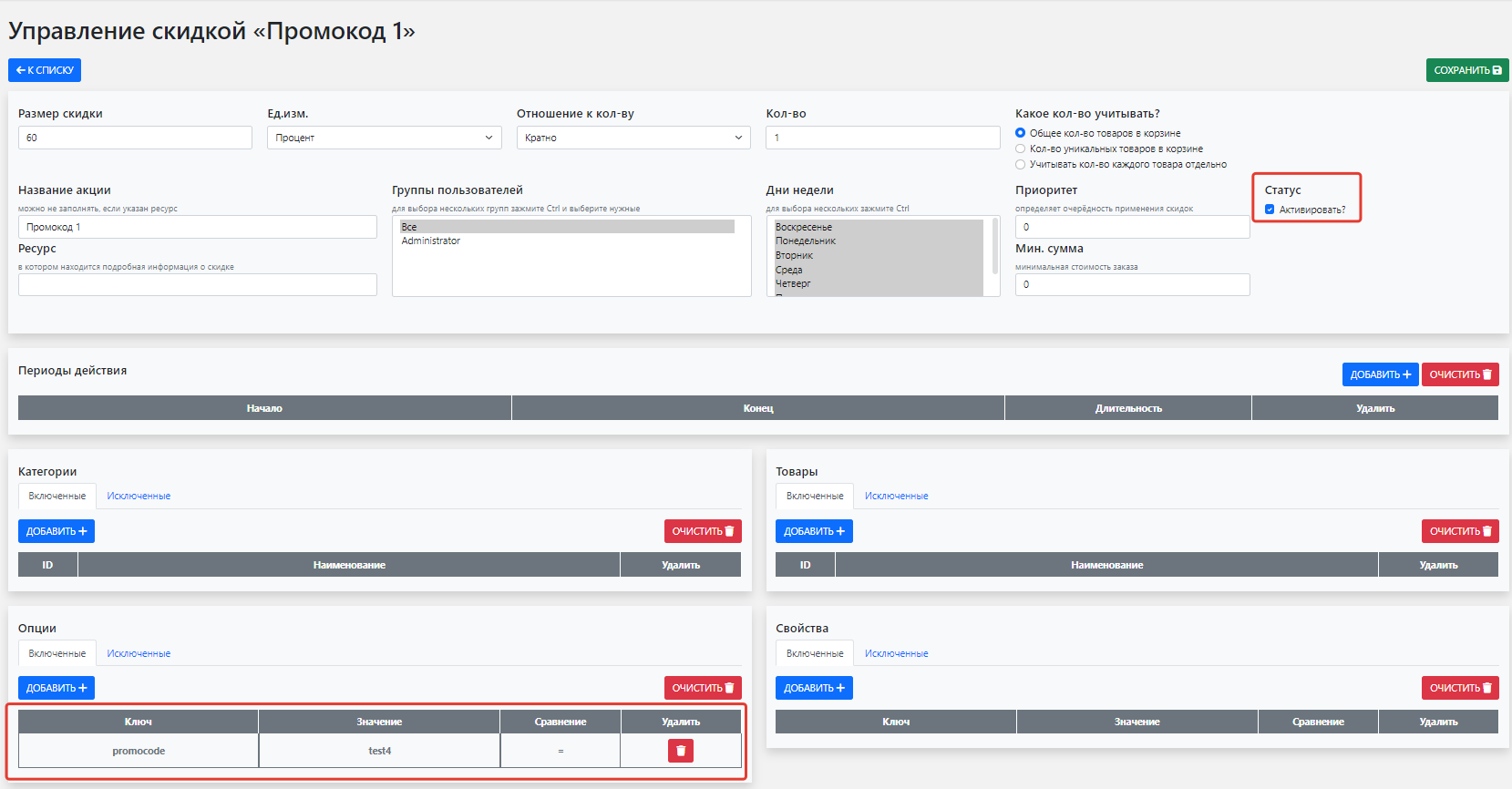
Create a new promo code discount. Add option
promocodewith the promo code value.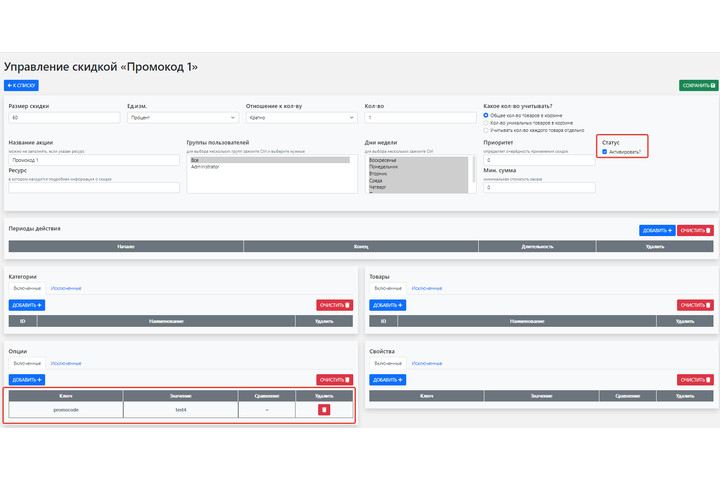
To limit the number of promo codes, install
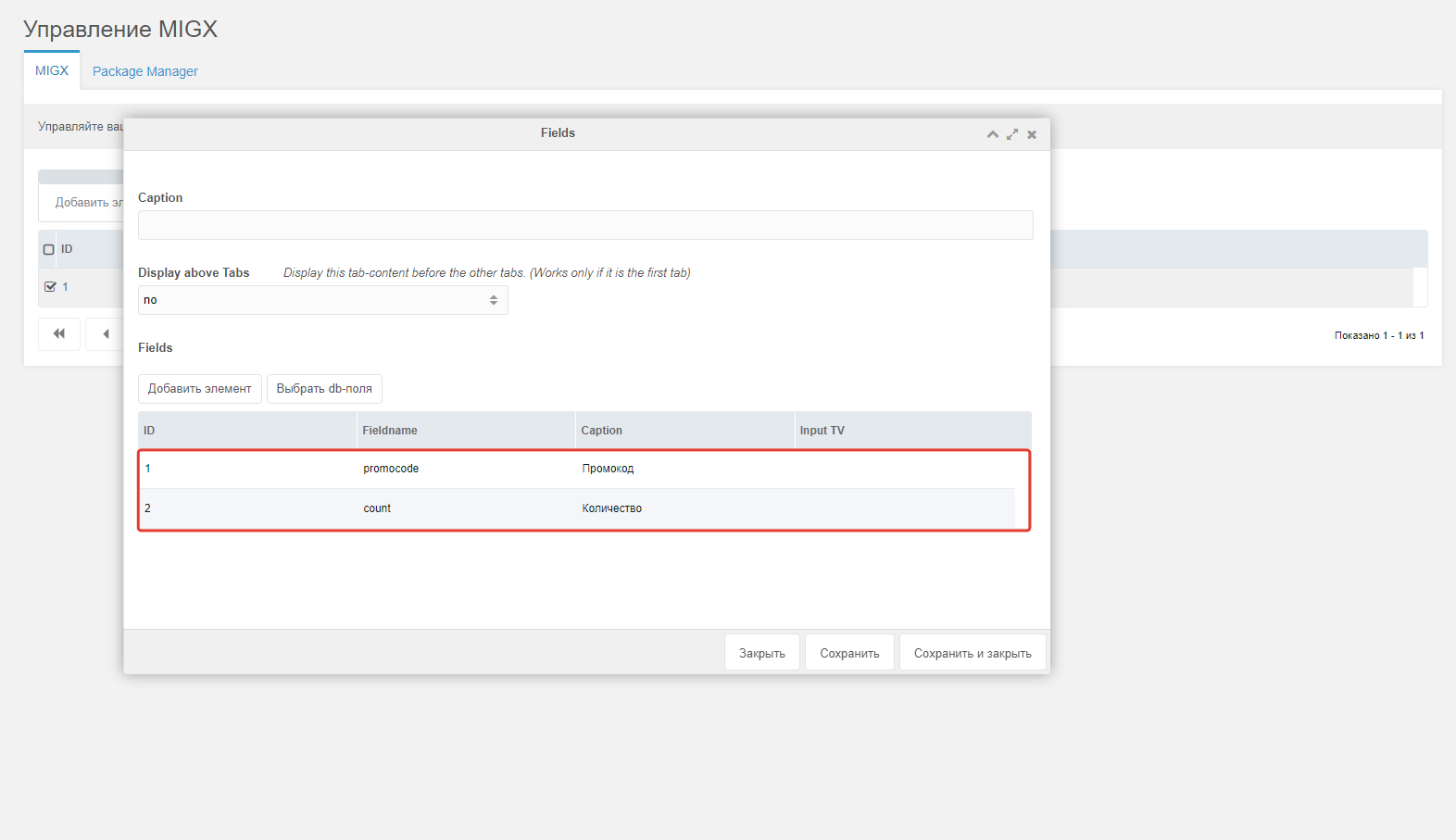
Migx. Create configpromocodes_count(name can vary) with fieldspromocodeandcount(these names are required).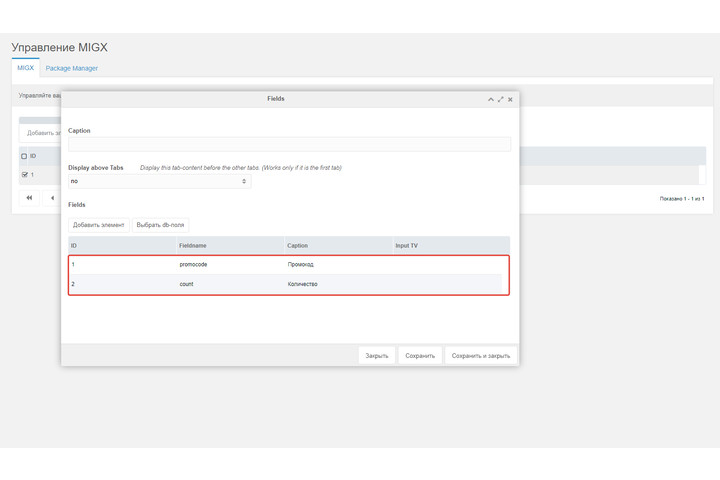
Create TV named
promocodes_count(name can vary) and assign it to a template, e.g. template1.Fill the TV with the value from step 2 and set the available promo code count.
Add a promo code form. Example using
AjaxFormitLoginon the cart page:fenom{'!AjaxFormitLogin' | snippet:[ 'form' => '@FILE promocodeForm.tpl', 'hooks' => 'applyPromocode', 'customValidators' => 'promocode', 'validate' => 'promocode:required:promocode=^1|promocodes_count^', 'aliases' => 'promocode==Promo code', 'promocode.vTextRequired' => 'Not provided.', 'successMessage' => 'Promo code applied', 'transmittedParams' => '{"success" : "", "error" : "aliases"}' ]}Form chunk
promocodeForm.tpl:html<form class=""> <div class="input-group mb-3"> <input type="text" class="form-control" placeholder="Enter promo code" name="promocode"> <button class="btn btn-success" type="submit">Apply</button> </div> </form>Add promo code validation: check if the code is already applied by the user, if the discount exists and is active, and remaining count. Create custom validator snippet
promocode:phprequire_once MODX_CORE_PATH . 'elements/promocodes.class.php'; $params = explode('|', $param); $promocodeHandler = new Promocodes($modx, $value, $params[0], $params[1]); $msg = $promocodeHandler->validate(); if(is_string($msg)){ $validator->addError($key, $msg); return false; } return true;After applying a promo code, update the remaining count and cart. Add hook snippet
applyPromocode:phprequire_once MODX_CORE_PATH . 'elements/promocodes.class.php'; preg_match('/promocode=\^(.*?)\^/', $hook->formit->config['validate'], $matches); $params = explode('|', $matches[1]); $promocodeHandler = new Promocodes($modx, $_POST['promocode'], $params[0], $params[1]); $promocodeHandler->process(); return true;Create class
Promocodesinelements/promocodes.class.php:phpclass Promocodes { public function __construct($modx, $promocode, $rid, $tvname) { $this->modx = $modx; $this->modx->getService('mspdDiscounts', 'mspdDiscounts', MODX_CORE_PATH . 'components/msproductdiscounts/model/'); $this->promocode = $promocode; $this->rid = $rid; $this->tvname = $tvname; $this->init(); } private function init() { $tableName = $this->modx->getTableName('mspdOption'); $q = $this->modx->newQuery('mspdDiscount'); $q->where("active = 1 AND id = (SELECT did FROM $tableName WHERE option_value = '$this->promocode')"); $this->query = $q; if ($this->resource = $this->modx->getObject('modResource', $this->rid)) { if ($codes = $this->resource->getTVValue($this->tvname)) { $this->codes = $this->reformatMIGX(json_decode($codes, 1)); } } } private function reformatMIGX($migx) { $output = array(); foreach ($migx as $item) { $output[$item['promocode']] = $item['count']; } return $output; } public function validate() { if ($this->isApplied()) return ' Already applied by you.'; if (!$this->isActive()) return ' Not found.'; if (!$this->validateCount()) return ' Quantity exhausted.'; return true; } private function isApplied() { return $_SESSION['promocode'] === $this->promocode; } private function isActive() { return (bool)$this->modx->getCount('mspdOption', $this->query); } private function validateCount() { if (empty($this->codes)) return false; return $this->codes[$this->promocode] > 0; } public function process(){ $_SESSION['promocode'] = $this->promocode; $this->updateCount(); $this->updateCart(); } private function updateCount(){ $this->codes[$this->promocode] = ($this->codes[$this->promocode] - 1 >= 0) ? $this->codes[$this->promocode] - 1 : 0; if($codes = $this->resource->getTVValue($this->tvname)){ $codes = json_decode($codes,1); foreach($codes as $k => $item){ if($item['promocode'] === $this->promocode){ $codes[$k]['count'] = $this->codes[$this->promocode]; } } $this->resource->setTVValue($this->tvname, json_encode($codes)); $this->resource->save(); } } private function updateCart(){ $ms2 = $this->modx->getService('minishop2'); $ms2->initialize($this->modx->context->get('key')); if($tmp = $ms2->cart->get()){ foreach($tmp as $k => $item){ $tmp[$k]['options']['promocode'] = $this->promocode; } uasort($tmp, function ($a, $b) { $aprice = $_SESSION['start_cart_state'][$a['key']]['price'] ?: $a['price']; $bprice = $_SESSION['start_cart_state'][$b['key']]['price'] ?: $b['price']; if ($aprice == $bprice) { return 0; } return ($aprice > $bprice) ? -1 : 1; }); $tmp = $this->modx->mspdDiscounts->prepareProductDiscounts($tmp); $ms2->cart->set($tmp); } } }To apply the promo code discount to newly added cart items, add a plugin:
phpswitch ($modx->event->name) { case 'msOnAddToCart': $tmp = $cart->get(); $tmp[$key]['options']['promocode'] = $_SESSION['promocode']; $cart->set($tmp); break; }
You can now create any promo codes in any quantity and configure which products they apply to.