



Snippet ue.order
Checkout/event booking snippet ue.order
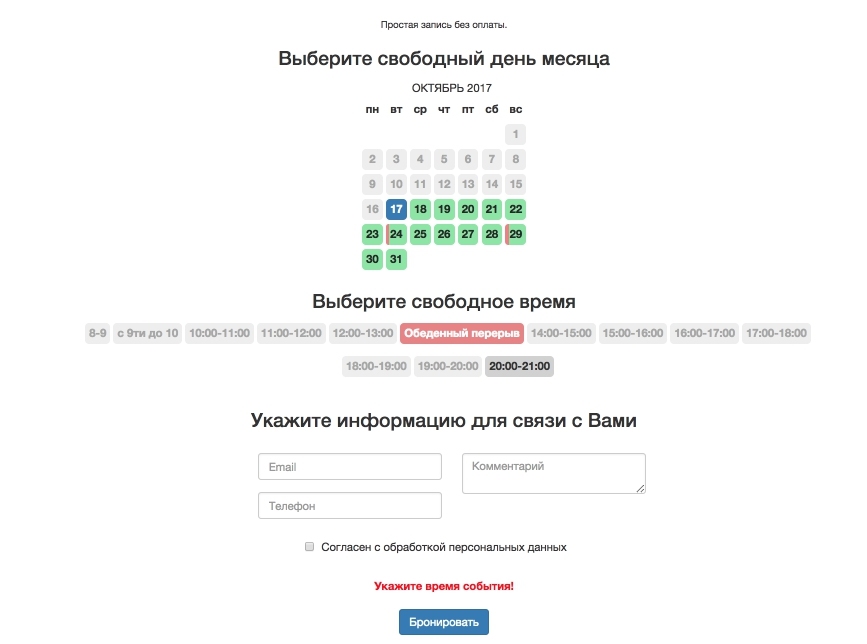
Parameters
| Parameter | Default | Description |
|---|---|---|
| tpl | ue.order | Output chunk |
| monthLimit | 1 | Month limit |
| resource | Resource ID for the event | |
| deliveries | Delivery method ID(s) to include | |
| payments | Payment method ID(s) to include | |
| orderAction | Action on order "order". Redirect to the specified URL | |
| submitAction | event | Action on order "submit". Default "event" — create event. "order" — create minishop order and event |
| userFields | Associative array mapping order fields to user profile fields, format "order field" => "profile field" | |
| requiredFields | List of required fields | |
| processedBlocks | JSON-encoded string of chunks to process | |
| weekDayDisabled | List of disabled weekdays. E.g. "saturday,sunday" |
Подсказка
You can also use other general pdoTools parameters
Output
The snippet works with a Fenom chunk and passes 5 variables:
order— order array from the user sessionprofile— user profile fields arrayform— array of user-submitted data. May include:email— customer emailreceiver— recipient namephone— phone number
- other values set via the
&userFieldsparameter payments— payment methods arraydeliveries— delivery options array for the order
Placeholders
To see all available order placeholders, use an empty chunk:
fenom
<pre>
{'!ue.order' | snippet: [
  'tpl' => '',
]}
</pre>
Creating an order
This snippet should be used together with others on the checkout page:
fenom
{'!ue.order' | snippet} <!-- Order form, hidden after order is created -->
{'!ue.get.order' | snippet} <!-- Order info output, shown after order is created -->