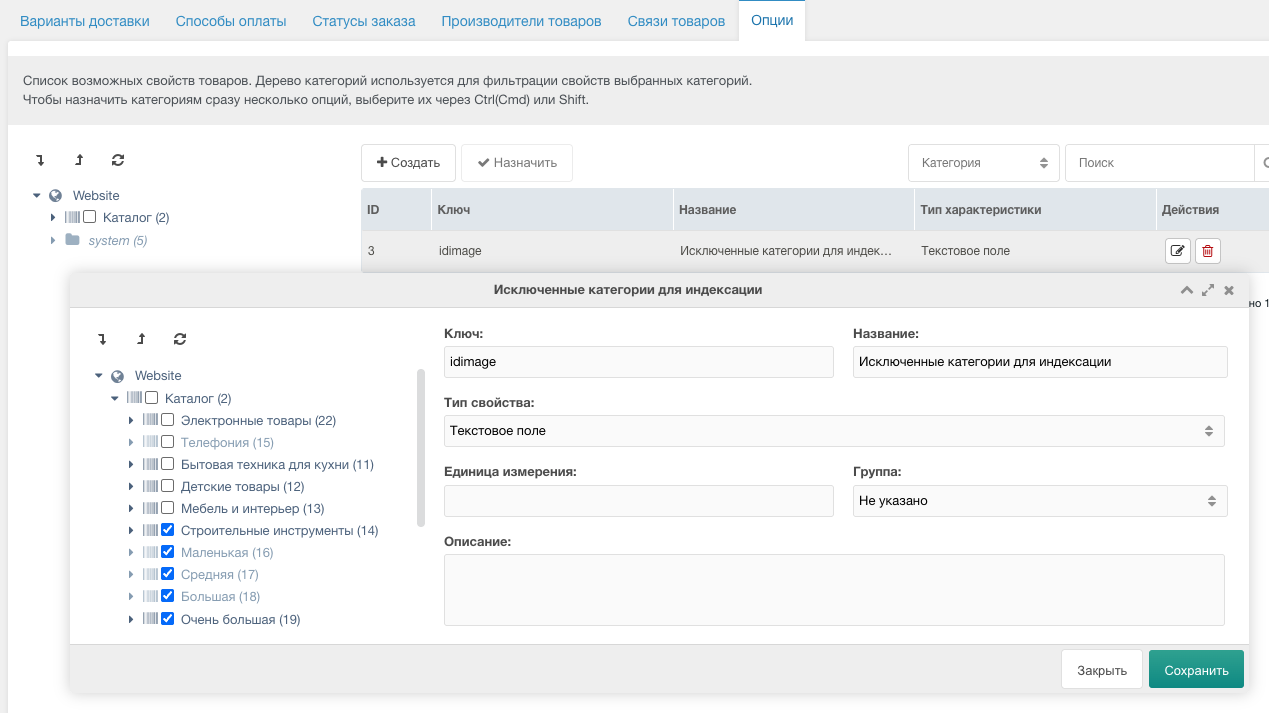
Category settings (optional)
You can exclude certain categories from indexing via miniShop2 settings.
Steps:
Open miniShop2 settings
- Go to Packages → miniShop2 → Settings → Options.
Create a new option
- Click Add option.
- Key:
idimage(lowercase, no spaces). - Name: Excluded categories for indexing.
Select categories to exclude
- In the category tree for this option, select the categories that should not be indexed.
Save
- Click Save.
After that, products in the selected categories will not be indexed or vectorized.