



UserEvents
You need MODX 2.3 or higher and PHP 5.4 or higher.
Description
UserEvents — user events. The component implements creation of events by users on resources.
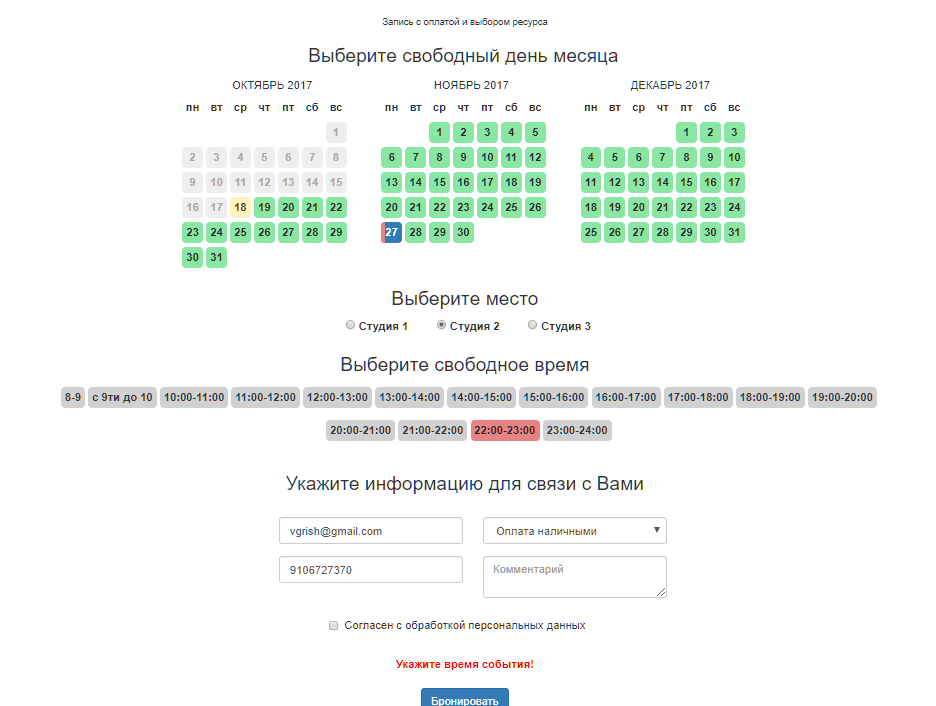
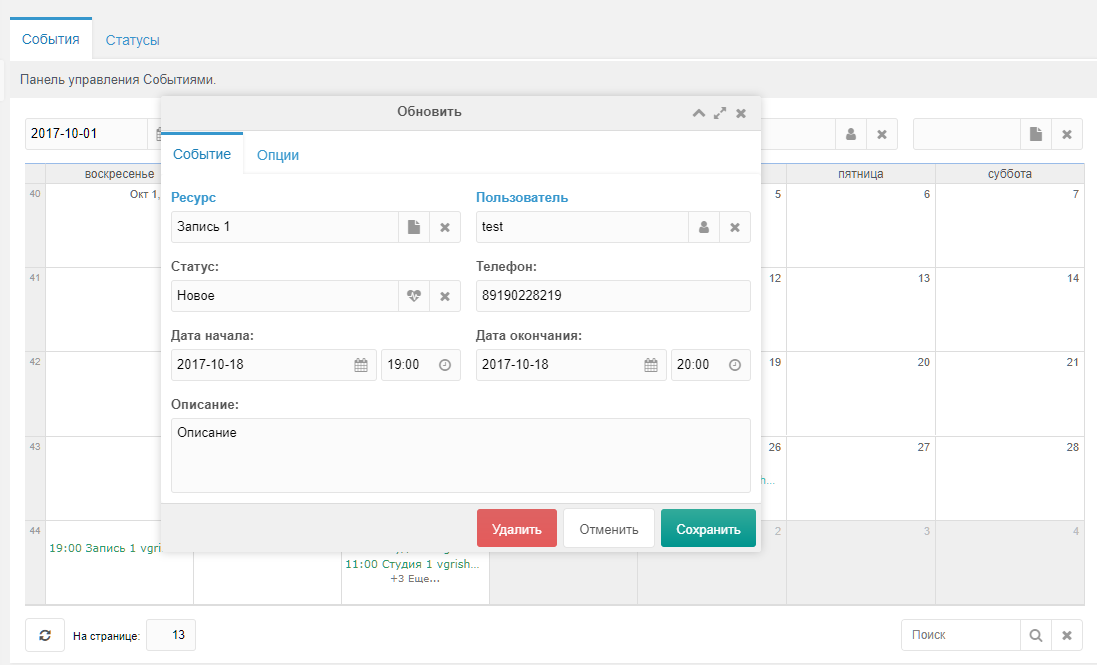
Features:
- creating events both on the frontend and in the site manager
- integration with miniShop2 (orders, payment)
Demo site
Demo site available at http://userevents.vgrish.ru Login and password for the manager: test
Installation
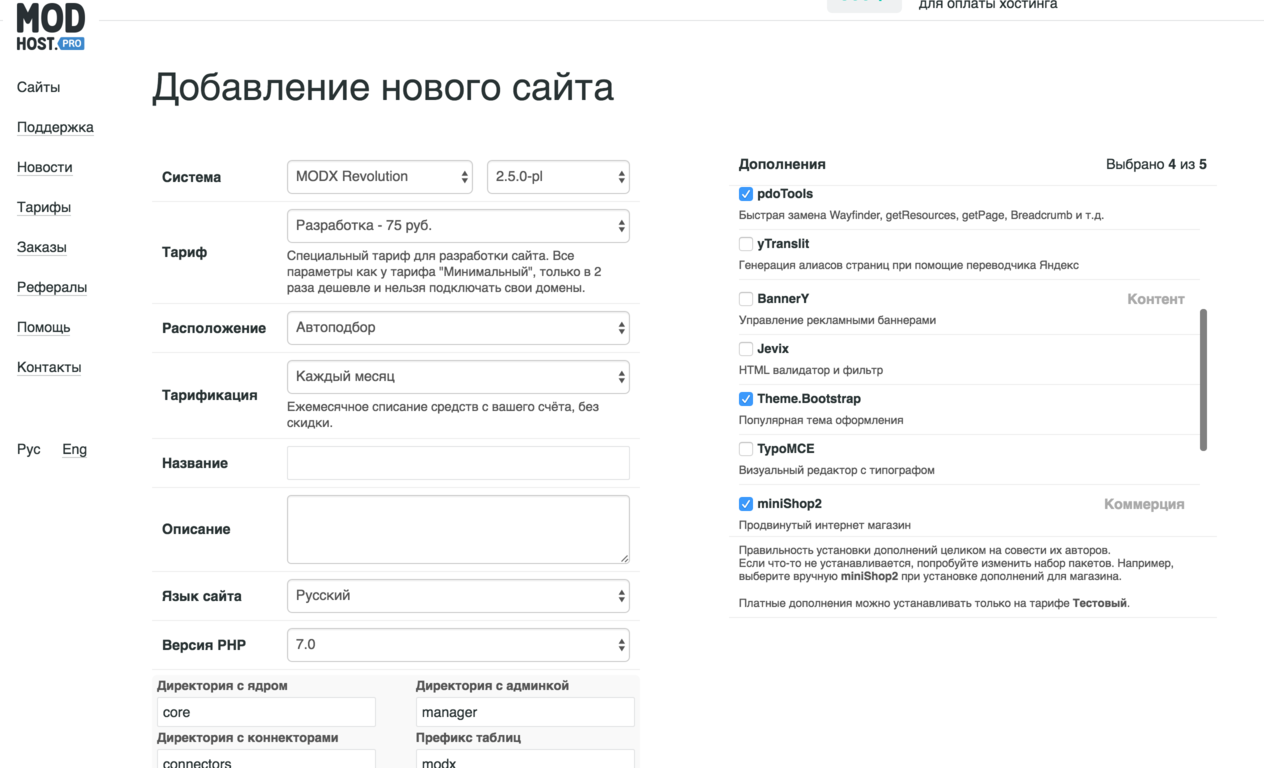
- Add our repository
- Install pdoTools — a library for fast database work and output formatting, required by many components
- Install Theme.Bootstrap — a Twitter Bootstrap theme for MODX; standard chunks are built for it
- Install miniShop2 — the shop that provides order and payment functionality
- Install UserEvents
For testing you can use our hosting; these extras can be selected when creating a site.
Settings
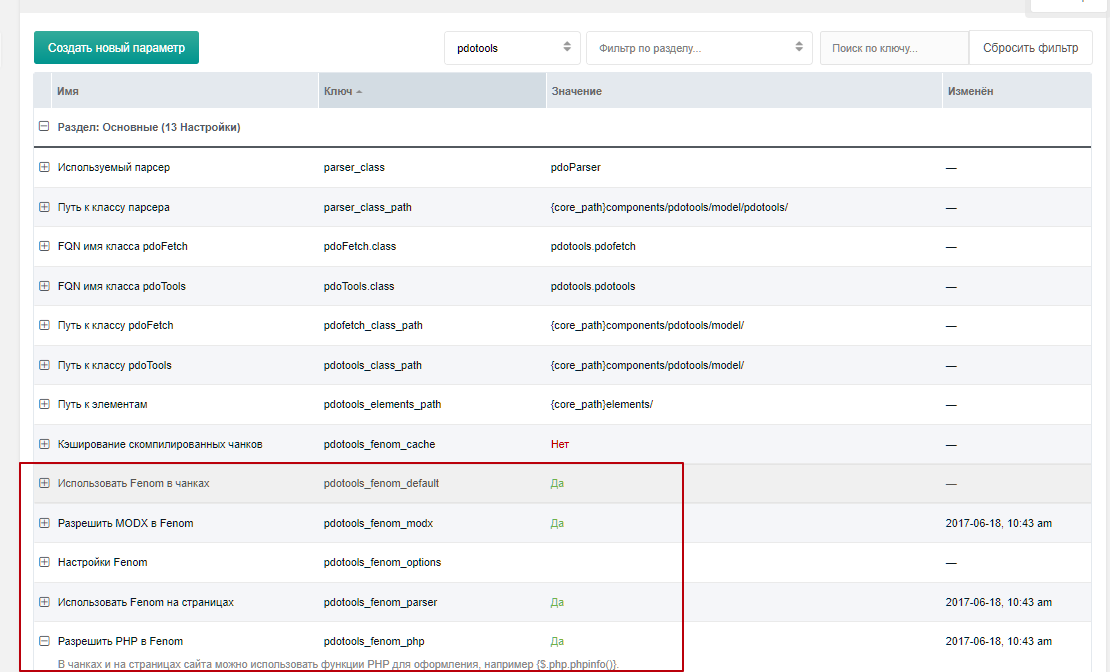
All UserEvents snippets work with pdoTools and expect Fenom in chunks.
This allows you to:
- reduce the total number of chunks
- improve usability
- speed up work
- build more complex chunks using Fenom's advanced condition checks
Enable the following settings:
pdotools_fenom_modxpdotools_fenom_parserpdotools_fenom_php
Templates
Theme.Bootstrap provides 2 templates that you can change as needed. You can rename and use them, or create new ones.
We only need 1 template.
Booking and order
This template is for the booking and order form:
fenom
<!DOCTYPE html>
<html lang="en">
  <head>
    {'Head' | chunk}
  </head>
  <body>
    {'Navbar' | chunk}
    <div class="container">
      <div id="content" class="main">
        {$_modx->resource.content}
      </div>
      {'Navbar' | Footer}
    </div>
  </body>
</html>
Created templates can be specified in the system setting:
working_templates— set your common template here
Sections
We already have a home page; assign it the "Common" template and put in the content:
fenom
{'!pdoMenu' | snippet}This will show all site documents on the home page for navigation.
Then create an order page. Create a new page with the "Common" template in the site root and add:
fenom
{'!ue.order' | snippet} <!-- Order form, hidden after order is created -->
{'!ue.get.order' | snippet} <!-- Order info output, shown after order is created -->
These snippets will output the order form and display the created order.
They are designed to output only when needed. For example, ue.order is hidden when the page URL has the parameter msorder=order id, while ue.get.order only reacts to that parameter.