RBK Money
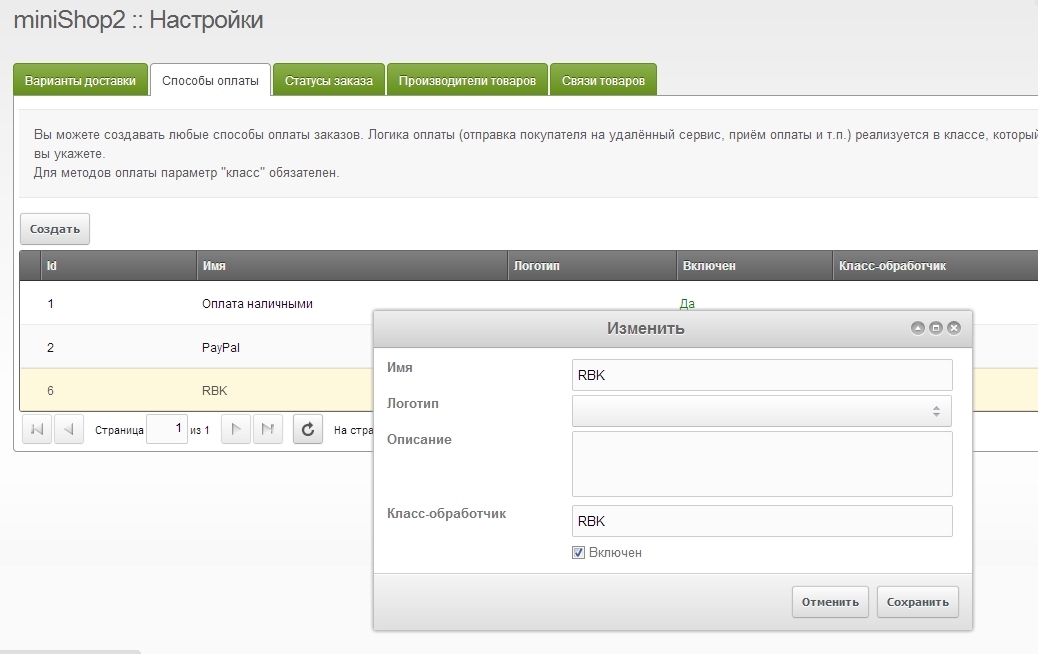
RBK Money payment module for miniShop2
To accept payments via RBK Money you need to first register your store in this system.
In the RBK Money store settings you need to specify the following parameters:
http://site.ru/assets/components/minishop2/payment/rbk.php (where site.ru is your site address)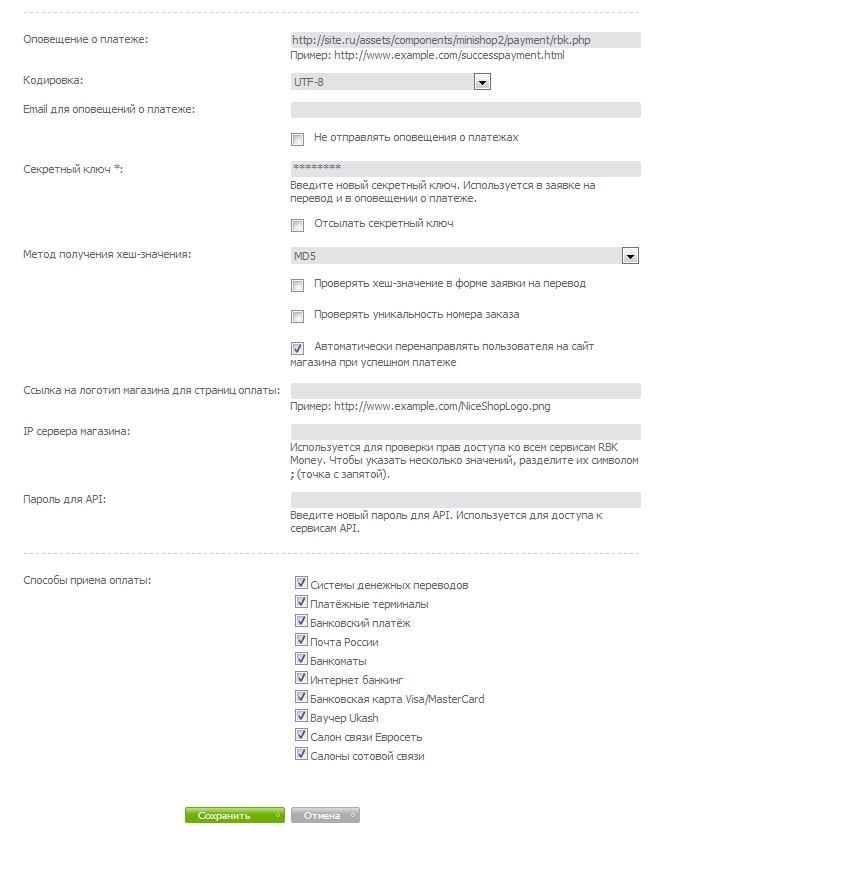
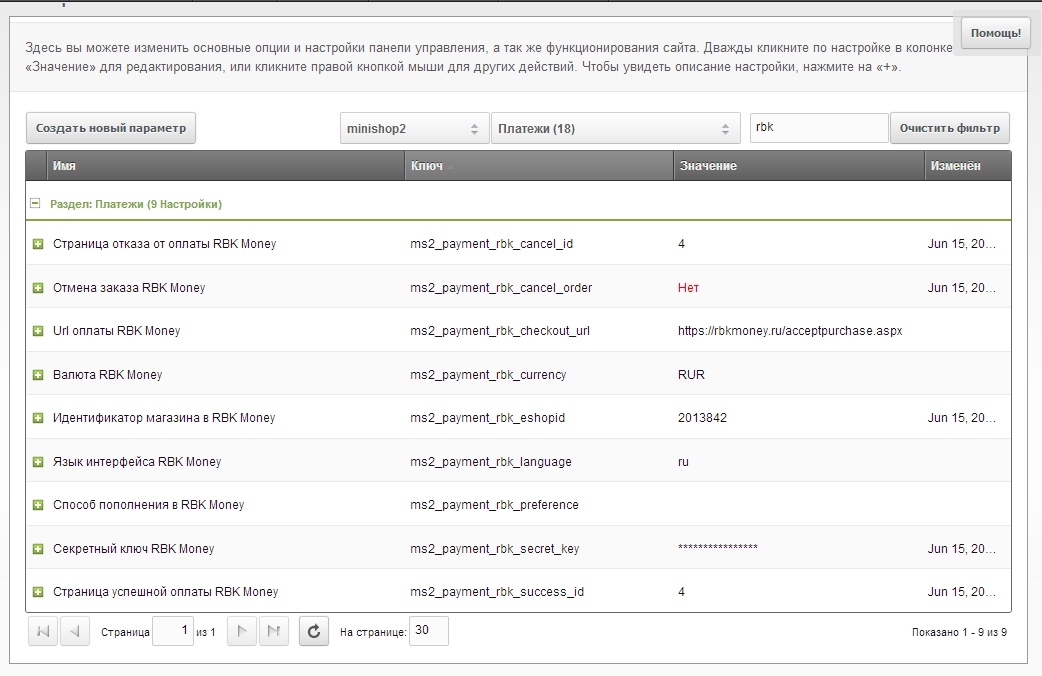
In MODX you need to configure the following parameters (located in the "Payments" section of the minishop2 namespace):
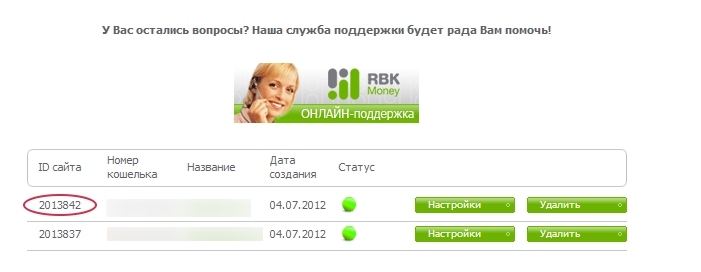
Store identifier in RBK Money — assigned to each registered store in the RBK Money system. You can find it in the RBK Money personal cabinet.
RBK Money secret key — the secret key you entered in the store settings in RBK Money in point 1
RBK Money success page and RBK Money payment cancellation page. MODX page identifiers for successful payment or payment cancellation respectively. It is recommended to specify cart pages so the customer sees their order after returning from the service. With empty values the user will be redirected to the main page.
RBK Money top-up method. Optional parameter. If specified, the user will immediately be offered this payment method bypassing the selection screen. For example, if you specify bankcard, the user will go directly to the card number entry page.
Possible values:
inner or rbkmoney — payment from RBK Money walletbankcard — Visa/MasterCard bank cardexchangers — electronic payment systemsterminals — payment terminalsprepaidcard — RBK Money prepaid cardpostrus — Russian Postmobilestores — mobile storestransfers — money transfer systemsibank — internet bankingsberbank — bank paymentsvyaznoy — Svyaznoyeuroset — Eurosetcontact — Contactmts — MTSuralsib — Uralsib cash deskshandybank — HandyBankocean — Ocean Bankibankuralsib — Uralsib Internet BankingIn the future, other top-up methods may be added. You can clarify values in the RBK Money documentation or contact RBK Money technical support.
Внимание
Also don't forget to enable the new payment method and assign it in delivery options.