



PayAndSee
You need MODX 2.3 or higher and PHP 5.4 or higher.
Installation
- Add our repository
- Install pdoTools — a library for fast database work and output formatting, required by many components
- Install Theme.Bootstrap — a Twitter Bootstrap theme for MODX; standard chunks are built for it
- Install miniShop2 — the shop that provides order and payment functionality
- Install PayAndSee
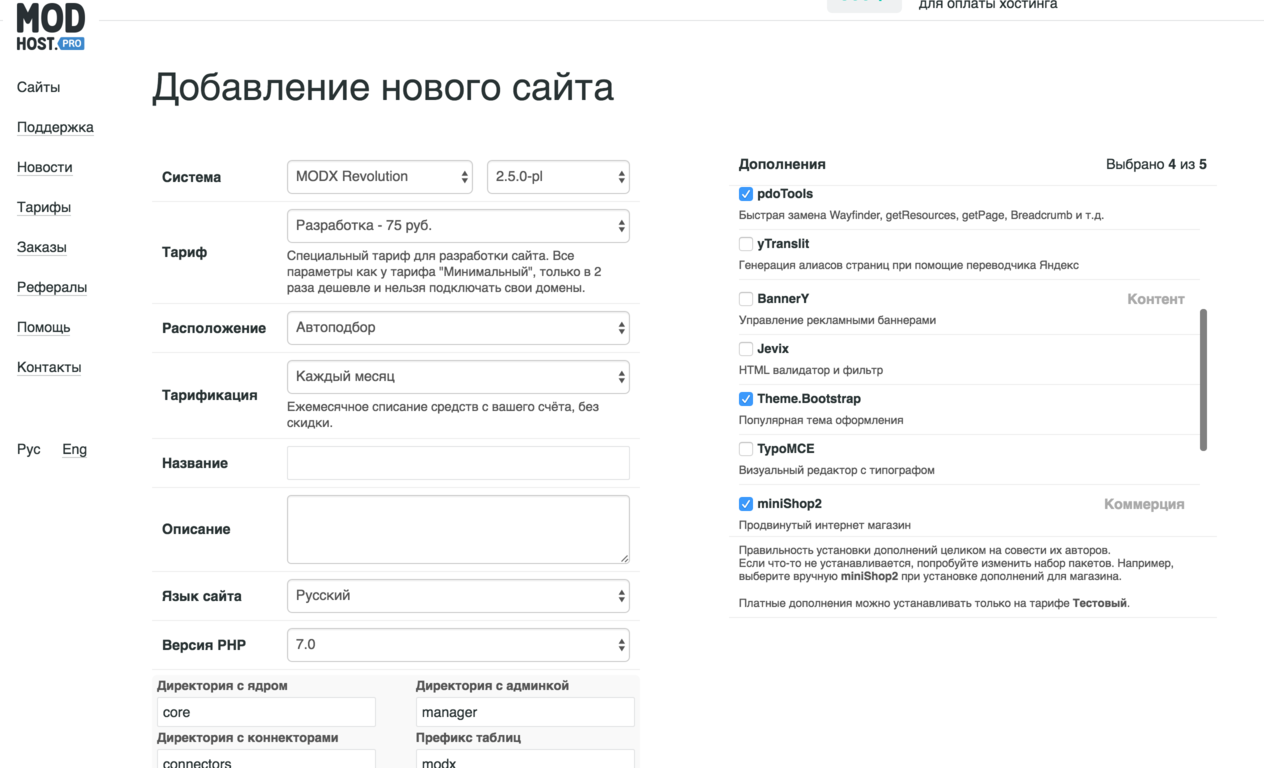
For testing you can use our hosting; these extras can be selected when creating a site.
Settings
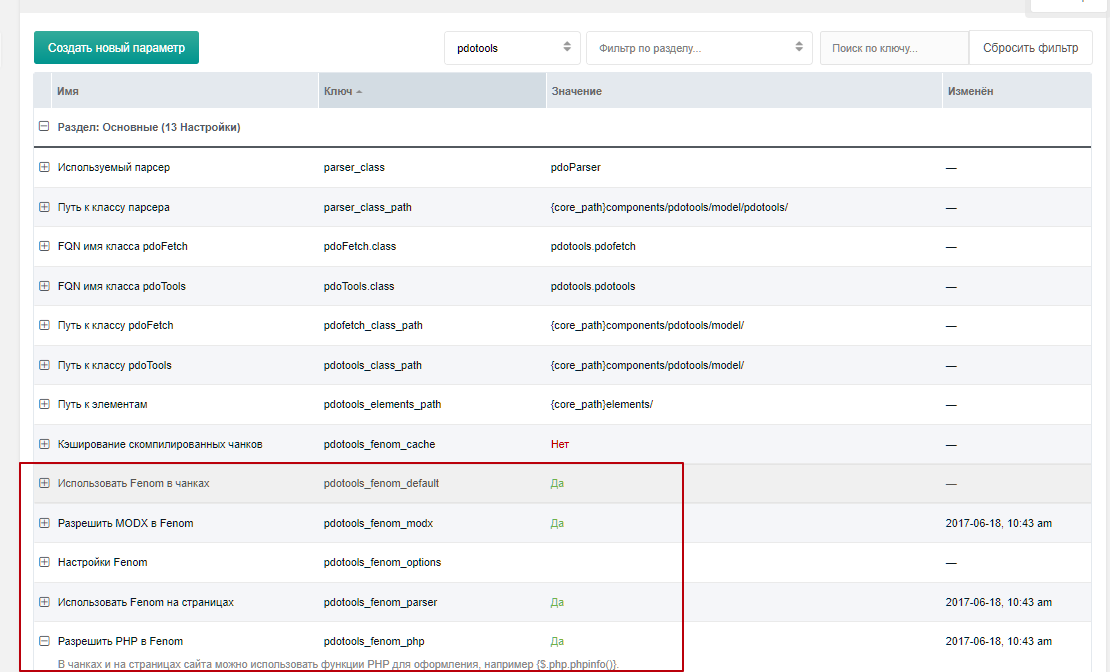
All PayAndSee snippets work with pdoTools and expect Fenom in chunks.
This allows you to:
- reduce the total number of chunks
- improve usability
- speed up work
- build more complex chunks using Fenom's advanced condition checks
Enable the following settings:
pdotools_fenom_modxpdotools_fenom_parserpdotools_fenom_php
Templates
Theme.Bootstrap provides 2 templates that you can change as needed. You can rename and use them, or create new ones.
We only need 1 template.
Common
This template is for outputting regular resource content:
fenom
<!DOCTYPE html>
<html lang="en">
  <head>
    {'Head' | chunk}
  </head>
  <body>
    {'Navbar' | chunk}
    <div class="container">
      <div id="content" class="main">
        {$_modx->resource.content}
      </div>
      {'Navbar' | Footer}
    </div>
  </body>
</html>
It is used for content and order output.
Created templates can be specified in the system setting:
working_templates— set your common template here
Sections
We already have a home page; assign it the "Common" template and put in the content:
fenom
{'!pdoMenu' | snippet}This will show all site documents on the home page for navigation.
Then create content and ensure its template is in working_templates.
After creating rates, create an order page. Create a new page with the "Common" template in the site root and add:
fenom
{'!pas.order' | snippet} <!-- Order form, hidden after order is created -->
{'!pas.get.order' | snippet} <!-- Order info output, shown after order is created -->
These snippets will output the order form and display the created order.
They are designed to output only when needed. For example, pas.order is hidden when the page URL has the parameter msorder=order id, while pas.get.order only reacts to that parameter.
Access
Access is determined by allowed statuses on content, client, subscriptions. A subscription also has start/end dates, which are used when checking access.
Two modifiers are available for access checks:
pas_content_access— check content access. Aliaspascaccesspas_resource_access— check resource access. Aliaspasraccess
1st parameter — default value 2nd parameter — content/resource ID. Default: current resource. 3rd parameter — client ID. Default: current client.
You can extend the component to implement your own logic.
Examples
Restrict free access for the content field:
fenom
{$content | pasraccess}Restrict free access and show the paid content purchase form:
fenom
{$content | pasraccess : ('pas.content' | snippet: ['resource' => $id])}Check if the current client has access to resource 15 and store in a variable:
fenom
{set $access = 1 | pasraccess : 0 : 15}

{* then use $access to check access *}

{if $access}
  Access granted
{else}
  No access
{/if}
Demo site
Demo site available at http://pas.vgrish.ru
Login and password for the manager: test