



msPromoCode
Discount promo codes for miniShop2

Features
Full AJAX handling of coupon apply/remove.
The promo code can be added not only from the main backend page. On the product page there is also a "Promo codes" tab; when adding from there, the current product is immediately linked to that promo code. This is handy when you need a coupon for a specific product only.
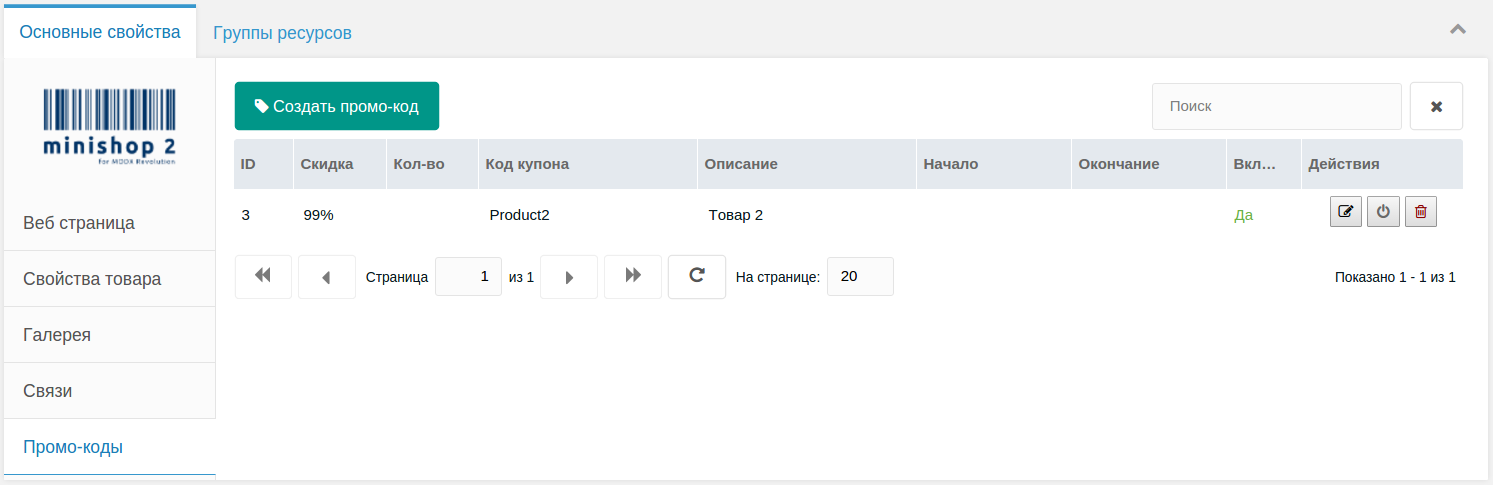
The discount can be set for the coupon as a whole, or for a product or category linked to the coupon. More specific discounts take priority. E.g. we have a 20% coupon, Category 1 linked to it with 80%, and a product in Category 1 linked with 40%. That product gets 40%.
If no products or categories are linked to the coupon — the coupon applies to the whole store.
When the order is submitted, or when the page with the
mspcFormsnippet is opened, the component checks if the coupon is valid. If not, it notifies the user, removes the coupon from the form and updates cart prices. This blocks use of coupons that:- were disabled,
- have expired,
- have run out.
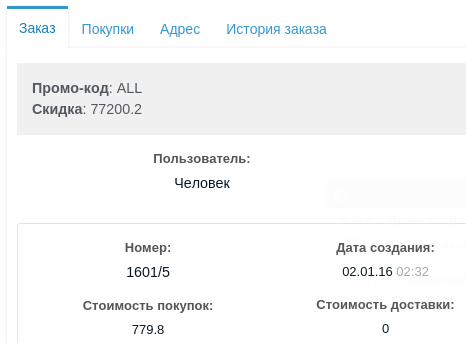
If the order was placed with a promo code, in the backend the order modal will show the promo code and discount amount on the first tab.
Important
The package chunk uses Bootstrap 3, so if your site doesn't use it you will need to add styles manually, same as for miniShop2 which also uses Bootstrap.