



Login and registration
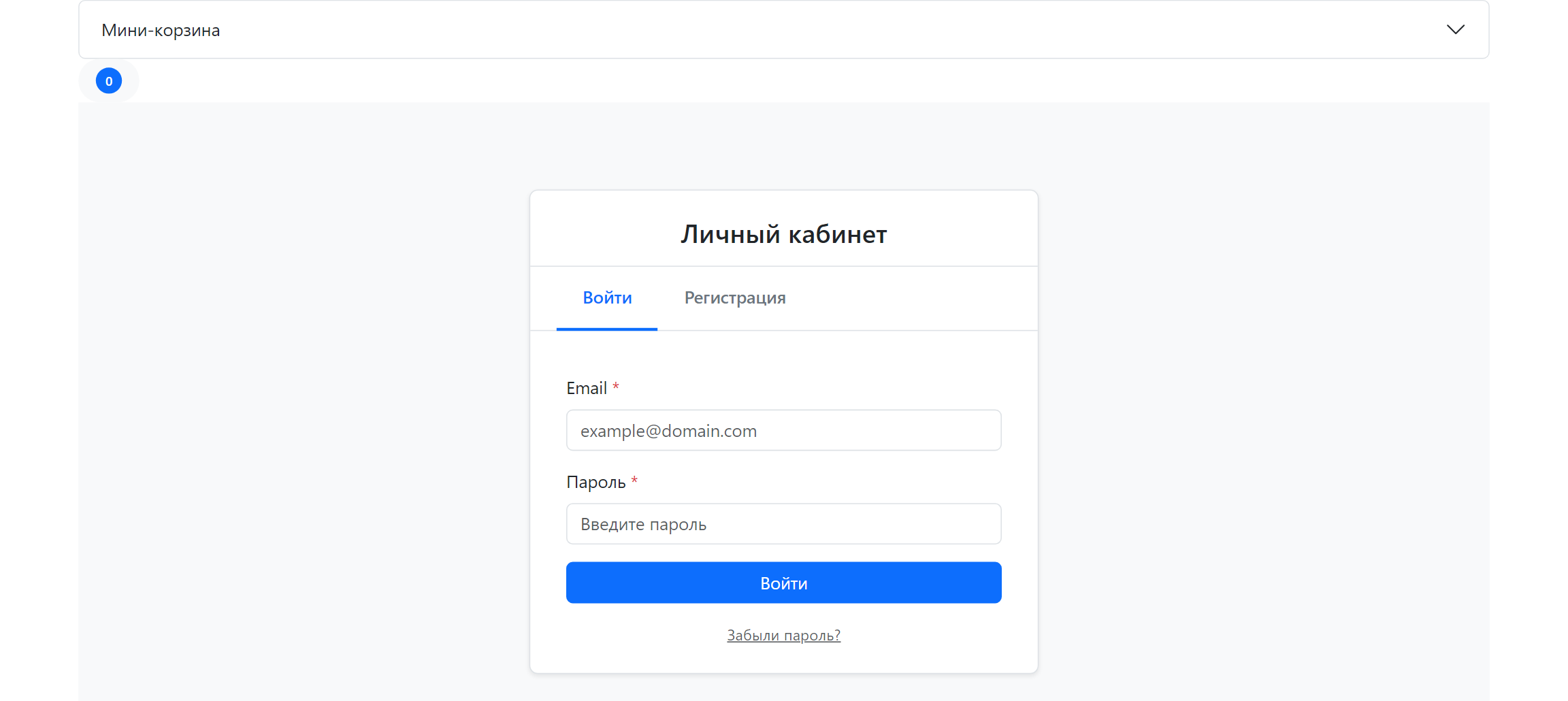
Open an account page without a session and you get the tpl.msCustomer.unauthorized chunk: the Login and Register tabs. Any msCustomer call returns the same chunk for a guest.
The package has no separate "login only" or "register only" templates. The ms3_customer_login_page_id and ms3_customer_register_page_id keys set the URLs used in links and redirects; those resources usually run the same msCustomer call, often with service=profile.
What to do
- Create an account resource (or two resources: login and registration).
- Call
msCustomeruncached. - Set the page IDs in system settings under namespace
minishop3. - Make sure the frontend loads the MS3 scripts (Frontend JavaScript).
fenom
{'!msCustomer' | snippet : [
    'service' => 'profile'
]}
modx
[[!msCustomer?
    &service=`profile`
]]
A guest gets unauthorizedTpl; after login the profile (or whatever service you passed) opens.
Form markup
Chunk file: core/components/minishop3/elements/chunks/ms3_customer_unauthorized.tpl.
| Element | ID / name | Purpose |
|---|---|---|
| Login form | #ms3-login-form | email, password |
| Login messages | #login-messages | errors and success |
| Register form | #ms3-register-form | email, password, password_confirm, name, phone, privacy |
| Register messages | #register-messages | errors and success |
| Tabs | #login-tab, #register-tab | Bootstrap tabs (data-bs-toggle="tab") |
| Forgot password | #forgot-password-link | link under the login form |
If you edit the chunk for your design, keep these id and name values. The selectors live in assets/components/minishop3/js/web/core/Selectors.js (#ms3-login-form, #ms3-register-form, #forgot-password-link); ms3.js only copies them into its config.
AuthUI
The AuthUI class (assets/components/minishop3/js/web/ui/AuthUI.js) listens for form submits and calls the Web API:
| Action | Method | Endpoint |
|---|---|---|
| Login | handleLogin | POST /api/v1/customer/login |
| Register | handleRegister | POST /api/v1/customer/register |
| Logout | from account / API | POST /api/v1/customer/logout |
On success the script redirects via ms3_customer_redirect_after_login or reloads the page. The server writes a new token into the httpOnly ms3_token cookie — rotation that protects against token fixation: the old guest token is revoked and the cart draft moves to the customer session. Response format: REST API.
Auth providers
AuthManager::registerProvider() lets you add your own login method (OAuth, SMS and so on) in PHP. The stock frontend only uses the password provider, through AuthUI. Provider registration example: Customer Backend API.
SMS verification
The SmsVerificationService shipped with the package is a stub: sendVerificationCode() logs a warning and returns an error. There is no SMS login out of the box until you connect your own provider.
AuthUI hooks
| Hook | When |
|---|---|
beforeLogin / afterLogin | Login |
beforeRegister / afterRegister | Registration |
Password reset
The Web API already has:
POST /api/v1/customer/forgot-password(body:email)POST /api/v1/customer/reset-password(body:token,password,password_confirm)
The #forgot-password-link in the stock chunk does not call these endpoints: handleForgotPassword only reports that the UI is not ready yet. Build your own password recovery screen on top of the API.
Reset token TTL: ms3_password_reset_token_ttl.
Email verification
Turn on ms3_customer_require_email_verification. After registration the customer gets an email with a link to GET /api/v1/customer/email/verify. Resend: POST /api/v1/customer/email/resend-verification (auth required).
Set your own URLs in ms3_email_verification_url and ms3_email_verification_success_url if the default redirect to api.php does not fit. Keep the {token} placeholder in ms3_email_verification_url (or [[+token]] in MODX syntax) — the confirmation code goes in its place. Without the placeholder the email points at api.php with route=/api/v1/customer/email/verify&token=...&html=1.
Page and behavior settings
| Key | Why you need it |
|---|---|
ms3_customer_login_page_id | "Log in" URL in chunks and emails |
ms3_customer_register_page_id | "Register" URL |
ms3_customer_profile_page_id | Profile after login |
ms3_customer_redirect_after_login | Where to go after login (0 = stay) |
ms3_customer_auto_login_after_register | Log in immediately after registration |
ms3_customer_require_privacy_consent | Consent checkbox on the form |
ms3_customer_send_welcome_email | Welcome email |
At checkout you can turn a guest into an msCustomer without the account form. Keys: ms3_customer_auto_register_on_order and ms3_customer_auto_login_on_order. Details: Checkout.
Relation to modUser
By default the account runs on msCustomer and the MS3 token. Enable modUser sync separately — ms3_customer_sync_enabled and the related keys in system settings — if you need MODX groups or shared ACL.