


PageBuilder
Visual section builder for MODX 3: draft and publish without overwriting resource content
- MODX 3
- PHP 8.2
- Vue 3

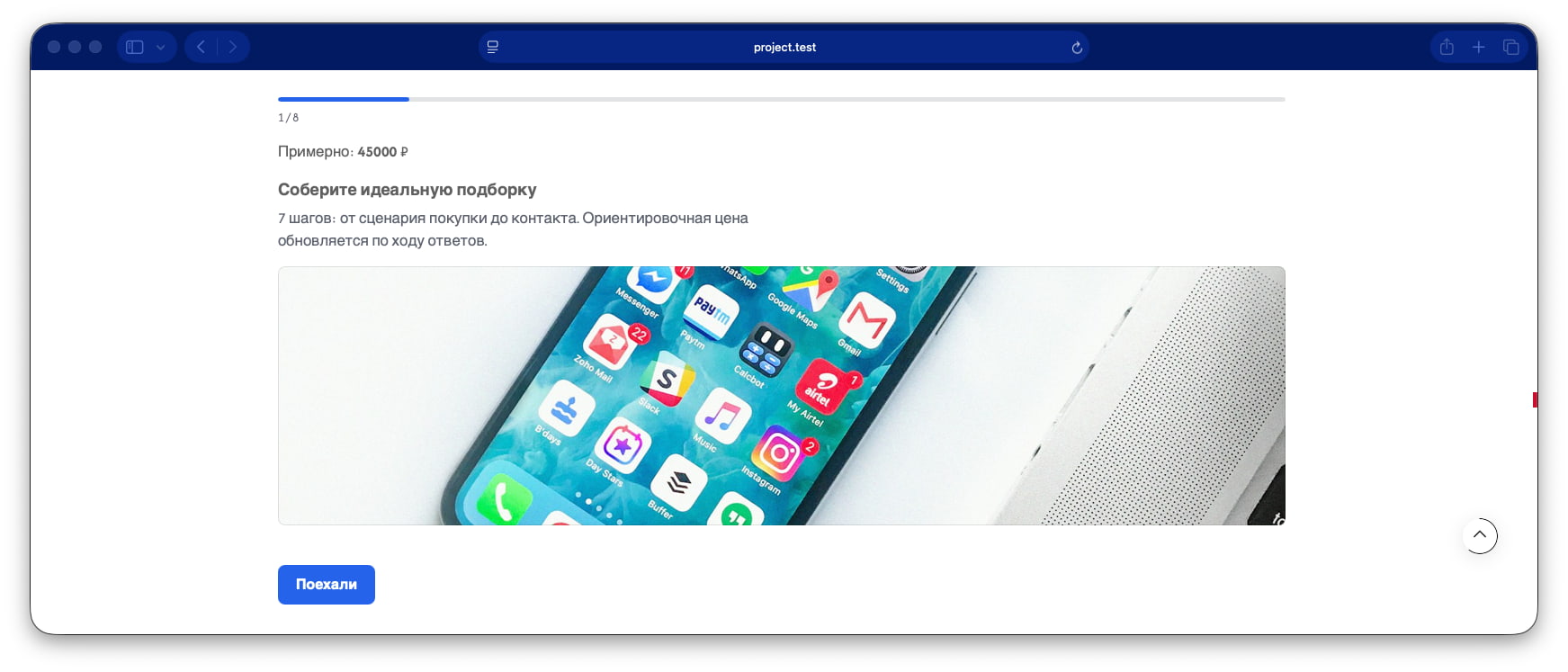
Multi-step quiz: answers, contacts, optional price calculation, email notification. Do not call PageBuilderQuiz from the template: FetchIt invokes it from the section chunk. PageBuilderFetchIt renders the form through Fenom.
Информация
Requires PageBuilder Pro and FetchIt.
pricing mode with live total and price_delta on optionssurvey mode without contact step by defaultpro.emailsender.quiz-kitchen): mode pricing, three steps, contacts, quiz_key = kitchen.After inserting a preset you can edit fields. Examples tab is visible when pagebuilder_catalog_examples_enabled is on.
If you do not set button labels, the frontend uses the lexicon. The next step is pagebuilder_fe_quiz_next (Next). The quiz-kitchen preset sets the start label to Начать подбор.
| Parameter | Value |
|---|---|
| key | quiz |
| Layer | Pro |
| Category | conversion (conversion) |
| Chunk | pagebuilderpro_quiz |
| Requirements | pro, FetchIt |
mode) Type select. lead: steps and contact. pricing: same plus total. survey: steps, contact off by default. Unknown value is treated as lead by the handler.
| Field | Type | Purpose |
|---|---|---|
title, intro | text / textarea | Cover |
cover_image | image | Optional |
start_as_panel | yesno | Cover as first wizard panel with Start button |
start_label | text | Start button text on cover |
base_price, currency_suffix | number / text | Only when mode = pricing |
steps) Type repeater. Required.
| Field | Rule |
|---|---|
title | Required |
type | single (radio), multi (checkbox), text, info |
required | Empty required step blocks Next and submit. Ignored for info |
options | For single / multi: label, image, price_delta (counts toward total only in pricing) |
POST: answer[stepIndex] or answer[stepIndex][]. Option indices go in POST. Labels appear in the email.
| Field | Rule |
|---|---|
contact_enabled | If unset: on for lead/pricing, off for survey |
contact_fields | Same as contact_form: name, label, type, required. Field name: [a-z][a-z0-9_]* |
consent_text | Consent paragraph under fields (no checkbox) |
success_message, redirect_url | After success. Redirect after 800 ms |
quiz_key | Required. POST pb_quiz_key. Keys unique on the page |
notify_email | Recipient. Empty → emailsender |
Visitor answers are not written to published_json. Section JSON holds schema only.
submit_label, prev_label, next_label, contact_title, total_label override lexicon pagebuilder:frontend.
published_json. Handler reads published when publishedRevision > 0, otherwise draft.[[!PageBuilder]].pricing, contact and Submit.Section pb-quiz with wizard panels. AJAX via FetchIt → PageBuilderQuiz.
Subject: PageBuilder quiz ({quiz_key}). Body: key, mode, pagetitle, answers, in pricing an Estimate line, contacts. Total: base_price + price_delta of selected options.
| State | UI |
|---|---|
| FetchIt not installed | Form unavailability message |
| Honeypot | Silent success without email |
| Validation error | FetchIt error + jump to panel with error |
No section with quiz_key | pagebuilder_fe_quiz_not_found |
Preset: .../sections/presets/quiz-kitchen.json
Fenom chunk pagebuilderpro_quiz:
{set $quizKey = $quiz_key|default:'quiz'}
{set $mode = $mode|default:'lead'}
{set $suffix = $currency_suffix|default:'₽'}
{set $contactOn = $contact_enabled_resolved|default:1}
{set $basePrice = $base_price|default:0}
{set $coverAsStep = $start_as_panel|default:0}
<section
  class="pb-section pb-section--quiz pb-quiz{if $cssClass} {$cssClass|escape}{/if}"
  data-pb-section="quiz"
  data-pb-quiz
  data-pb-quiz-mode="{$mode|escape}"
  data-pb-quiz-base="{$basePrice|escape}"
  data-pb-quiz-suffix="{$suffix|escape}"
  data-pb-quiz-contact="{if $contactOn}1{else}0{/if}"
  data-pb-quiz-cover="{if $coverAsStep}1{else}0{/if}"
  data-pb-quiz-required-msg="{$lex_step_required|escape}"
  {if $id} id="pb-{$id|escape}"{/if}
>
  <div class="pb-section__inner pb-quiz__inner">
    {if !$coverAsStep}
      {if $title}
        <h2 class="pb-heading pb-quiz__title">{$title|escape}</h2>
      {/if}
      {if $intro}
        <p class="pb-quiz__intro">{$intro|escape}</p>
      {/if}
      {if $cover_image}
        <div class="pb-quiz__cover">
            {include 'pagebuilder_partial_image' image=$cover_image alt=($title|default:'') class='pb-quiz__cover-image'}
        </div>
      {/if}
    {/if}

    {if !$fetchit_available}
      <p class="pb-quiz__fallback" role="status">{$lex_form_unavailable|escape}</p>
    {else}
      {'!PageBuilderFetchIt' | snippet : [
        'snippet' => 'PageBuilderQuiz',
        'form' => 'pagebuilderpro_quiz_form',
        'quiz_key' => $quizKey,
        'resource_id' => $resource_id|default:0,
        'successMessage' => ($success_message ?: $lex_success_default),
        'validationErrorMessage' => $lex_validation_error,
        'clearFieldsOnSuccess' => 0,
        'mode' => $mode,
        'base_price' => $basePrice,
        'currency_suffix' => $suffix,
        'contact_enabled_resolved' => $contactOn,
        'start_as_panel' => $coverAsStep,
        'title' => $title,
        'intro' => $intro,
        'cover_image' => $cover_image,
        'steps' => $steps,
        'contact_fields' => $contact_fields,
        'consent_text' => $consent_text,
        'submit_label' => $submit_label,
        'prev_label' => $prev_label,
        'next_label' => $next_label,
        'start_label' => $start_label,
        'contact_title' => $contact_title,
        'total_label' => $total_label,
        'lex_prev' => $lex_prev,
        'lex_next' => $lex_next,
        'lex_start' => $lex_start,
        'lex_submit' => $lex_submit,
        'lex_contact_title' => $lex_contact_title,
        'lex_answer_label' => $lex_answer_label,
        'lex_step_required' => $lex_step_required,
        'lex_total_prefix' => $lex_total_prefix,
        'lex_estimate_prefix' => $lex_estimate_prefix,
        'lex_field_required' => $lex_field_required,
        'lex_field_email' => $lex_field_email,
        'cssClass' => $cssClass,
        'id' => $id,
      ]}
    {/if}
  </div>
</section>
Fenom chunk pagebuilderpro_quiz_form:
{set $quizKey = $quiz_key|default:'quiz'}
{set $mode = $mode|default:'lead'}
{set $suffix = $currency_suffix|default:'₽'}
{set $contactOn = $contact_enabled_resolved|default:1}
{set $basePrice = $base_price|default:0}
{set $prevText = $prev_label|default:$lex_prev}
{set $nextText = $next_label|default:$lex_next}
{set $submitText = $submit_label|default:$lex_submit}
{set $startText = $start_label|default:$lex_start}
{set $contactTitle = $contact_title|default:$lex_contact_title}
{set $totalPrefix = $total_label|default:($mode == 'pricing' ? $lex_estimate_prefix : $lex_total_prefix)}
{set $coverAsStep = $start_as_panel|default:0}
{set $requiredMsg = $lex_step_required|default:''}

<form class="pb-quiz__form" method="post" novalidate>
  <input type="hidden" name="pb_quiz_key" value="{$quizKey|escape}" />
  <input type="hidden" name="nospam" value="" tabindex="-1" autocomplete="off" aria-hidden="true" class="pb-quiz__honeypot pb-quiz__sr-only" />

  <div class="pb-quiz__message pb-quiz__message--success" data-success role="status"></div>
  <div class="pb-quiz__message pb-quiz__message--error" data-validation-error role="alert"></div>

  <div class="pb-quiz__progress" data-pb-quiz-progress hidden>
    <div
      class="pb-quiz__progress-track"
      role="progressbar"
      aria-valuemin="1"
      aria-valuenow="1"
      aria-valuemax="1"
      aria-labelledby="pb-{$quizKey|escape}-progress-label"
      data-pb-quiz-progress-meter
    >
      <div class="pb-quiz__progress-bar" data-pb-quiz-progress-bar style="width: 0%"></div>
    </div>
    <p class="pb-quiz__progress-label" id="pb-{$quizKey|escape}-progress-label" data-pb-quiz-progress-label></p>
  </div>

  {if $mode == 'pricing'}
    <p class="pb-quiz__total" data-pb-quiz-total aria-live="polite">
      {$totalPrefix|escape}
      <strong data-pb-quiz-total-value>{$basePrice|escape}</strong>
      <span>{$suffix|escape}</span>
    </p>
  {/if}

  <div class="pb-quiz__panels">
    {if $coverAsStep}
      <fieldset class="pb-quiz__panel pb-quiz__panel--cover" data-pb-quiz-panel="cover" data-pb-quiz-step-type="info" data-pb-quiz-required="0">
        {if $title}
          <legend class="pb-quiz__step-title" id="pb-{$quizKey|escape}-cover-title">{$title|escape}</legend>
        {else}
          <legend class="pb-quiz__sr-only" id="pb-{$quizKey|escape}-cover-title">{$startText|escape}</legend>
        {/if}
        {if $intro}
          <p class="pb-quiz__step-desc">{$intro|escape}</p>
        {/if}
        {if $cover_image}
          <div class="pb-quiz__cover">
            {include 'pagebuilder_partial_image' image=$cover_image alt=($title|default:'') class='pb-quiz__cover-image'}
          </div>
        {/if}
      </fieldset>
    {/if}

    {foreach $steps as $stepIndex => $step}
      {include 'pagebuilderpro_quiz_step'
        step=$step
        stepIndex=$stepIndex
        quizKey=$quizKey
        mode=$mode
        suffix=$suffix
        hideInitially=($coverAsStep || $stepIndex != 0)
        lex_answer_label=$lex_answer_label
        lex_step_required=$requiredMsg
      }
    {/foreach}

    {if $contactOn}
      <fieldset class="pb-quiz__panel" data-pb-quiz-panel="contact" hidden>
        <legend class="pb-quiz__step-title" id="pb-{$quizKey|escape}-contact-title">{$contactTitle|escape}</legend>
        <div class="pb-quiz__fields">
          {foreach $contact_fields as $field}
            {set $fname = $field.name|default:''}
            {set $flabel = $field.label|default:$fname}
            {set $ftype = $field.type|default:'text'}
            {set $frequired = $field.required|default:0}
            {set $fid = 'pb-' ~ $quizKey ~ '-' ~ $fname}
            {set $ferr = $fid ~ '-error'}
            <div class="pb-quiz__field" data-custom="{$fname|escape}">
              <label class="pb-quiz__label" for="{$fid|escape}">
                {$flabel|escape}{if $frequired}<span class="pb-quiz__required" aria-hidden="true">*</span>{/if}
              </label>
              {if $ftype == 'textarea'}
                <textarea
                  class="pb-quiz__control"
                  id="{$fid|escape}"
                  name="{$fname|escape}"
                  rows="3"
                  {if $frequired}required aria-required="true"{/if}
                ></textarea>
              {else}
                <input
                  class="pb-quiz__control"
                  id="{$fid|escape}"
                  type="{if $ftype == 'email'}email{elseif $ftype == 'phone'}tel{else}text{/if}"
                  name="{$fname|escape}"
                  {if $ftype == 'email'}autocomplete="email"{elseif $ftype == 'phone'}autocomplete="tel" inputmode="tel"{elseif $fname == 'name'}autocomplete="name"{/if}
                  {if $frequired}required aria-required="true"{/if}
                />
              {/if}
              <span class="pb-quiz__error" id="{$ferr|escape}" data-error="{$fname|escape}" hidden></span>
            </div>
          {/foreach}
        </div>
        {if $consent_text}
          <p class="pb-quiz__consent">{$consent_text|escape}</p>
        {/if}
      </fieldset>
    {/if}
  </div>

  <div class="pb-quiz__nav">
    <button class="pb-button pb-button--secondary pb-quiz__prev" type="button" data-pb-quiz-prev hidden>{$prevText|escape}</button>
    <button class="pb-button pb-quiz__next" type="button" data-pb-quiz-next data-pb-quiz-next-label="{$nextText|escape}" data-pb-quiz-start-label="{$startText|escape}">
      {if $coverAsStep}{$startText|escape}{else}{$nextText|escape}{/if}
    </button>
    <button class="pb-button pb-quiz__submit" type="submit" data-pb-quiz-submit hidden>{$submitText|escape}</button>
  </div>
</form>
Fenom chunk pagebuilderpro_quiz_step:
{set $stepType = $step.type|default:'single'}
{set $stepRequired = $step.required|default:0}
{set $hidden = $hideInitially|default:($stepIndex != 0)}
{set $titleId = 'pb-' ~ $quizKey ~ '-step-' ~ $stepIndex ~ '-title'}
{set $errorId = 'pb-' ~ $quizKey ~ '-step-' ~ $stepIndex ~ '-error'}
<fieldset
  class="pb-quiz__panel{if $stepType == 'info'} pb-quiz__panel--info{/if}"
  data-pb-quiz-panel="step"
  data-pb-quiz-step="{$stepIndex}"
  data-pb-quiz-step-type="{$stepType|escape}"
  data-pb-quiz-required="{if $stepRequired && $stepType != 'info'}1{else}0{/if}"
  {if $hidden}hidden{/if}
>
  <legend class="pb-quiz__step-title" id="{$titleId|escape}">{$step.title|escape}{if $stepRequired && $stepType != 'info'}<span class="pb-quiz__required" aria-hidden="true">*</span>{/if}</legend>
  {if $step.description}
    <p class="pb-quiz__step-desc">{$step.description|escape}</p>
  {/if}

  {if $stepType == 'info'}
    {* informational block — no inputs *}
  {elseif $stepType == 'text'}
    <label class="pb-quiz__sr-only" for="pb-{$quizKey|escape}-step-{$stepIndex}">{$lex_answer_label|escape}</label>
    <textarea
      class="pb-quiz__control"
      id="pb-{$quizKey|escape}-step-{$stepIndex}"
      name="answer[{$stepIndex}]"
      rows="3"
      data-custom="step_{$stepIndex}"
      {if $stepRequired}required aria-required="true"{/if}
    ></textarea>
    <span class="pb-quiz__error" id="{$errorId|escape}" data-error="step_{$stepIndex}" hidden>{$lex_step_required|escape}</span>
  {else}
    <div class="pb-quiz__options" role="group" aria-labelledby="{$titleId|escape}" data-custom="step_{$stepIndex}">
      {foreach $step.options as $optIndex => $option}
        {include 'pagebuilderpro_quiz_option'
          option=$option
          optIndex=$optIndex
          stepIndex=$stepIndex
          stepType=$stepType
          stepRequired=$stepRequired
          mode=$mode
          suffix=$suffix
        }
      {/foreach}
    </div>
    <span class="pb-quiz__error" id="{$errorId|escape}" data-error="step_{$stepIndex}" hidden>{$lex_step_required|escape}</span>
  {/if}
</fieldset>
Fenom chunk pagebuilderpro_quiz_option:
{set $optLabel = $option.label|default:''}
{set $optDelta = $option.price_delta|default:0}
<label class="pb-quiz__option">
  <input
    class="pb-quiz__option-input"
    type="{if $stepType == 'multi'}checkbox{else}radio{/if}"
    name="answer[{$stepIndex}]{if $stepType == 'multi'}[]{/if}"
    value="{$optIndex}"
    data-pb-quiz-delta="{$optDelta|escape}"
    {if $stepRequired && $stepType != 'multi'}required{/if}
  />
  <span class="pb-quiz__option-body">
    {if $option.image}
      {include 'pagebuilder_partial_image' image=$option.image alt=$optLabel class='pb-quiz__option-image'}
    {/if}
    <span class="pb-quiz__option-label">{$optLabel|escape}</span>
    {if $mode == 'pricing' && $optDelta != 0}
      <span class="pb-quiz__option-delta">{if $optDelta > 0}+{/if}{$optDelta|escape} {$suffix|escape}</span>
    {/if}
  </span>
</label>