


PageBuilder
Visual section builder for MODX 3: draft and publish without overwriting resource content
- MODX 3
- PHP 8.2
- Vue 3

Several photos or screenshots in one section. Each image has its own alt text and optional caption. Rendering is in Free. PageBuilder Pro creates a new section of this type (authoring: Pro; runtime in Free).
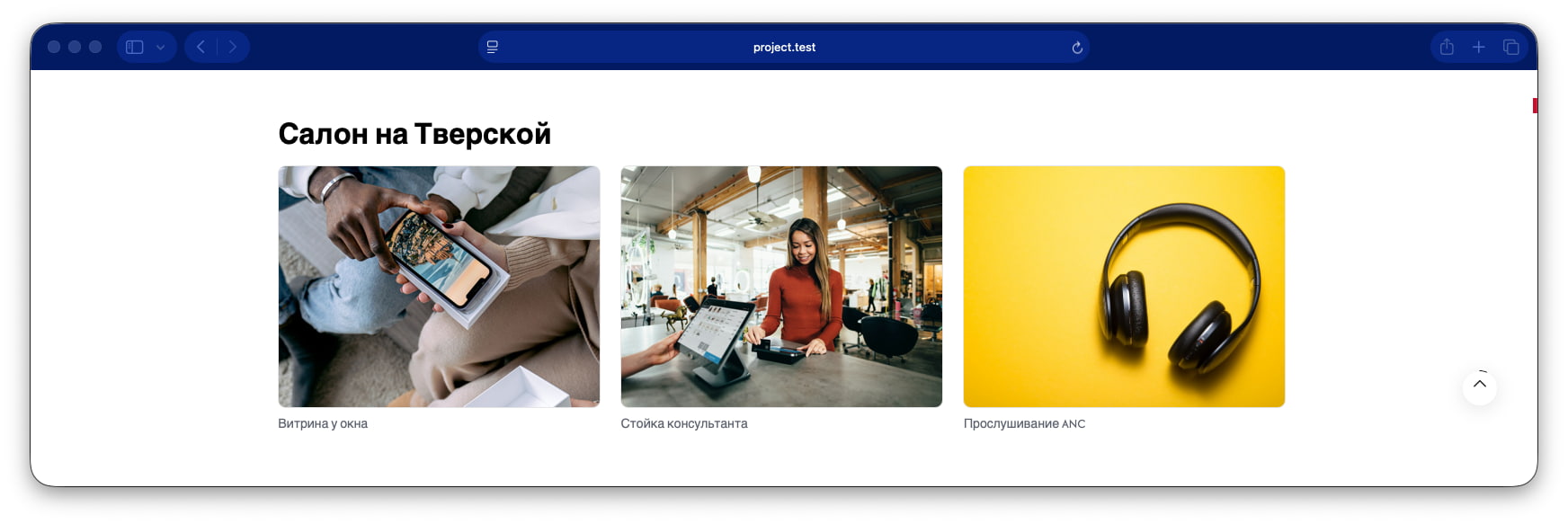
Add rows in the Slides repeater with an Image each. Fill alt text for accessibility and SEO.
| Parameter | Value |
|---|---|
| key | gallery |
| Layer | authoring: Pro; runtime in Free |
| Category | media (media) |
| Chunk | pagebuilder_gallery |
| Requires | — |
Field types: field types reference.
title) Type text. Optional.
items) Type repeater. Required. Repeatable rows. "Add" button in the inspector.
Each row:
| Field | Type | Label | Required |
|---|---|---|---|
image | image | Image | yes |
alt | text | Alt text | no |
caption | text | Caption | no |
pb-gallery grid. Each slide uses pagebuilder_partial_image.
Example payload after save. Media, video, and map values may be enriched on output:
{
  "title": "Section title",
  "items": [
    {
      "_rowId": "00000000-0000-4000-8000-000000000001",
      "image": {
        "url": "assets/images/example.jpg",
        "id": 12,
        "filename": "example.jpg",
        "extension": "jpg",
        "title": "example.jpg",
        "width": 1920,
        "height": 1080,
        "type": "image"
      },
      "alt": "Image description for screen readers",
      "caption": "Caption under the image"
    }
  ]
}Fenom chunk pagebuilder_gallery:
<section class="pb-section pb-section--gallery pb-gallery{if $cssClass} {$cssClass|escape}{/if}" data-pb-section="gallery"{if $id} id="pb-{$id|escape}"{/if}>
  <div class="pb-section__inner pb-gallery__inner">
    {if $title}
      <h2 class="pb-heading pb-gallery__title">{$title|pb_text}</h2>
    {/if}
    <div class="pb-gallery__grid">
      {foreach $items as $item}
        <figure class="pb-gallery__item">
          {include 'pagebuilder_partial_image' image=$item.image alt=($item.alt ?: $item.caption) class='pb-gallery__media'}
          {if $item.caption}
            <figcaption class="pb-gallery__caption">{$item.caption|escape}</figcaption>
          {/if}
        </figure>
      {/foreach}
    </div>
  </div>
</section>