


EasyCookies
A cookie banner for MODX 2 and 3 — a simple notice or law-compliant consent, with counters and a consent log

In EasyCookies counters go into the profile, not into the template. The banner itself runs a service's code once its category is allowed: right away for a simple banner, after consent for a compliant one. When the visitor refuses, the service's cookies are deleted.
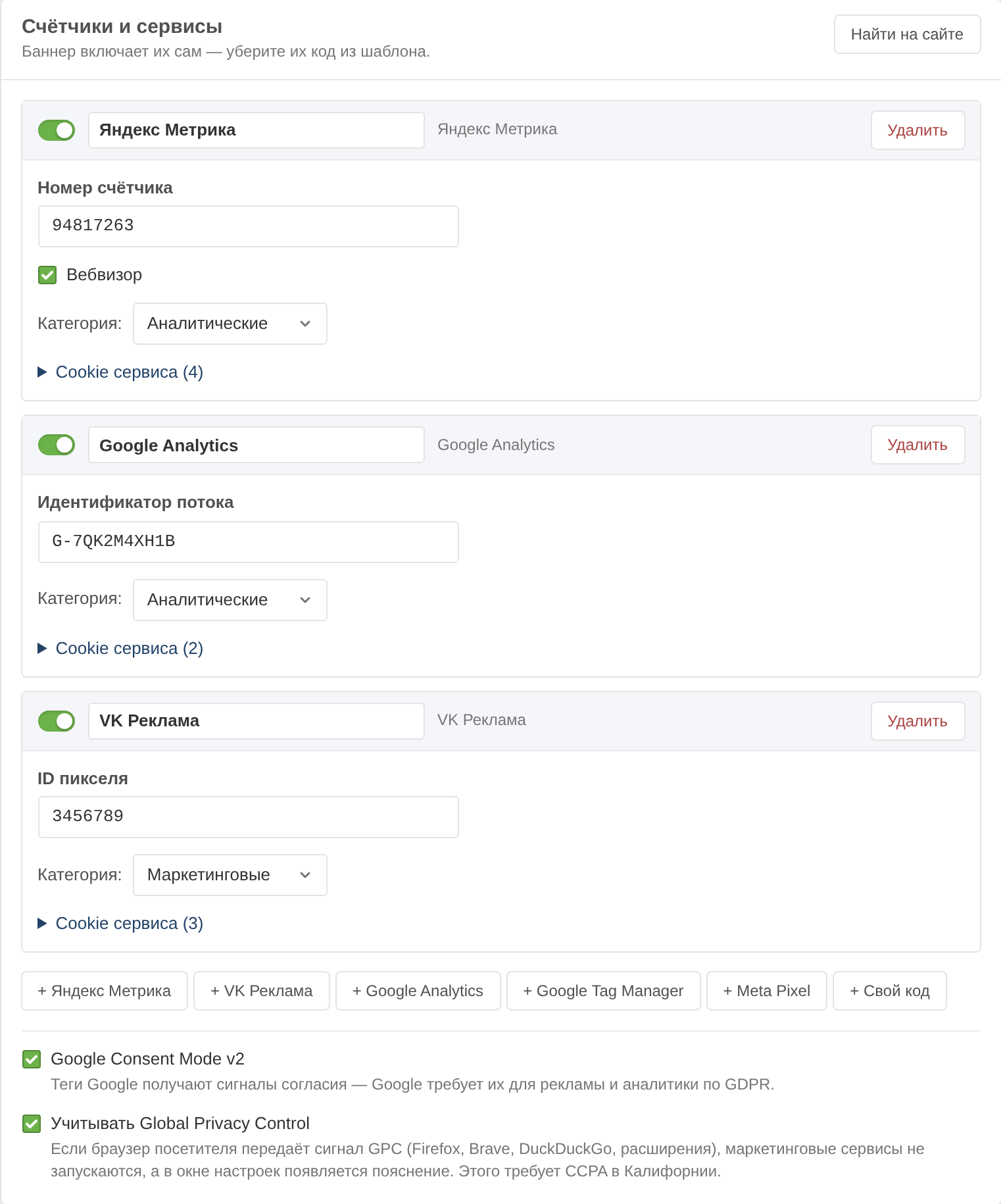
| Service | What to enter | Default category | Cookies deleted on refusal |
|---|---|---|---|
| Yandex Metrika | counter number, Session Replay | analytics | _ym_uid, _ym_d, _ym_isad, _ym_visorc |
| Google Analytics | measurement ID G-XXXXXXXXXX | analytics | _ga, _ga_* |
| Google Tag Manager | container ID GTM-XXXXXXX | analytics | — |
| VK Ads | pixel ID | marketing | tmr_lvid, tmr_lvidTS, tmr_detect |
| Meta Pixel | pixel ID | marketing | _fbp |
| Custom code | any tags, in <head> or at the end of <body> | analytics | the ones you list |
A service is added with the button carrying its name below the list. Every service has:
The same service can be added several times, for example two Metrika counters.
"Custom code" is inserted as it is, and its scripts run. Use it for a chat widget, a pixel or a counter that is not on the list.
In a compliant banner every service belongs to a category: functionality, analytics or marketing. The visitor allows a whole category or single services in it.
A service's cookies are listed under "Service cookies": name, duration and purpose. They are shown as a table in the preferences window and deleted when the visitor refuses. A name with an asterisk is a pattern: _ga_* removes every cookie starting with _ga_. A script that has already run cannot be unloaded from the page, so the page reloads after a refusal.
Durations and purposes are filled in the manager's language when the service is added. You can edit them afterwards.
Google tags get consent signals: analytics_storage from analytics, ad_storage, ad_user_data and ad_personalization from marketing, functionality_storage and personalization_storage from functionality.
The plugin puts the default signals right after <head>, before any Google tag, including tags pasted into the template by hand. If the visitor has already answered, the signals match their choice from the first line. When the visitor answers or changes the choice, the banner updates them.
For a compliant banner Consent Mode is switched on with the "Google Consent Mode v2" checkbox and is on for new profiles. A simple banner outputs the signals only when the profile has Google Analytics or Google Tag Manager.
When the visitor's browser sends the GPC signal — "do not sell or share my data" (Firefox, Brave, DuckDuckGo, extensions) — the marketing category and its services do not run for them, and the preferences window explains why. CCPA requires this in California. With the Sec-GPC: 1 header the plugin denies the advertising Consent Mode signals straight away.
The signal is honoured when "Honour Global Privacy Control" is ticked; new compliant banners have it on. The "GPC signal" checkbox in the preview shows the banner as such a visitor sees it.
On almost every site Metrika and Analytics are already pasted into the template. The "Find on the site" button in the services card finds them and moves them into the profile.
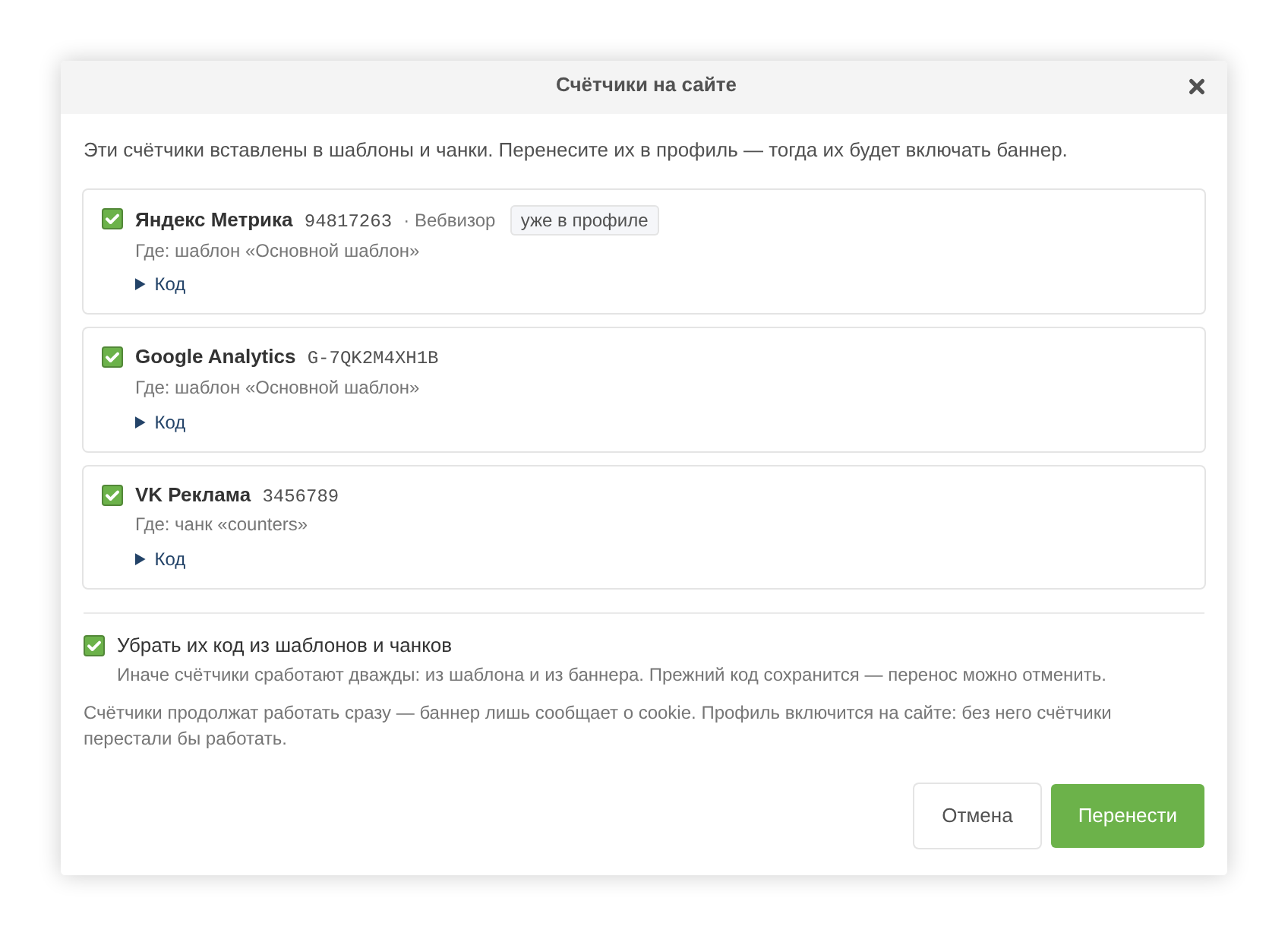
.tpl and .html files in the pdoTools elements directory (core/elements/) and in directories from the easycookies.migrate_paths setting. Only inside the site and core/, skipping cache, vendor, node_modules, .git and packages.It recognises Yandex Metrika, Google Analytics, Google Tag Manager, Meta Pixel and VK Ads, and reads counter numbers and Session Replay. Each finding shows where the counter is and its code.
Tick the counters and click "Move". The counters are added to the profile, and the profile is saved.
If "Remove their code from templates and chunks" is ticked, the profile is also switched on for the site — without it the counters would stop. Then the <script> and <noscript> blocks of the found counters are cut out of templates, chunks and files together with their service comments such as <!-- Yandex.Metrika counter -->.
Внимание
The wizard cuts a <script> block as a whole. A block that holds code of another recognised service too is cut only when all its services are moved. If your own code sits in the same <script> as a counter, check the template after moving — the code can be put back if needed.
The previous content of elements and files is saved to core/packages/easycookies/backups/. The "Put the code back" button appears in the window right after moving and restores the code if the element or file has not been edited since. Once the window is closed, the code can be restored only by hand from that directory.
Подсказка
"Put the code back" does not touch the profile: the counters stay in it and the profile stays on. Remove what you do not need from the profile, or the counters will run twice.