


PageBuilder
Visual section builder for MODX 3: draft and publish without overwriting resource content
- MODX 3
- PHP 8.2
- Vue 3

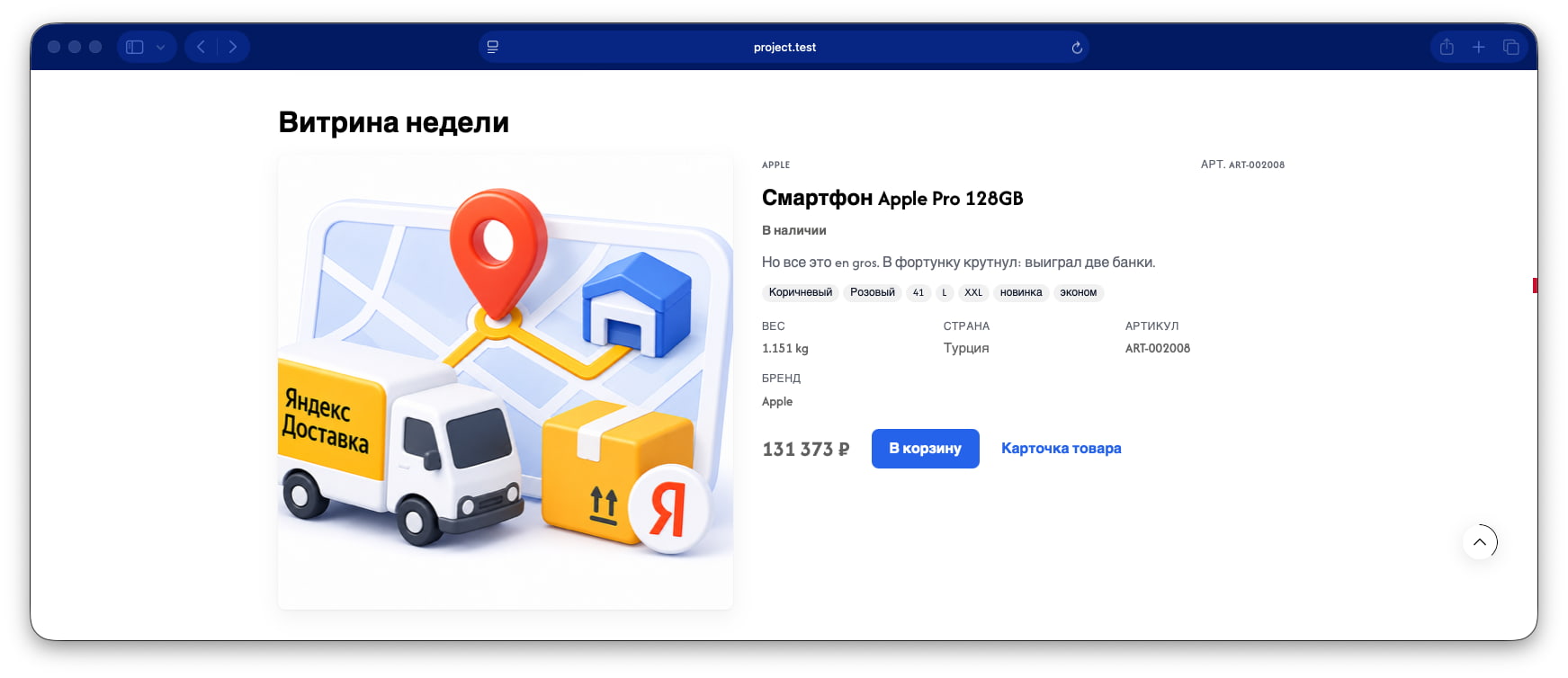
Store hero or "product of the week": large image, price, description, add to cart. One product from msProducts.
Информация
Requires PageBuilder Pro and miniShop3.
Product search uses mgr/ms3/products/search. product is required. The type is "cacheable": false.
Before the chunk, ProSectionRenderSupport writes product_id and pb_product_resource. The chunk reads $pb_product_resource. If the id is missing, the visitor sees the chunk text «Товар не выбран или недоступен.»
| Parameter | Value |
|---|---|
| key | product_spotlight |
| Layer | Pro |
| Category | commerce (commerce) |
| Chunk | pagebuilderpro_product_spotlight |
| Requires | pro, minishop3 |
Fill these fields in the section inspector. Field types are documented in the field types reference.
title) Type text. Optional.
product) Type relation. Required. Pick one MODX resource in a search modal.
Two-column pb-product-spotlight via msProducts.
Example payload after save. Media, video, and map values may be enriched on output:
{
  "title": "Section title",
  "product": 201
}Fenom chunk pagebuilderpro_product_spotlight:
{set $productId = $pb_product_resource !: ($product_id !: 0)}
{set $listing = ''}
{if $productId}
  {set $listing = $modx->runSnippet('msProducts', [
    'parents' => 0,
    'resources' => $productId,
    'limit' => 1,
    'tpl' => 'pagebuilderpro_ms3_product_spotlight_row',
    'includeVendorFields' => '*',
    'includeOptions' => 'color,size',
    'withCurrency' => 1,
    'showZeroPrice' => 1
  ])}
{/if}
<section class="pb-section pb-section--product-spotlight pb-product-spotlight{if $cssClass} {$cssClass|escape}{/if}" data-pb-section="product_spotlight"{if $id} id="pb-{$id|escape}"{/if}>
  <div class="pb-section__inner pb-product-spotlight__inner">
    {if $title}
      <h2 class="pb-heading">{$title|escape}</h2>
    {/if}
    {if $listing}
      {$listing}
    {else}
      <p class="pb-listing__empty">{'pagebuilder_fe_listing_empty_product' | lexicon}</p>
    {/if}
  </div>
</section>