



Interface
Import property mapping
Property mapping is configured in Components - mSync - Import property mapping.
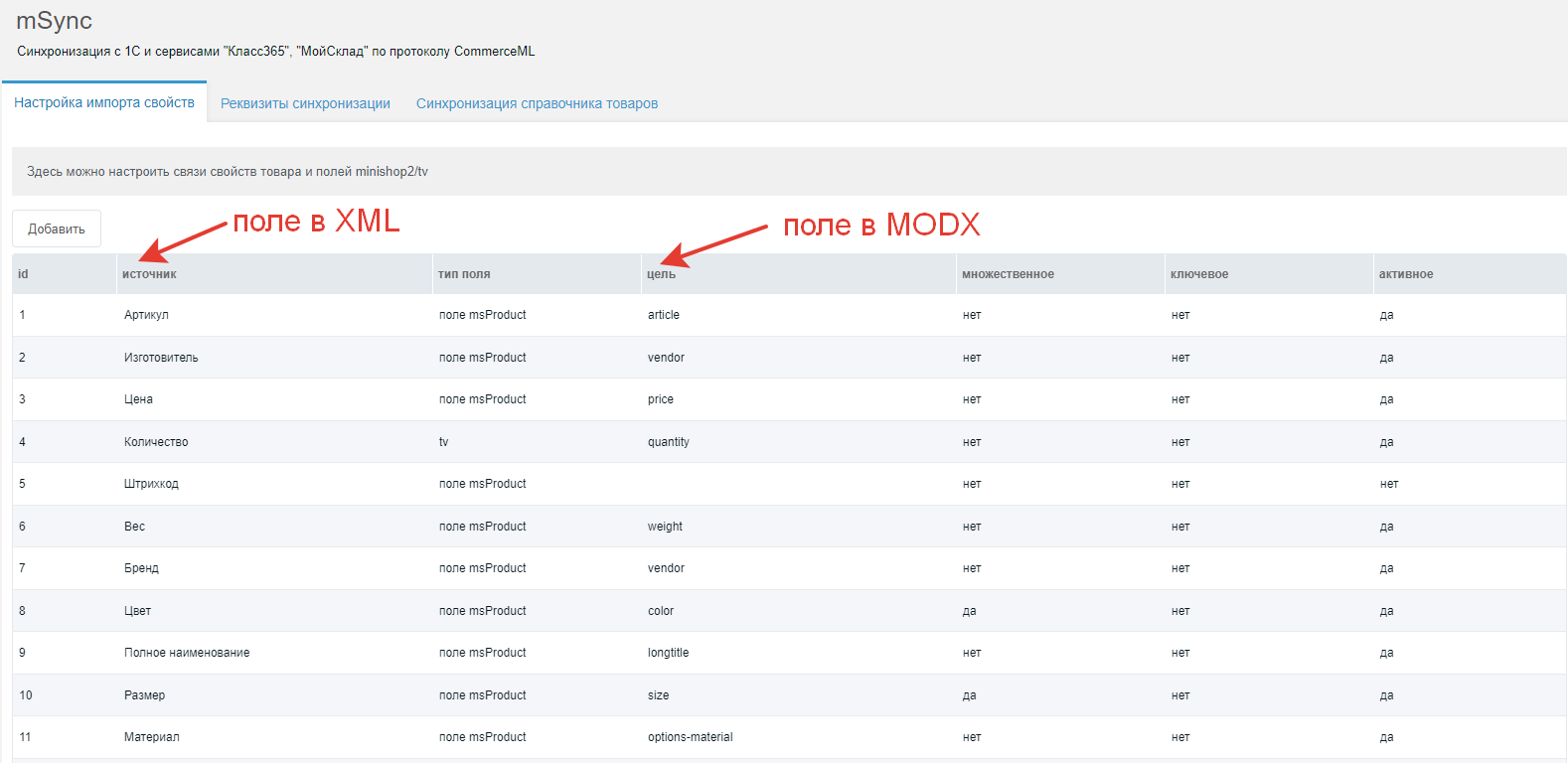
Several default mappings are added; they cannot be deleted but can be edited or deactivated.
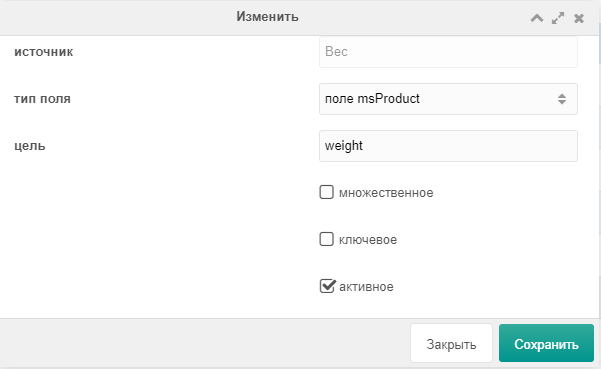
Configure which product fields to import. Add a new mapping or edit an existing one.
Source — property name in product XML.
Field type — miniShop field or TV.
Target — field name in miniShop or TV name.
Multiple — whether the field is a multi-value miniShop field (e.g. colors, sizes, tags).
Key — if a product is not found by 1C ID, it is looked up by the combination of key fields.
Active — whether this field is imported.
Sync credentials
This section shows the current URL, login and password for sync. Copy these into CommerceML sync settings. Last export time is also shown. Change login and password in system settings under msync.
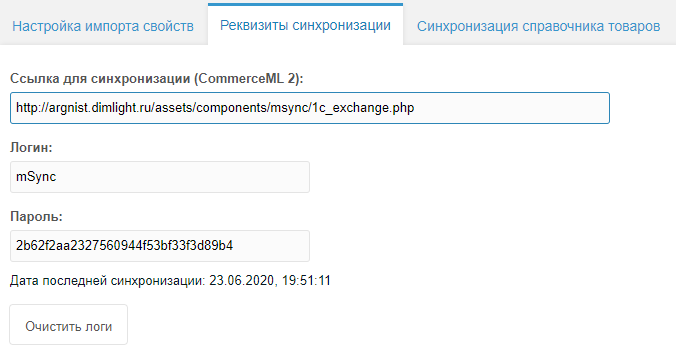
"Clear logs" deletes all files in /core/components/msync/logs.
Product catalog sync

Export products to CSV
CSV export. By default 500 products per run. Progress is shown during export. If the host is slow, lower "Max products per run". You can raise it if the host allows, but it is not recommended.
Manual product import
Import products without 1C. Specify catalog and offer file names (default: import.xml and offers.xml, or import_01.xml and offers_01.xml). Use "Upload files" to upload these files and images to the site. They go to assets/components/msync/1c_temp. Click "Manual import" to run the import. Progress is shown. From v1.2.0-pl, both files are not required; you can use only one.
Order XML export
"Show order XML" downloads the XML file for CommerceML. Use it to verify the export.