



Integration
From version 2.0 ms2Gallery can integrate with other extras.
miniShop2
Replacing the default ms2 gallery gives you:
- Consistency with other pages.
- Ability to disable files without deleting.
- Extra file fields.
- File tags (with caveats).
To set up:
- Update miniShop2 to 2.4.8-pl or newer.
- Enable system setting ms2gallery_sync_ms2.
- Import ms2 images into ms2Gallery via console script
core/components/ms2gallery/cli/import_ms2.php - Ensure the native gallery is hidden and only ms2Gallery with the product file source (default: MS2 Images) is used. The new gallery must use the same source or duplicates will appear.
The old gallery is hidden but its DB records stay in sync with the new one for native ms2 snippets and third-party extras.
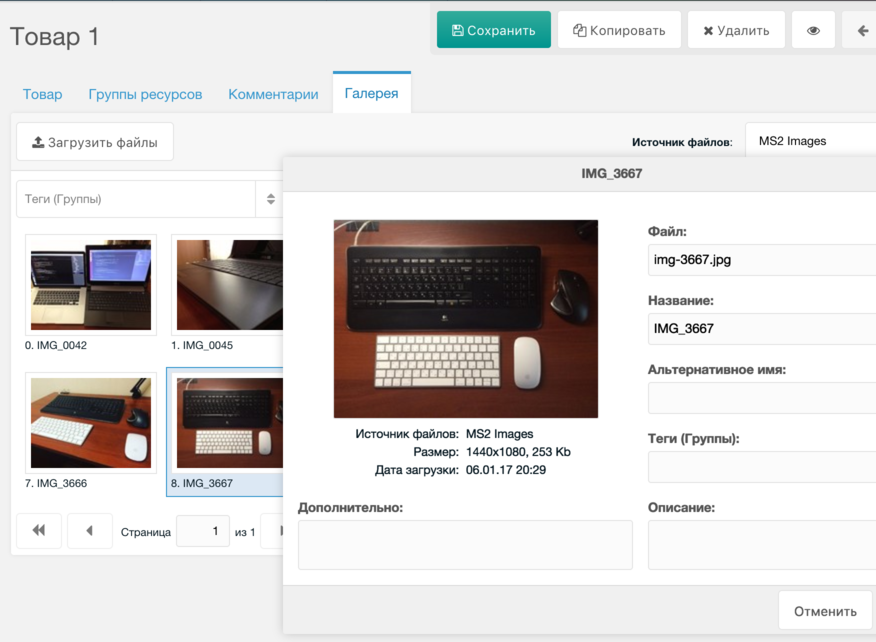
Note: if you import images into the old gallery via its native processor, they will sync to the new gallery but file IDs may change; file tags are tied to IDs and can break.
So either: do all file operations only via ms2Gallery admin and processors (one-way sync from old gallery), or import via third-party tools into the old gallery and do not use tags.
Tickets
Tickets has no built-in gallery; you don’t see user-uploaded files in the manager.
To fix:
- Update Tickets to 1.8.0-pl or newer.
- Enable ms2gallery_sync_tickets.
- Import ticket files via
core/components/ms2gallery/cli/import_tickets.php - Ensure the gallery uses the correct file source (default: Tickets Files).
Then you can upload files in tickets on the frontend and manage them in the manager.
Note: if a file link is embedded in page content, removing the file in ms2Gallery does not remove that link. Sort order in output via TicketMeta is not affected. Tags behave like with ms2; otherwise two-way file sync works.