



MyFavorites
MyFavorites adds favorites lists to your site. Focus on anonymous users, analytics, and bot protection.
Features
- Multiple favorites lists.
- Works with anonymous and registered users.
- Custom user lists (create, rename, delete).
- Session/cookie clear does not affect anonymous favorites.
- Anonymous user identification across browsers (not 100% reliable; requires Google Analytics or Yandex.Metrika).
- Attach anonymous favorites to user on login or order creation.
- Sync favorites across devices/browsers when not yet linked to same user.
- Send add/remove/clear events to Google Analytics and Yandex.Metrika.
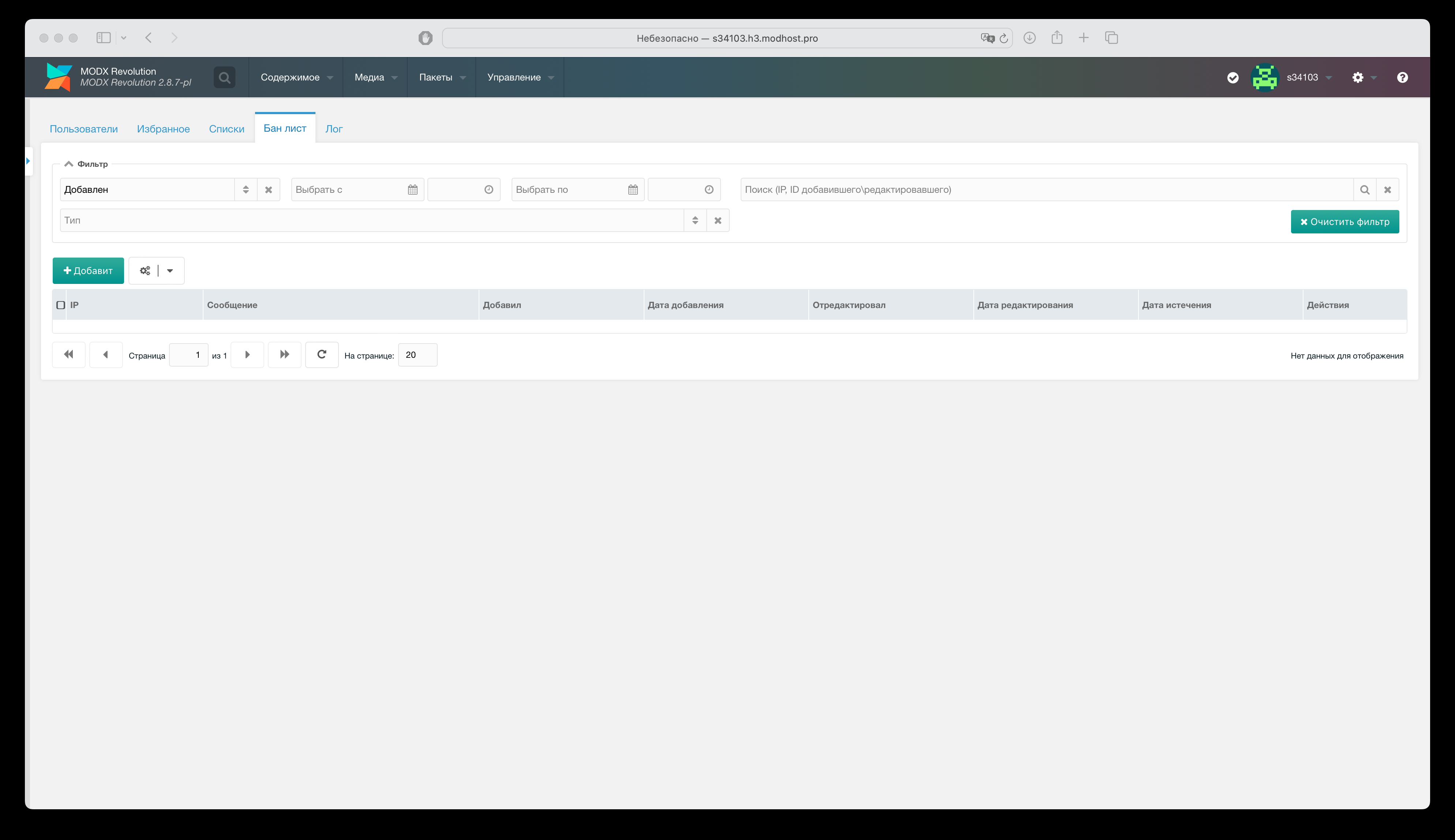
- IP blacklist.
- CSRF protection.
- reCAPTCHA 3.
- Request limits for anonymous and registered users.
- Email alerts on suspicious activity.
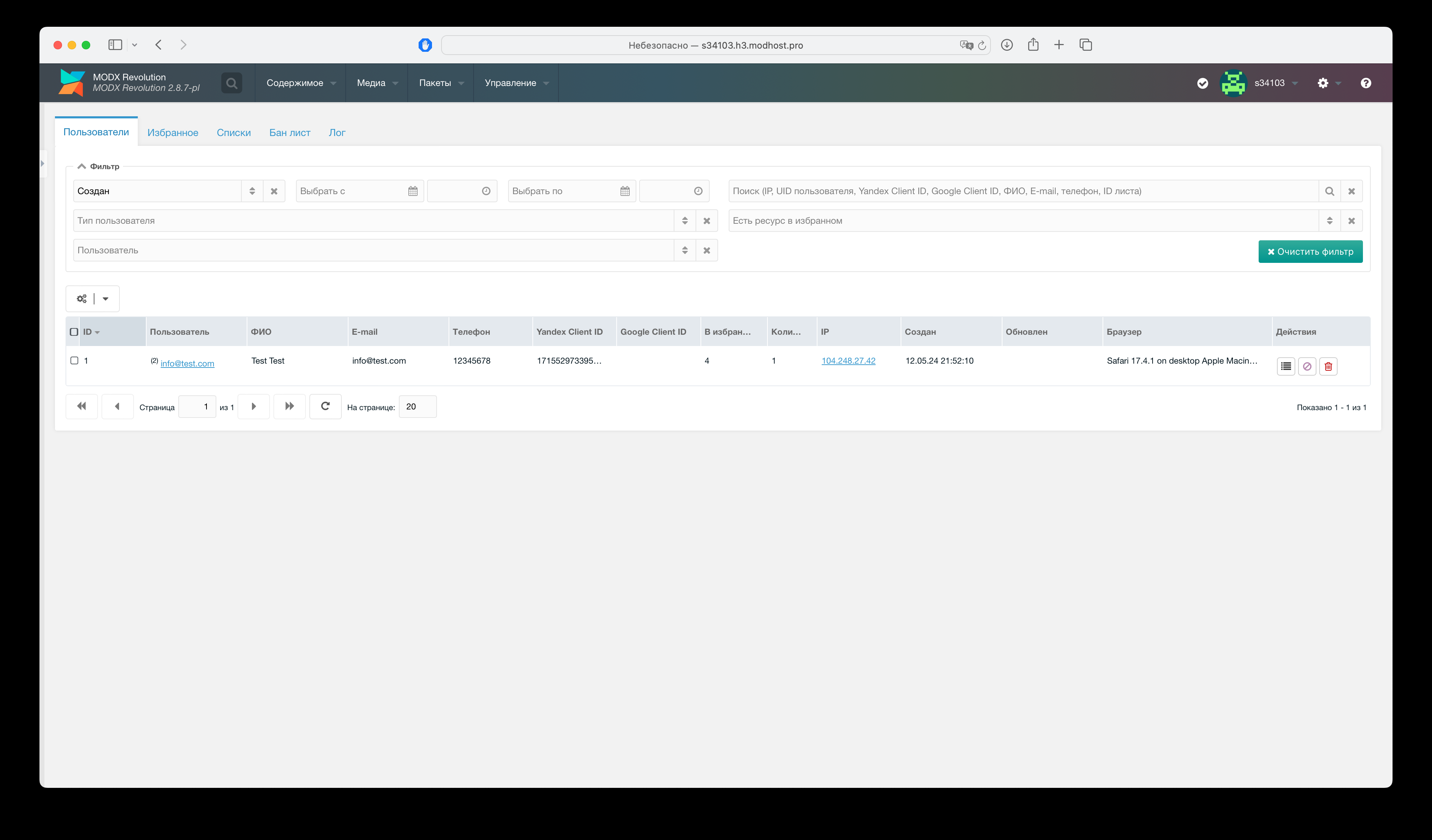
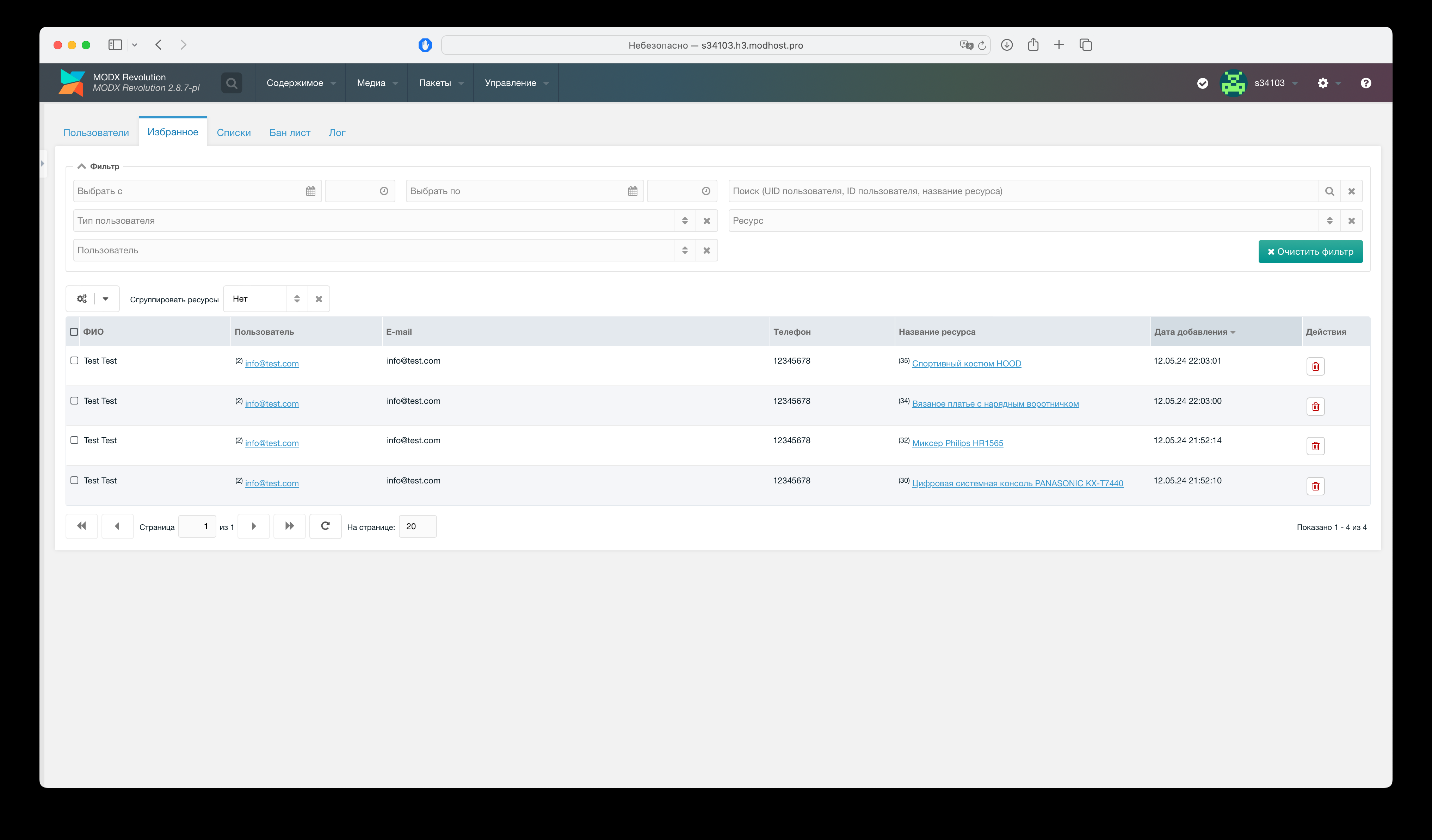
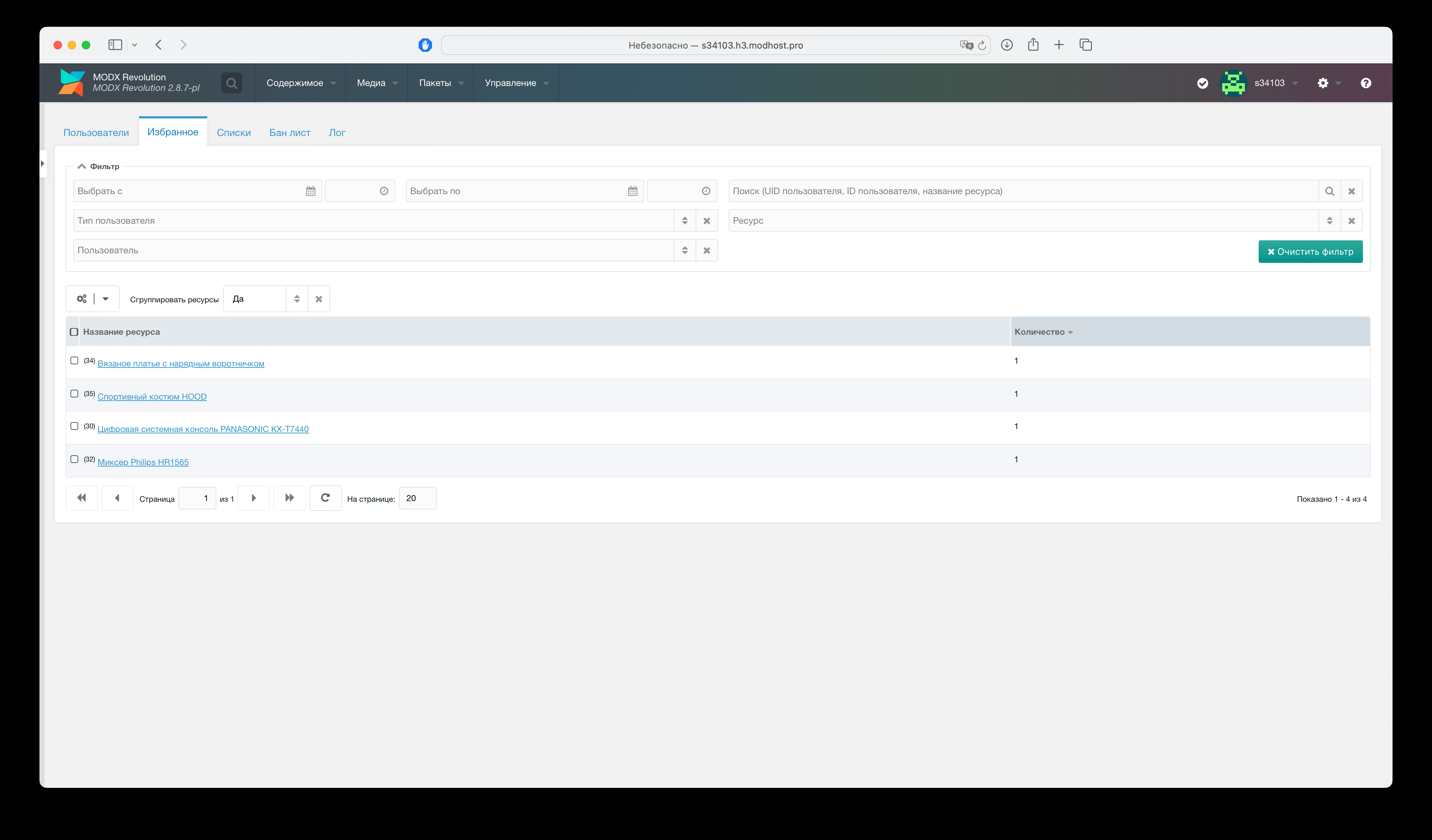
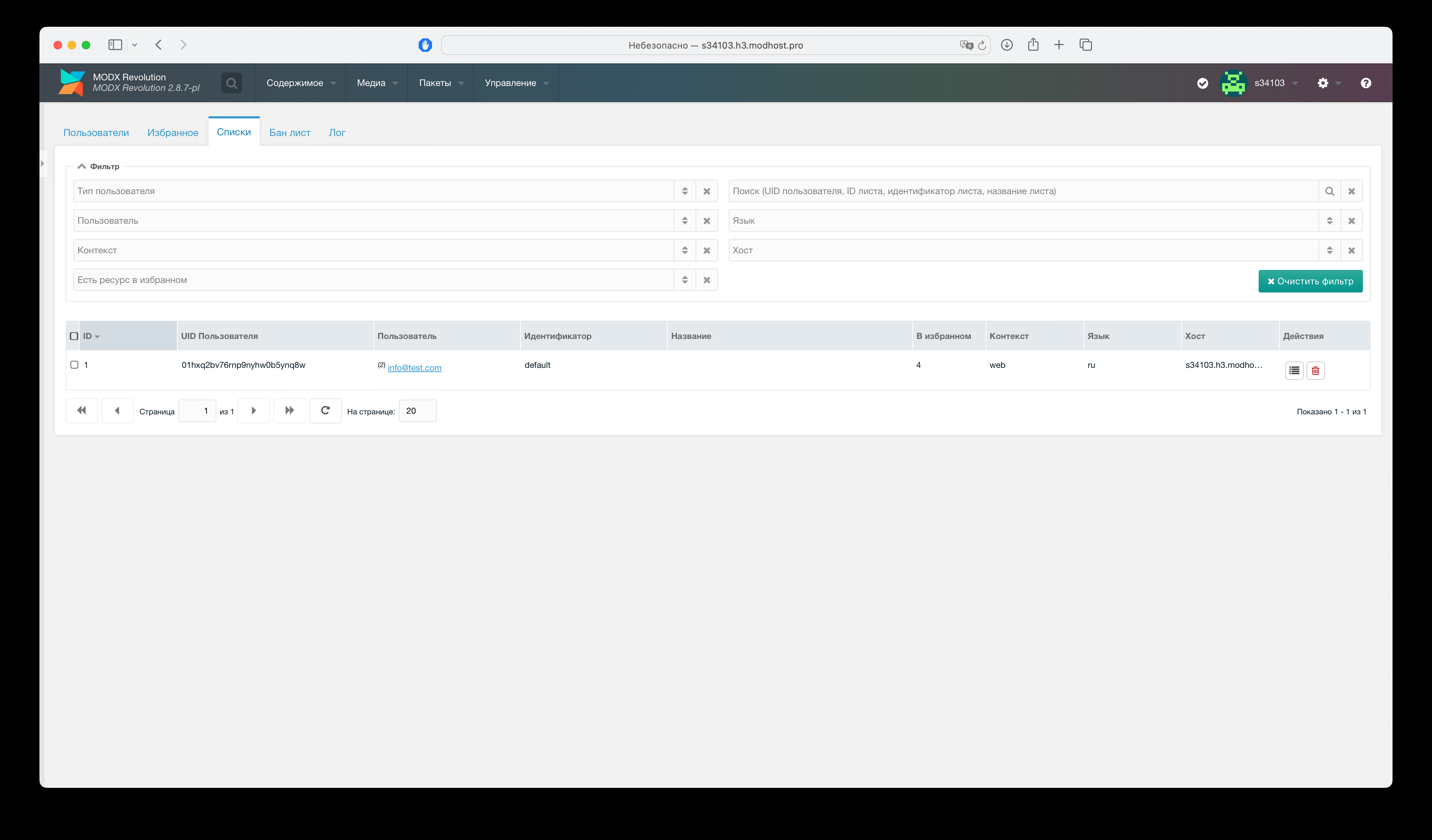
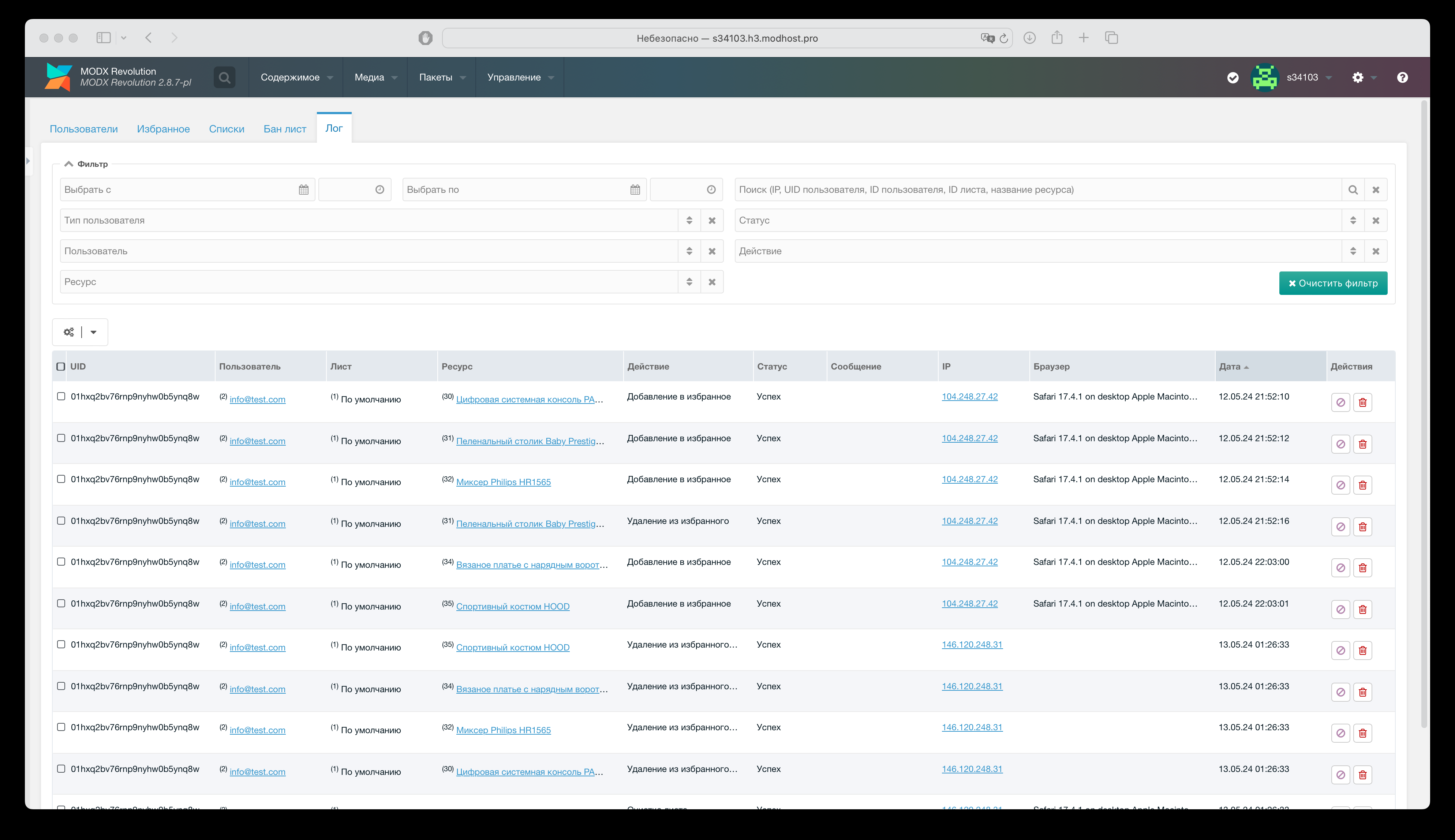
- Admin info on users, lists, activity.
- Export to CSV, XLSX, ODS.
- Cloudflare compatible.
- CSS variables for styling.
- Subscribe to JS events for customization.
- Native JS.
Video overview

Quick start
Snippet calls
Use MyFavorites.btn for add/remove to favorites.
Use *MyFavorites.counter for favorites count.
Use MyFavorites.ids to get all favorite resource IDs.
To output favorite resources:
modx
[[!MyFavorites.ids? &toPlaceholder=`myf.ids`]]
[[!+myf.ids:is=`-0`:then=`
  [[%myfavorites_info_list_empty]]
`:else=`
  [[!pdoPage?
    &element=`msProducts`
    &parents=`0`
    &limit=`12`
    &resources=`[[!+myf.ids]]`
  ]]
  <button class="btn btn-primary" data-myfavorites-clear>[[%myfavorites_clear_list]]</button>
  [[!+page.nav]]
`]]
See "Snippets" for full parameters.
Styling
Set CSS variables for colors:
--myf-primary-color--myf-secondary-color
Example
CSS
:root {
  --myf-primary-color:red;
  --myf-secondary-color:silver;
}
See "CSS styling" for more variables.
Auto cleanup
Add weekly CRON call for log, expired IP blocks, and temp export cleanup:
shell
full_path/core/components/myfavorites/cron/clear.phpSystem settings
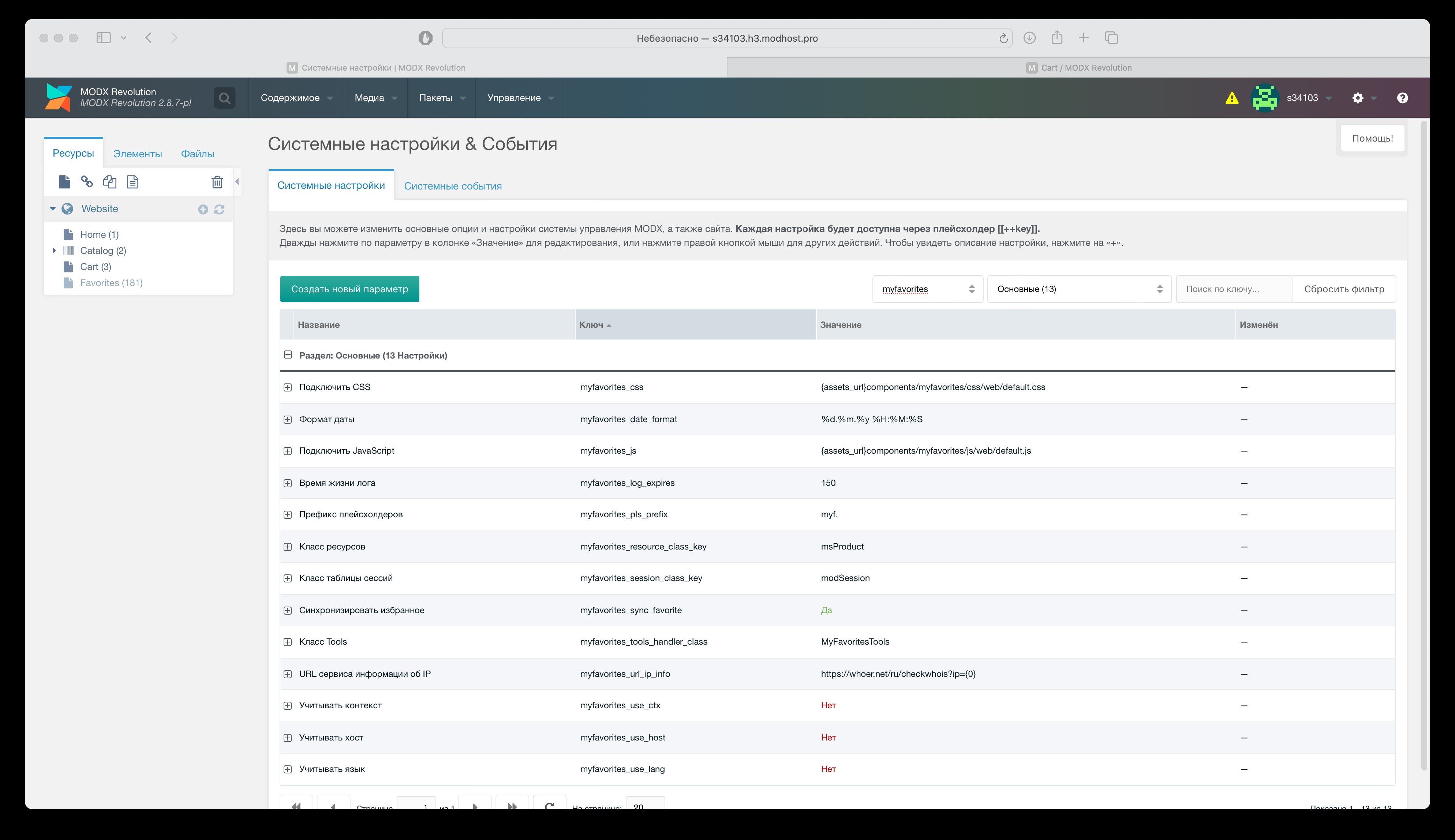
Main
Security
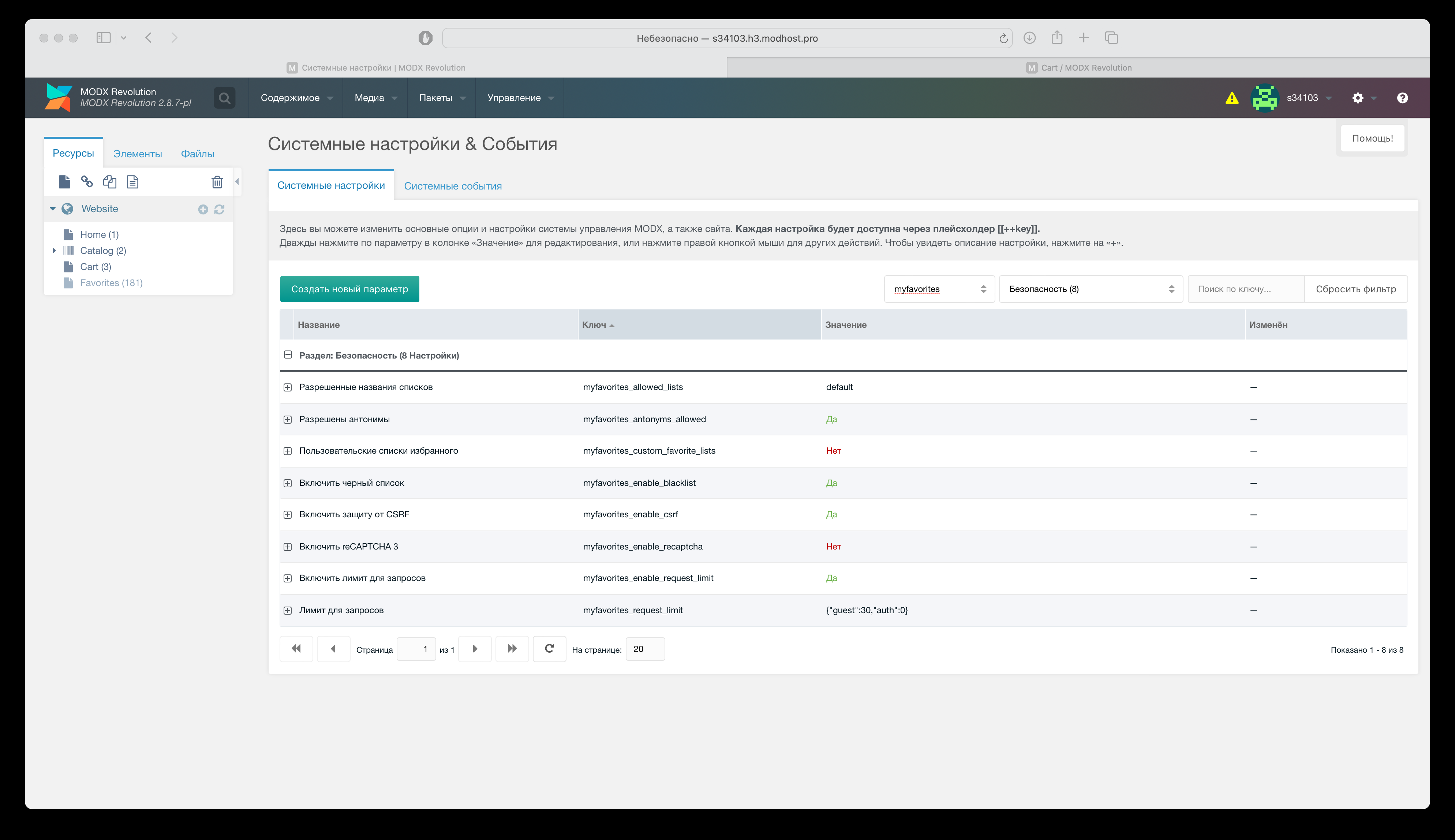
Configure:
- Disallow anonymous users from adding to favorites.
- IP blacklist.
- reCAPTCHA 3 (configure in its section first).
- Request limits for anonymous and registered users.
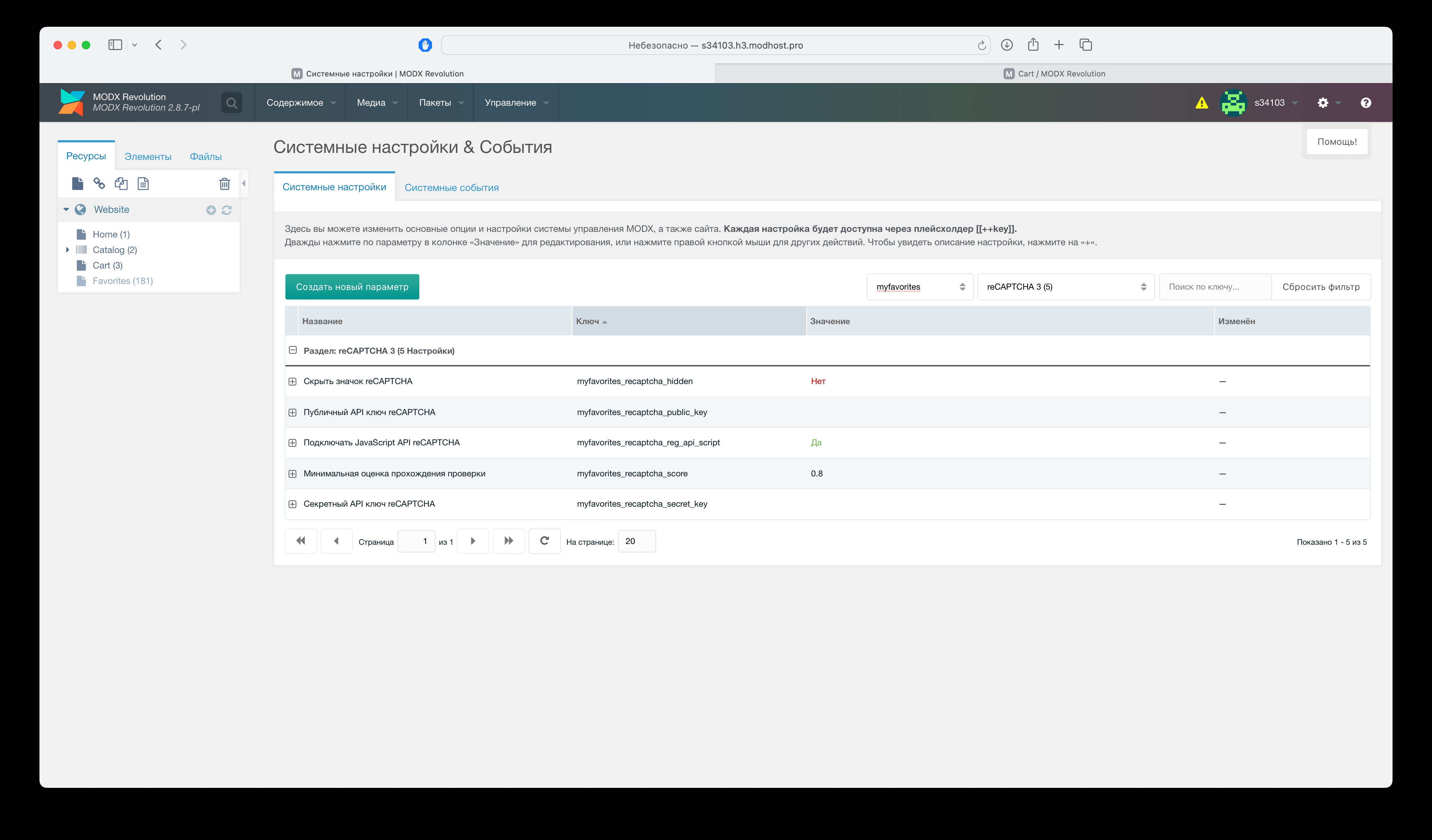
reCAPTCHA 3
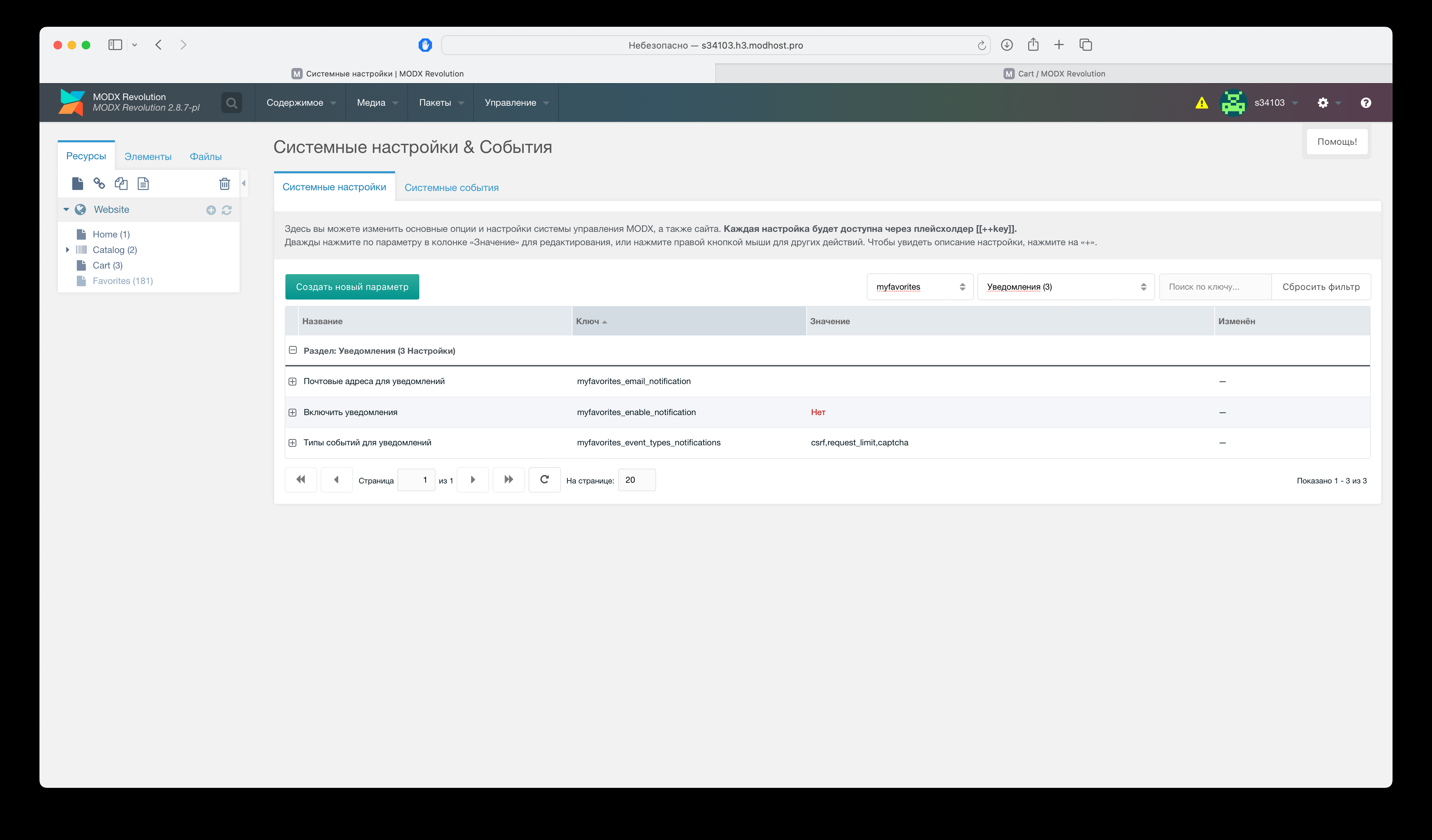
Notifications
Configure event types for notifications.
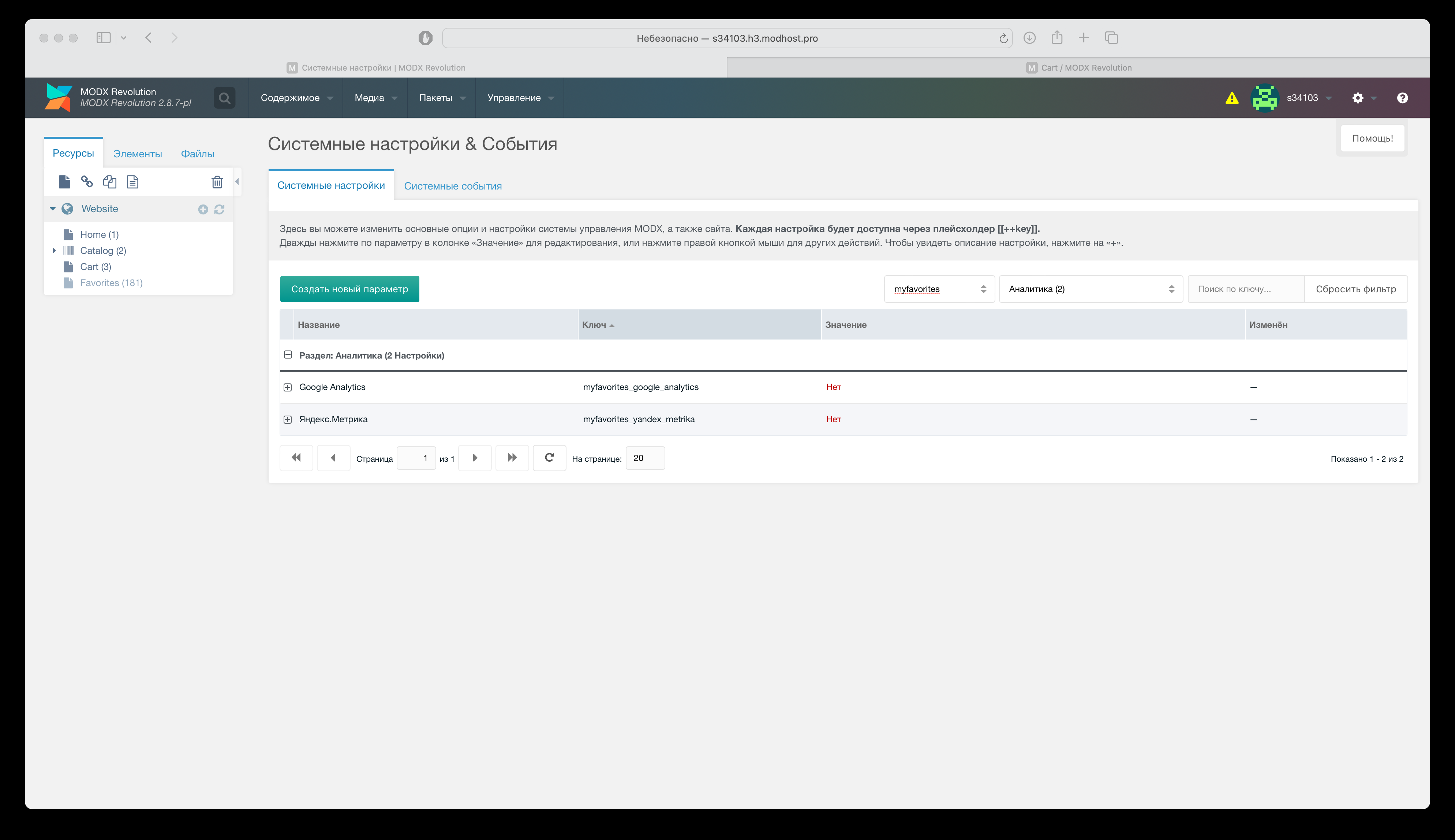
Analytics
Enable sending add/remove/clear events to Google Analytics or Yandex.Metrika.
Export
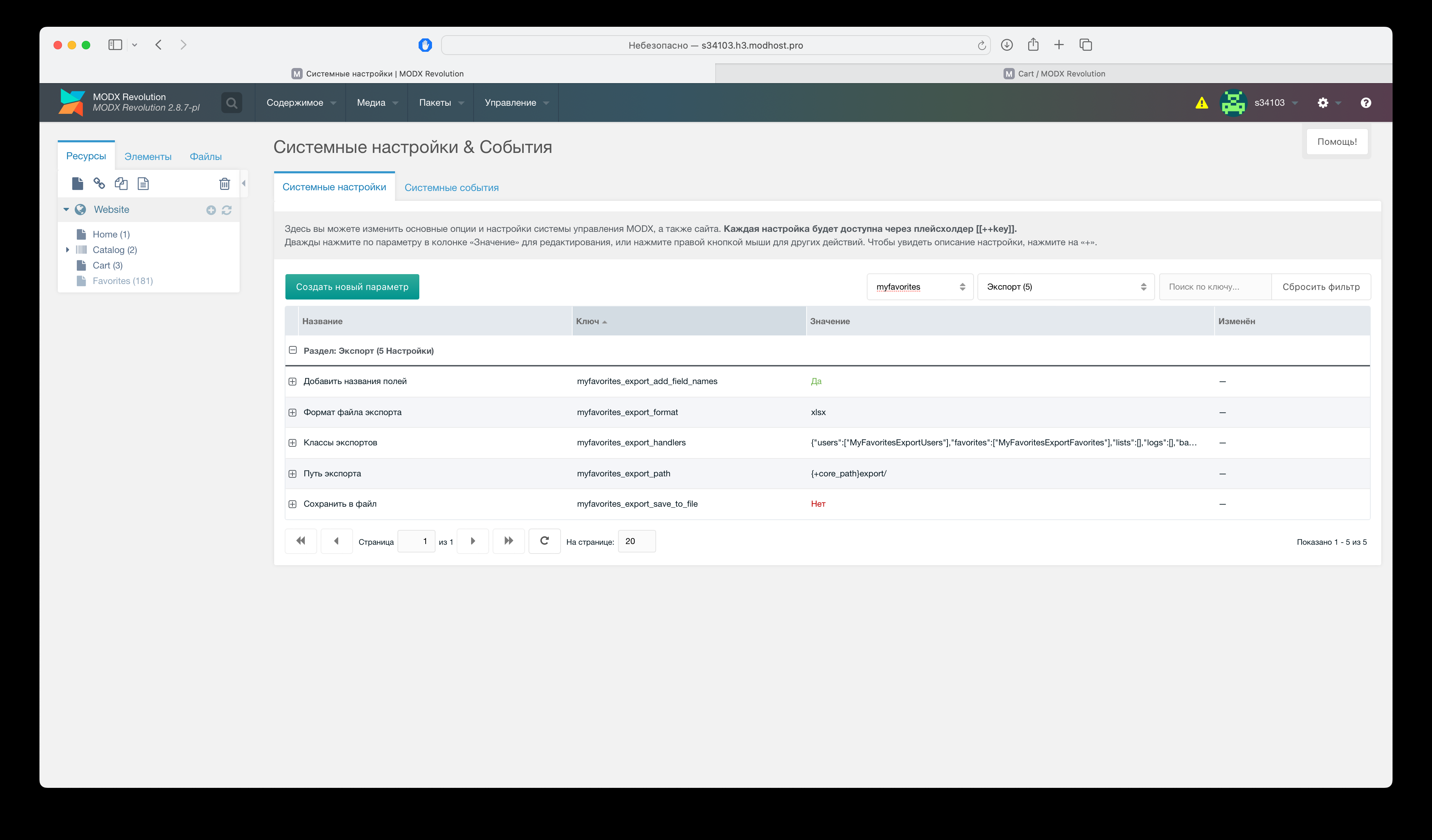
Configure:
- Export format.
- Save to server vs browser download.
- Export path.
- Export classes.
Admin panel
Snippets
MyFavorites.btn - Add/remove button
Parameters
| Name | Description |
|---|---|
id | Resource id for button. |
list | List id. Default: default. |
tpl | Output chunk. Default: tpl.MyFavorites.btn. |
remove | On remove: reload page (1) or remove HTML. For HTML removal set ID prefix; resource id will be appended with dash. |
label | Analytics label (sent to GA/Yandex.Metrika). |
classes | CSS classes for button. |
Chunk example
modx
[[!MyFavorites.btn? &id=`[[+id]]`]]Template example
modx
[[!MyFavorites.btn? &id=`[[*id]]`]]Reload on remove
modx
[[!MyFavorites.btn? &id=`[[*id]]` &remove=`1`]]Remove HTML element on remove
modx
<div id="product-item-[[+id]]">
[[!MyFavorites.btn? &id=`[[+id]]` &remove=`product-item`]]
.
.
.
</div>
Analytics label example
modx
[[!MyFavorites.btn? &id=`[[+id]]` &label=`[[+pagetitle]]`]]MyFavorites.counter - Favorites count
Parameters
| Name | Description |
|---|---|
id | Page ID where favorites list is shown. |
list | List id. Default: default. |
tpl | Output chunk. Default: tpl.MyFavorites.counter |
Example
modx
[[!MyFavorites.counter? &id=`5`]]MyFavorites.lists - Lists with item counts
Parameters
| Name | Description |
|---|---|
user | MODX user ID. Default 0. |
withItems | Include IDs in chunk. Default 1. |
limit | Result limit. Default: 0. |
offset | Skip. Default: 0 |
sortby | Sort field. Default: createdon. |
sortdir | Sort direction. Default: DESC. |
tpl | Output chunk. Default: tpl.MyFavorites.lists |
MyFavorites.ids - Returns favorite item IDs
Parameters
| Name | Description |
|---|---|
list | List id. Default: default. |
return | Return format: data (array) or str (comma-separated). Default: str. |
toPlaceholder | If set, saves to placeholder instead of output. |
Output example
modx
[[!MyFavorites.ids? &toPlaceholder=`myf.ids`]]
[[!+myf.ids:is=`-0`:then=`
<div class="alert alert-primary d-flex align-items-center" role="alert">
    <svg class="bi flex-shrink-0 me-2" width="24" height="24" role="img" aria-label="Info:"><use xlink:href="#info-fill"></use></svg>
    <div>[[%myfavorites_info_list_empty]]</div>
</div>
`:else=`
<div class="row">
    [[!pdoPage?
    &element=`msProducts`
    &parents=`0`
    &limit=`12`
    &resources=`[[!+myf.ids]]`
    ]]
</div>
<div class="row">
    <div class="col">
        <button class="btn btn-primary" data-myfavorites-clear>[[%myfavorites_clear_list]]</button>
    </div>
</div>
<div class="row">
    <div class="col text-center">
    [[!+page.nav]]
    </div>
</div>
`]]
fenom
{set $ids = $_modx->runSnippet('!MyFavorites.ids')}

{if $ids != '-0'}
<div class="row">
    {$_modx->runSnippet('!pdoPage', [
    'element'=>'msProducts',
    'parents' => 0,
    'resources' => $ids,
    'limit' => 12,
    ])}
</div>
<div class="row">
    <div class="col">
        <button class="btn btn-primary" data-myfavorites-clear>{'myfavorites_clear_list' | lexicon}</button>
    </div>
</div>
<div class="row">
    <div class="col text-center">
        {'page.nav' | placeholder}
    </div>
</div>
{else}
<div class="alert alert-primary d-flex align-items-center" role="alert">
    <svg class="bi flex-shrink-0 me-2" width="24" height="24" role="img" aria-label="Info:"><use xlink:href="#info-fill"></use></svg>
    <div>{'myfavorites_info_list_empty' | lexicon}</div>
</div>
{/if}
CSS styling
Use CSS variables for styling.
Colors
--myf-primary-color--myf-secondary-color
CSS
:root {
  --myf-primary-color:red;
  --myf-secondary-color:silver;
}
Fine tuning
Add/remove button
--myf-btn-size- button size--myf-btn-icon-color- icon color--myf-btn-added-icon-color- icon when in favorites--myf-btn-icon-color-hover- icon on hover--myf-btn-icon- svg base64--myf-btn-added-icon- svg base64 when in favorites--myf-btn-animate- click animation--myf-btn-transition- transition
Counter
--myf-counter-size- button size--myf-counter-icon-color- icon color--myf-counter-icon-color-hover- icon on hover--myf-counter-icon- svg base64--myf-counter-transition- transition--myf-counter-value-size- counter value size--myf-counter-value-offset- offset from icon--myf-counter-value-bg- background--myf-counter-value-color- text color--myf-counter-value-opacity- opacity--myf-counter-value-opacity-hover- opacity on hover
JS
Events
initaddremoveclearListaccessDeniedAntonymsbeforeRequestsuccessRequestfailureRequestafterRequest
Custom notifier
Default: native alert, or MiniShop2 messages if installed.
To use your own, subscribe to init and pass your class via setNotifier:
Example
js
class MyNotifier {
    success(msg) {
        console.info(msg);
    }
    error(msg) {
        console.error(msg);
    }
}

window.addEventListener('DOMContentLoaded', e => {
    myFavorites.on('init',(self)=>{
        const notifier = new MyNotifier()
        self.setNotifier(notifier);
    });
 });
Login/register modal for anonymous users
When anonymous add is disabled, a notification is shown by default.
To show your own modal, subscribe to accessDeniedAntonyms:
Example
js
window.addEventListener('DOMContentLoaded', e => {
    myFavorites.on('accessDeniedAntonyms',(self, el, data)=>{
       // showAuthModal();
    });
 });
Custom user lists
When custom lists are enabled (disabled by default), handle user actions and call myFavorites methods:
- createList - create list
- renameList - rename list
- removeList - delete list
Example
js
window.addEventListener('DOMContentLoaded', e => {

    document.getElementById('new-list')?.addEventListener('click', ()=>{
        myFavorites.createList('my list', (self, res) => {

        });
    });

   document.getElementById('rename-list')?.addEventListener('click', ()=>{
     myFavorites.renameList('01hv1yjq6drnrn0hk2vmyn1wez', 'new list name', (self, res)=>{
         console.log(res);
     });
  });

   document.getElementById('remove-list')?.addEventListener('click', ()=>{
     myFavorites.removeList('01hv1yjq6drnrn0hk2vmyn1wez', (self, res) => {
         console.log(res);
     });
  });
});
Custom analytics
To use your own analytics, disable built-in analytics and handle:
addremoveclearList
Example
js
 window.addEventListener('DOMContentLoaded', e => {
    myFavorites.on('add',(self,el, data, payload) => {

    }).on('remove',(self,el, data, payload) => {

    }).on('clearList',(self,el, data, payload) => {

    });
 });
Request events example
js
window.addEventListener('DOMContentLoaded', e => {
    myFavorites.on('beforeRequest',(self, el, payload) => {

    }).on('successRequest',(self, el, res, payload) => {

    }).on('failureRequest',(self, el, res, payload) => {

    }).on('afterRequest',(self, el, payload) => {

    });
 });
Export settings
In "Export" section configure:
- Export format. Default
xlsx. - Include column headers. Default
Yes. - Save to file or download. Default: download.
- Export path (when saving to file).
- Export classes. Add custom or override existing.
Filter state and visible fields affect exported data. Field order and width affect export file layout.
Custom export
To add custom export:
- Create class in
core/components/myfavorites/handlers/exportsextending MyFavoritesExport. - Add class name to "Export classes" (myfavorites_export_handlers) in system settings.
Your export will appear in export menu.
System events
MyFavoritesOnManagerCustomCssJs - Load MyFavorites scripts in admin
Parameters
| Name | Description |
|---|---|
controller | Controller instance |
page | Page id. Values: home |
MyFavoritesOnBeforeAdd - Before adding resource to favorites
Parameters
| Name | Description |
|---|---|
| rid | Resource ID |
| userId | User ID |
| listId | List ID |
| list | List identifier |
| tools | MyFavoritesTools reference |
MyFavoritesOnAdd - After adding resource to favorites
Parameters
| Name | Description |
|---|---|
| rid | Resource ID |
| userId | User ID |
| listId | List ID |
| list | List identifier |
| count | Favorites count |
| tools | MyFavoritesTools reference |
MyFavoritesOnBeforeRemove - Before removing resource from favorites
Parameters
| Name | Description |
|---|---|
rid | Resource ID |
userId | User ID |
listId | List ID |
list | List identifier |
tools | MyFavoritesTools reference |
MyFavoritesOnRemove - After removing resource from favorites
Parameters
| Name | Description |
|---|---|
rid | Resource ID |
userId | User ID |
listId | List ID |
list | List identifier |
count | Favorites count |
tools | MyFavoritesTools reference |
MyFavoritesOnBeforeClear - Before clearing list
Parameters
| Name | Description |
|---|---|
userId | User ID |
listId | List ID |
list | List identifier |
tools | MyFavoritesTools reference |
MyFavoritesOnClear - After clearing list
Parameters
| Name | Description |
|---|---|
userId | User ID |
listId | List ID |
list | List identifier |
count | Favorites count |
tools | MyFavoritesTools reference |
MyFavoritesOnBeforeCreateUser - Before creating MyFavorites user
Parameters
| Name | Description |
|---|---|
muid | MODX user ID (currently logged in) |
tools | MyFavoritesTools reference |
MyFavoritesOnCreateUser - After creating MyFavorites user
Parameters
| Name | Description |
|---|---|
user | MyFavoriteUsers reference |
tools | MyFavoritesTools reference |
MyFavoritesOnBeforeCreateList - Before creating list
Parameters
| Name | Description |
|---|---|
data | List creation data |
tools | MyFavoritesTools reference |
MyFavoritesOnCreateList - After creating list
Parameters
| Name | Description |
|---|---|
list | MyFavoriteLists reference |
tools | MyFavoritesTools reference |
MyFavoritesOnBeforeRenameList - Before renaming list
Parameters
| Name | Description |
|---|---|
| newName | New name |
list | MyFavoriteLists reference |
tools | MyFavoritesTools reference |
MyFavoritesOnRenameList - After renaming list
Parameters
| Name | Description |
|---|---|
list | MyFavoriteLists reference |
tools | MyFavoritesTools reference |
MyFavoritesOnBeforeUpdateList - Before updating list
Parameters
| Name | Description |
|---|---|
data | MyFavoriteLists data |
object | MyFavoriteLists reference |
MyFavoritesOnUpdateList - After updating list
Parameters
| Name | Description |
|---|---|
data | MyFavoriteLists data |
object | MyFavoriteLists reference |
MyFavoritesOnBeforeRemoveList - Before removing list
Parameters
| Name | Description |
|---|---|
object | MyFavoriteLists reference |
MyFavoritesOnRemoveList - After removing list
Parameters
| Name | Description |
|---|---|
object | MyFavoriteLists reference |
MyFavoritesOnVerifyRequestFailure - When request fails security check
Parameters
| Name | Description |
|---|---|
type | Error type (bad_request;access_anonymous;csrf;captcha;user_banned;request_limit) |
code | Error code |
error | Error text |
data | Request data |
tools | MyFavoritesTools reference |
MyFavoritesOnBeforeSendNotification - Before sending failed-request notification
Parameters
| Name | Description |
|---|---|
email | Recipient email |
subject | Subject |
text | Message text |
type | Error type (bad_request;access_anonymous;csrf;captcha;user_banned;request_limit) |
code | Error code |
data | Request data |
tools | MyFavoritesTools reference |
MyFavoritesOnBeforeStartExport - Before export start
Parameters
| Name | Description |
|---|---|
classKey | Export object class |
settings | Settings array |
tools | MyFavoritesTools reference |
context | Export class instance (MyFavoritesExport child) |
MyFavoritesOnFinishExport - After export end
Parameters
| Name | Description |
|---|---|
classKey | Export object class |
settings | Settings array |
tools | MyFavoritesTools reference |
context | Export class instance |
MyFavoritesOnExportPrepareQuery - After export config preparation
Parameters
| Name | Description |
|---|---|
classKey | Export object class |
config | pdoFetch config |
settings | Settings array |
tools | MyFavoritesTools reference |
context | Export class instance |
MyFavoritesOnExportBeforePrepareRow - Before preparing export row
Parameters
| Name | Description |
|---|---|
classKey | Export object class |
dataType | Data type (fields or record) |
data | Export data |
settings | Settings array |
tools | MyFavoritesTools reference |
context | Export class instance |
MyFavoritesOnExportAfterPrepareRow - After preparing export row
Parameters
| Name | Description |
|---|---|
classKey | Export object class |
dataType | Data type (fields or record) |
data | Export data |
settings | Settings array |
tools | MyFavoritesTools reference |
context | Export class instance |
MyFavoritesOnExportBeforeWriteRow - Before writing row to file
Parameters
| Name | Description |
|---|---|
classKey | Export object class |
dataType | Data type (fields or record) |
data | Export data |
settings | Settings array |
tools | MyFavoritesTools reference |
context | Export class instance |
MyFavoritesOnExportAfterWriteRow - After writing row to file
Parameters
| Name | Description |
|---|---|
classKey | Export object class |
dataType | Data type (fields or record) |
data | Export data |
settings | Settings array |
tools | MyFavoritesTools reference |
context | Export class instance |