


msYandexDelivery
Yandex Delivery Platform API (other-day) for MiniShop3 — rates, pickup points, manager requests

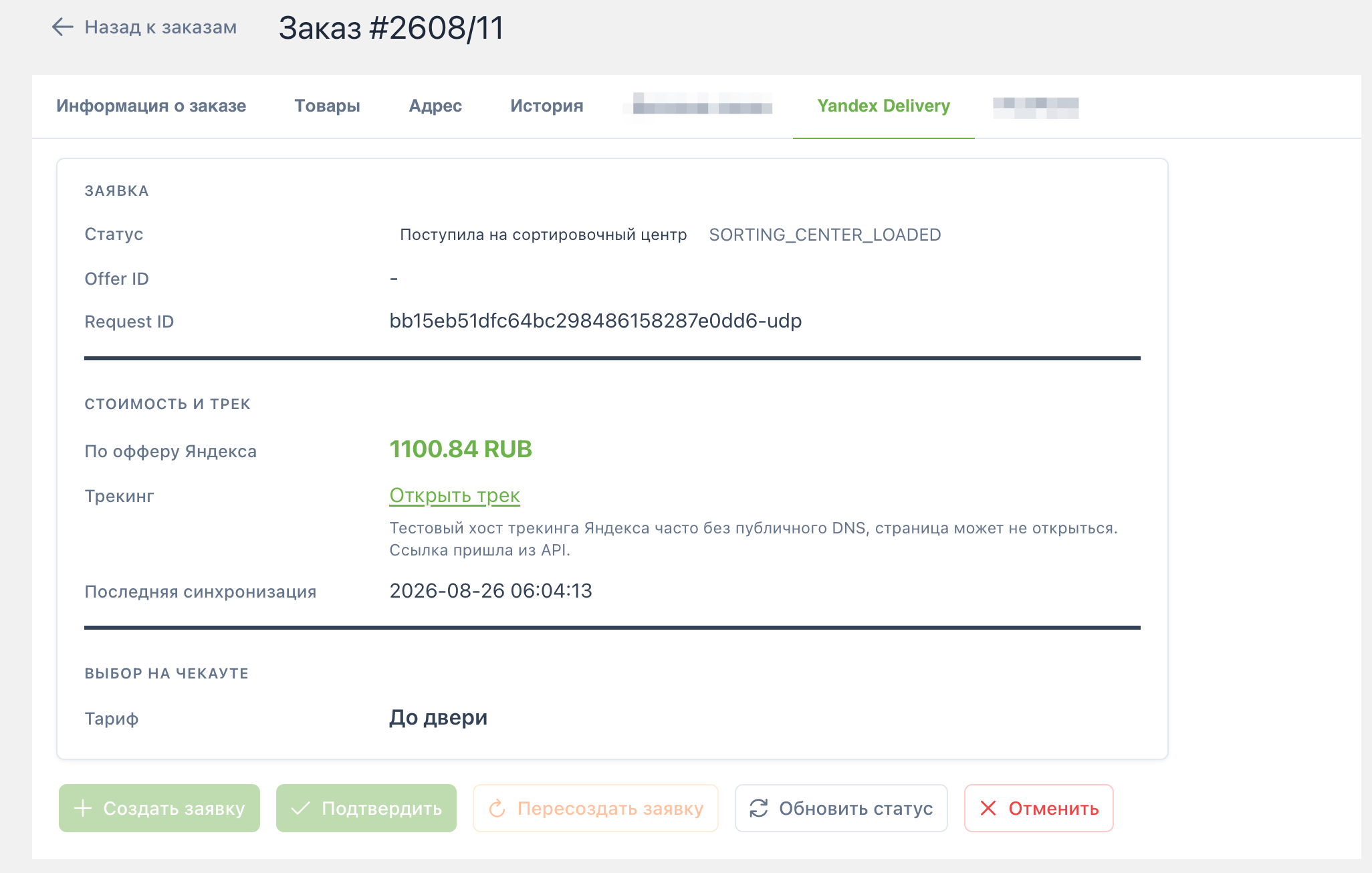
msYandexDelivery connects the Yandex Delivery Platform API (Russia other-day delivery) to MiniShop3 on MODX 3. Shoppers get a rate and choose door delivery or a pickup point at checkout. Managers create and confirm Yandex requests, refresh status by polling the API, and cancel when needed.
Namespace: msyandexdelivery. Delivery class: msyandexdelivery\Delivery\YandexDelivery. There is no status webhook. Refresh uses request/info (order tab button, Scheduler, or cron).
Start here: Quick start.
pricing-calculator (time_interval and self_pickup)widget-pvz.dostavka.yandex.net)msOrder.properties.msyandexdelivery and table msyandex_requestsmsOnGetDeliveryCost and YandexDelivery::getCost() (delivery_cost syncs from option price)connector.php?action=sync_statusesThere is no separate CMP. The menu only opens system settings for namespace msyandexdelivery.
| Requirement | Version |
|---|---|
| MODX Revolution | >= 3.0.3 |
| PHP | >= 8.2 |
| MiniShop3 | >= 1.0.0 |
| VueTools | for the order tab |
The resolver creates two methods with class msyandexdelivery\Delivery\YandexDelivery:
| Tariff | MS3 name |
|---|---|
time_interval | Яндекс Доставка — до двери |
self_pickup | Яндекс Доставка — ПВЗ |
IDs go into msyandexdelivery_delivery_id (comma-separated). Active payment methods are linked automatically. The package does not create payment methods.
msyandexdelivery, set required base_url, token, and sender station.msyandexdelivery_enabled and the Yandex delivery methods in MiniShop3.If the transport uses EncryptedVehicle, add the modstore.pro provider in Package Management. Otherwise install fails with Package provider not found.
| Page | Content |
|---|---|
| Quick start | API keys, checkout, order check |
| System settings | All msyandexdelivery_* keys |
| Checkout and snippets | msYandexDelivery, msydLexiconScript, widget |
| Requests and manager | Create / Confirm / Refresh / Cancel, status polling |
| FAQ | Common errors and limits |