


Alex Soin
Author
This tool helps set up MODX Revolution projects quickly after installing the CMS on a host.
2.7 < 37.4Внимание
MODX 3 is not supported
Внимание
Only run setup on a fresh install. Do not run this tool on a live site.
Connect via ssh, go to the site root and clone the repository:
git clone https://github.com/alexsoin/moxi.gitOpen http://your_site_domain/moxi/ to see the setup interface.
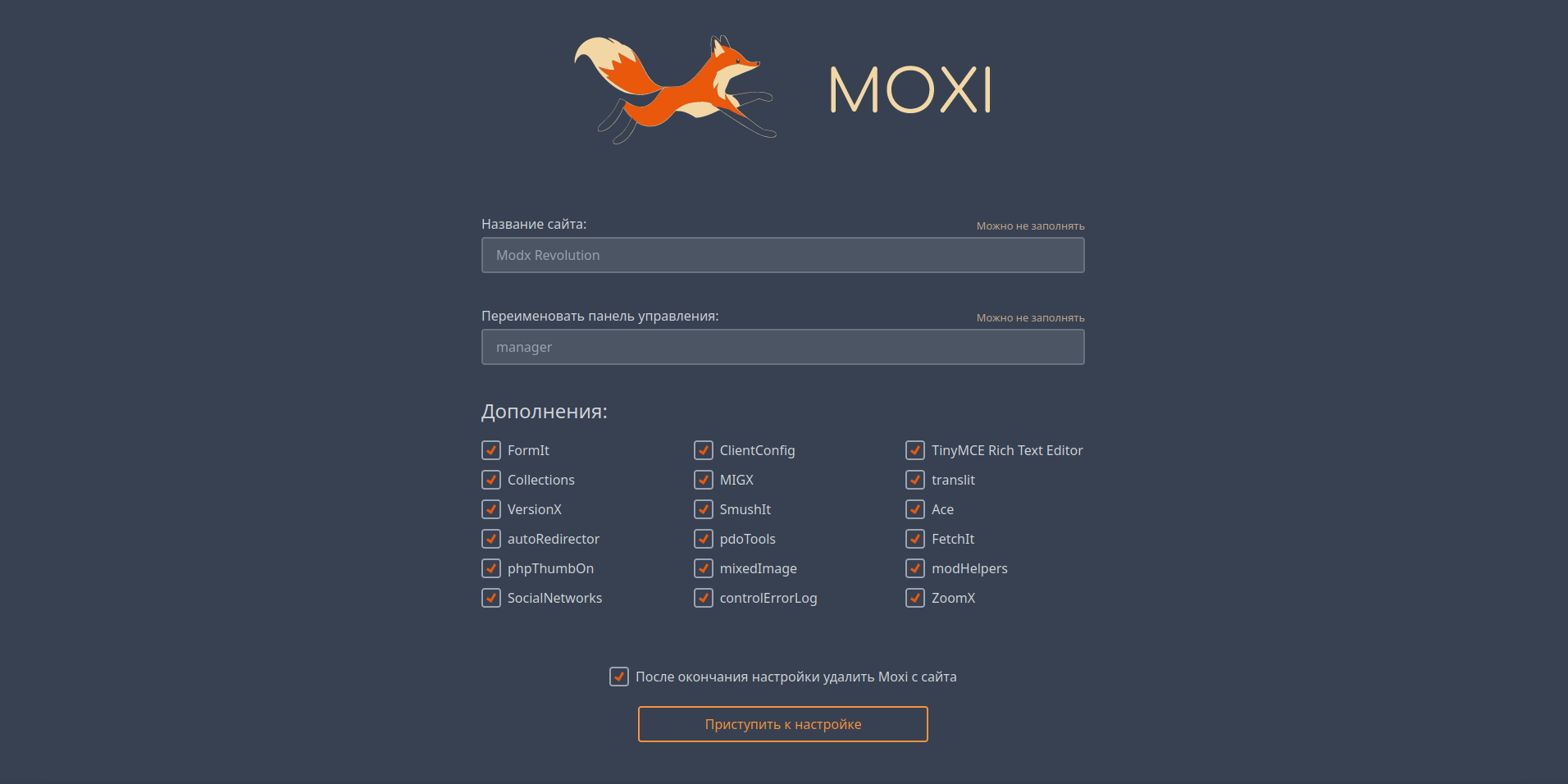
You can configure the following before running setup:
panel so the Manager is at http://your_site_domain/panel/ instead of .../manager/When installation finishes you see the log and buttons that open modals with errors and warnings.
Setup is complete.
Alternative way to run moxi. You cannot change the list of extras from the CLI, but there is no script execution time limit.
In the same ssh terminal, go to the moxi directory:
cd moxiRun with PHP 7.4:
php7.4 ./cli.phpПодсказка
PHP 7.4 may be invoked differently on different hosts: php7.4, php74, or /usr/bin/php74/bin/php. Check your host’s docs or support.
Enter the MODX Manager admin username and password.
Then set the site name (or press Enter to keep it), then the Manager folder name.
On the next step you see the list of processes; confirm with Y or Enter to start setup.
Setup is complete.
The application has this structure:
├── app.php                            // Main class
├── cli.php                            // CLI entry
├── web.php                            // Web UI entry
├── index.html                         // UI
├── _frontend/                         // UI component source
└── src/                               // Project data
    ├── content/                       // Content
    │   ├── core/                      // core files to copy to the site
    │   │   ├── components/
    │   │   │   └── translit/          // translit component fix
    │   │   └── elements/
    │   │       ├── zoomx/             // ZoomX files
    │   │       │   ├── controllers/   // ZoomX App\Controllers
    │   │       │   ├── plugins/       // ZoomX plugins
    │   │       │   ├── snippets/      // ZoomX snippets
    │   │       │   └── templates/     // ZoomX templates
    │   │       ├── chunks/            // Fenom chunks
    │   │       └── templates/         // Fenom templates
    │   │           └── layouts/      // Fenom template layouts
    │   ├── pages/                     // Resource content
    │   ├── plugins/                   // Plugin content
    │   ├── snippets/                  // Snippet content
    │   └── templates/                 // Template content
    └── data/                          // Import data
        ├── addons.php                 // Packages by provider
        ├── clientConfig.php           // ClientConfig fields and groups
        ├── plugins.php                // Plugins and settings
        ├── providers.php              // Package providers
        ├── resources.php              // Resources
        ├── settings.php               // System settings and values
        ├── snippets.php               // Snippets
        ├── templates.php              // Templates
        └── tvs.php                    // TV parameters